MindSpace - Mind Map

MindSpace - Mind Map

다운로드: App Store
Spark by MWM logo
로고: MindSpace - Mind Map

MindSpace - 마인드맵: 빠르고 명확하게 아이디어를 시각화하세요

순간적인 영감을 포착하고 Mac, iPad, iPhone 전반에 걸쳐 지식을 원활하게 정리하는 미니멀리스트 작업 공간입니다.

개발사

佳文 潘

카테고리

Productivity

다운로드

339K+

사용자 평점

4.6/5

총 평가 수

1K+

지원 언어

20

당신의 워크플로우를 시각화하세요

이 인터페이스를 사용하는 339K+ 명의 사용자.

구조화된 아이디어와 정리 기능을 보여주는 화려한 마인드맵과 보라색 배경

구조화된 아이디어와 정리 기능을 보여주는 화려한 마인드맵과 보라색 배경

MindSpace 앱의 마인드맵 인터페이스로 개인 정보 보호 및 직관적인 디자인과 같은 기능 표시

MindSpace 앱의 마인드맵 인터페이스로 개인 정보 보호 및 직관적인 디자인과 같은 기능 표시

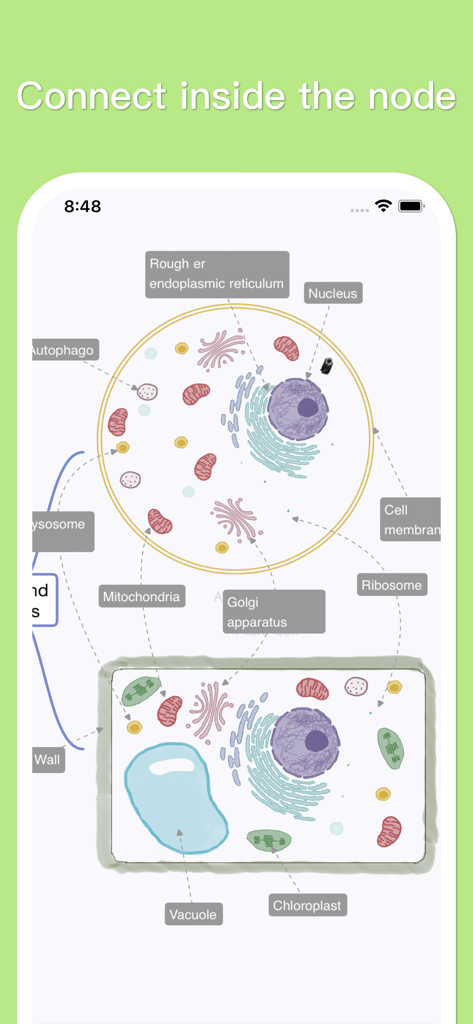
교육용 연구를 위해 레이블이 지정된 세포 소기관을 보여주는 생물 세포 구조를 설명하는 상세한 마인드맵

교육용 연구를 위해 레이블이 지정된 세포 소기관을 보여주는 생물 세포 구조를 설명하는 상세한 마인드맵

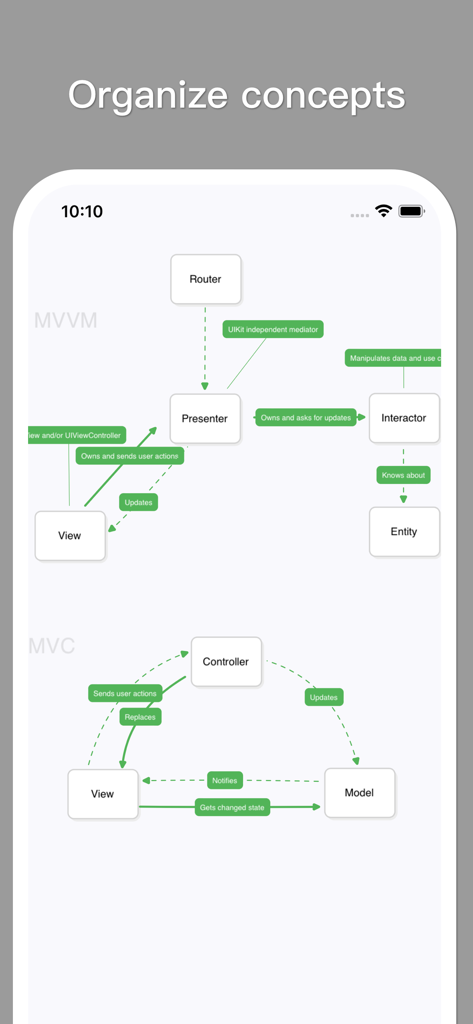
MVVM 및 MVC 소프트웨어 아키텍처 개념을 설명하는 MindSpace 앱의 미니멀리스트 마인드맵 다이어그램.

MVVM 및 MVC 소프트웨어 아키텍처 개념을 설명하는 MindSpace 앱의 미니멀리스트 마인드맵 다이어그램.

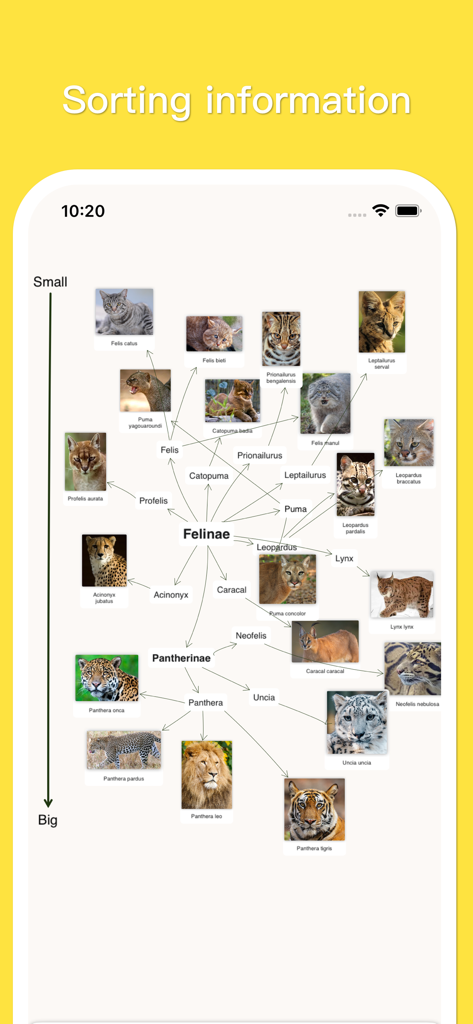
사진과 분류학적 이름으로 크기별로 분류된 고양이 종을 보여주는 MindSpace의 시각적 마인드맵

사진과 분류학적 이름으로 크기별로 분류된 고양이 종을 보여주는 MindSpace의 시각적 마인드맵

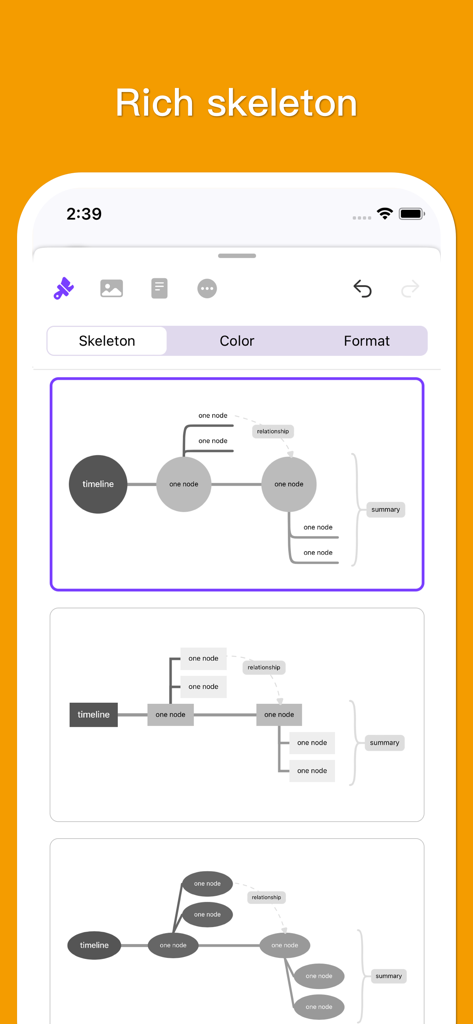
MindSpace 앱에서 다양한 마인드맵 골격 레이아웃 및 구조 선택

MindSpace 앱에서 다양한 마인드맵 골격 레이아웃 및 구조 선택

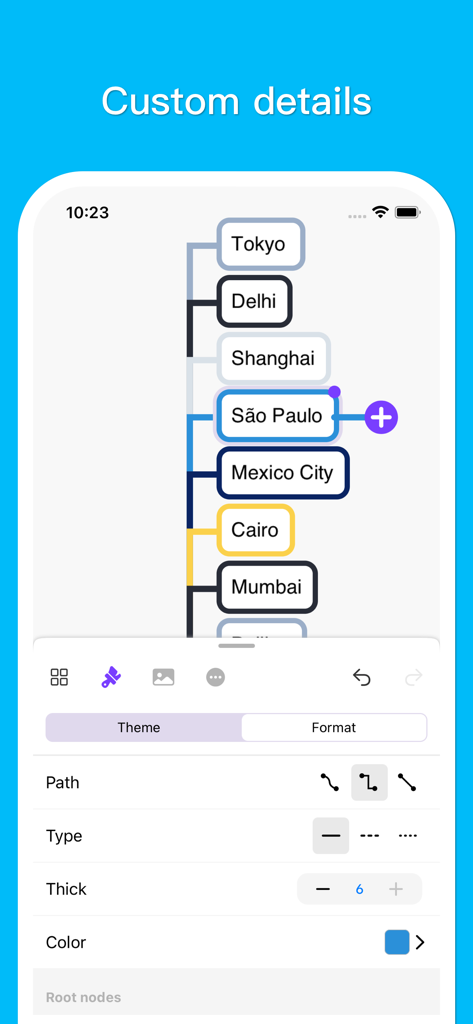
도쿄와 상파울루를 포함한 세계 도시를 가진 마인드맵의 사용자 정의 옵션을 보여주는 모바일 앱 인터페이스.

도쿄와 상파울루를 포함한 세계 도시를 가진 마인드맵의 사용자 정의 옵션을 보여주는 모바일 앱 인터페이스.

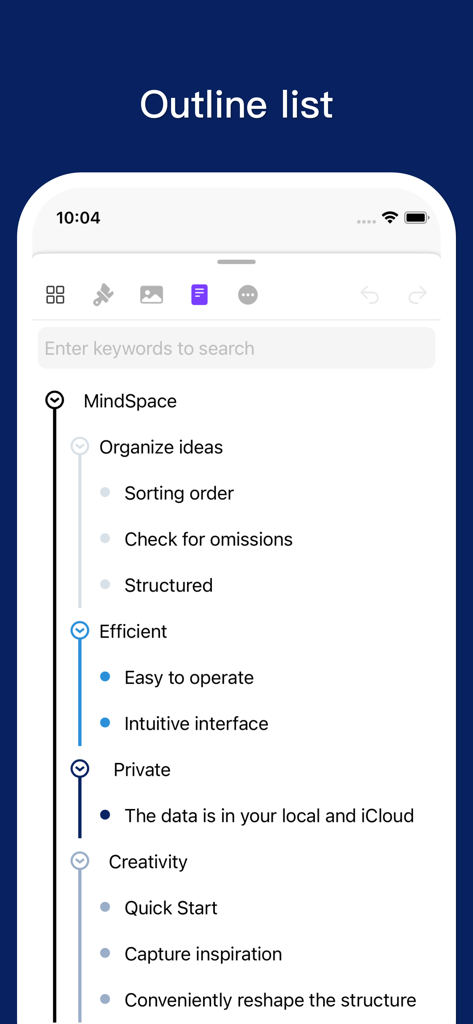
정리된 생각과 기능을 보여주는 MindSpace 앱의 세로 개요 목록 인터페이스

정리된 생각과 기능을 보여주는 MindSpace 앱의 세로 개요 목록 인터페이스

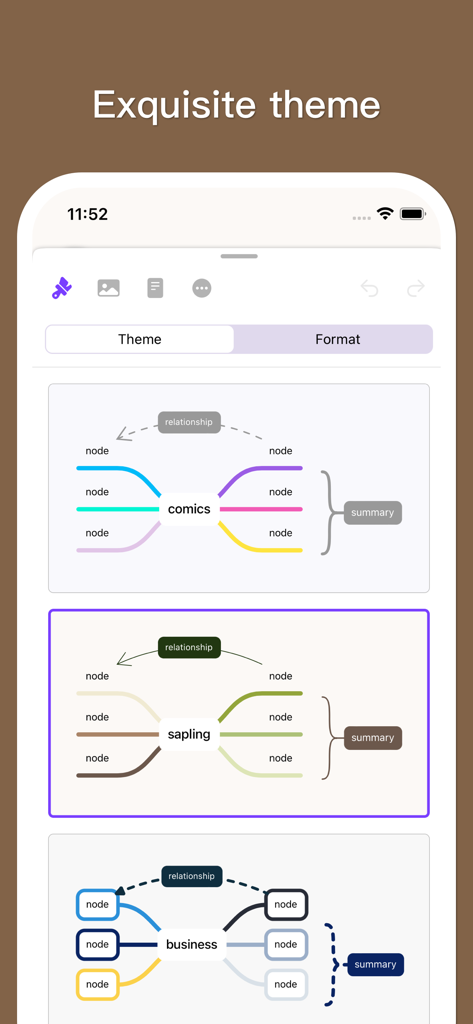
만화 및 비즈니스 스타일을 포함한 여러 마인드맵 테마 옵션을 보여주는 MindSpace 앱 인터페이스

만화 및 비즈니스 스타일을 포함한 여러 마인드맵 테마 옵션을 보여주는 MindSpace 앱 인터페이스

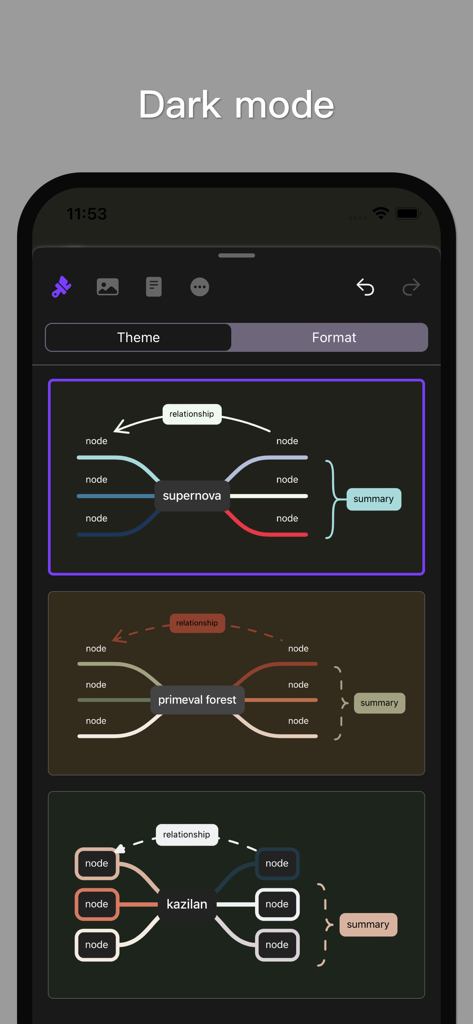
어두운 모드의 다양한 마인드맵 테마를 표시하는 MindSpace 앱 인터페이스.

어두운 모드의 다양한 마인드맵 테마를 표시하는 MindSpace 앱 인터페이스.

정신적 명료함을 마스터하세요

이 앱을 돋보이게 하는 도구, 339K+ 명의 사용자가 선택.

📱

원활한 Apple 생태계

통근 중에 iPhone에서 아이디어를 구상하고, iPad에서 다듬고, Mac에서 마무리하세요. 파워 유저를 위해 설계된 진정한 크로스 플랫폼 연속성을 경험하세요.

즉각적인 아이디어 포착

천재성을 놓치지 마세요. 직관적인 제스처, 미니멀리스트 테마, 콘텐츠에 집중할 수 있는 시각적 계층 구조로 '지식 성'을 빠르게 구축하세요.

🛡️

개인 정보 보호 및 내보내기 가능

데이터는 당신만이 소유합니다. 문서 기반 보안을 즐기고 고해상도 PDF 또는 이미지를 즉시 내보내 Slack, Zoom 또는 이메일을 통해 팀과 공유하세요.

전 세계 사용자들에게 사랑받는 앱

Trusted by 339K+ 명이 이 앱을 사랑합니다.

"

"프로젝트 관리자로서 MindSpace는 제 워크플로우에 필수적입니다. Mac, iPad, iPhone 전반에 걸쳐 동기화되는 방식 덕분에 아이디어가 떠오르는 즉시 포착할 수 있습니다. 깔끔하고 전문적인 테마 덕분에 추가적인 디자인 작업 없이 복잡한 전략을 팀과 쉽게 공유할 수 있습니다. 제가 사용해 본 마인드맵 도구 중 가장 직관적인 도구입니다."

Marcus Sterling
"

"MindSpace는 제 박사 과정 연구 방법을 완전히 바꿔놓았습니다. 미니멀리스트 디자인 덕분에 방해 없이 연구를 시각적 지식 성으로 정리할 수 있습니다. 스티커와 색상을 추가하여 생각을 분류할 수 있다는 점이 좋고, PDF로 내보내기 기능은 스터디 그룹과 노트를 공유하는 데 완벽합니다."

Elena Rodriguez

앱 소개

에 대해 알아야 할 모든 것 MindSpace - Mind Map.

설명

Create concise mind maps quickly. Edit them on Mac, iPad and iPhone, export pictures or PDF at any time to share in study and work. • Organize ideas Quickly adjust the structure of your information, distinguish them with different colors and different formats, insert stickers to make the information more vivid, and the built-in exquisite themes can be styled with one click. In short, MindSpace strives to help you build a castle of knowledge in your brain. • Capture inspiration Grasp the fleeting inspiration, quickly add it to the mind map, and become an important part of your knowledge castle. Each inspiration instantly becomes brick by brick and is permanently stored in your brain. • Exquisite appearance The selected theme style allows you to pay more attention to the information itself without worrying about the appearance. The minimalist style makes every position not redundant while reducing interference, making the content itself the core. • Data Security MindSpace uses the simplest way to build, namely the document editor, your data belongs to you only. • Free sharing Some of your whimsical ideas or creative inspiration can improve team efficiency, so make an intuitive mind map and share it with your team. If you choose the "subscription" purchase model, before subscribing, please know: • Monthly subscription users: Each subscription period is 1 month. • Annual subscription users: Each subscription period is 1 year. • In the MindSpace purchase window, the latest subscription price will be displayed in real time. After the payment is confirmed, or after the free trial period (if any) ends, the iTunes account will be debited. • The subscription is automatically renewed unless the auto-renewal feature is turned off 24 hours before the current subscription period. • The account will be deducted for renewal within 24 hours before the end of the current subscription period, and the renewal amount is the same as the previous subscription amount. • The user can manage the subscription service by himself, and the automatic renewal service can be turned off in the user's account settings after purchase. terms of use: Please read the following terms carefully before using the "Unlocked Full Version" value-added service provided by "MindSpace": 1. Subscription model This service is a subscription-based fee-based service, which means that you will pay in advance for future subscription usage. Currently, you can choose to use the service on a monthly or yearly basis. At the end of each subscription period, your subscription will be automatically renewed by default, unless you cancel the automatic renewal yourself or we cancel the service. 2. Expenses The current standard service price may change during the promotion period. When the price adjustment occurs, the new fee will be incurred in your next subscription cycle. 3. Refund The current subscription fee will not be refunded. Please be sure to cancel the service by yourself before the end of the trial. 4. Unsubscribe If you need to cancel the renewal, please cancel at least 24 hours in advance. You can cancel by the following method: open the system settings-click on Apple ID-click on subscription-select "MindSpace" to cancel the subscription 5. Other The same Apple ID can only open one subscription to "MindSpace" contact us If you have any questions about these terms of use, please contact us. Email address: todo-color@outlook.com. Link to Terms of Use: https://rednowapp.github.io/terms-of-use/ Privacy policy link: https://rednowapp.github.io/privacy-policy/

최신 버전

1.8.4

크기

31.8 MB

출시일

2021년 9월 18일

오늘 당신의 지식 성을 구축하세요

Apple 기기 전반에 걸쳐 순간적인 영감을 구조화된 성공으로 전환하기 위해 MindSpace를 사용하는 339,000명 이상의 시각적 사고가들과 함께하세요.

다운로드: App Store
FAQ

자주 묻는 질문

에 대해 알아야 할 모든 것 MindSpace - Mind Map

What is MindSpace - Mind Map?

MindSpace는 빠르고 간결하게 마인드맵을 만들고 편집하도록 설계된 애플리케이션입니다. 사용자는 Mac, iPad, iPhone에서 맵을 편집하고, 학습 및 업무에서 공유하기 위해 그림이나 PDF로 내보낼 수 있습니다.

What features does MindSpace offer for organizing ideas?

MindSpace는 정보 구조를 조정하고, 다른 색상, 형식 및 스티커로 요소를 구별하여 아이디어를 구성하도록 돕습니다. 또한 원클릭 스타일링을 위한 내장된 정교한 테마를 제공합니다.

Can MindSpace help capture sudden inspirations?

네, MindSpace를 사용하면 갑작스러운 영감을 마인드맵에 빠르게 추가할 수 있습니다. 이 기능은 새로운 아이디어를 사용자의 전반적인 지식 구조에 효율적으로 통합하는 데 도움이 됩니다.

Does MindSpace support data export?

네, MindSpace는 마인드맵 내보내기를 지원합니다. 사용자는 언제든지 자신이 만든 마인드맵을 그림 또는 PDF 파일로 내보낼 수 있습니다. 이 기능은 학습 및 업무 목적을 위한 쉬운 공유를 촉진합니다.

Is my data secure in MindSpace?

네, MindSpace는 데이터 보안을 보장합니다. 앱은 문서 편집기 모델을 사용하므로 사용자 데이터는 비공개로 저장되며 MindSpace 서버가 아닌 전적으로 사용자에게 속합니다.

What are the subscription options for MindSpace?

MindSpace는 사용자에게 월간 및 연간 구독 모델을 모두 제공합니다. 가장 최신의 가격 정보는 결제가 확인되기 전 MindSpace 구매 창에 표시됩니다.

How does MindSpace handle subscription renewals?

자동 갱신 기능이 꺼져 있지 않은 한 MindSpace 구독은 자동으로 갱신됩니다. 요금이 청구되는 것을 방지하려면 현재 구독 기간이 종료되기 최소 24시간 전에 자동 갱신을 비활성화해야 합니다.

Can I get a refund for a MindSpace subscription?

아니요, 현재 MindSpace 구독 요금은 환불되지 않습니다. 요금이 발생하는 것을 피하려면 무료 체험 기간이 끝나기 전에 사용자가 직접 서비스를 취소해야 합니다.

How can I cancel my MindSpace subscription?

MindSpace 구독을 취소하려면 사용자는 시스템 설정에 접속하여 Apple ID를 탭한 다음 구독을 탭합니다. 거기에서 "MindSpace"를 선택하고 구독 취소를 진행합니다.

What customization options does MindSpace offer for mind map appearance?

MindSpace는 다양한 색상, 형식, 스티커 및 내장된 정교한 테마를 포함한 사용자 정의 옵션을 제공합니다. 사용자는 사용자 정의 세부 정보에서 경로 유형, 두께 및 색상을 조정할 수도 있습니다. 다크 모드도 사용할 수 있습니다.

What platforms does MindSpace support for editing mind maps?

MindSpace를 사용하면 Mac, iPad 및 iPhone에서 마인드맵을 편집할 수 있습니다. 이 다중 플랫폼 지원은 다양한 Apple 기기에서 마인드맵을 관리하고 업데이트하는 유연성을 제공합니다.

Does MindSpace offer an outline view for mind maps?

네, MindSpace는 개요 목록 보기를 제공합니다. 이 기능을 사용하면 사용자는 시각적 표현을 보완하는 텍스트 개요로 구성된 마인드맵 콘텐츠를 볼 수 있습니다.