Network Utility Pro

Network Utility Pro

다운로드: App Store
Spark by MWM logo
로고: Network Utility Pro

Network Utility Pro: 네트워크 분석을 위한 전문가용 스위트

연결성을 완벽하게 제어하세요. LAN 스캔과 데이터 사용량 모니터링부터 고급 DNS 조회까지, 데스크톱 수준의 진단 기능을 손안에서 만나보세요.

개발사

Fausto Ristagno

카테고리

Utilities

다운로드

155K+

사용자 평점

4.6/5

총 평가 수

600

지원 언어

5

시각화된 전문 진단

이 인터페이스를 사용하는 155K+ 명의 사용자.

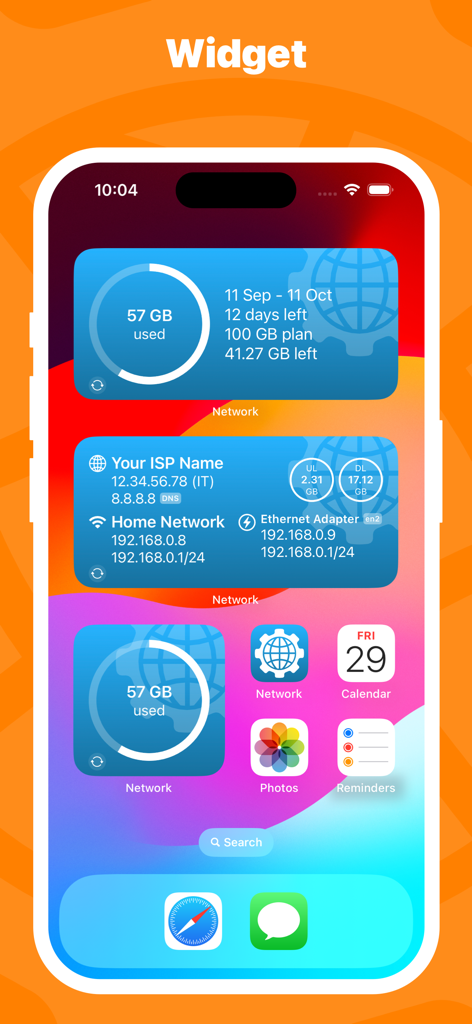
셀룰러 데이터 사용량 및 네트워크 연결 정보를 보여주는 Network Utility Pro iOS 홈 화면 위젯

셀룰러 데이터 사용량 및 네트워크 연결 정보를 보여주는 Network Utility Pro iOS 홈 화면 위젯

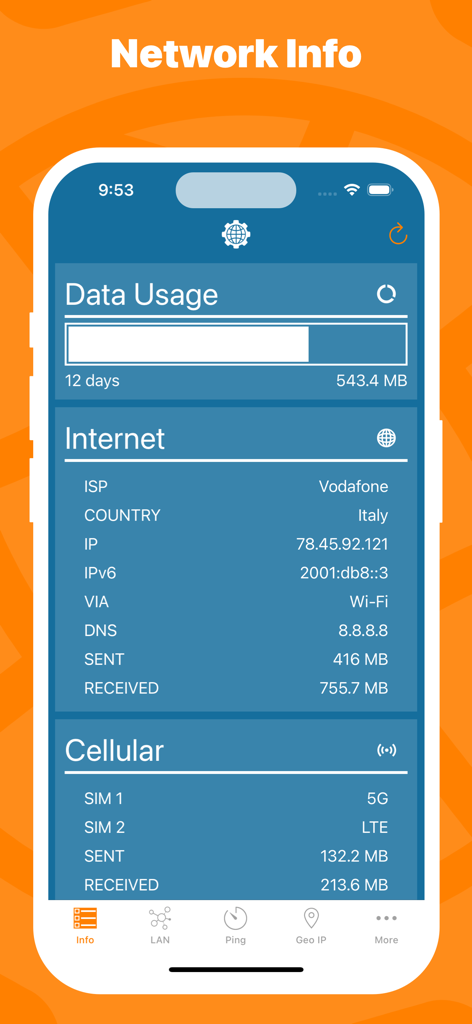
데이터 사용량 통계, ISP 세부 정보 및 셀룰러 네트워크 상태를 포함한 네트워크 정보를 표시하는 모바일 앱 인터페이스

데이터 사용량 통계, ISP 세부 정보 및 셀룰러 네트워크 상태를 포함한 네트워크 정보를 표시하는 모바일 앱 인터페이스

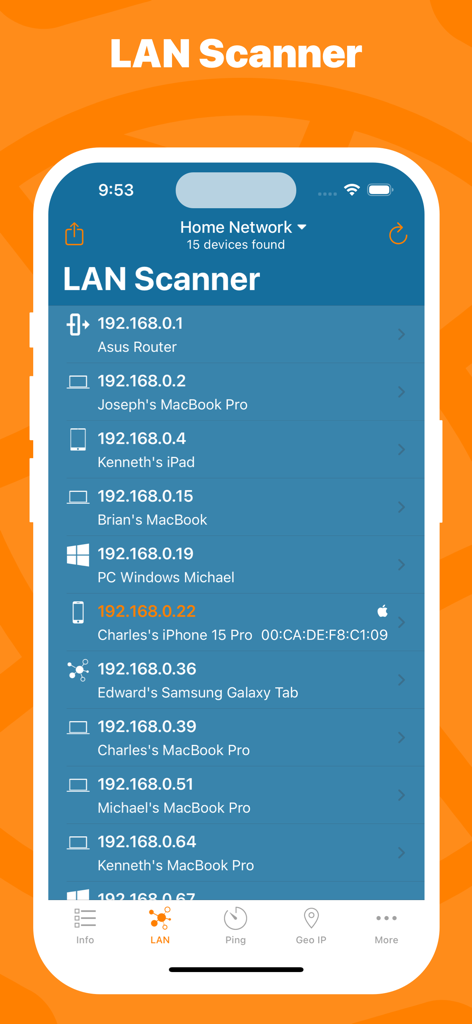
홈 네트워크의 연결된 장치 및 IP 주소 목록이 있는 LAN 스캐너 화면을 보여주는 Network Utility Pro 앱

홈 네트워크의 연결된 장치 및 IP 주소 목록이 있는 LAN 스캐너 화면을 보여주는 Network Utility Pro 앱

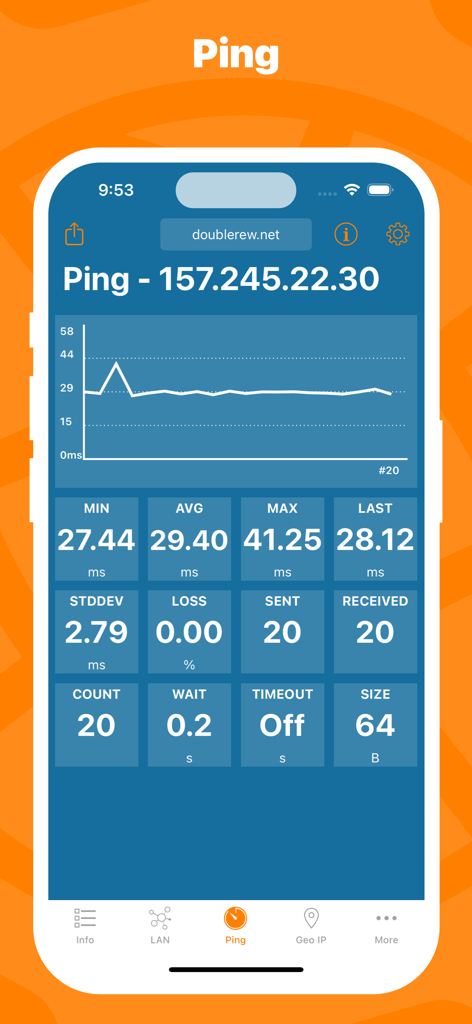
서버의 실시간 Ping 통계 및 지연 시간 그래프를 보여주는 Network Utility Pro 앱

서버의 실시간 Ping 통계 및 지연 시간 그래프를 보여주는 Network Utility Pro 앱

네트워크 IP 정보 및 셀룰러 데이터 사용량을 보여주는 iPhone 잠금 화면의 Network Utility Pro 위젯

네트워크 IP 정보 및 셀룰러 데이터 사용량을 보여주는 iPhone 잠금 화면의 Network Utility Pro 위젯

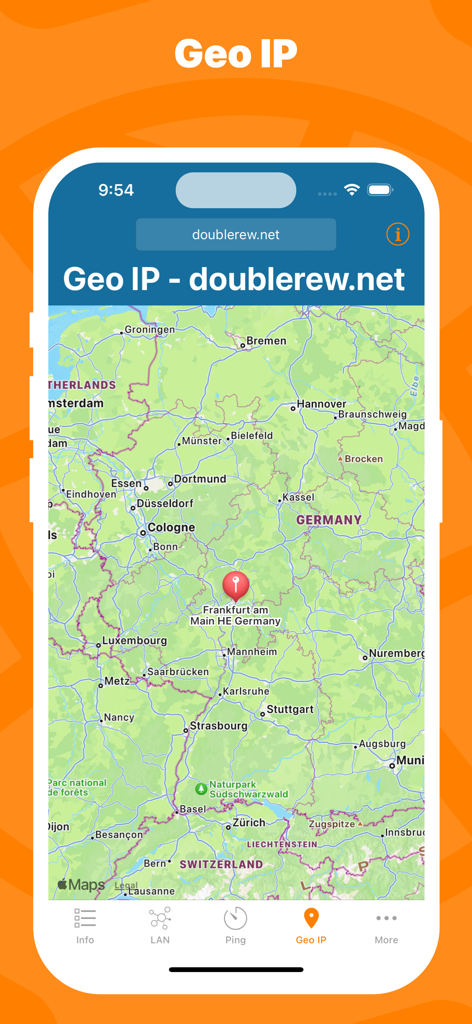
독일의 지도 위치 표시가 있는 Geo IP 도구를 보여주는 Network Utility Pro 인터페이스

독일의 지도 위치 표시가 있는 Geo IP 도구를 보여주는 Network Utility Pro 인터페이스

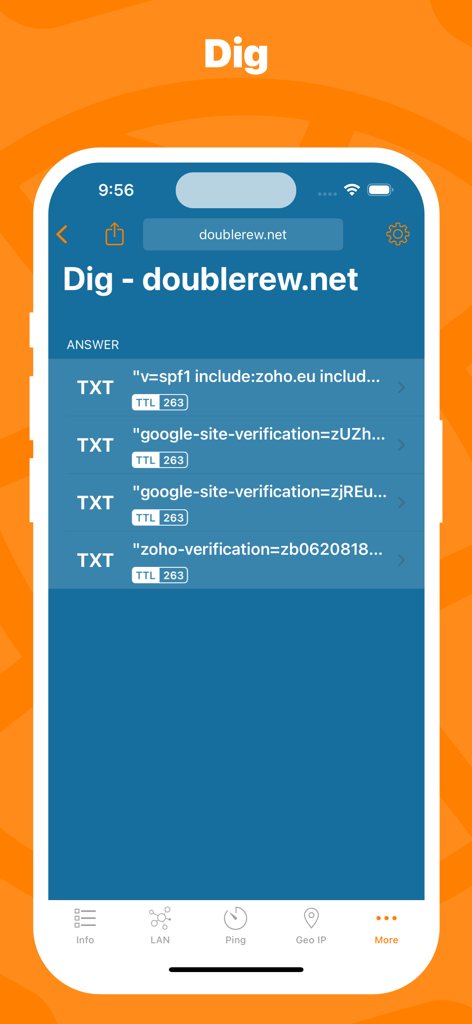
도메인 TXT 레코드 및 TTL 데이터를 보여주는 Network Utility Pro의 Dig DNS 조회 도구

도메인 TXT 레코드 및 TTL 데이터를 보여주는 Network Utility Pro의 Dig DNS 조회 도구

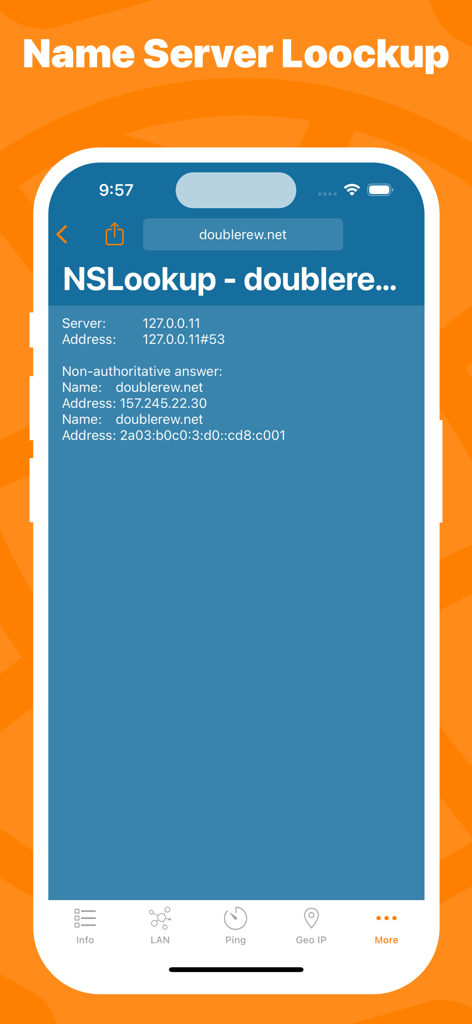
도메인에 대한 NSLookup 도구 결과를 보여주는 Network Utility Pro 앱 스크린샷

도메인에 대한 NSLookup 도구 결과를 보여주는 Network Utility Pro 앱 스크린샷

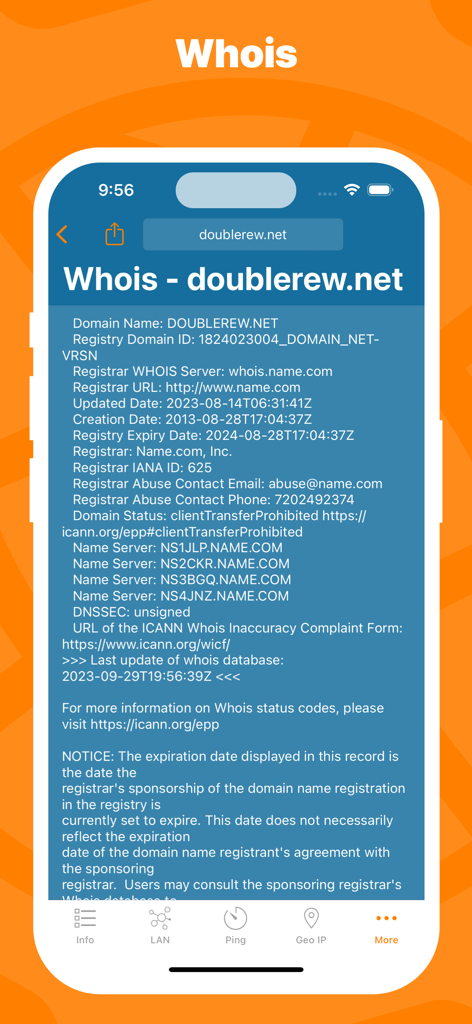
Network Utility Pro 앱의 Whois 도메인 등록 조회 인터페이스

Network Utility Pro 앱의 Whois 도메인 등록 조회 인터페이스

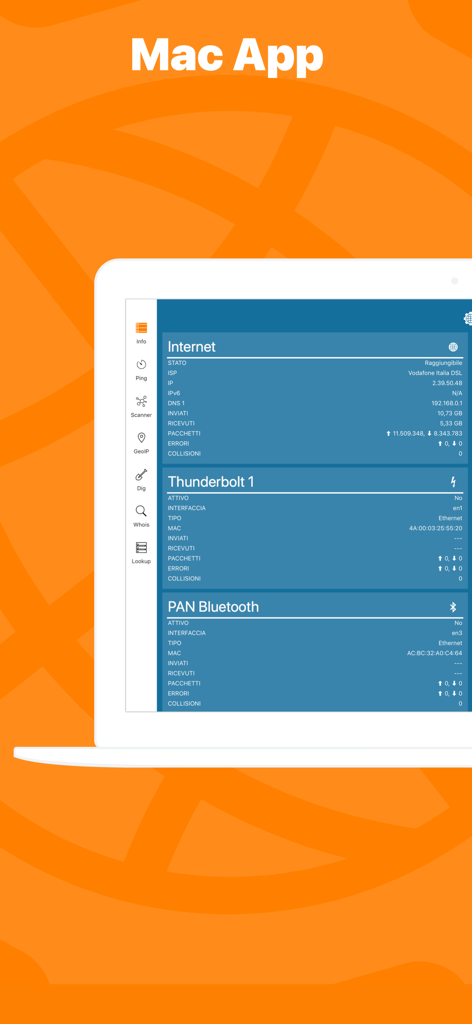
네트워크 상태 및 진단을 표시하는 Mac 노트북의 Network Kit X 애플리케이션 인터페이스

네트워크 상태 및 진단을 표시하는 Mac 노트북의 Network Kit X 애플리케이션 인터페이스

전문가급 도구로 네트워크를 마스터하세요

이 앱을 돋보이게 하는 도구, 155K+ 명의 사용자가 선택.

📡

고급 LAN 스캐너

네트워크의 모든 장치를 즉시 식별하고 무단 액세스를 감지하여 환경을 안전하게 유지하세요.

실시간 Ping 및 통계

그래픽 데이터와 고급 설정을 통해 지연 시간을 모니터링하여 중요한 작업 시 연결 안정성을 보장하세요.

📊

정확한 데이터 모니터링

사용자 지정 결제 주기에 따른 독립적인 셀룰러 사용량 추적으로 통신사의 속도 제한을 방지하세요.

전 세계 사용자들에게 사랑받는 앱

Trusted by 155K+ 명이 이 앱을 사랑합니다.

"

"이동이 잦은 시스템 관리자로서 Network Utility Pro는 저의 필수 모바일 도구가 되었습니다. iPhone에서 바로 전문적인 Dig, Whois, NSlookup 도구를 사용할 수 있어 노트북을 열지 않고도 서버 문제를 진단할 수 있습니다. Mac 버전과의 Handoff 지원은 제 워크플로우를 획기적으로 바꿔놓았고, 다른 기술 앱에 비해 UI가 매우 깔끔합니다."

Marcus T.
"

"30개 이상의 스마트 홈 기기를 관리하고 있는데, 이 앱은 모든 장치를 원활하게 운영하는 데 필수적입니다. LAN 스캐너는 IP 충돌을 빠르게 식별하거나 오프라인이 된 장치를 찾는 데 도움을 주며, 셀룰러 데이터 모니터는 원격 근무 여행 중 핫스팟 사용량을 추적하는 데 완벽합니다. 제가 홈 네트워크 관리를 위해 찾던 바로 그 디지털 맥가이버 칼입니다."

Sarah Jenkins

앱 소개

에 대해 알아야 할 모든 것 Network Utility Pro.

설명

Keep under control your network with Network Utility, an user friendly set of network tools that will help you to analyze your LAN, and not only that. ► NETWORK INFO A complete and easy to understand report of your device's network interfaces. In that tab you'll find information like the IP, IPv6, other addresses or the data usage statistics about your Wi-Fi, Internet or Cellular connection (if any). ► CELLULAR DATA MONITOR Don't lose sight of your data usage, with four taps you'll have a data monitor configured and ready to use. The following data usage plans' period are supported: - Daily - Weekly - Monthly - 28 days - 30 days - 90 days ► LAN SCANNER Analyze your Wi-Fi with the LAN Scanner tool. Discovering who is connected to your network and Ping it, is a matter of two taps. Easily manage custom subnets to scan only a portion of your LAN. ► PING Ping a LAN device, Ping a server, ping whatever you want. IPv6 addresses are supported too and advanced options like packet size, timeouts, intervals, etc.. are available and easily configurable. The results of your Ping are available numerically in the aggregated stats, graphically in the real time graph or listed, a row per ICMP response received. ► GEO IP Have you ever wondered where a server or any other IP is located? That's the tool for you, show the location on a map and get additional details like the ISP or the ASN in the details pane. ► DIG A DNS lookup utility made simple. A list clearly shows the result of your query and the advanced options allow you to customize your request from the type of query to the DNS server. ► WHOIS Find any information about a domain name and it's owner e.g. the status, creation date, registrant email and address and many more. ► NSLOOKUP A no-frills textual DNS lookup utility. ► WIDGET * Network Utility comes with an useful widget that brings network informations and the cellular data usage into your notification center, home screen e lock screen. ► EXPORT RESULTS ANYWHERE Every utility has an export button that allows you to export the result of your task to the File app, to the Notes app and many other apps or simply copy the raw textual result. ► MAC APP Network Utility is also available on the Mac App Store as Network Kit X, the same app but tuned to take advantage of macOS. Start a tool on your iPhone/iPad a continue it on your Mac thanks to Handoff and Continuity. !! N.B. - Cellular data monitor is available only on iPhone or iPad with Cellular. - LAN Scanner on iOS 11 and upper due to a limitation of the OS can't display the MAC address of the discovered devices. Hostname resolution is available only if you don't use an external DNS. - Widgets on iOS 14 are updated only at scheduled intervals (e.g. every 5 minutes), so they can show outdated info. Open the app to get info updated in real time.

최신 버전

9.10.3

크기

13.3 MB

출시일

2016년 3월 3일

어디서나 네트워크를 마스터하세요

궁극의 디지털 맥가이버 칼을 갖추세요. 주머니 속에서 바로 데스크톱 수준의 진단을 수행하는 155,000명 이상의 IT 전문가 및 파워 유저와 함께하세요.

다운로드: App Store