Norton Family Companion App

Norton Family Companion App

다운로드: App Store
Spark by MWM logo
로고: Norton Family Companion App

Norton Family 컴패니언 앱: 부모가 더 안전한 온라인 습관을 기를 수 있도록 돕습니다

화면 시간을 관리하고, 부적절한 콘텐츠를 차단하며, 완벽한 안심을 위해 필요한 전문가 수준의 도구로 자녀가 학업에 집중할 수 있도록 하세요.

다운로드: App Store

개발사

Gen Digital Inc.

카테고리

Utilities

다운로드

46K+

사용자 평점

1.4/5

총 평가 수

600

지원 언어

23

시각화된 안심

이 인터페이스를 사용하는 46K+ 명의 사용자.

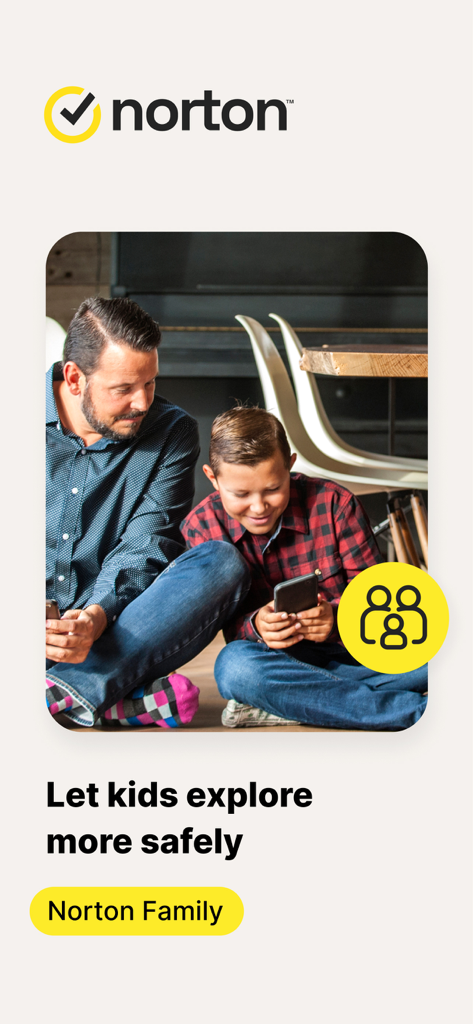
Norton Family 앱 로고 및 안전 메시지와 함께 스마트폰을 사용 중인 아버지와 아들

Norton Family 앱 로고 및 안전 메시지와 함께 스마트폰을 사용 중인 아버지와 아들

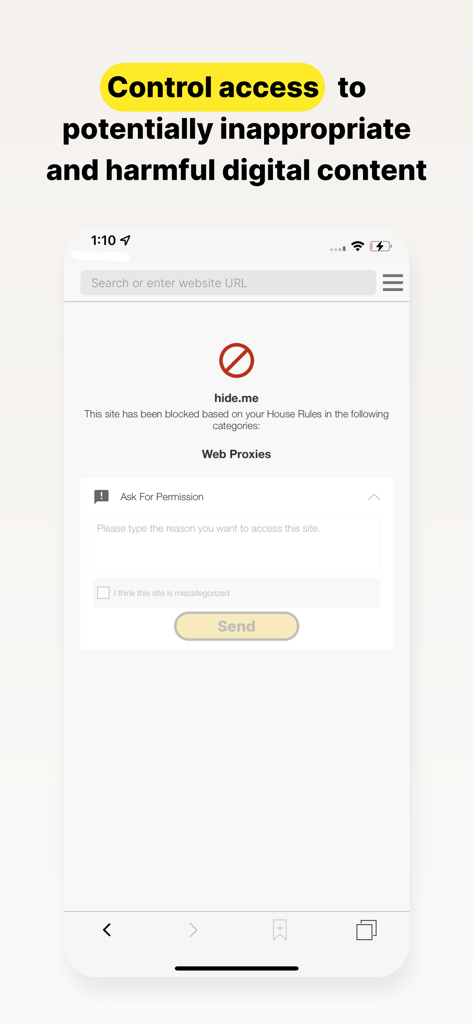
부적절한 웹사이트가 차단된 화면과 자녀가 액세스 권한을 요청할 수 있는 옵션이 표시된 Norton Family 앱 스크린샷

부적절한 웹사이트가 차단된 화면과 자녀가 액세스 권한을 요청할 수 있는 옵션이 표시된 Norton Family 앱 스크린샷

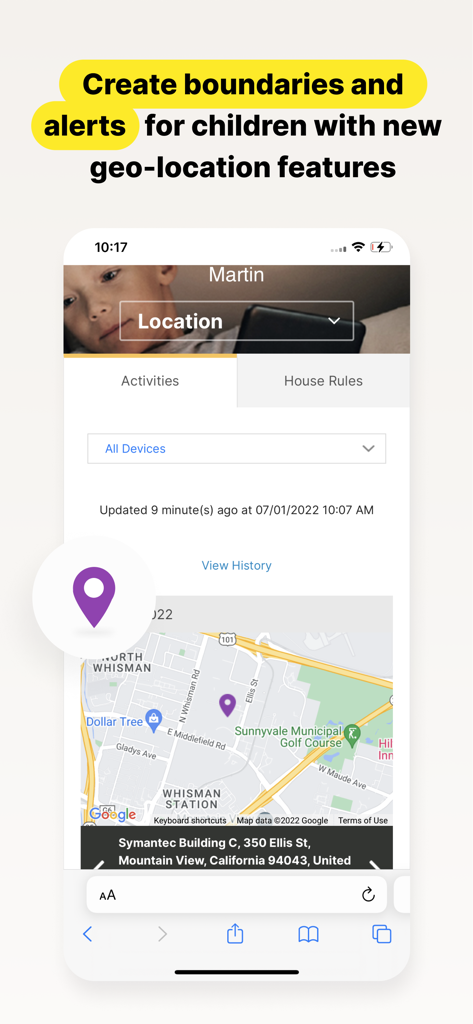
자녀의 위치가 표시된 지도와 부모를 위한 지리적 위치 알림 기능이 포함된 Norton Family 앱 인터페이스

자녀의 위치가 표시된 지도와 부모를 위한 지리적 위치 알림 기능이 포함된 Norton Family 앱 인터페이스

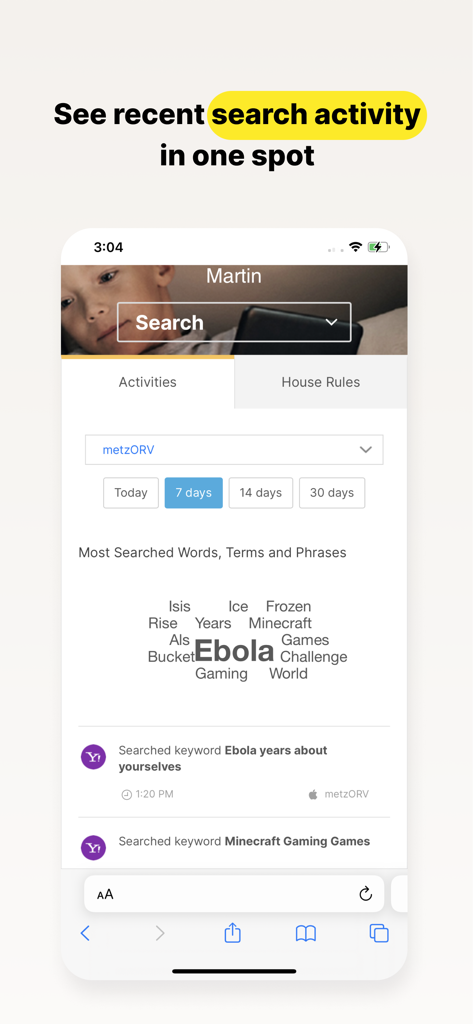
자녀의 최근 검색 활동 리스트와 워드 클라우드가 표시된 Norton Family 앱 대시보드

자녀의 최근 검색 활동 리스트와 워드 클라우드가 표시된 Norton Family 앱 대시보드

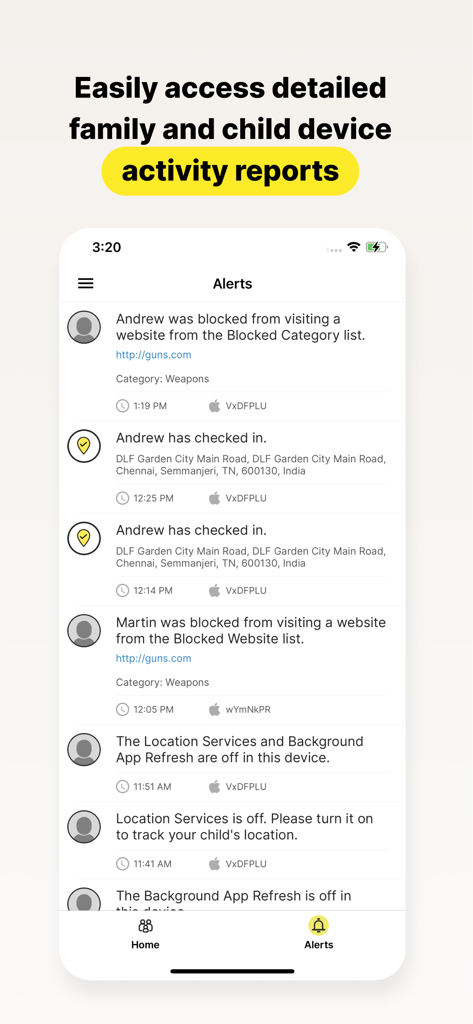
자녀 기기에 대한 상세 활동 보고서 및 알림이 표시된 Norton Family 앱 화면

자녀 기기에 대한 상세 활동 보고서 및 알림이 표시된 Norton Family 앱 화면

디지털 시대의 자녀 교육 역량을 강화하세요

이 앱을 돋보이게 하는 도구, 46K+ 명의 사용자가 선택.

🎓

학습 집중도 극대화

'학습 시간'을 활성화하여 소셜 미디어나 게임과 같은 디지털 방해 요소를 차단하는 동시에, 원격 학습에 필요한 필수 교육 리소스는 계속 이용할 수 있도록 합니다.

🛡️

고급 웹 관리

업계 최고의 필터가 부적절한 콘텐츠를 차단하고 상세한 검색 정보를 제공하는 동안 자녀가 자유롭게 웹을 탐색하도록 허용하세요.

스트레스 없는 경계 설정

건전한 화면 시간 제한을 설정하거나 '즉시 잠금'을 사용하여 가족 식사 시간에는 기기 사용을 중단하세요. 일상의 마찰을 줄이고 자녀가 스마트한 습관을 기를 수 있도록 돕습니다.

전 세계 사용자들에게 사랑받는 앱

Trusted by 46K+ 명이 이 앱을 사랑합니다.

"

"Norton Family는 제 아들의 공부 습관에 획기적인 변화를 가져왔습니다. '학습 시간' 기능 덕분에 아들이 수업 시간 동안 게임이나 YouTube에 방해받지 않고 과제에 집중할 수 있게 되었습니다. 아들이 디지털 세상을 탐색하는 동안 안전하다는 것을 알게 되어 정말 안심이 됩니다."

Sarah M.
"

"저는 수년 동안 Norton 브랜드를 신뢰해 왔기 때문에 딸의 iPad용으로 이 앱을 선택하는 것은 쉬운 결정이었습니다. '즉시 잠금' 기능은 저녁 식사 시간에 아주 좋으며, 주간 보고서는 딸이 스마트한 온라인 습관을 기를 수 있도록 돕는 데 필요한 가시성을 제공합니다."

David L.

리뷰 분석

사용자 리뷰 인사이트.

감정 점수

17%
부정적

요약

Users express significant dissatisfaction with this parental control app, citing numerous issues. A major complaint revolves around the app's tendency to delete or disorganize other applications on the device after screen time limits expire, making phones unusable and causing data loss for some. Many reviews highlight the app's over-restrictiveness, blocking legitimate apps like school-related tools and Gmail, and note specific compatibility problems with iOS 26, such as the "instant lock" feature failing. Despite these widespread criticisms, a small number of parents praise the app for its effectiveness in setting limits and ensuring child safety.

주요 테마

App Blocking & Disappearance(16)
Over-Restrictiveness(14)
Bugs & Glitches(8)
Difficulty of Use/Management(8)
Annoying Notifications(4)
Parental Control Effectiveness(4)
iOS Compatibility Issues(2)

앱 소개

에 대해 알아야 할 모든 것 Norton Family Companion App.

설명

This app should be installed on the child’s iOS device(s). Keeping your kids safer online requires more than managing screen time. Norton Family helps you supervise and manage your kids’ online activities. • Helps you manage your child’s remote learning environment, so you can keep your child focused on schoolwork during the school day. • It helps block unsuitable sites while your kids are surfing the Internet • Let’s you see what websites they’re visiting • Let’s you see what they’re searching for, and so much more… And while Norton Family lets you set online time limits, it also helps you start open and ongoing conversations about how to build safe and smart online habits. As a parent, it’s important to have insight into what your kids are doing. Our helpful tools allow you to monitor kids’ online activities at a glance or be notified by email alerts, so you know when it’s time to talk. IMPORTANT NOTICE: To use the features of Norton Family on your family’s iOS devices, this Norton Family app should first be installed on your child’s iOS device. Parents can configure household policies, manage alerts and reports from family.norton.com. To do this on iOS devices, please download the Norton Family for Parents app. Help your kids explore, learn, and enjoy their connected world more safely with the following features: School Time: Remote learning requires the internet, so pausing the internet on your child’s device is not an option. Norton Family School Time is a feature to help parents manage their child’s remote learning environment, so you can keep your child focused on schoolwork and avoid other internet distractions during the school day. Web Supervision: Let your kids explore the Web freely, with tools that help you block unsuitable websites while keeping you in the know about which sites they’re visiting. Time Supervision: Stay on top of how much time your kids spend on their devices. Search Supervision: See words, terms, and phrases your kids are searching for to gain insights into their interests and help protect them from inappropriate content. Video Supervision*: See a list of the YouTube videos your kids watch on their PCs or iOS devices and even view a snippet of each video, so you know when you need to talk. Instant Lock: Parents can help kids take a break by locking the device so they can re-focus, or join the family at dinner. Individual devices can be unlocked with a PIN. Parents and children can still contact each other while the device is in lock mode. Email Alerts: Receive an email when your kids attempt to visit a blocked site so that you can start a conversation about appropriate content. Access Request: Open the lines of communication by enabling your kids to send you a note from within Norton Family if they disagree with a blocked site or a house rule. Monthly/Weekly Reports: Opt to receive detailed reports of what your kids are doing online, right in your email in-box. Any questions? Send us an email nortonfamily.support@gendigital.com *Video Supervision monitors videos that your kids view on YouTube.com. It does not monitor or track YouTube videos that have been embedded in other websites or blogs. Mobile app must be downloaded separately. An account is required to use the Norton Family app. To set up, review, manage and customize your House Rules and Settings for each child you’ve added, sign in to your account at my.norton.com using the credentials you created.

최신 버전

1.16.0

크기

31.9 MB

출시일

2015년 11월 23일

더 안전하고 스마트한 디지털 자녀 교육의 파트너

가족이 기술과 상호작용하는 방식을 혁신하세요. 지금 자녀의 기기에 Norton Family를 설치하여 집중력을 높이고, 방해 요소를 차단하며, 당연히 누려야 할 안심을 얻으세요.

다운로드: App Store