Notebooks – Write and Organize

Notebooks – Write and Organize

다운로드: App Store
Spark by MWM logo
로고: Notebooks – Write and Organize

Notebooks – 글쓰기, 프로젝트, 디지털 생활을 위한 전문 작업 공간

하나의 강력한 마크다운 편집기, 할 일 관리자, 파일 정리 도구로 두 번째 뇌를 구축하세요. 표준 파일 형식을 사용하여 데이터를 완벽하게 제어하고 독점적인 잠금 없이 사용하세요.

개발사

Alfons Schmid

카테고리

Productivity

다운로드

124K+

사용자 평점

4.7/5

총 평가 수

2K+

지원 언어

4

시각화된 당신의 지식

이 인터페이스를 사용하는 124K+ 명의 사용자.

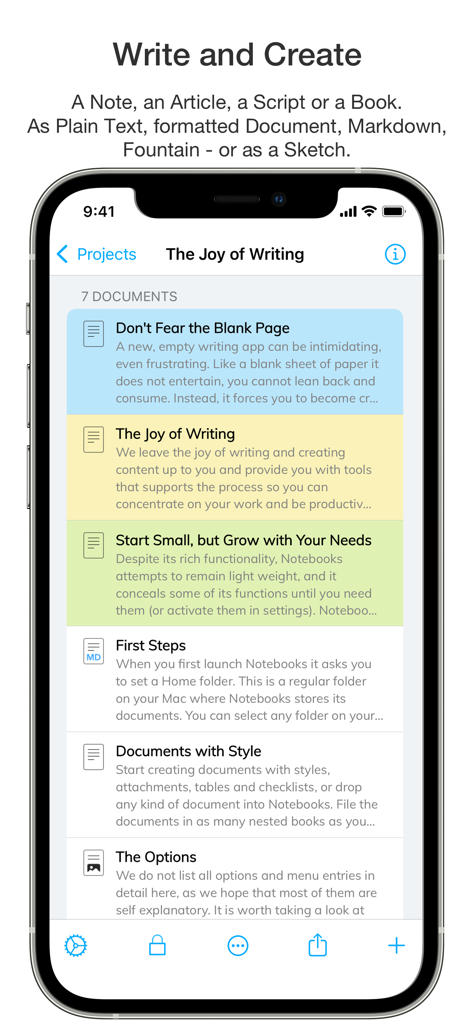
색상으로 구분된 카테고리가 있는 Notebooks 앱에서 정리된 문서 및 노트 목록을 보여주는 iPhone 화면.

색상으로 구분된 카테고리가 있는 Notebooks 앱에서 정리된 문서 및 노트 목록을 보여주는 iPhone 화면.

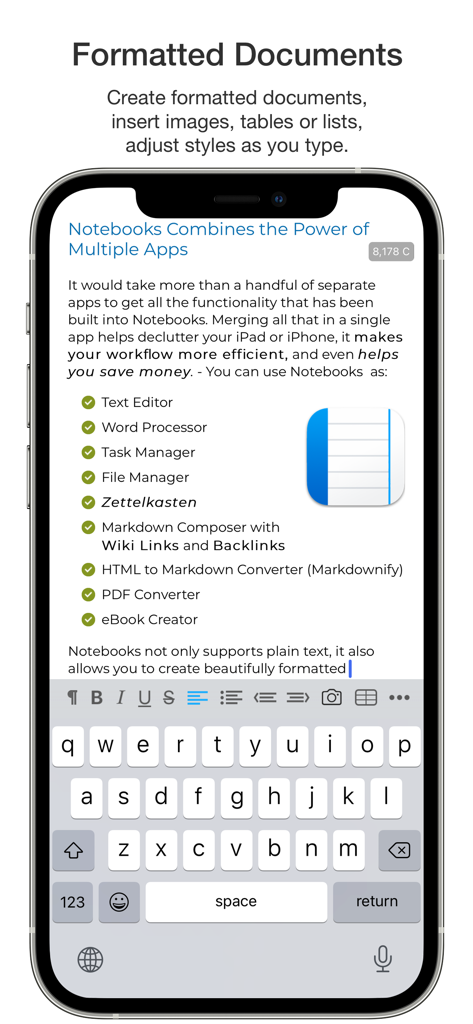
할 일 관리자 및 마크다운 작곡가와 같은 기능 체크리스트가 있는 서식이 지정된 문서와 함께 Notebooks 앱 인터페이스를 보여주는 모바일 화면.

할 일 관리자 및 마크다운 작곡가와 같은 기능 체크리스트가 있는 서식이 지정된 문서와 함께 Notebooks 앱 인터페이스를 보여주는 모바일 화면.

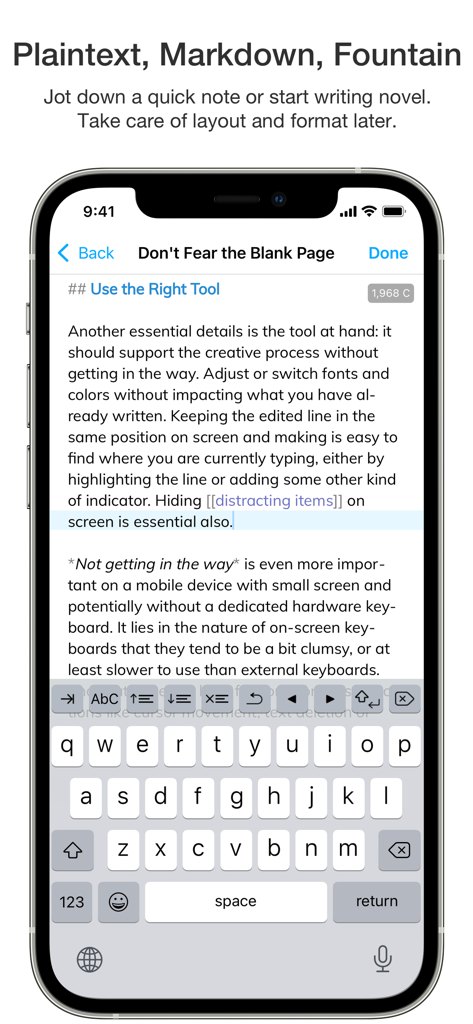
마크다운 텍스트 편집기와 화면 키보드를 갖춘 Notebooks 앱 인터페이스를 표시하는 iPhone 화면

마크다운 텍스트 편집기와 화면 키보드를 갖춘 Notebooks 앱 인터페이스를 표시하는 iPhone 화면

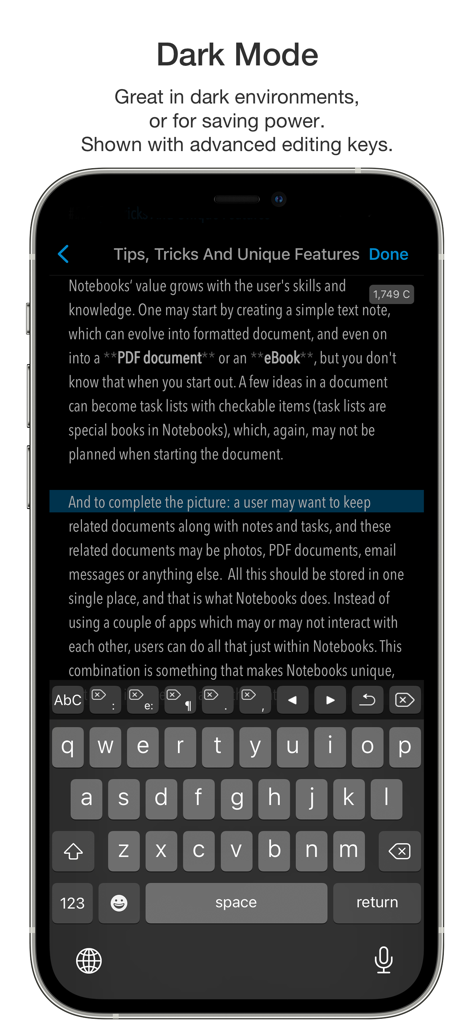
텍스트 편집기 및 고급 편집 키보드를 보여주는 Notebooks 앱의 다크 모드 스크린샷 iPhone

텍스트 편집기 및 고급 편집 키보드를 보여주는 Notebooks 앱의 다크 모드 스크린샷 iPhone

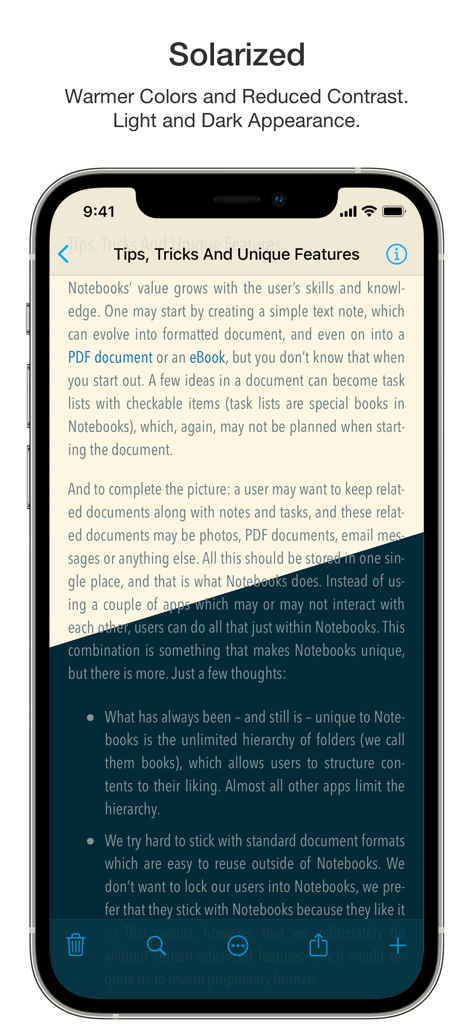
Notebooks 앱이 가독성을 높이기 위해 Solarized 색상 테마를 사용하여 Tips, Tricks And Unique Features라는 제목의 문서를 표시합니다.

Notebooks 앱이 가독성을 높이기 위해 Solarized 색상 테마를 사용하여 Tips, Tricks And Unique Features라는 제목의 문서를 표시합니다.

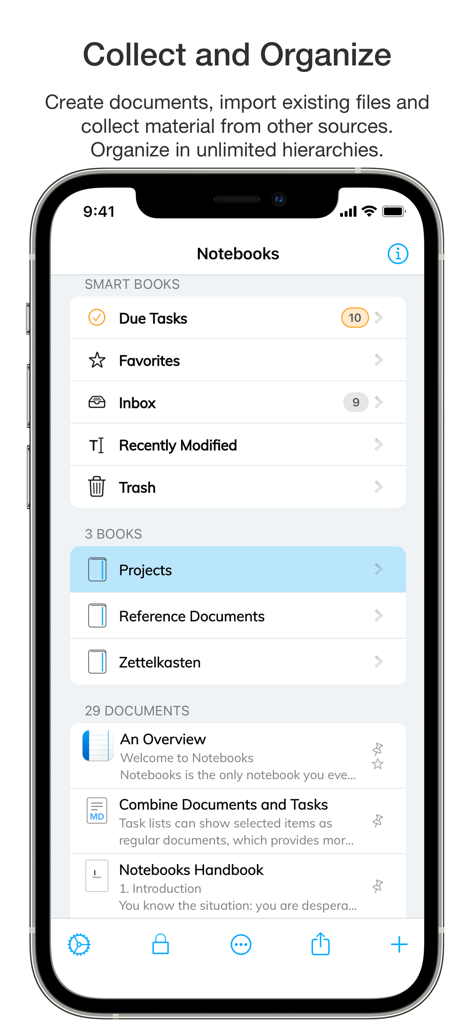
iPhone에서 스마트 책 및 문서 정리를 보여주는 Notebooks 앱의 메인 화면

iPhone에서 스마트 책 및 문서 정리를 보여주는 Notebooks 앱의 메인 화면

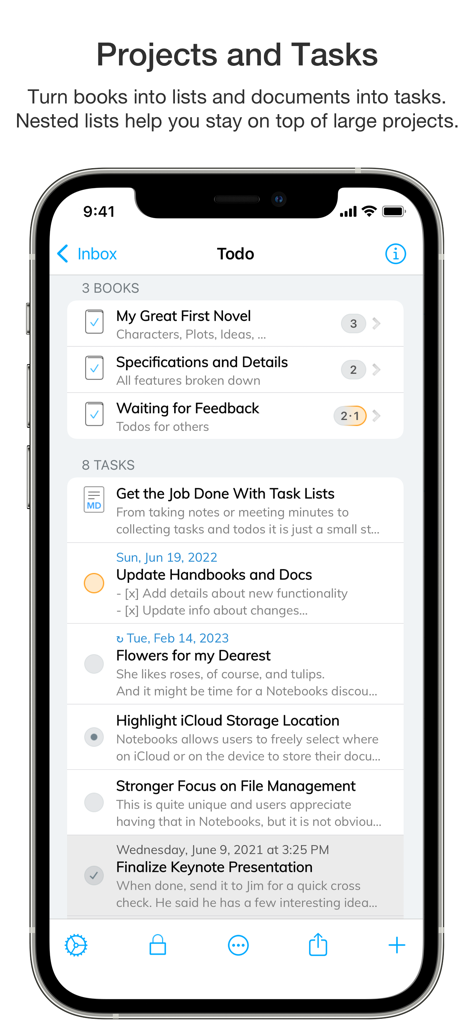
Notebooks 앱에서 프로젝트 구성 및 할 일 목록을 보여주는 스마트폰 화면

Notebooks 앱에서 프로젝트 구성 및 할 일 목록을 보여주는 스마트폰 화면

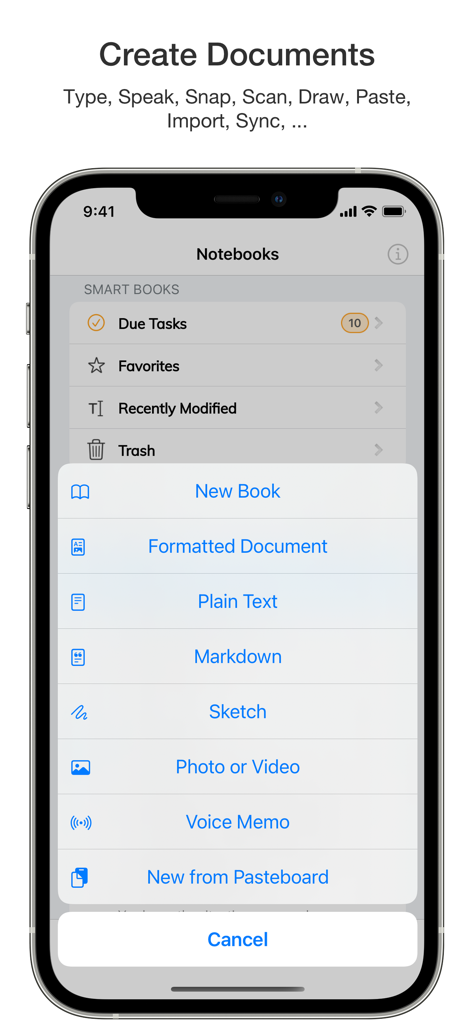
새 책, 서식이 지정된 문서 및 마크다운 파일 옵션이 있는 Notebooks 앱의 생성 메뉴를 보여주는 iPhone 화면

새 책, 서식이 지정된 문서 및 마크다운 파일 옵션이 있는 Notebooks 앱의 생성 메뉴를 보여주는 iPhone 화면

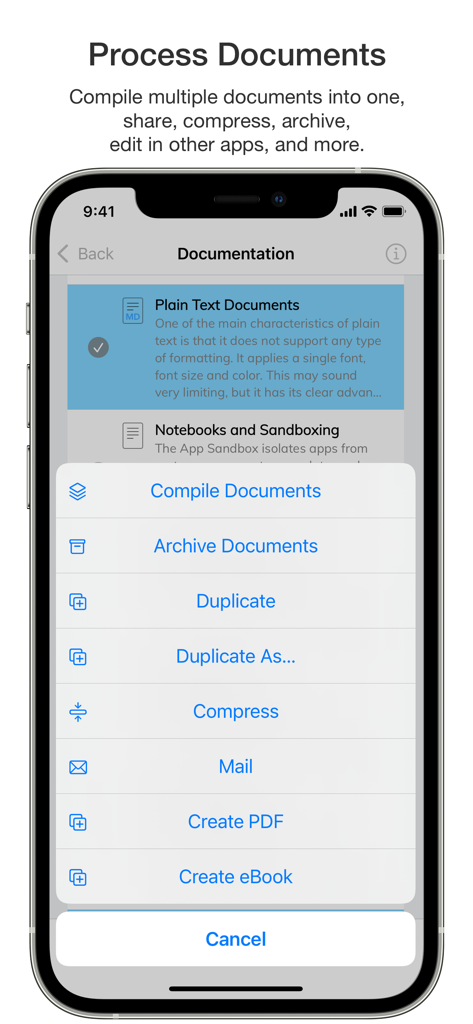
컴파일, 보관 및 PDF 생성 옵션이 있는 Notebooks 앱 문서 처리 메뉴를 보여주는 모바일 화면.

컴파일, 보관 및 PDF 생성 옵션이 있는 Notebooks 앱 문서 처리 메뉴를 보여주는 모바일 화면.

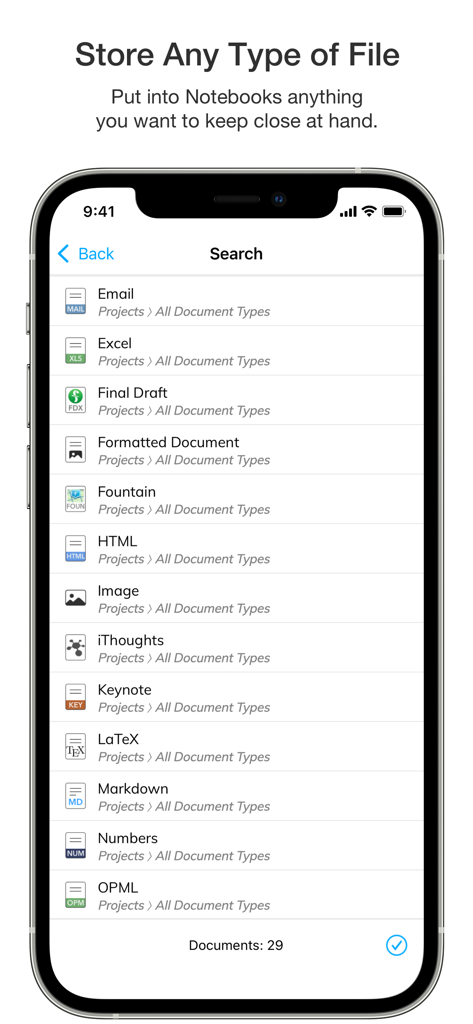
이메일, Excel, HTML 및 Markdown을 포함한 다양한 지원 파일 형식을 보여주는 Notebooks 앱의 검색 목록.

이메일, Excel, HTML 및 Markdown을 포함한 다양한 지원 파일 형식을 보여주는 Notebooks 앱의 검색 목록.

지식 전문가를 위한 궁극의 작업 공간

이 앱을 돋보이게 하는 도구, 124K+ 명의 사용자가 선택.

📂

미래 보장 데이터 주권

데이터를 영원히 소유하세요. 모든 문서는 일반 텍스트 및 마크다운과 같은 표준 형식으로 저장되어 독점적인 공급업체 잠금 없이 모든 장치 또는 플랫폼에서 파일에 접근하고 읽을 수 있습니다.

🧠

고급 지식 관리

위키 스타일 링크, 깊은 중첩 폴더, 전체 텍스트 검색을 사용하여 개인 위키 또는 제텔카스텐을 구축하세요. 단편적인 아이디어를 연결하고 전문적인 수준의 정확성으로 복잡한 리서치를 정리하세요.

통합 할 일 생태계

아이디어와 행동 사이의 격차를 해소하세요. 문서를 할 일로 변환하고, 마감일을 지정하고, GTD 스타일 프로젝트를 작업 공간 내에서 직접 관리하여 원활하고 방해 없는 워크플로를 만드세요.

전 세계 사용자들에게 사랑받는 앱

Trusted by 124K+ 명이 이 앱을 사랑합니다.

"

"수년간의 리서치를 관리하는 학자로서 저는 사용 가능한 모든 제텔카스텐 도구를 시도해 보았습니다. Notebooks는 마크다운의 힘과 제 파일이 독점적인 클라우드에 갇혀 있지 않다는 보안을 모두 제공하는 유일한 도구입니다. 문서를 개인 위키로 연결하는 기능은 제 문헌 검토와 전문적인 정리를 완전히 변화시켰습니다."

Dr. Elena Richardson
"

"Notebooks는 깊이 있는 글쓰기와 실행 가능한 할 일 관리 사이의 격차를 진정으로 해소하는 첫 번째 앱입니다. 프로젝트 제안서를 작성하고 앱을 전환하지 않고도 노트를 바로 예약된 할 일로 변환할 수 있습니다. 제 전체 'Getting Things Done' 시스템이 한 곳에 있습니다. 겸손하지만 강력하고 일상적인 워크플로에 믿을 수 없을 정도로 효율적입니다."

Marcus Thorne

앱 소개

에 대해 알아야 할 모든 것 Notebooks – Write and Organize.

설명

Notebooks is a comprehensive writing app with a powerful text and Markdown editor, which you can use as personal Wiki, Zettelkasten, file and document organizer, task manager, PDF/eBook creator and much more—all in one place. You can seamlessly transform quick notes into actionable tasks, combine text fragments into chapters of a book, organize research material, and keep business documents separate from personal diaries without ever switching apps. Stay focused and unleash your creativity with Notebooks’ versatile and intuitive features. - You'll quickly come to appreciate this unique combination of features. • Notebooks stores all your documents as regular files in standard formats. You are always in control of your documents, never need to worry about how to export them, and they remain compatible across devices and over time. • Create formatted documents with styles, attachments, tables or checklists, and add a table of contents if you like. Choose between a variation of ready made document styles, or create your own, if you want. • Write your documents in plain text and allow Notebooks to automatically handle lists, highlight and center the current line on screen, automatically insert closing characters for (, {, [, " and more. - Plain text is a universal format which can be used on any device without any specific software. • Use Markdown to create formatted documents from plain text. Notebooks supports *MultiMarkdown* and its own flavor of *Discount*. – Click any word in a formatted Markdown text and start writing at that position. You can even create checklists (- [ ]) and tick them off in formatted view. Syntax highlighting and a set of dedicated extra keyboard keys make Markdown editing easy. • Use your Apple Pencil to sketch ideas or annotate images and PDF documents. • Use Notebooks' advanced editing capabilities to work on documents which are stored in other apps. • Compile selected documents or the contents of whole books into a single document, an eBook or a PDF document. • Link between documents in Notebooks. In Markdown you can even use Wiki style links ([[ ]]). When clicking a link to a document which does not yet exist, Notebooks suggests to create it. And when you move or rename documents, Notebooks makes sure the links remain intact. • Create as many books as you need to structure your projects and details. Nest books as deep as you like, there is no limit in Notebooks. If you ever loose track, Notebooks' full text search helps you quickly turn up even the most hidden document. • Turn books into task lists to display document as tasks which can be ticked off. Assign due dates and alerts, and divide projects into nested sub projects, which makes them easier to handle. • For simple lists you can use checklists in formatted documents and Markdown. • Assign Context tags to books and documents to create shortcuts that are accessible for a smart book at Notebooks' top level. – Notebooks can even extract context tags from the contents of documents as you create them. • Import all documents and files you want to keep close at hand, no matter whether PDF, email, web pages, MS Office or iWorks, photos, videos, music and more. • Scan documents and extract text using OCR (iOS 13) • Sync files between iPads, iPhones, Mac or PC. With all these features, Notebooks may quickly become your go-to repository for everything you want to keep close at hand. User Comments: “Notebooks is a wonderful App, which is so much better than the dozen other note apps I tried. It is sophisticated, in an unassuming way, so that you find yourself greatly rewarded and being productive without sacrificing time/effort to the App. I cannot tell you how much productivity I have gained. I am having a huge amount of fun, I use it constantly, more than the phone on my iPhone in fact." “You are GTD in every way that makes it efficient and makes me efficient.”

최신 버전

12.8.4

크기

45.1 MB

출시일

2020년 1월 20일

워크플로를 마스터하고 데이터를 소유하세요

노트, 할 일, 리서치를 위한 궁극의 미래 보장 허브를 사용하는 124,000명 이상의 전문가들과 함께하세요. 지금 Notebooks로 두 번째 뇌 구축을 시작하세요.

다운로드: App Store