Oracle Fusion Applications

Oracle Fusion Applications

다운로드: App Store다운로드: Google Play
Spark by MWM logo
로고: Oracle Fusion Applications

Oracle Fusion Applications: 당신의 업무, 모바일에서 원활하게

Oracle Cloud에 대한 안전한 액세스를 통해 직원과 관리자에게 권한을 부여합니다. HR 셀프 서비스 및 팀 관리부터 의료 재고 스캔에 이르기까지, 현대 인력을 위해 설계된 반응형 경험으로 어디서든 생산성을 유지하세요.

개발사

Oracle America, Inc.

카테고리

Business

다운로드

1M+

사용자 평점

3.5/5

총 평가 수

600

지원 언어

28

효율성에 집중

이 인터페이스를 사용하는 1M+ 명의 사용자.

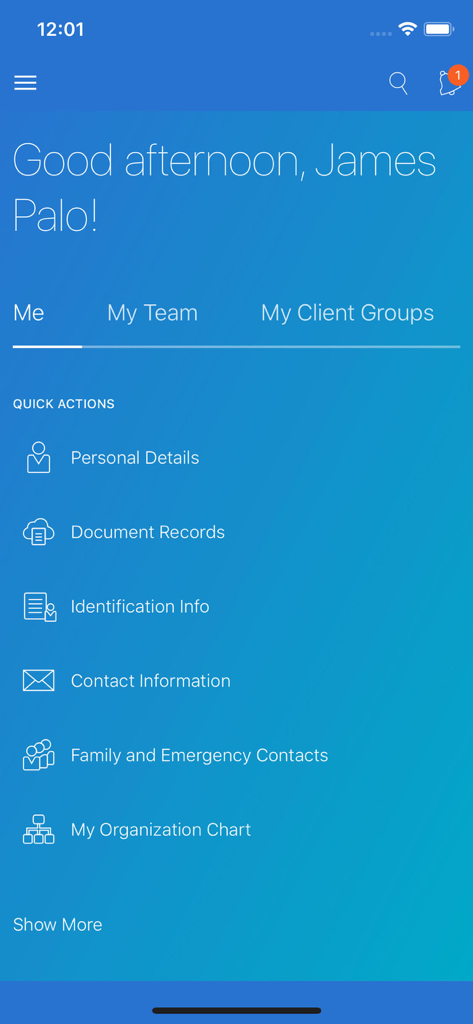
직원 셀프 서비스 대시보드와 개인 정보에 대한 빠른 작업을 보여주는 Oracle Fusion Applications 모바일 앱 인터페이스

직원 셀프 서비스 대시보드와 개인 정보에 대한 빠른 작업을 보여주는 Oracle Fusion Applications 모바일 앱 인터페이스

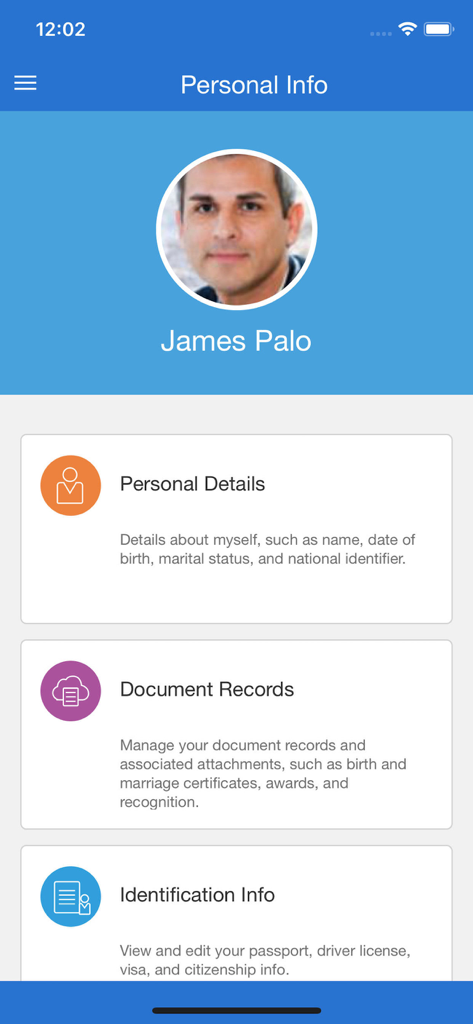
개인 정보 및 문서 기록 섹션이 있는 직원 프로필을 보여주는 Oracle Fusion Applications 개인 정보 화면

개인 정보 및 문서 기록 섹션이 있는 직원 프로필을 보여주는 Oracle Fusion Applications 개인 정보 화면

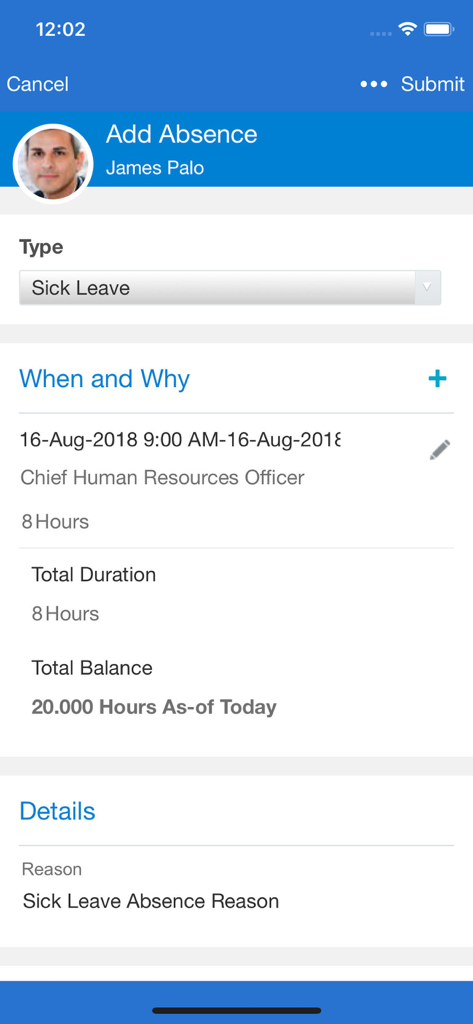
병가 신청을 위한 Oracle Fusion Applications 모바일 화면

병가 신청을 위한 Oracle Fusion Applications 모바일 화면

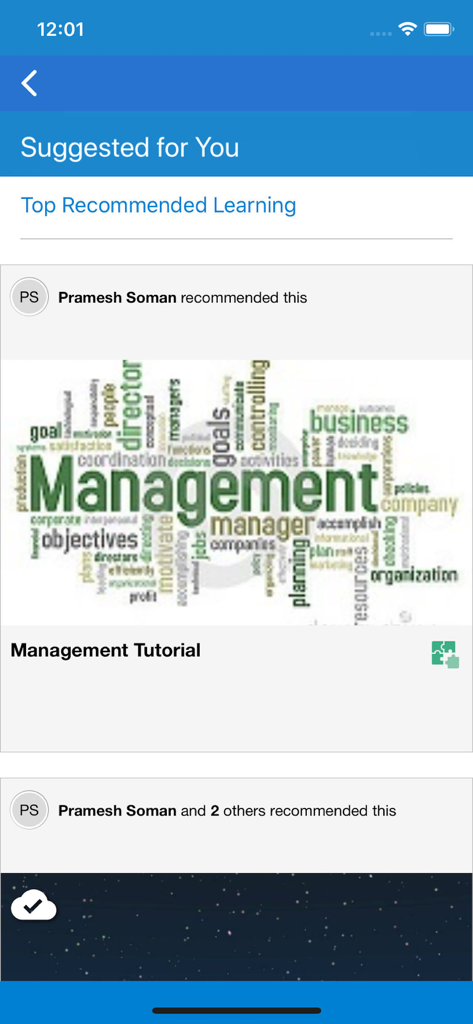
제안된 관리 튜토리얼 및 추천 교육을 표시하는 Oracle Fusion Applications HCM 학습 화면

제안된 관리 튜토리얼 및 추천 교육을 표시하는 Oracle Fusion Applications HCM 학습 화면

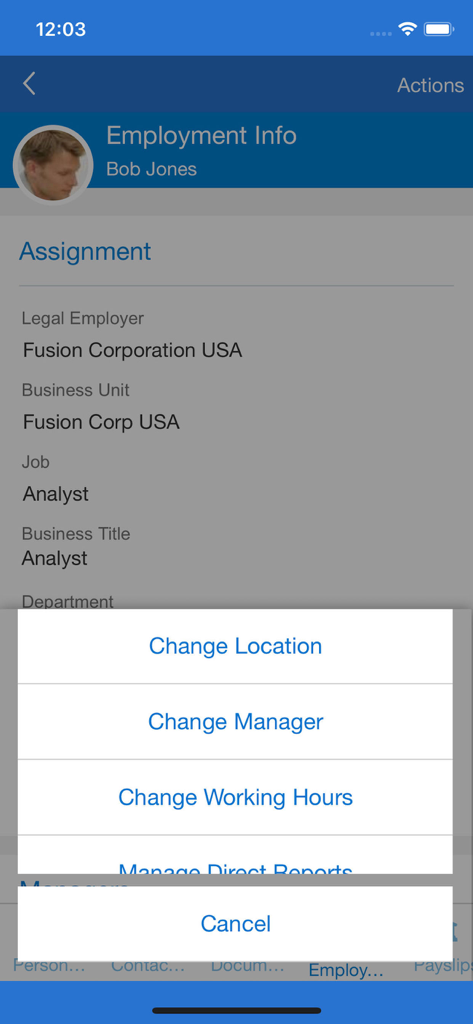
직원 배정 상세 정보 및 관리자 작업 메뉴를 보여주는 Oracle Fusion 모바일 화면

직원 배정 상세 정보 및 관리자 작업 메뉴를 보여주는 Oracle Fusion 모바일 화면

당신의 업무 여정에 힘을 실어주세요

이 앱을 돋보이게 하는 도구, 1M+ 명의 사용자가 선택.

실시간 관리자 인사이트

모바일 장치에서 직접 요청을 승인하고, 팀 보상을 관리하며, 채용 절차를 간소화하세요.

👤

원활한 직원 셀프 서비스

탭 한 번으로 급여 명세서에 액세스하고, 복리후생을 업데이트하며, 경력 목표를 추적하여 업무 생활을 통제할 수 있습니다.

📦

민첩한 공급망 관리

PAR 수량 계산을 위한 완전한 오프라인 지원을 통해 통합 바코드 스캔을 사용하여 재고 및 의료 물류를 최적화하세요.

전 세계 사용자들에게 사랑받는 앱

Trusted by 1M+ 명이 이 앱을 사랑합니다.

"

"재고 관리 도구는 저의 일상 업무에 완전히 혁신적입니다. 병원 지하실처럼 신호가 없는 곳에서도 휴대폰 카메라로 PAR 수량 계산 및 바코드 스캔을 직접 할 수 있어 매주 수많은 수동 데이터 입력 시간을 절약해줍니다."

마커스 톰슨, 공급망 팀장
"

"회의 사이에 노트북을 열지 않고도 팀 승인 및 급여 변경을 처리할 수 있습니다. 반응형 디자인은 웹 버전과 일치하여 목표를 관리하고 급여 명세서를 즉시 확인하기 쉽게 해줍니다. 이는 제가 HR 업무를 처리하는 방식을 완전히 바꾸어 놓았습니다."

엘레나 로드리게스, 선임 운영 관리자

리뷰 분석

사용자 리뷰 인사이트.

감정 점수

13%
부정적

요약

The mobile app receives overwhelmingly negative feedback from users, citing critical issues across various aspects. Users frequently report problems with constant sign-ins, lack of biometric authentication like Face ID, and recurring login errors. Performance is a major concern, with complaints about the app being slow, freezing, and crashing, often requiring reinstallation. While some users appreciate the convenience of accessing payslips, leaves, and other HR processes in one place, many core functionalities are reported as broken or missing, such as viewing pay statements, managing expenses, or accurately tracking time. The app's user interface is often described as clunky and outdated, with specific compatibility issues noted on various iPhone models (including screen cut-offs on Apple 13 and iOS 17, and unresponsive sliders). A highly concerning bug involved the app redirecting users to a casino website.

주요 테마

Login and Authentication Issues(16)
Performance and Stability(16)
User Interface and Design(9)
Device & Version Specific Issues(6)
Payslip Management Issues(4)
Missing Features(4)
Core HR Functionality (Positive)(4)

앱 소개

에 대해 알아야 할 모든 것 Oracle Fusion Applications.

설명

The Oracle Fusion Apps gives organizations secure access to their Oracle Cloud Applications while on the go. The same responsive user experience enabled in the web application is available in this mobile app, and provides a seamless and consistent experience. Supply chain healthcare users can perform cycle counts, receiving, put away, stocking inquiries, stock issues, pick confirm, subinventory transfers, and periodic automatic replenishment (PAR) counts in the mobile app. These mobile flows support scanning relevant barcode data using either a camera-based or device-based scanner. Offline support is included in periodic automatic replenishment (PAR) count application. You can access the new mobile flows by clicking the Inventory Management (Mobile) menu entry under the Supply Chain Execution navigation group. Alternatively, you can directly navigate to individual mobile pages by clicking on the individual Quick Actions. For example, clicking the PAR Count (Mobile) quick action takes you directly to the PAR Count mobile page. As a new hire, you can view and manage your onboarding tasks before your first day of work. As an employee, you can manage your personal information, view your payslip, manage your goals, view and manage your benefits elections, manage your skills and qualifications, look up colleagues in the directory, and much more. As a manager, you can hire an employee, promote, transfer, change the working hours, and manage salary and compensation of current employees. You can also use My Team to stay informed of your team’s overall employment, compensation, and talent information. All users, can also view their notifications and approve or reject a request from their mobile device using this application. Offline support is included for HCM Learning. Learners can complete their learning at any time. When the device connects online again, it will synchronize your learning assignment progress and completion status with the server. - You must have an active Oracle Cloud Applications user account. - Your mobile device must have internet access and be connected to a live Oracle Applications Cloud server. - Your Applications Cloud home page must be configured to use the News Feed Default Layout (see MyOracleSupport document ID 2399671.1). - Only mobile responsive features enabled in your Cloud web application are available (see MyOracleSupport document ID 2399671.1). - Features and functionality vary based on licensed and implemented applications. Refer to the What’s New for the Redesigned User Experience features in Oracle Cloud Release Readiness for detailed information about mobile responsive features. - See the Application License Agreement for details.- See the Application License Agreement for details.

최신 버전

11.13.24.10.01

크기

27.3 MB

출시일

2018년 4월 7일

이동 중에도 업무에 활력을 불어넣으세요

안전하고 반응적인 Oracle Fusion 모바일 경험을 통해 HR, 공급망, 팀 운영을 관리하는 100만 명 이상의 전문가와 함께하세요.

다운로드: App Store다운로드: Google Play
FAQ

자주 묻는 질문

에 대해 알아야 할 모든 것 Oracle Fusion Applications

What is the Oracle Fusion Applications mobile app?

Oracle Fusion Applications 모바일 앱은 Oracle Cloud Applications에 안전하게 액세스할 수 있도록 하여 이동 중에도 업무를 처리할 수 있게 해줍니다. 이 앱은 공급망 관리, HR 기능, 학습을 포함한 다양한 작업을 위한 반응형 사용자 경험을 제공합니다.

Can employees manage personal information using the Oracle Fusion Applications app?

네, 직원들은 Oracle Fusion Applications 모바일 앱을 통해 개인 정보를 관리하고, 급여 명세서를 확인하며, 목표를 관리하고, 복리후생 선택 사항을 업데이트할 수 있습니다.

What HR management tasks can managers perform with the Oracle Fusion Applications app?

관리자는 Oracle Fusion Applications를 사용하여 직원을 채용하고, 승진, 이동, 근무 시간 변경, 현재 직원의 급여 및 보상 관리를 할 수 있습니다.

What supply chain features are available in the Oracle Fusion Applications mobile app?

공급망 의료 사용자는 Oracle Fusion Applications 모바일 앱 내에서 주기적 재고 조사, 입고, 보관, 재고 조회, 재고 출고, 피킹 확인, 부재고 이송, 주기적 자동 보충(PAR) 조사를 수행할 수 있습니다.

Does Oracle Fusion Applications support offline functionality for supply chain tasks?

네, Oracle Fusion Applications 모바일 앱은 주기적 자동 보충(PAR) 조사에 대한 오프라인 지원을 포함합니다. 이를 통해 사용자는 활성 인터넷 연결 없이도 작업을 완료할 수 있습니다.

Can learners complete courses offline using Oracle Fusion Applications?

네, Oracle Fusion Applications는 HCM 학습에 대한 오프라인 지원을 제공합니다. 학습자는 인터넷 접속 없이도 과제를 완료할 수 있으며, 기기가 온라인에 다시 연결되면 진행 상황이 동기화됩니다.

Does Oracle Fusion Applications support barcode scanning for inventory management?

네, Oracle Fusion Applications 모바일 앱은 공급망 모바일 흐름에 대한 관련 바코드 데이터 스캔을 지원합니다. 사용자는 카메라 기반 스캐너 또는 기기 기반 스캐너를 사용할 수 있습니다.

What user account is required to use the Oracle Fusion Applications mobile app?

사용자는 Oracle Fusion Applications 모바일 앱 기능을 사용하기 위해 활성 Oracle Cloud Applications 사용자 계정이 있어야 합니다.

Is an internet connection always required for the Oracle Fusion Applications app?

아니요, 인터넷 연결이 항상 필요한 것은 아닙니다. 일반적으로 필요하지만, PAR 조사 및 HCM 학습과 같은 특정 기능은 Oracle Fusion Applications 내에서 오프라인 지원을 포함합니다.

How do I access features quickly in the Oracle Fusion Applications app?

홈 화면에 나열된 빠른 실행 작업을 클릭하여 개별 모바일 페이지에 직접 액세스할 수 있습니다. 예를 들어, 'PAR 조사(모바일)'는 해당 페이지로 직접 이동합니다.

Can new hires manage onboarding tasks using the Oracle Fusion Applications app?

네, 신규 입사자는 Oracle Fusion Applications 모바일 애플리케이션을 통해 첫 근무일 전에 온보딩 작업을 확인하고 관리할 수 있습니다.