Pocket Note Pro

Pocket Note Pro

다운로드: App Store
Spark by MWM logo
로고: Pocket Note Pro

Pocket Note Pro: 전문가를 위한 고기능 디지털 노트북

모바일 기기를 강력한 비즈니스 워크스테이션으로 전환하세요. 손글씨, 사진, 라이브 지도를 원활하게 통합하여 현장에서 사무실까지 아이디어를 포착하고 프로젝트를 정밀하게 문서화할 수 있습니다.

개발사

NAOAKI SEKIGUCHI

카테고리

Productivity

다운로드

29K+

사용자 평점

3.9/5

총 평가 수

100

지원 언어

11

모든 세부 사항에서의 효율성

이 인터페이스를 사용하는 29K+ 명의 사용자.

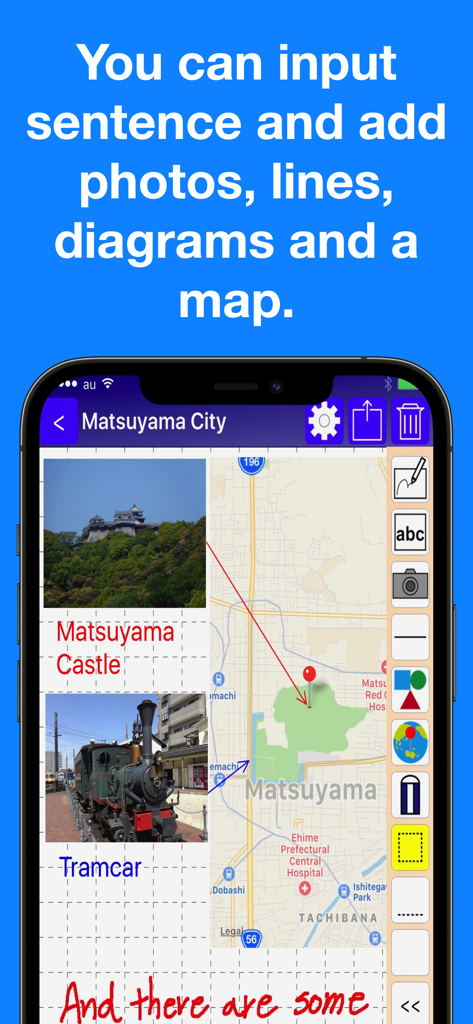
통합 지도, 사진 및 손글씨 텍스트가 포함된 비즈니스 메모를 보여주는 Pocket Note Pro 앱 인터페이스

통합 지도, 사진 및 손글씨 텍스트가 포함된 비즈니스 메모를 보여주는 Pocket Note Pro 앱 인터페이스

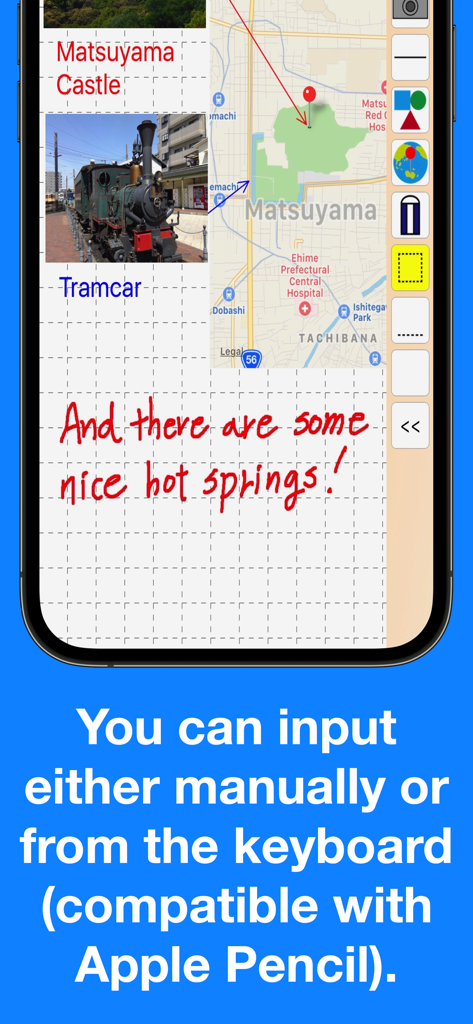
그리드 배경에 손글씨 메모, 통합 지도 및 사진 첨부 파일을 보여주는 Pocket Note Pro 앱 스크린샷

그리드 배경에 손글씨 메모, 통합 지도 및 사진 첨부 파일을 보여주는 Pocket Note Pro 앱 스크린샷

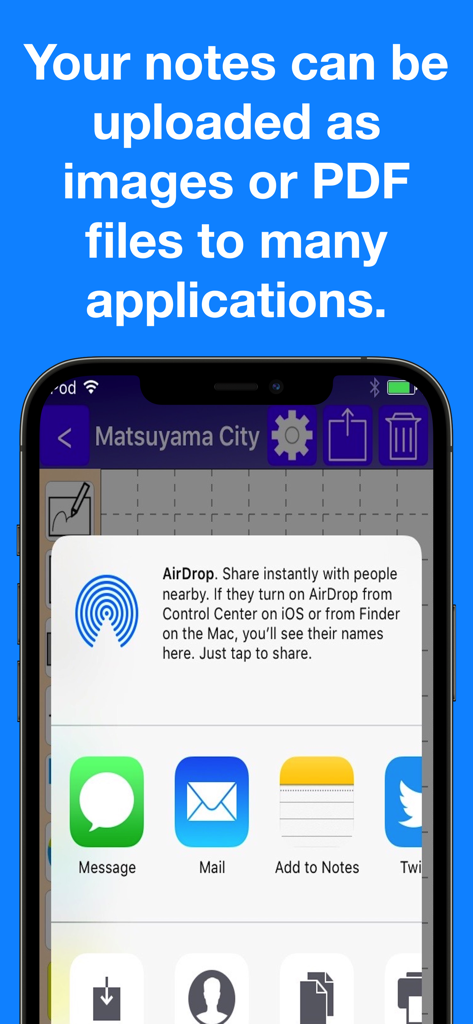
AirDrop, 메일 및 기타 앱을 통해 메모를 PDF 또는 이미지로 내보내기 위한 Pocket Note Pro의 공유 메뉴를 보여주는 iPhone 화면

AirDrop, 메일 및 기타 앱을 통해 메모를 PDF 또는 이미지로 내보내기 위한 Pocket Note Pro의 공유 메뉴를 보여주는 iPhone 화면

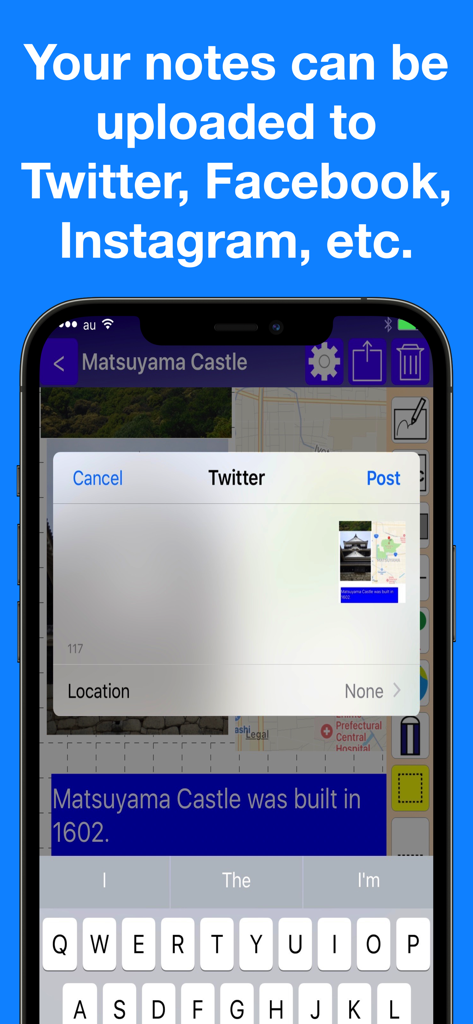
Pocket Note Pro 앱의 소셜 미디어 공유 옵션

Pocket Note Pro 앱의 소셜 미디어 공유 옵션

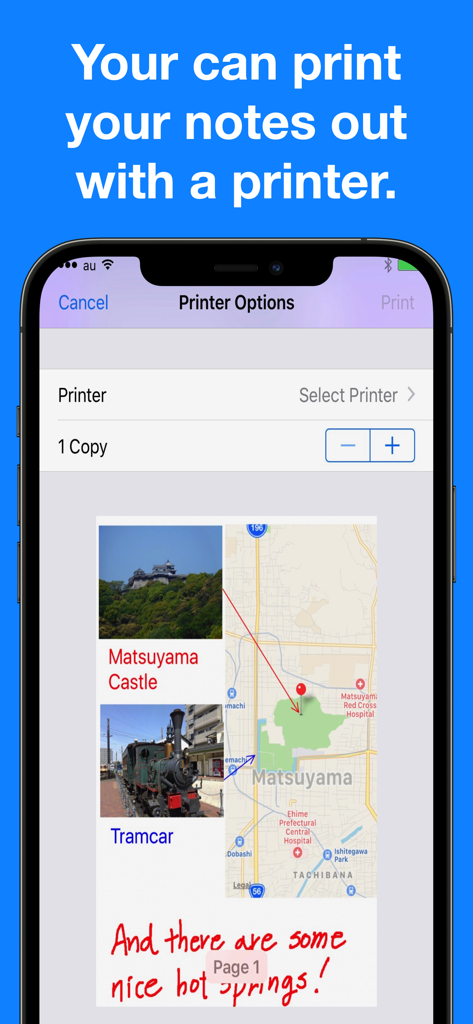
프린터 옵션과 사진 및 지도가 포함된 메모 미리보기를 표시하는 Pocket Note Pro 앱 인터페이스

프린터 옵션과 사진 및 지도가 포함된 메모 미리보기를 표시하는 Pocket Note Pro 앱 인터페이스

현대적인 비즈니스 환경을 위해 제작되었습니다

이 앱을 돋보이게 하는 도구, 29K+ 명의 사용자가 선택.

📍

상황별 지도 및 미디어 통합

정확한 GPS 위치를 핀으로 고정하고 페이지당 최대 20장의 사진을 삽입하여 종합적인 현장 보고서와 현장 문서를 한 곳에서 작성하세요.

✏️

정밀한 스케치 및 주석

20가지 펜 크기와 스마트 기하학적 도형이 포함된 완전한 Apple Pencil 지원을 통해 대략적인 아이디어를 세련되고 전문적인 다이어그램으로 바꿀 수 있습니다.

📄

원활한 전문가용 내보내기

시각적 메모를 고품질 PDF로 즉시 변환하여 고객에게 이메일로 보내거나, iCloud를 통해 공유하거나, 기기에서 직접 인쇄하세요.

전 세계 사용자들에게 사랑받는 앱

Trusted by 29K+ 명이 이 앱을 사랑합니다.

"

"부동산 감정평가사로서 Pocket Note Pro는 제 워크플로우의 필수적인 부분이 되었습니다. GPS 핀을 꽂고 최대 20장의 매물 사진을 메모에 직접 붙여넣을 수 있는 기능은 혁신적입니다. Apple Pencil로 다이어그램을 표시하고 현장을 떠나기도 전에 고객을 위한 전문적인 PDF로 모든 것을 내보낼 수 있습니다."

Sarah Jenkins, 공인 부동산 감정평가사
"

"드디어 비즈니스 환경을 실제로 이해하는 메모장 앱을 만났습니다. 저는 그리드 라인과 도형을 사용하여 즉석에서 현장 수정을 스케치합니다. iPhone과 iPad 간의 iCloud 동기화는 매끄럽고, Siri 단축어는 프로젝트 그룹으로 바로 들어가는 데 도움이 됩니다. 제 디지털 도구 상자에서 가장 신뢰할 수 있는 도구입니다."

Marcus Thorne, 시니어 프로젝트 매니저

앱 소개

에 대해 알아야 할 모든 것 Pocket Note Pro.

설명

Would you like to make your smartphone or tablet PC into a useful business tool?  Pocket Note is a notepad application specially designed for the business scene. With Pocket Note, you can quickly put your ideas together by a straightforward, simple operation. [Major functions] - We provided grid lines and horizontal ruled lines on the notepad to make it easier to organize what you write down.And when you don't need a grid or horizontal lines, you can choose "blank". - You can input either manually or from the keyboard (compatible with Apple Pencil).  For manual input, choose from 2 pens, "regular" or "thick", and an eraser.  For pen size and color, choose from 20 sizes and 25 colors. - You can paste up to 20 photos on each page. - You can paste maps.  With a map, you can do the following:   You can display your current position on the map using GPS.   By continuously pressing down at a given location on the map, you can place a pin at the location.   By inputting a name or address, you can place a pin at that location.   You can also specify the zoom factor as you wish. - By pasting figures and lines, you can display your notes graphically.  For figures, choose from rectangles, triangles or circles.  You can specify their size and shape freely.  Lines may be with or without arrows.  For figures and lines, choose from 25 different colors. - You can save your notes as an image or a PDF file. You can do the following:  Print them out with a printer.  Save them as images in iOS "Photos".  Attach them to emails as images or PDF files.  Share them as images with iCloud Photo Sharing.  Paste them as images in iOS standard "Notes".  Save them as PDF files in iOS standard "iBooks".  They can be uploaded as images to Twitter, Facebook, Google+, Instagram, Evernote, Flickr, Line, etc.  (If these applications are installed. Also, if the application is compatible with iOS App Extensions, they can be uploaded as images.) - Notes can be organized into groups.  Several groups can be set for each note.  Notes can be displayed by group, or by modified date. - It's compatible with iCloud, so you can share your notes on your iPhone or iPad. - Compatible with Siri Shortcuts. [Contact us] https://www.studioks.net/en/contact-us/ [Studio K's - Business Applications Maker] https://www.studioks.net/en/

최신 버전

15.0

크기

11.6 MB

출시일

2016년 9월 10일

비즈니스 프로젝트를 완벽하게 제어하세요

기기를 고정밀 디지털 클립보드로 바꿔보세요. 스케치, 매핑 및 원활한 문서화를 위해 Pocket Note Pro를 신뢰하는 수천 명의 전문가와 함께하세요.

다운로드: App Store