RayControl

RayControl

다운로드: App Store
Spark by MWM logo
로고: RayControl

RayControl: 갑판 어디에서든 Raymarine 헬름을 제어하세요

iPad를 모바일 명령 센터로 전환하세요. Axiom, e, c 또는 eS 시리즈 MFD를 무선으로 제어하고 터치 인터페이스의 편리함으로 소나, 레이더, 열 화상 야간 투시 기능을 모니터링하세요.

개발사

Raymarine Belgium BVBA

카테고리

Navigation

다운로드

117K+

사용자 평점

3.2/5

총 평가 수

100

지원 언어

1

어디서든 명령

이 인터페이스를 사용하는 117K+ 명의 사용자.

Raymarine 로고와 햇볕이 잘 드는 바다 전망이 있는 RayControl 앱 스플래시 화면

Raymarine 로고와 햇볕이 잘 드는 바다 전망이 있는 RayControl 앱 스플래시 화면

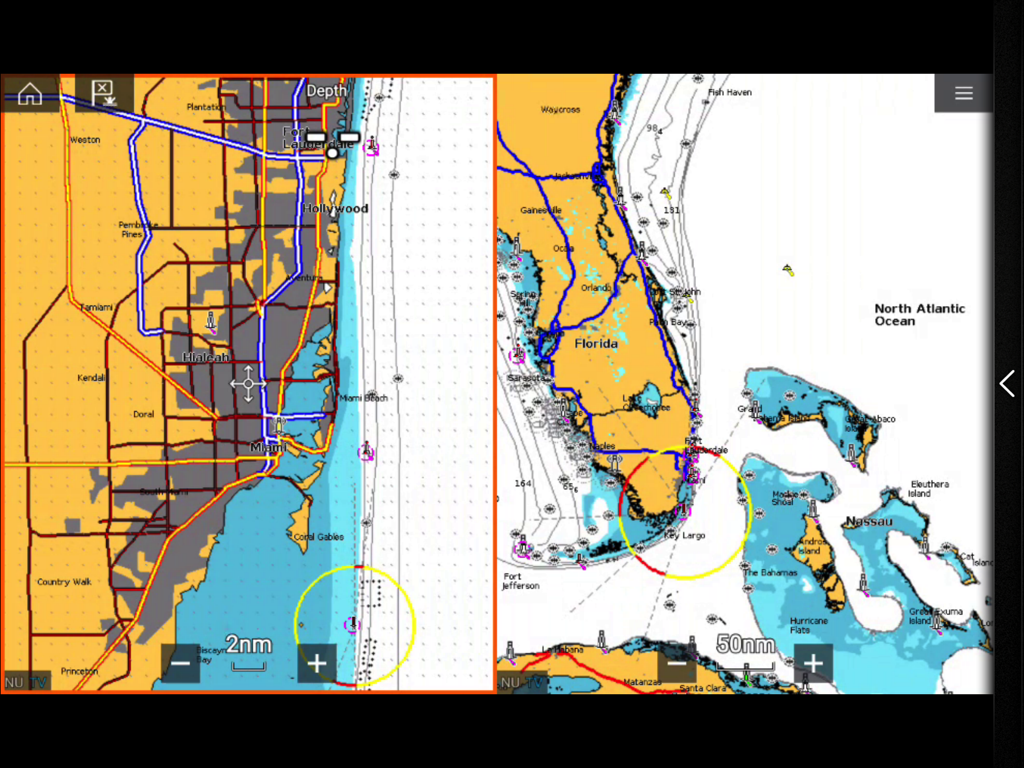
플로리다 및 마이애미 해안선의 분할 화면 차트를 표시하는 RayControl 해양 항해 앱

플로리다 및 마이애미 해안선의 분할 화면 차트를 표시하는 RayControl 해양 항해 앱

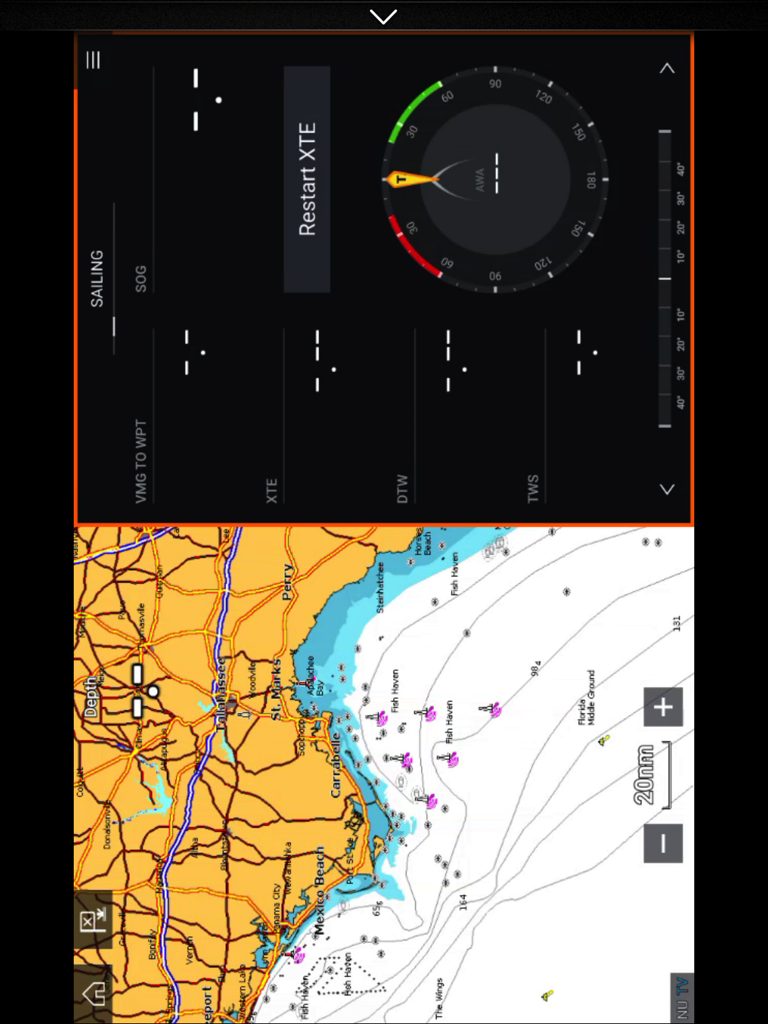
해안 항해 지도와 세일링 계기판을 표시하는 iPad의 RayControl 앱 분할 화면 보기

해안 항해 지도와 세일링 계기판을 표시하는 iPad의 RayControl 앱 분할 화면 보기

해양 기술 마스터하기

이 앱을 돋보이게 하는 도구, 117K+ 명의 사용자가 선택.

🕹️

완전한 원격 명령

가상 키패드와 유니 컨트롤러를 사용하여 실제 디스플레이와 똑같이 메뉴를 탐색하고 설정을 조정하세요.

🐟

모바일 소나 및 레이더

갑판, 갤리 또는 플라이브릿지에서 물고기 탐지 소나 또는 날씨 레이더 피드를 확인하세요.

📱

보조 헬름 스테이션

또 다른 화면을 구매하지 마세요. iPad를 완벽한 기능을 갖춘 보조 디스플레이로 전환하여 보다 유연한 보팅 경험을 즐기세요.

전 세계 사용자들에게 사랑받는 앱

Trusted by 117K+ 명이 이 앱을 사랑합니다.

"

"RayControl 덕분에 선박 관리가 완전히 달라졌습니다. Axiom 디스플레이를 iPad로 직접 미러링하여 낚시하는 동안 뒷갑판에서 레이더와 소나를 완벽하게 제어할 수 있습니다. 마치 두 번째 헬름 스테이션을 훨씬 저렴한 비용으로 갖는 것과 같습니다."

Mark Thompson
"

"조종석에 묶여 있지 않으니 해안을 따라 순항하는 것이 훨씬 편안해졌습니다. RayControl을 사용하여 선실에서 차트와 야간 투시 기능을 모니터링합니다. 가상 키패드는 반응성이 뛰어나고 항해 중 복잡한 메뉴를 쉽게 탐색할 수 있습니다."

Captain Elena Rodriguez

앱 소개

에 대해 알아야 할 모든 것 RayControl.

설명

About RayControl RayControl allows you to remotely view and control your Raymarine e,c,ES and Axiom Multi-Functional Display from your iPad. iOS Devices = Best performance achieved on iPad 2 or better. Multi-Functional Display software requirement – v 3.15 or later. Compatible displays (MFDs) – e,c,ES and Axiom range of WiFi enabled MFDs Remotely control and view electronic charting, sonar, radar, and even thermal night vision, right from your tablet. RayControl emulates Raymarine MFDs with touch screen interaction and a virtual slide-out MFD keypad. The slide out keypad gives you control of all MFD functions and the virtual uni-controller allows you to rotate through menus and adjustments effortlessly. To use this app please upgrade your Raymarine c-Series or e-Series Multi-Functional Display to software version 3.15 or later. Software upgrades are available for free at www.raymarine.com/support. Getting Started Download the RayControl app, and install it on your device. Next, connect to your Multifunction Display via Wi-Fi (see MFD operators manual for Wi-Fi setup details). When the Wi-Fi connection is established, launch the app. You should now see the same image on your mobile device as you do on your Raymarine c-Series or e-Series multifunction display. Note - autopilot activation/deactivation is not possible via a mobile device.

최신 버전

1.3.8

크기

23.4 MB

출시일

2012년 5월 10일

어디서든 보트 제어

iPad를 전문가 수준의 무선 리모컨으로 전환하세요. 선실에서 조종석까지 어디서든 Raymarine 하드웨어의 정밀도로 소나, 레이더, 차트를 모니터링하세요.

다운로드: App Store