RSA Authenticator (SecurID)

RSA Authenticator (SecurID)

다운로드: App Store다운로드: Google Play
Spark by MWM logo
로고: RSA Authenticator (SecurID)

RSA Authenticator (SecurID): 현대적인 엔터프라이즈를 위한 안전하고 암호 없는 액세스

피싱 방지 인증 및 생체 인식 로그인을 통해 업무를 간소화하세요. 세계에서 가장 규제가 심한 산업에서 귀하의 전문 ID를 마찰 없이 보호하기 위해 신뢰하는 솔루션입니다.

개발사

RSA Security

카테고리

Business

다운로드

9M+

사용자 평점

3.0/5

총 평가 수

4K+

지원 언어

11

한눈에 보는 안전한 액세스

이 인터페이스를 사용하는 9M+ 명의 사용자.

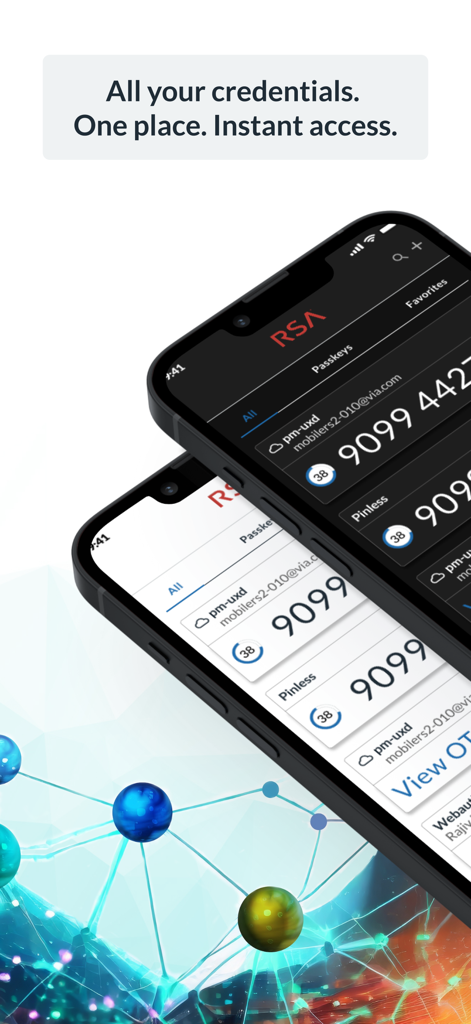
RSA Authenticator 앱 인터페이스에 두 개의 iPhone에 보안 자격 증명 및 OTP 코드가 표시됩니다.

RSA Authenticator 앱 인터페이스에 두 개의 iPhone에 보안 자격 증명 및 OTP 코드가 표시됩니다.

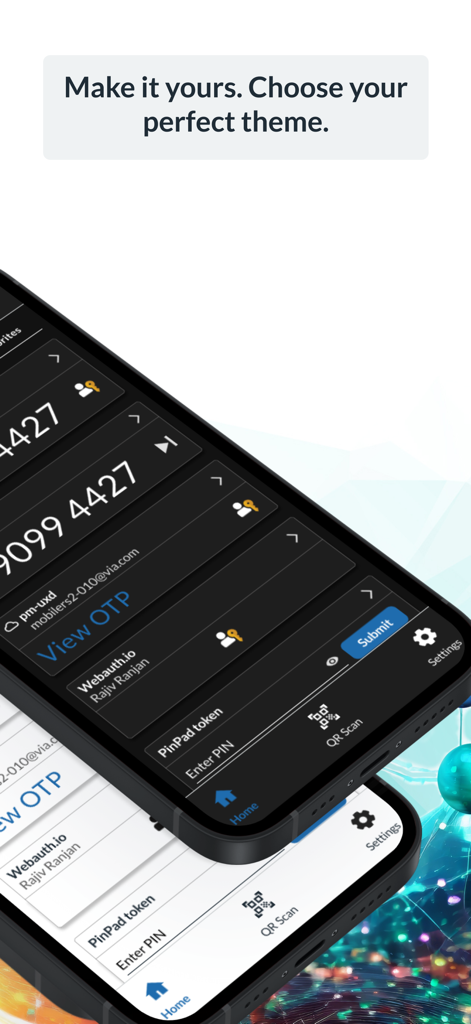
RSA Authenticator 앱에 두 개의 스마트폰에 다크 모드 및 라이트 모드 옵션이 표시됩니다.

RSA Authenticator 앱에 두 개의 스마트폰에 다크 모드 및 라이트 모드 옵션이 표시됩니다.

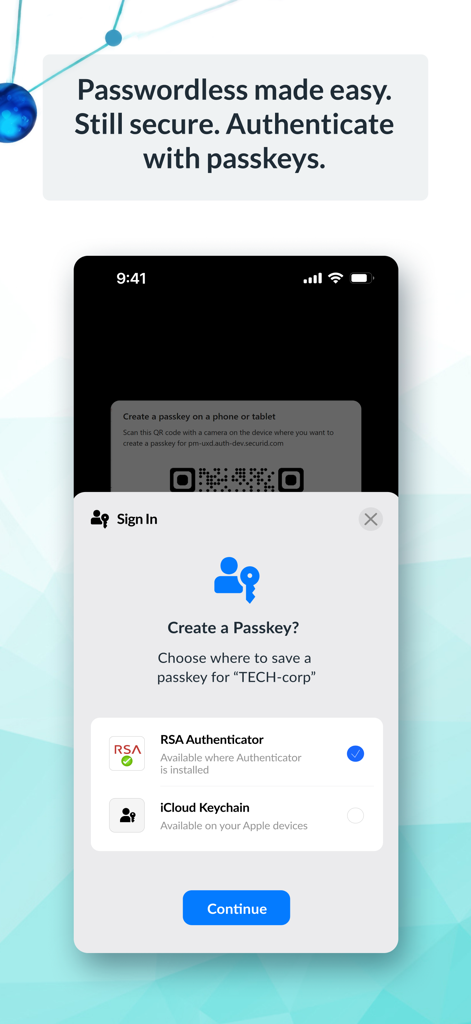
엔터프라이즈 보안을 위해 RSA Authenticator 앱을 사용하여 패스키 생성 프롬프트를 보여주는 스마트폰 인터페이스.

엔터프라이즈 보안을 위해 RSA Authenticator 앱을 사용하여 패스키 생성 프롬프트를 보여주는 스마트폰 인터페이스.

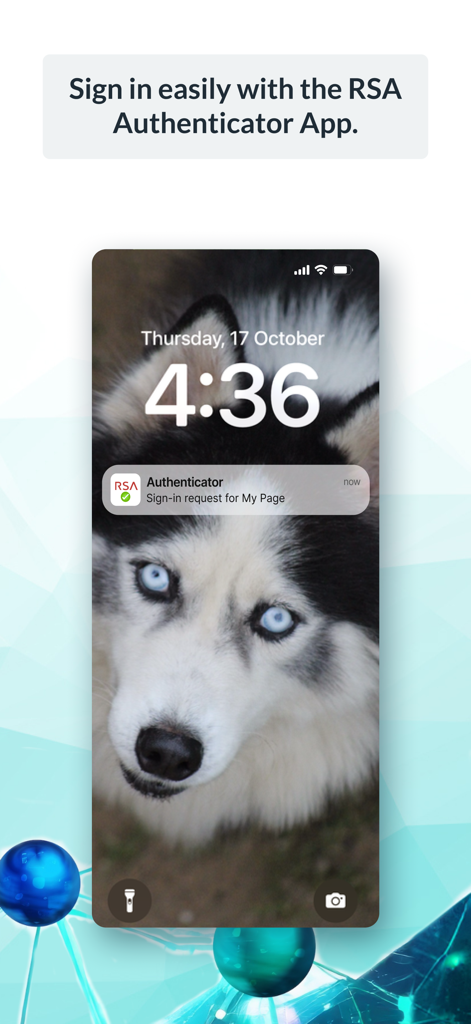
iPhone 잠금 화면에 RSA Authenticator 로그인 요청 푸시 알림

iPhone 잠금 화면에 RSA Authenticator 로그인 요청 푸시 알림

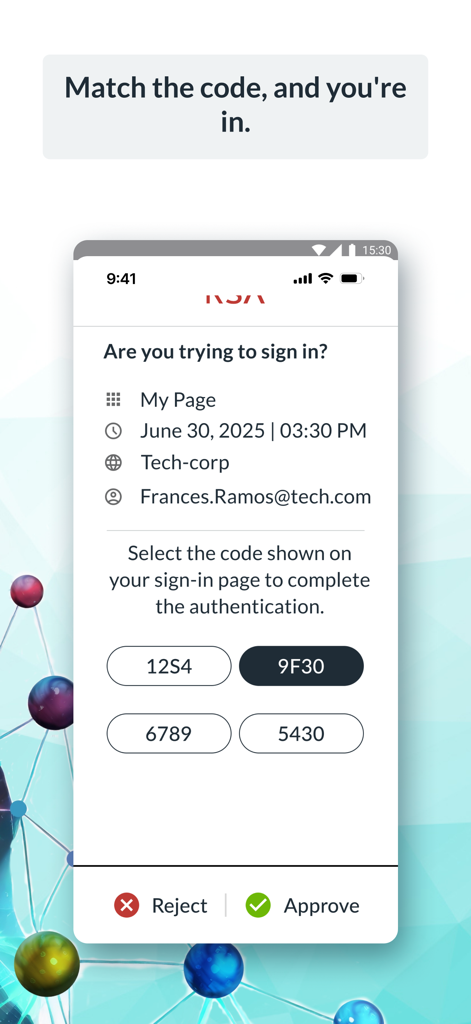
안전한 엔터프라이즈 인증을 위해 코드 일치와 함께 로그인 요청을 보여주는 RSA Authenticator 앱 화면

안전한 엔터프라이즈 인증을 위해 코드 일치와 함께 로그인 요청을 보여주는 RSA Authenticator 앱 화면

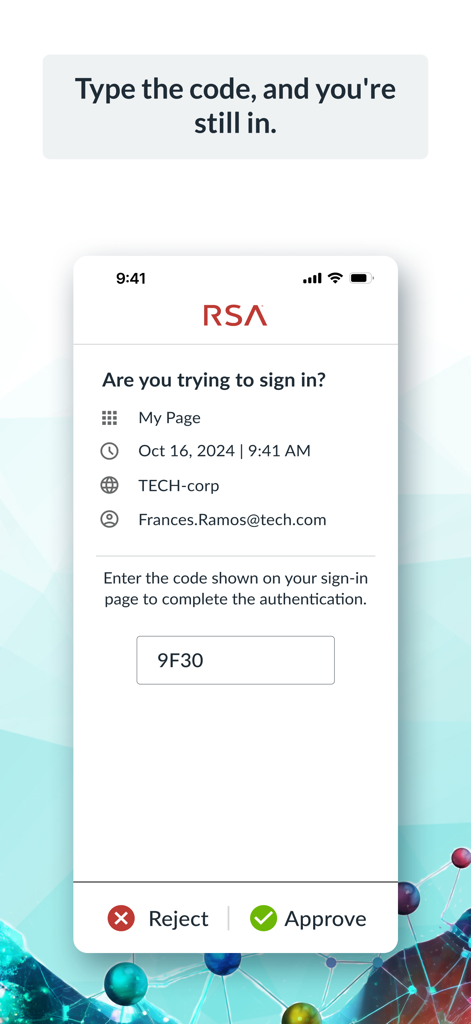
코드와 승인 또는 거부 옵션으로 로그인 확인 요청을 표시하는 RSA Authenticator 앱 인터페이스

코드와 승인 또는 거부 옵션으로 로그인 확인 요청을 표시하는 RSA Authenticator 앱 인터페이스

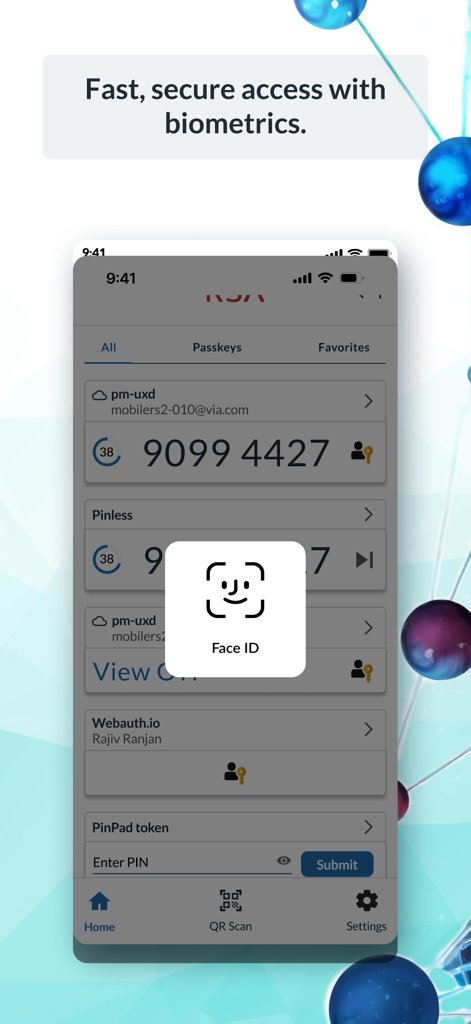
안전한 엔터프라이즈 액세스를 위한 RSA Authenticator 앱 Face ID 생체 인식 로그인 프롬프트 인터페이스

안전한 엔터프라이즈 액세스를 위한 RSA Authenticator 앱 Face ID 생체 인식 로그인 프롬프트 인터페이스

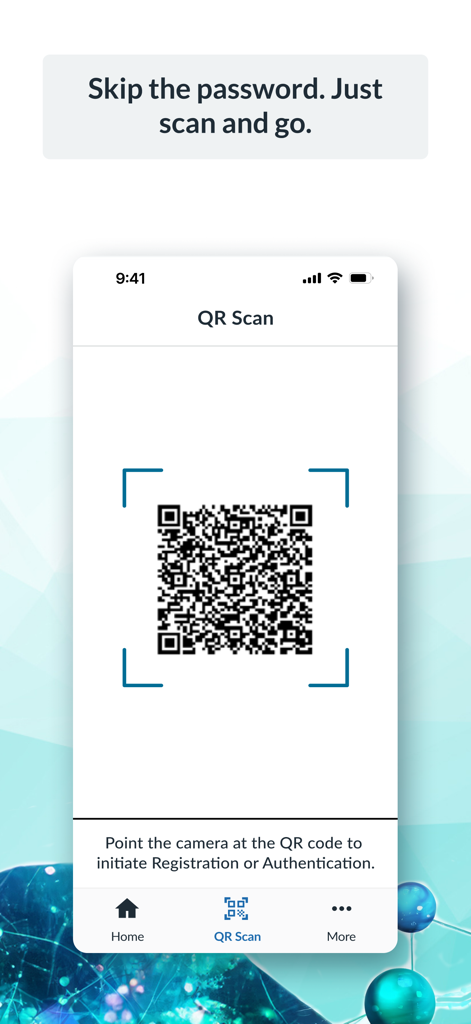
암호 없는 인증 및 등록을 위한 QR 코드 스캐너를 표시하는 RSA Authenticator 앱 인터페이스

암호 없는 인증 및 등록을 위한 QR 코드 스캐너를 표시하는 RSA Authenticator 앱 인터페이스

손끝에서 경험하는 안전한 액세스

이 앱을 돋보이게 하는 도구, 9M+ 명의 사용자가 선택.

📱

원탭 인증

바쁜 업무 중에 시간을 절약하세요. 푸시 알림 및 FaceID 또는 TouchID와 같은 생체 인식을 통해 즉시 로그인 요청을 승인하세요.

🔑

번거롭지 않은 패스키

암호 없이 보안 피로를 제거하세요. 기기에 바인딩된 패스키를 사용하여 회사 애플리케이션에 더 빠르고 안전하게 액세스하세요.

🛡️

엔터프라이즈급 안정성

하이브리드 업무 환경을 위해 구축되어 집에서든 사무실에서든 VPN 및 민감한 회사 데이터에 대한 견고하고 안전한 연결을 제공합니다.

전 세계 사용자들에게 사랑받는 앱

Trusted by 9M+ 명이 이 앱을 사랑합니다.

"

"물리적 토큰에서 RSA Authenticator로 전환한 것은 제 하이브리드 워크플로우에 있어 매우 중요한 변화였습니다. 푸시 알림과 FaceID 통합으로 이동 중에도 회사 계정 로그인이 원활합니다. 엔터프라이즈급 보안과 현대적인 편의성의 완벽한 균형입니다."

Sarah Jenkins, 선임 재무 분석가
"

"민감한 정부 계약을 다루는 사람으로서 피싱 방지 기능과 속도를 갖춘 인증 도구가 필요합니다. 이 업데이트에서 기기에 바인딩된 패스키로 전환하면서 로그인 마찰이 크게 줄었습니다. 안정적이고 직관적이며, 속도를 늦추지 않고 안전을 유지하는 데 필요한 것입니다."

Michael Torres, IT 시스템 관리자

리뷰 분석

사용자 리뷰 인사이트.

감정 점수

24%
부정적

요약

The RSA mobile app receives largely negative feedback from users, primarily due to persistent technical issues. Many users report critical Face ID bugs where tokens disappear or require multiple attempts, alongside widespread display problems where passcodes are often obscured or don't fit the screen, especially with iOS display zoom settings. Additionally, users express frustration over general app instability, including blank screens, frequent crashes, and difficulties transferring tokens to new devices, which significantly impacts its reliability as an authenticator. While a few users praise its general security and ease of use for day-to-day operations, recent bug fixes for display issues are acknowledged by some, suggesting a limited improvement for certain problems.

주요 테마

App Instability/Unreliability(13)
Display and UI Bugs(11)
Face ID Issues(9)
Overall Satisfaction(5)
Missing Features(4)
Recent Bug Fixes(3)
Device Transfer(2)

앱 소개

에 대해 알아야 할 모든 것 RSA Authenticator (SecurID).

설명

RSA Authenticator App Secure your digital life and streamline access with the RSA Authenticator App. Designed for enterprises and highly regulated industries, RSA offers a trusted way to secure authentication regardless of your environment. Multi-Factor Authentication (MFA) Made Easy Protect your accounts with RSA's diverse multi-factor authentication (MFA) options, including one-time passcodes (OTP), QR codes, code matching, push notifications, biometrics, and hardware authenticators for an extra layer of security. RSA provides device-bound passkeys that are seamless and phishing-resistant, ensuring a smooth experience across your apps and services. Passwordless Security, Simplified Forget passwords; use passkeys. Use your device-bound passkey for fast, secure, and frictionless authentication—perfect for organizations looking to reduce risks and boost workforce productivity. Note: Your company must be an RSA customer to use this app. Contact your help desk administrator if you did not receive the information required to register your device. The RSA Authenticator app is an update to the existing SecurID 4.X app and a replacement for SecurID Authenticate 3.9.x app. Please refer to the “What’s New” section on macOS and iOS App Store for further details.

최신 버전

4.6.1

크기

47.6 MB

출시일

2009년 6월 8일

몇 초 만에 작업 공간 보안 강화

빠르고, 번거롭지 않으며, 피싱 방지 엔터프라이즈 액세스를 위해 RSA Authenticator를 사용하는 수백만 명의 전문가와 함께하세요. 지금 시작하여 디지털 ID를 간소화하세요.

다운로드: App Store다운로드: Google Play
FAQ

자주 묻는 질문

에 대해 알아야 할 모든 것 RSA Authenticator (SecurID)
RSA 인증기 앱은 무엇인가요?

RSA 인증기 앱은 디지털 생활을 보호하고 기업 및 고도로 규제된 산업을 위한 액세스를 간소화합니다. 강력한 다단계 옵션을 제공하여 환경에 관계없이 신뢰할 수 있는 인증을 제공합니다.

RSA 인증기 앱은 어떤 다단계 인증(MFA) 옵션을 제공하나요?

RSA 인증기 앱은 다양한 MFA 옵션을 제공합니다. 여기에는 향상된 보안 및 보호를 위한 일회용 비밀번호(OTP), QR 코드, 코드 일치, 푸시 알림, 생체 인식 및 하드웨어 인증기가 포함됩니다.

RSA 인증기 앱이 비밀번호 없는 인증을 지원하나요?

예, RSA 인증기 앱은 암호 키를 통해 비밀번호 없는 보안을 지원합니다. 사용자는 장치에 바인딩된 암호 키로 인증하여 빠르고 안전하며 마찰 없는 액세스를 제공하여 위험을 줄이고 생산성을 높입니다.

RSA 인증기 앱을 개인 사용자가 사용할 수 있나요?

아니요, RSA 인증기 앱은 모든 사람이 사용할 수 있는 것은 아닙니다. 귀사의 RSA 고객이어야 사용할 수 있습니다. 사용자는 등록 정보에 대해 헬프 데스크 관리자에게 문의해야 합니다.

RSA 인증기 앱은 어떤 애플리케이션을 대체하거나 업데이트하나요?

RSA 인증기 앱은 기존 SecurID 4.X 앱의 업데이트입니다. 또한 SecurID Authenticate 3.9.x 앱을 대체하여 인증 서비스를 통합합니다.

RSA 인증기 앱에서 생체 인식을 사용할 수 있나요?

예, RSA 인증기 앱은 생체 인식 인증을 제공합니다. 사용자는 Face ID와 같은 방법을 사용하여 빠르고 안전하게 액세스하여 저장된 자격 증명의 보안을 강화할 수 있습니다.

RSA 인증기 앱은 로그인 요청을 어떻게 처리하나요?

RSA 인증기 앱은 푸시 알림을 통해 로그인 요청을 처리합니다. 사용자는 코드를 일치시키거나, 코드를 입력하거나, 앱 인터페이스에 표시된 다른 확인 방법을 사용하여 로그인할 수 있습니다.

RSA 인증기 앱으로 QR 코드를 사용하여 인증할 수 있나요?

예, RSA 인증기 앱은 QR 코드 인증을 지원합니다. 사용자는 장치의 카메라로 QR 코드를 스캔하여 등록을 시작하거나 인증 프로세스를 빠르고 안전하게 완료할 수 있습니다.