Scan QR Code & Read Barcode

Scan QR Code & Read Barcode

다운로드: App Store
Spark by MWM logo
로고: Scan QR Code & Read Barcode
QR 코드 스캔 및 바코드 읽기: 전문적인 스캔 및 정리로 워크플로우 마스터하기

효율적으로 일괄 스캔하고, 폴더별로 정리하고, 사용자 지정 코드를 생성하세요. 속도와 정확성이 필요한 전문가 및 소규모 비즈니스를 위한 최고의 도구 모음입니다.

다운로드: App Store

개발사

Flex App Limited

카테고리

Utilities

다운로드

2K+

사용자 평점

4.8/5

총 평가 수

100

지원 언어

1

모든 스캔의 정밀도

이 인터페이스를 사용하는 2K+ 명의 사용자.

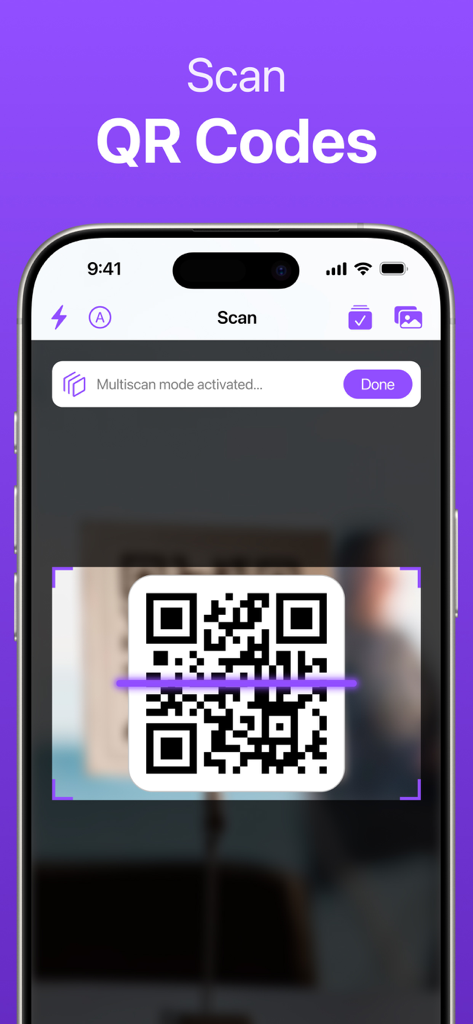
여러 스캔 모드가 활성화된 QR 코드를 스캔하는 iPhone 화면

여러 스캔 모드가 활성화된 QR 코드를 스캔하는 iPhone 화면

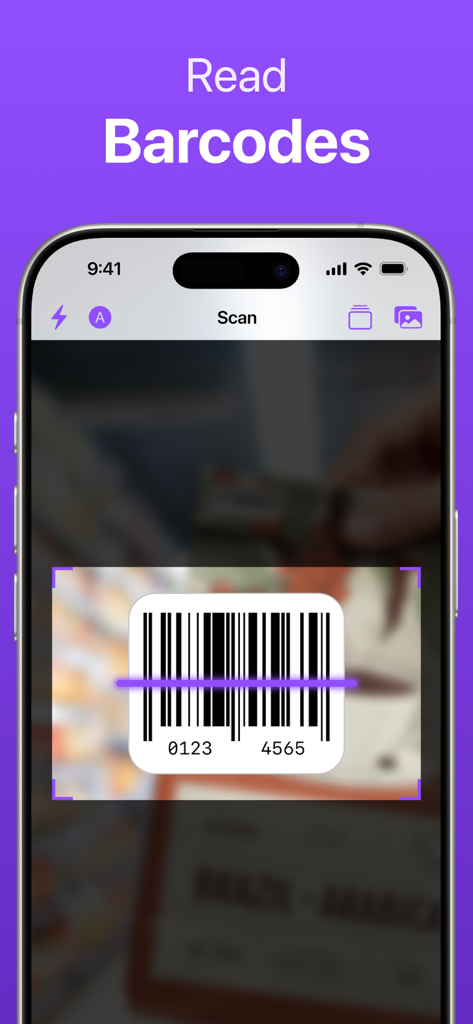
앱으로 바코드를 스캔하는 중인 iPhone 화면

앱으로 바코드를 스캔하는 중인 iPhone 화면

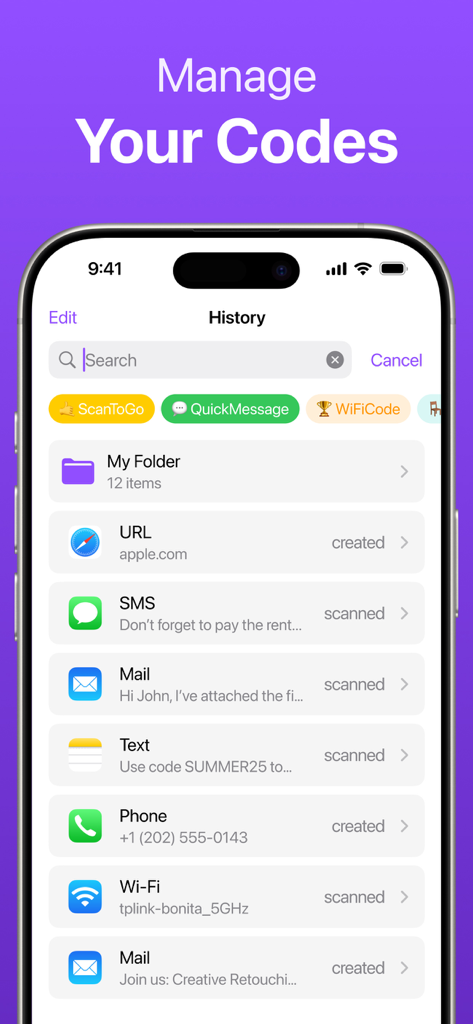
폴더와 태그로 스캔된 QR 코드 및 바코드의 기록과 정리를 보여주는 인터페이스

폴더와 태그로 스캔된 QR 코드 및 바코드의 기록과 정리를 보여주는 인터페이스

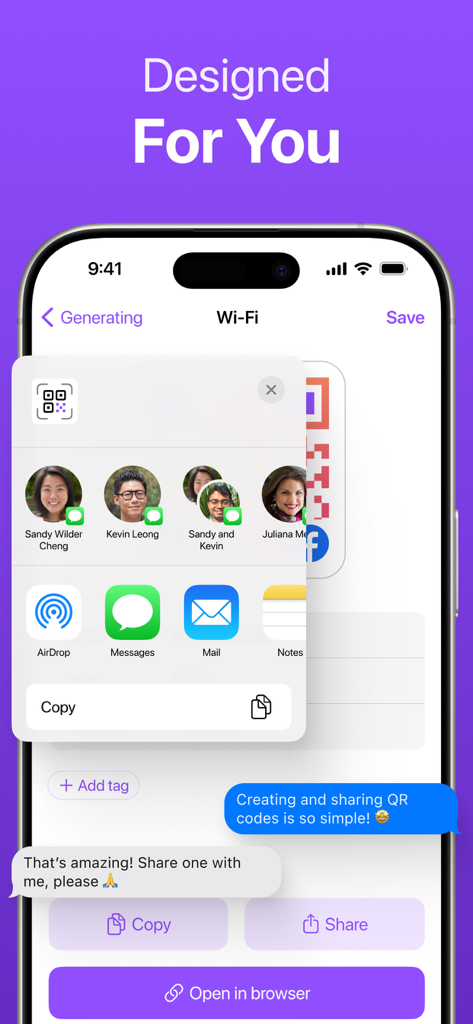
메시지, 메일, AirDrop 옵션과 함께 사용자 지정 생성 QR 코드의 공유 메뉴를 보여주는 iPhone 화면

메시지, 메일, AirDrop 옵션과 함께 사용자 지정 생성 QR 코드의 공유 메뉴를 보여주는 iPhone 화면

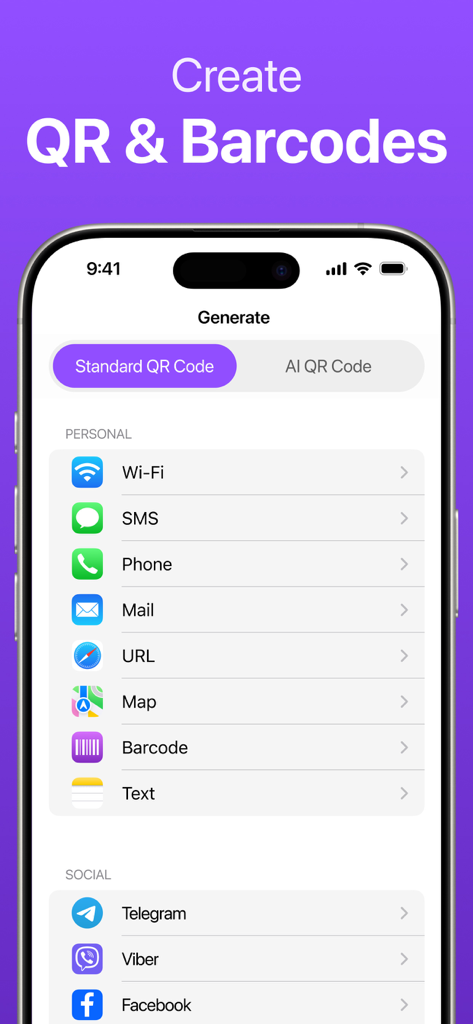
Wi-Fi, SMS, URL 및 소셜 미디어에 대한 표준 및 AI QR 코드 생성을 위한 옵션을 보여주는 모바일 인터페이스

Wi-Fi, SMS, URL 및 소셜 미디어에 대한 표준 및 AI QR 코드 생성을 위한 옵션을 보여주는 모바일 인터페이스

QR 및 바코드 워크플로우 마스터하기

이 앱을 돋보이게 하는 도구, 2K+ 명의 사용자가 선택.

📂

스마트 정리

기록을 뒤지는 일은 이제 그만. 폴더와 사용자 지정 태그를 사용하여 스캔 항목을 분류하고 검색 가능하게 유지하세요.

빠른 일괄 스캔

연속적인 흐름으로 여러 코드를 스캔하여 시간을 절약하세요. 재고 및 이벤트 관리에 이상적입니다.

즉석 QR 생성

비즈니스, Wi-Fi 또는 연락처 정보를 위한 사용자 지정 코드를 생성하고 한 번의 탭으로 공유하세요.

전 세계 사용자들에게 사랑받는 앱

Trusted by 2K+ 명이 이 앱을 사랑합니다.

"

"이 앱은 제 재고 관리 방식을 완전히 바꿔놓았습니다! 일괄 스캔 기능을 사용하면 몇 분 안에 신규 재고를 처리할 수 있고, 모든 것을 태그된 폴더로 정리할 수 있어 기록이 완벽하게 깔끔하게 유지됩니다. 기본 카메라 앱보다 훨씬 강력합니다."

Sarah M., 부티크 운영자
"

"네트워킹 이벤트에 매일 사용합니다. Wi-Fi 액세스 및 디지털 명함을 위한 사용자 지정 QR 코드를 만드는 것이 믿을 수 없을 정도로 빠릅니다. 또한, 스캔 기록 덕분에 바쁜 날 스캔한 연락처나 링크를 절대 잃어버리지 않습니다."

David L., 이벤트 코디네이터

앱 소개

에 대해 알아야 할 모든 것 Scan QR Code & Read Barcode.

설명

Scan, Organize & Create QR and Barcodes — Fast & Easy! Whether you're scanning product barcodes, generating custom QR codes, or managing your code library — this app offers powerful tools in a clean and intuitive interface. KEY FEATURES: - Instant scanning of QR codes & barcodes - Batch Scan — scan multiple codes in a row - Organize codes into folders for quick access - Add tags to any code for fast searching - Create custom QR codes (text, URL, Wi-Fi, contacts, and more) - Save and reuse codes anytime - Share codes in one tap - Works offline and online Ideal for both personal and professional use — from tracking inventory and scanning products, to sharing Wi-Fi access and creating custom codes for events. Why You'll Love This App: - Fast & intuitive: Start scanning and creating codes in seconds - Perfect for business: Manage and organize codes with ease - For professionals and personal use: Whether you're at work or at home, get things done efficiently - Free with ads: Enjoy the app for free with occasional ads (ad-free option available with subscription) Get Started Now: Try it free and see how easy it is to manage your codes, create custom QR codes, and more! ------------------------------------ Subscription Details: Upon confirming the purchase, your iTunes account will be charged. Subscriptions renew automatically unless automatic renewal is turned off at least 24 hours before the end of the current period. The account will be charged a renewal fee within 24 hours of the end of the current period and will be renewed accordingly. Subscriptions can be managed by users. Visiting the user's iTunes account settings after purchase may disable automatic renewal. For More Information: Terms of Use: https://www.qrreader.space/terms.html Privacy Policy: https://www.qrreader.space/privacy.html

최신 버전

9.8

크기

89.5 MB

출시일

2024년 1월 15일

워크플로우 간소화할 준비가 되셨나요?

인스턴트 일괄 스캔, 사용자 지정 QR 생성, 스마트 정리를 위해 저희 도구를 신뢰하는 수천 명의 전문가들과 함께하세요. 지금 다운로드하고 디지털 도구 모음을 제어하세요.

다운로드: App Store