Screen Recorder,Video Recorder

Screen Recorder,Video Recorder

다운로드: App Store다운로드: Google Play
Spark by MWM logo
로고: Screen Recorder,Video Recorder

V Recorder: Pro 4K 화면 녹화 & AI 기반 동영상 편집

크리에이터 및 전문가를 위한 올인원 스튜디오. 완벽한 4K 게임 플레이를 캡처하고, AI로 회의록을 만들고, Face Cam 및 플로팅 텔레프롬프터를 사용하여 바이럴 콘텐츠를 만드세요.

개발사

VIDEOSHOW PTE. LTD.

카테고리

Photo & Video

다운로드

11M+

사용자 평점

4.7/5

총 평가 수

269K+

지원 언어

18

주머니 속의 스튜디오

이 인터페이스를 사용하는 11M+ 명의 사용자.

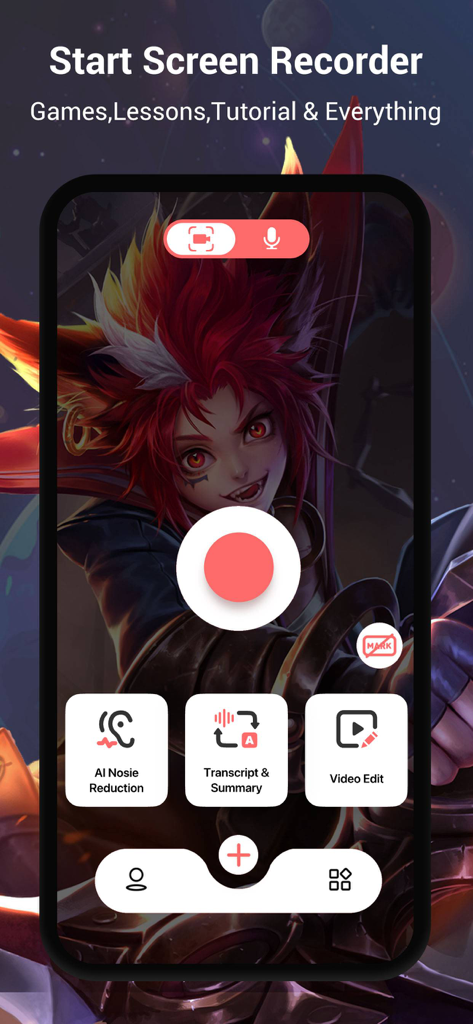
V Recorder의 모바일 앱 인터페이스. 중앙 녹화 버튼과 노이즈 감소 및 자막 요약과 같은 AI 생산성 기능이 표시됩니다.

V Recorder의 모바일 앱 인터페이스. 중앙 녹화 버튼과 노이즈 감소 및 자막 요약과 같은 AI 생산성 기능이 표시됩니다.

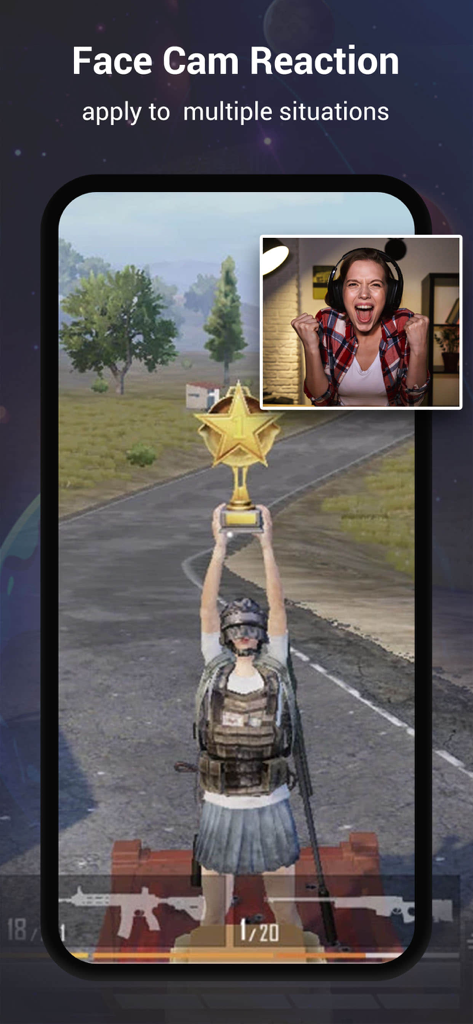
활성 Face Cam 반응 오버레이가 있는 게임 플레이 화면 녹화 모바일 화면

활성 Face Cam 반응 오버레이가 있는 게임 플레이 화면 녹화 모바일 화면

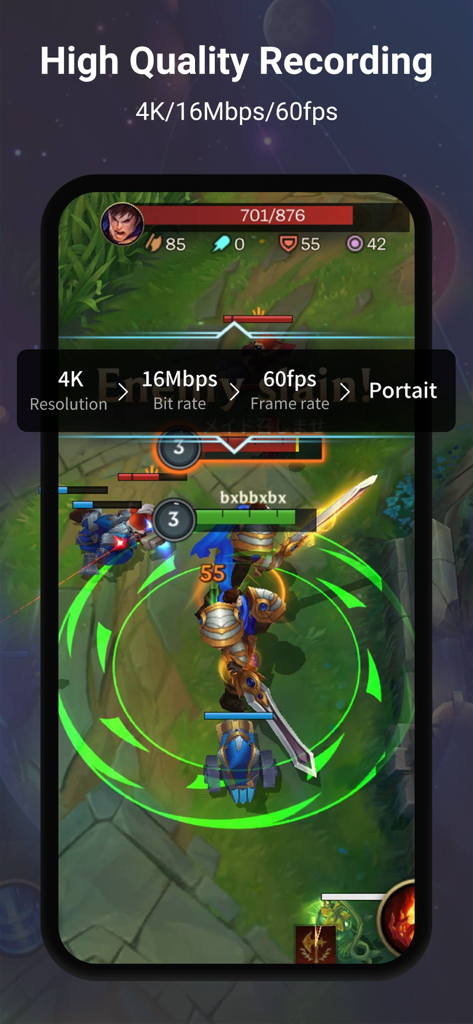
모바일 게임에 대한 고품질 4K 60fps 화면 녹화 설정을 보여주는 V Recorder 앱 스크린샷

모바일 게임에 대한 고품질 4K 60fps 화면 녹화 설정을 보여주는 V Recorder 앱 스크린샷

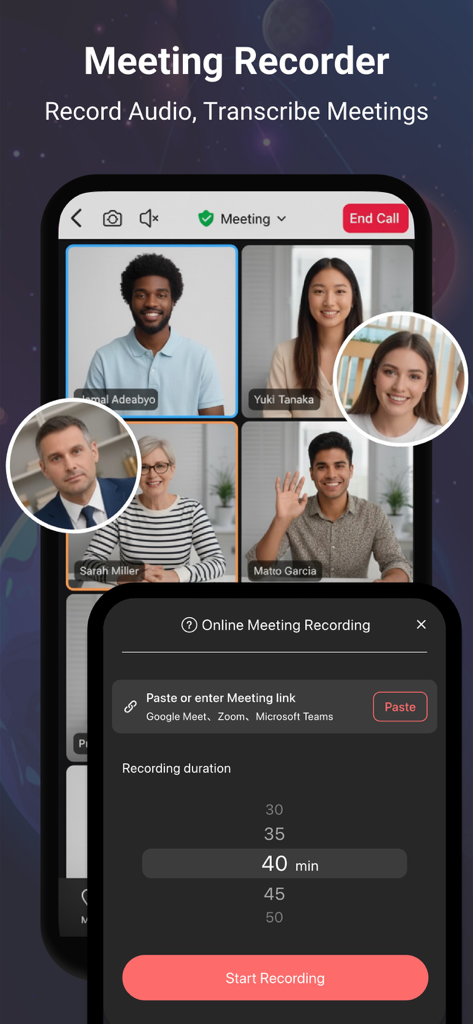
참가자가 여러 명인 온라인 회의와 녹화 설정 메뉴를 보여주는 V Recorder 앱 인터페이스.

참가자가 여러 명인 온라인 회의와 녹화 설정 메뉴를 보여주는 V Recorder 앱 인터페이스.

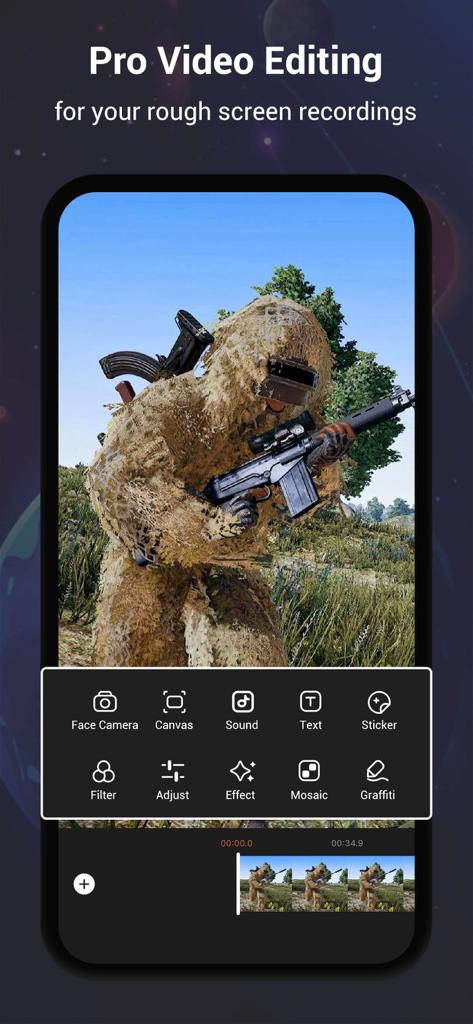
게임 화면 녹화를 위한 전문가 수준의 동영상 편집 도구를 보여주는 V Recorder 앱 인터페이스

게임 화면 녹화를 위한 전문가 수준의 동영상 편집 도구를 보여주는 V Recorder 앱 인터페이스

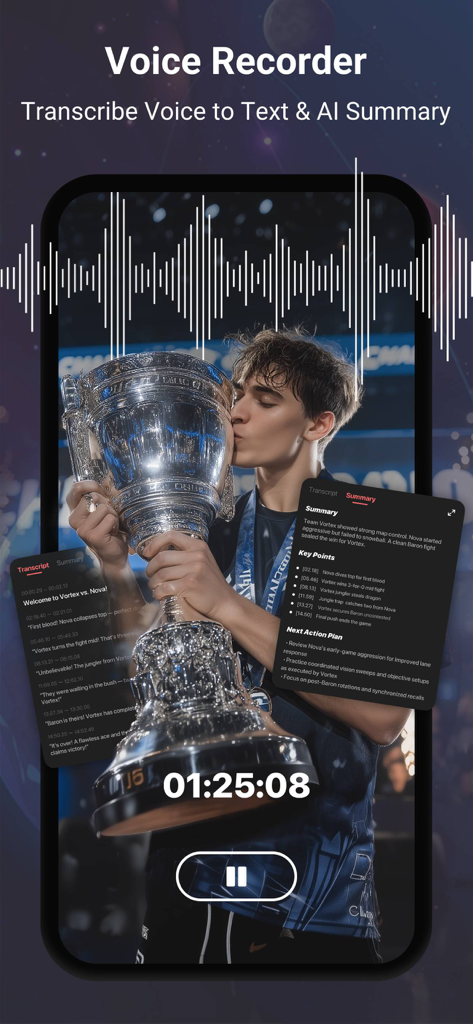
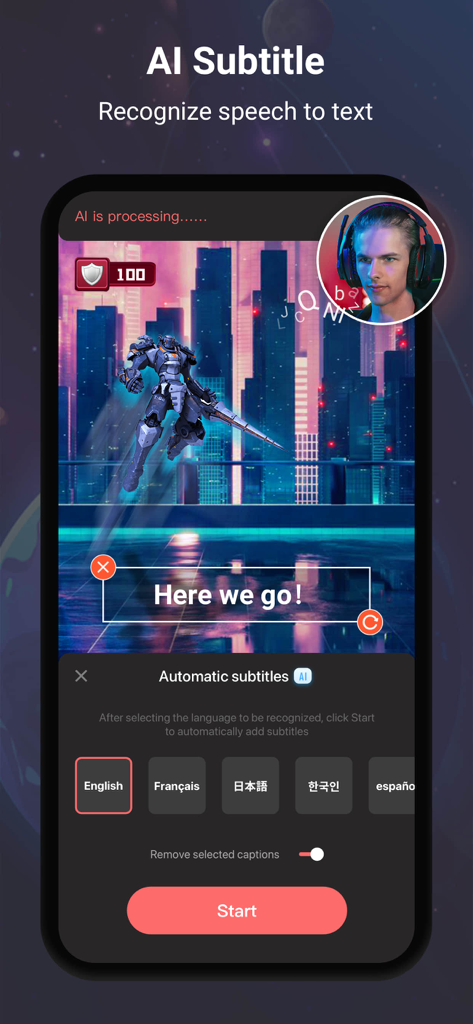
스마트폰 화면에서 AI 음성 자막 생성 및 회의 요약 기능을 보여주는 V Recorder 앱 인터페이스

스마트폰 화면에서 AI 음성 자막 생성 및 회의 요약 기능을 보여주는 V Recorder 앱 인터페이스

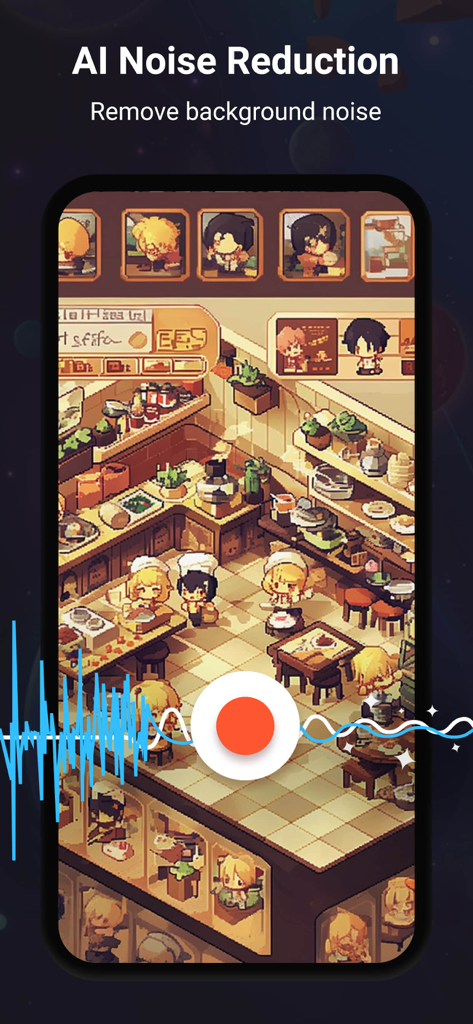
모바일 게임 녹화에 AI 노이즈 감소 기능이 적용되는 것을 보여주는 V Recorder 앱 인터페이스.

모바일 게임 녹화에 AI 노이즈 감소 기능이 적용되는 것을 보여주는 V Recorder 앱 인터페이스.

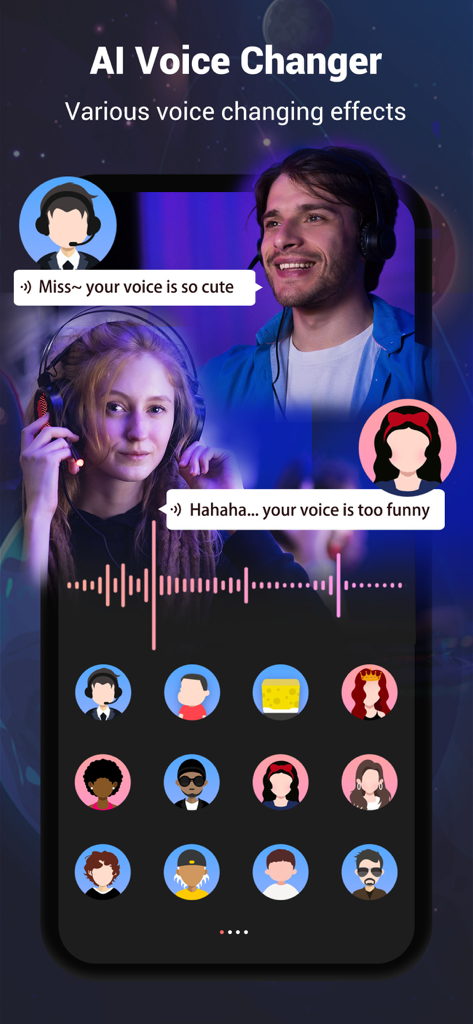
다양한 음성 효과와 캐릭터 아바타가 있는 AI 음성 변조기 기능

다양한 음성 효과와 캐릭터 아바타가 있는 AI 음성 변조기 기능

V Recorder 모바일 앱에서 AI 자동 자막 및 Face Cam 게임 녹화 표시

V Recorder 모바일 앱에서 AI 자동 자막 및 Face Cam 게임 녹화 표시

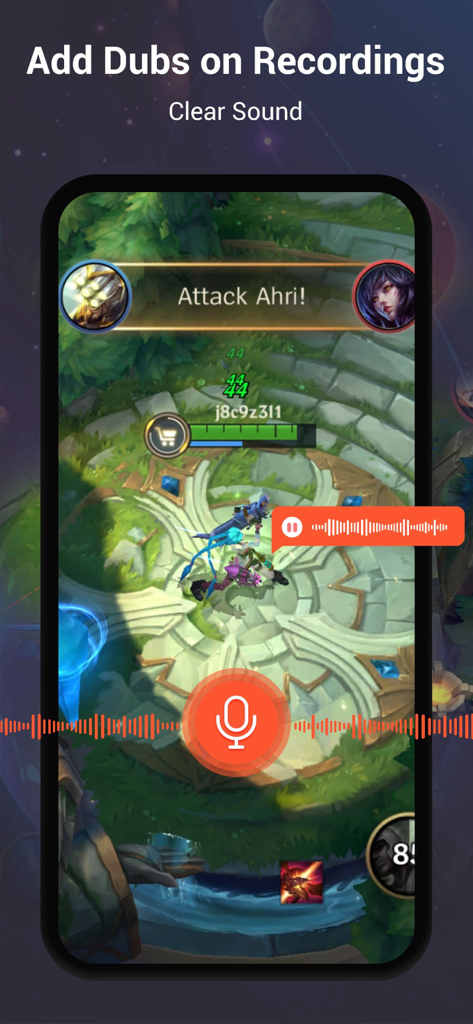
명확한 사운드를 가진 녹화된 게임 세션에 음성 해설 및 더빙을 추가하는 V Recorder 앱 인터페이스를 보여주는 모바일 화면

명확한 사운드를 가진 녹화된 게임 세션에 음성 해설 및 더빙을 추가하는 V Recorder 앱 인터페이스를 보여주는 모바일 화면

주머니 속의 완벽한 프로덕션 스튜디오

이 앱을 돋보이게 하는 도구, 11M+ 명의 사용자가 선택.

🎮

Face Cam 포함 4K 게임 플레이

놀라운 4K 해상도로 모든 승리를 캡처하고, 통합 Face Cam을 사용하여 실시간 반응으로 브랜드를 구축하세요.

🎙️

AI 자막 생성 및 노이즈 제거

회의를 즉각적인 텍스트 요약으로 전환하여 워크플로를 간소화하고, AI가 배경 노이즈를 제거하여 전문가 수준의 명확성을 제공합니다.

📜

스마트 텔레프롬프터 & 전문가 편집기

플로팅 프롬프터로 스크립트를 완벽하게 녹화하고, 내장 전환 효과, 필터, 라이선스 음악을 사용하여 동영상을 즉시 다듬으세요.

전 세계 사용자들에게 사랑받는 앱

Trusted by 11M+ 명이 이 앱을 사랑합니다.

"

"모바일 게이머이자 야심찬 유튜버로서 지연이 없는 녹화기를 찾는 것은 거의 불가능합니다. V Recorder는 정말 최고입니다! 4K 품질은 놀랍도록 선명하며, 플레이 중에 Face Cam을 사용할 수 있어 제 반응 동영상이 매우 전문적으로 보입니다. 내장 편집기 덕분에 후반 작업 시간을 절약할 수 있었습니다."

Jake M., 게임 콘텐츠 크리에이터
"

"원격 회의를 위한 필수 도구가 되었습니다. AI 노이즈 제거 기능 덕분에 시끄러운 커피숍에서 일할 때도 제 오디오가 스튜디오 품질처럼 들리고, 음성-텍스트 변환 기능은 회의록 작성에 정말 큰 도움이 됩니다. 플로팅 텔레프롬프터 기능은 발표를 할 때마다 완벽하게 해줍니다."

Sarah L., 수석 프로젝트 관리자

앱 소개

에 대해 알아야 할 모든 것 Screen Recorder,Video Recorder.

설명

V Recorder - VideoShow Screen Recorder is a powerful and free screen recorder that offers high-quality screen recording, video recording, and voice recording, now with support for online meeting audio recording. This stable 4K HD video recorder is an all-in-one tool, functioning as a professional game recorder, voice recorder, voice-to-text transcriber, and video editor. Whether you want to capture your gameplay, video calls, livestreams, tutorials, reaction videos, or online meetings with complete audio, this screen recording app provides everything you need. With this advanced screen recorder - V Recorder, you can easily record screen content while playing games, watching videos, having video chats, or attending online meetings. The newly supported meeting audio recording helps capture clear and complete voices from meetings, calls, and discussions, so you never miss important details. You can also enhance your video recordings using the built-in video editor, which allows you to apply filters, transitions, music, stickers, and subtitles. Additionally, AI noise reduction ensures crystal-clear audio by removing background noise, AI voice changer lets you modify your voice for fun, making your video recordings more professional and engaging. Key Features: Face Cam & Audio Commentary: Record your face cam while capturing screen content, and add real-time microphone commentary to create engaging gameplay, tutorials, or reaction videos. Online Meeting Audio Recording: Capture complete meeting audio clearly, combine with AI noise reduction, voice to text transcription, and AI summaries for easy review and follow-ups. 4K HD Video Recording: Support 4K high-quality screen recording and customizable settings for recorded videos. Unlimited Screen Recording: Ideal for recording online videos, tutorials, livestreams, and online meetings, or using it as a game recorder with sound. AI Noise Reduction: Advanced AI removes background noise while keeping your voice clear, making this an ideal voice recorder for any environment. Smart Subtitles: AI-powered speech recognition adds subtitles to your recordings automatically. AI Voice Transformer: Modify your voice with our AI voice changer for fun and creative effects. Floating Teleprompter: Display transcripts on any application with adjustable font size and speed, perfect for presentations, meetings, and vlogs. Easy to Use: Start recording with just one tap and customize resolution & FPS. Professional Video Editing: Easily cut, trim, split, rotate, reverse, and adjust speed. Enhance videos with trendy filters, stickers, text, licensed music, and smooth transitions. Seamless Social Sharing: Support multiple aspect ratios and 4K HD export. Share gameplay, videos, and moments instantly to social platforms with ease. With V Recorder - VideoShow Screen Recorder, you get a feature-packed screen recorder, video recorder, voice recorder, voice-to-text transcriber, and video editor in one! Whether you need to capture gameplay, record online meetings with full audio and transcripts, create polished videos, or use Face Cam to capture your reactions, this app delivers a seamless experience. Download now and start capturing your moments effortlessly! Disclaimer: 1. This application is not related to YouTube. It is a recording tool. Please strictly abide by YouTube's platform terms before using this application to record. 2. We respect the copyright of the owners. Please confirm that you have obtained the owners' permission or authorization before using this application for recording. 3. This application is only for your personal study and research use. The recording content should not exceed the scope of personal use. Privacy Policy: https://d10nkoc3mu17gd.cloudfront.net/privacy/VRecorder_iOS_Privacy_Policy.html Terms of use: https://d10nkoc3mu17gd.cloudfront.net/privacy/VRecorder_iOS_Terms_of_Use_Agreement.html

최신 버전

3.1.1.0

크기

339.3 MB

출시일

2019년 12월 24일

화면을 전문가 스튜디오로 변환할 준비가 되셨나요?

AI 기반 4K 녹화를 사용하여 최고의 순간을 캡처, 편집 및 공유하는 1,100만 명 이상의 크리에이터 및 전문가와 함께하세요. 지금 무료로 여정을 시작하세요.

다운로드: App Store다운로드: Google Play
FAQ

자주 묻는 질문

에 대해 알아야 할 모든 것 Screen Recorder,Video Recorder
V Recorder - VideoShow Screen Recorder는 무엇인가요?

V Recorder - VideoShow Screen Recorder는 고품질 화면, 비디오, 음성 녹화를 위한 무료 올인원 앱입니다. 게임 레코더, 음성-텍스트 변환기, 4K HD 출력 기능을 갖춘 전문가용 비디오 편집기를 제공합니다.

V Recorder는 온라인 회의 오디오 녹화를 지원하나요?

네, V Recorder - VideoShow Screen Recorder는 온라인 회의 오디오 녹화를 지원합니다. AI 노이즈 감소, 음성-텍스트 변환, AI 요약을 통합하여 전체 회의 오디오를 캡처하여 명확한 기록을 제공합니다.

Screen Recorder, Video Recorder는 4K 해상도로 녹화할 수 있나요?

네, Screen Recorder, Video Recorder는 4K 고품질 화면 녹화를 지원합니다. 사용자는 최적의 품질을 보장하기 위해 녹화된 비디오에 대한 해상도, 비트 전송률 및 프레임 속도 설정을 사용자 정의할 수 있습니다.

V Recorder - VideoShow Screen Recorder에 비디오 편집기가 포함되어 있나요?

네, V Recorder - VideoShow Screen Recorder는 전문가용 비디오 편집기를 제공합니다. 사용자는 자르기, 다듬기, 분할, 회전, 필터, 스티커, 텍스트, 음악 및 부드러운 전환 효과를 추가하여 녹화본을 향상시킬 수 있습니다.

화면 캡처 중에 V Recorder를 사용하여 얼굴과 목소리를 녹화할 수 있나요?

네, V Recorder - VideoShow Screen Recorder는 Face Cam 및 오디오 해설 기능을 제공합니다. 이를 통해 사용자는 튜토리얼이나 게임 플레이를 위해 화면 콘텐츠를 캡처하는 동안 자신의 반응을 녹화하고 실시간 마이크 해설을 추가할 수 있습니다.

Screen Recorder, Video Recorder는 노이즈 감소를 위해 AI를 사용하나요?

네, Screen Recorder, Video Recorder는 고급 AI 노이즈 감소 기능을 제공합니다. 이 기능은 배경 소음을 효과적으로 제거하여 녹음된 목소리가 어떤 환경에서도 깨끗하게 유지되도록 합니다.

V Recorder - VideoShow Screen Recorder는 음성을 텍스트로 변환할 수 있나요?

네, V Recorder - VideoShow Screen Recorder는 음성을 텍스트로 변환합니다. AI 기반 음성 인식을 사용하여 녹화본에 자동으로 자막을 추가하고 AI 요약을 생성하여 빠르게 검토할 수 있습니다.

V Recorder는 어떤 음성 변조 기능을 제공하나요?

V Recorder - VideoShow Screen Recorder는 AI 음성 변환기 기능을 제공합니다. 이를 통해 사용자는 다양한 재미있고 창의적인 효과로 음성을 변조하여 비디오 녹화 및 해설을 향상시킬 수 있습니다.

V Recorder - VideoShow Screen Recorder 앱은 무료인가요?

네, V Recorder - VideoShow Screen Recorder는 강력하고 무료인 화면 녹화기입니다. 비용 없이 고품질 화면, 비디오 및 음성 녹화 기능을 제공합니다.

Screen Recorder, Video Recorder에서 녹화본을 어떻게 공유할 수 있나요?

Screen Recorder, Video Recorder는 원활한 소셜 공유를 지원합니다. 사용자는 게임 플레이, 비디오 및 순간을 다양한 화면 비율과 4K HD로 내보낸 후 즉시 다양한 소셜 플랫폼으로 공유할 수 있습니다.

V Recorder - VideoShow Screen Recorder는 텔레프롬프터 기능을 제공하나요?

네, V Recorder - VideoShow Screen Recorder에는 플로팅 텔레프롬프터 기능이 포함되어 있습니다. 이 기능은 글꼴 크기와 속도를 조절할 수 있는 스크립트를 모든 애플리케이션에 표시하여 프레젠테이션이나 브이로그에 이상적입니다.

V Recorder - VideoShow Screen Recorder의 개인정보처리방침은 어디에서 찾을 수 있나요?

V Recorder - VideoShow Screen Recorder의 개인정보처리방침은 https://d10nkoc3mu17gd.cloudfront.net/privacy/VRecorder_iOS_Privacy_Policy.html에서 확인할 수 있습니다. 사용자는 데이터 처리 정보에 대해 이를 검토해야 합니다.