Scribble Together Whiteboard

Scribble Together Whiteboard

다운로드: App Store
Spark by MWM logo
로고: Scribble Together Whiteboard
스크리블 투게더 화이트보드: 실시간 스케치, 주석 달기, 협업

누구와도 어디서든 가장 빠르게 브레인스토밍할 수 있습니다. 링크를 공유하고 즉시 함께 그리기를 시작하세요. 게스트는 계정이 필요 없습니다. 원격 팀, 디자이너, 튜터에게 완벽합니다.

개발사

Scribble LLC U.S.

카테고리

Productivity

다운로드

412K+

사용자 평점

4.6/5

총 평가 수

4K+

지원 언어

7

창의력이 발휘되는 모습을 확인하세요

이 인터페이스를 사용하는 412K+ 명의 사용자.

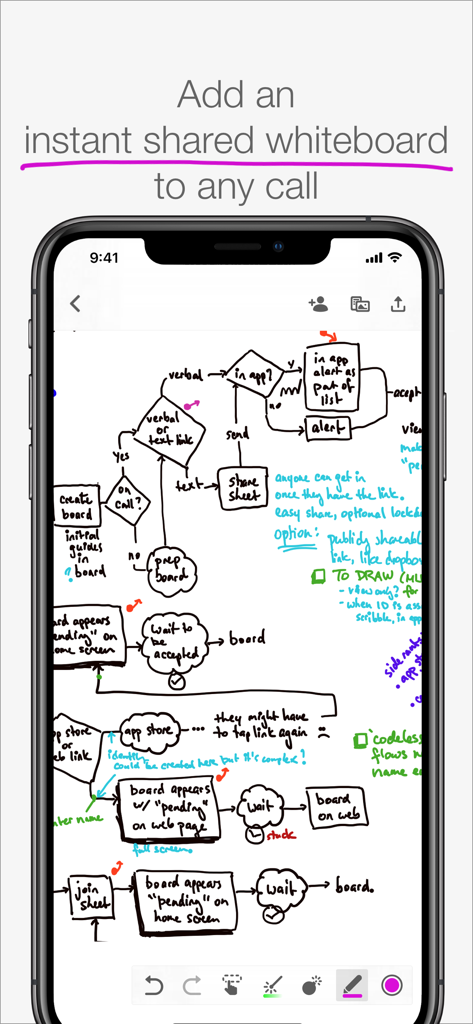
스크리블 투게더 화이트보드 앱에서 손으로 그린 복잡한 순서도를 보여주는 스마트폰 화면

스크리블 투게더 화이트보드 앱에서 손으로 그린 복잡한 순서도를 보여주는 스마트폰 화면

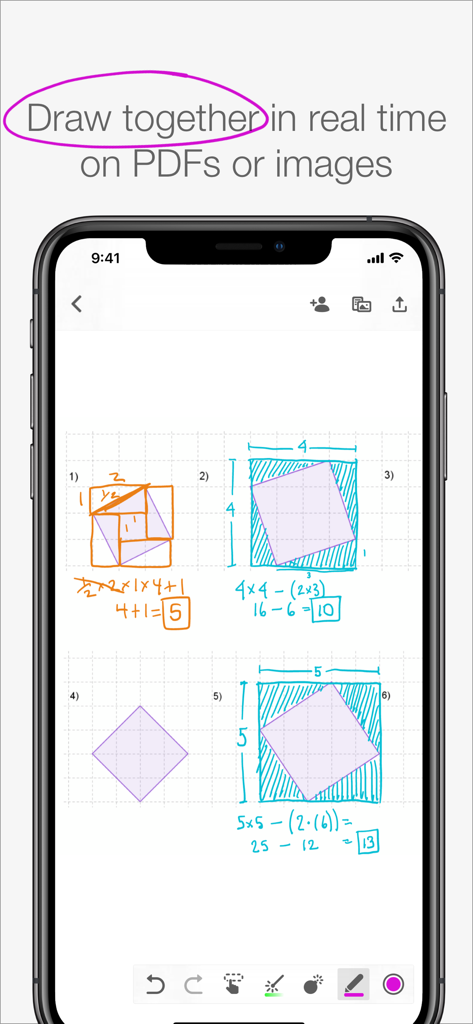
스마트폰 화면에서 손으로 그린 수학 계산 및 기하학 다이어그램을 보여주는 협업 화이트보드 앱

스마트폰 화면에서 손으로 그린 수학 계산 및 기하학 다이어그램을 보여주는 협업 화이트보드 앱

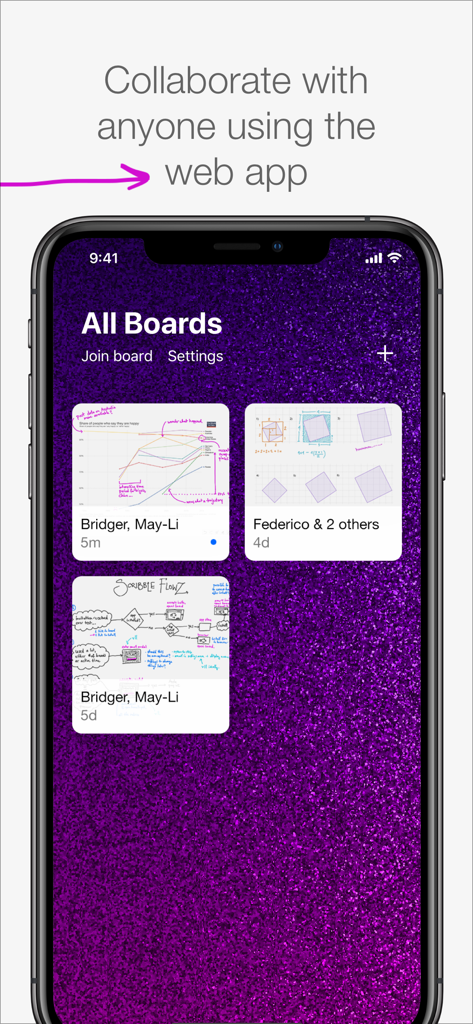
다양한 협업 보드를 보여주는 휴대폰의 스크리블 투게더 화이트보드 앱 인터페이스.

다양한 협업 보드를 보여주는 휴대폰의 스크리블 투게더 화이트보드 앱 인터페이스.

가장 끊김 없는 시각적 협업 방식

이 앱을 돋보이게 하는 도구, 412K+ 명의 사용자가 선택.

즉각적인 게스트 액세스

몇 초 안에 같은 페이지에 도달하세요. 링크나 코드를 공유하면 게스트가 계정이나 복잡한 가입 절차 없이 무료로 참여할 수 있습니다.

🪄

가리키고 완벽하게 만들기

사라지는 레이저 포인터를 사용하여 주의를 집중시키고, 거친 스케치가 마법처럼 완벽한 기하학적 모양과 선으로 바뀌는 것을 지켜보세요.

📄

실시간 PDF 마크업

문서, 숙제 또는 사진을 가져와 실시간으로 함께 주석을 달 수 있습니다. 완료 후 협업 세션을 고품질 PDF로 내보냅니다.

전 세계 사용자들에게 사랑받는 앱

Trusted by 412K+ 명이 이 앱을 사랑합니다.

"

"스크리블은 온라인 수학 튜터링 방식을 완전히 바꿔 놓았습니다. 연습장 사진을 찍어 학생에게 링크를 보내면 몇 초 안에 함께 문제를 풀 수 있습니다. 가장 좋은 점은 학생들이 계정을 만들거나 유료로 참여할 필요가 없다는 것입니다. 원격 교육을 위한 도구 중 가장 끊김 없는 도구입니다."

Sarah M., 개인 수학 튜터
"

"원격으로 일하는 UX 디자이너로서 화상 통화에서 복잡한 흐름을 설명하는 것은 악몽이었습니다. 이제 스크리블을 열고 가상 레이저 포인터를 사용하여 팀을 안내하며 무한 캔버스에서 브레인스토밍합니다. Apple Pencil 반응성은 놀랍습니다. 마치 회의실에서 실제 화이트보드를 사용하는 것과 같습니다."

David L., 수석 제품 디자이너

앱 소개

에 대해 알아야 할 모든 것 Scribble Together Whiteboard.

설명

Draw to­geth­er in real time, from any­where! In seconds, any­one can follow along with your drawing or draw with you from the app or on the web. Use Scrib­ble along­side a call; talk with Face­Time or any other app you like. DRAW ON ANY­THING Draw over pdfs and im­ages. Snap a pic­ture of home­work and draw on it, or re­view a pdf to­geth­er. Once you are fin­ished, you can save out a new pdf with your an­no­ta­tions. WEB OR APP Work with any­one, even your guests who don’t have an iPad or iPhone. The web app can be used to draw us­ing a tablet, touch screen com­put­er, or sty­lus. Display your live drawing on a big screen in a classroom or conference room using any browser and a convenient link. SET UP IN A SNAP Get­ on the same white­board to­geth­er in seconds. No reg­is­ter­ing for an ac­count or adding con­tacts in yet an­oth­er app. Once you’ve con­nect­ed in Face­Time or by phone you can tell your guests to join you using a link or a code, for free, with no messy sign ups. IN­FI­NITE SPACE, UN­LIM­IT­ED BOARDS Control scrolling of the infinite drawing space so that everyone sees the same area at the same time. Whiteboards are unlimited, so you can start fresh for each topic. Unlike a real whiteboard, many people can draw in the same space at the same time! POINT AND GES­TURE Point­ things out as you’re speaking with Scribble’s vir­tu­al laser point­er. No more clumsy describing of which part of a pic­ture you're re­fer­ring to – just use the mag­i­cal dis­ap­pear­ing laser ink. Designate different colors if you and your guests both need to point. PEN­CIL SUP­PORT If you’ve got an iPad Pro and Apple Pen­cil, drawing feels especially great in Scrib­ble. It’s like us­ing pa­per, but you can draw with any­one, any­where in the world. You can also use Settings to decide what you’d like your finger to do while you have the Pencil in hand. NEAT SHAPES, STRAIGHT LINES Can’t draw in a straight line? Neither can we! Scribble helps you draw perfect lines and shapes. Draw and pause without lifting your marker: you’ll see your shape pop magically into a rectangle, circle, ellipse, parallelogram, trapezoid, triangle or straight line. FREE FOR GUESTS Invit­ing peo­ple re­quires Scribble membership, but your guests join you for free. The membership subscription comes free for 2 weeks per monthly subscription, or 1 month per annual subscription. Drawing on your own is also free, and you can keep your whiteboards if you decide you don’t want to invite others anymore. Pay­ment will be charged to your iTunes ac­count at con­fir­ma­tion of pur­chase. The sub­scrip­tion auto-re­news at the same price un­less dis­abled in iTunes Ac­count Set­tings 24 hours be­fore the end of the pe­ri­od each month. You can go to scribble.cool/cancel for instructions to cancel your subscription and turn auto-renew off. Terms of Ser­vice: https://scrib­ble­to­geth­er.­com/terms

최신 버전

3.6

크기

14.1 MB

출시일

2017년 8월 3일

아이디어를 함께 현실로 만들 준비가 되셨나요?

수천 명의 전문가와 교육자가 실시간으로 스케치, 교육, 브레인스토밍하는 데 참여하세요. 몇 초 안에 화이트보드를 시작하고 게스트를 초대하여 무료로 함께 그리세요. 가입이 필요 없습니다.

다운로드: App Store