Scrivener

Scrivener

다운로드: App Store
Spark by MWM logo
로고: Scrivener

Scrivener: 진지한 작가를 위한 올인원 명령 센터

정돈되지 않은 아이디어에서 완성된 원고까지, 장편 프로젝트를 위해 설계된 도구를 사용하세요. 자료를 정리하고, 스토리를 구성하고, iPhone 및 iPad에서 방해 없이 작성하세요.

개발사

Literature & Latte Ltd

카테고리

Productivity

다운로드

464K+

사용자 평점

4.3/5

총 평가 수

3K+

지원 언어

10

작업 공간, 시각화

이 인터페이스를 사용하는 464K+ 명의 사용자.

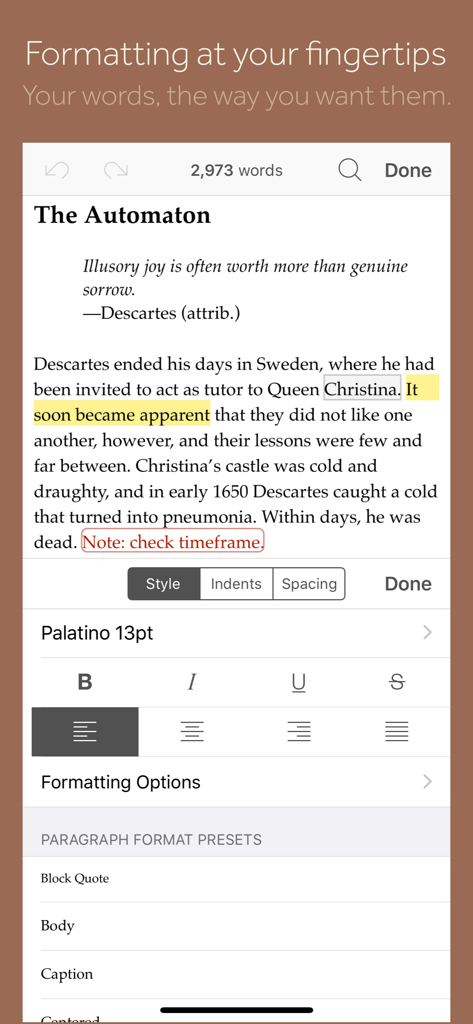
스타일, 글꼴 및 단락 사전 설정을 위한 서식 패널이 있는 텍스트 편집기를 보여주는 Scrivener 앱의 모바일 보기.

스타일, 글꼴 및 단락 사전 설정을 위한 서식 패널이 있는 텍스트 편집기를 보여주는 Scrivener 앱의 모바일 보기.

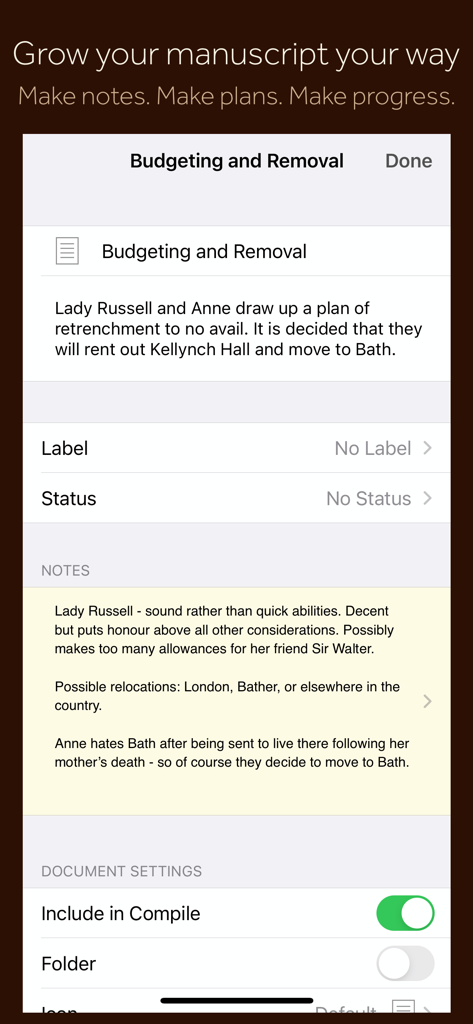
Scrivener 모바일 앱 인터페이스는 원고 섹션 노트, 계획 메타데이터 및 문서 설정을 표시합니다.

Scrivener 모바일 앱 인터페이스는 원고 섹션 노트, 계획 메타데이터 및 문서 설정을 표시합니다.

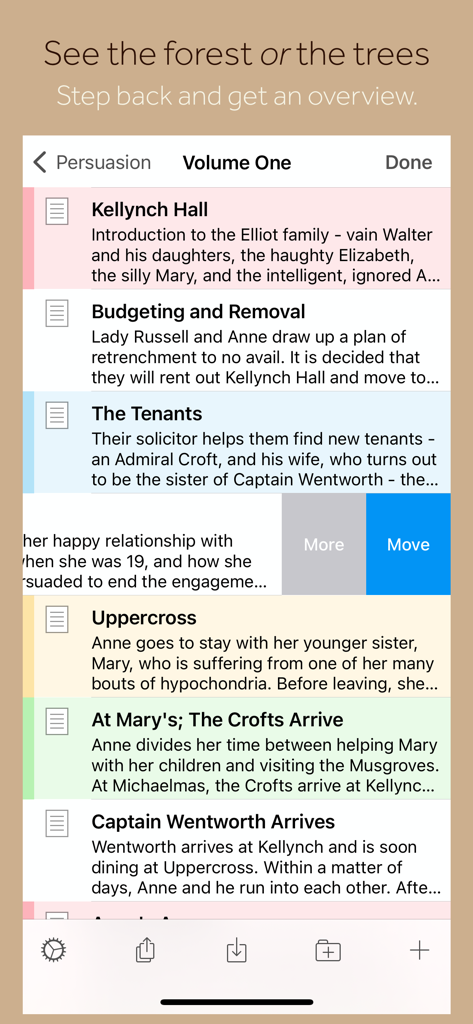
Scrivener 앱 인터페이스는 iPhone에서 원고 장 및 요약 목록을 보여줍니다.

Scrivener 앱 인터페이스는 iPhone에서 원고 장 및 요약 목록을 보여줍니다.

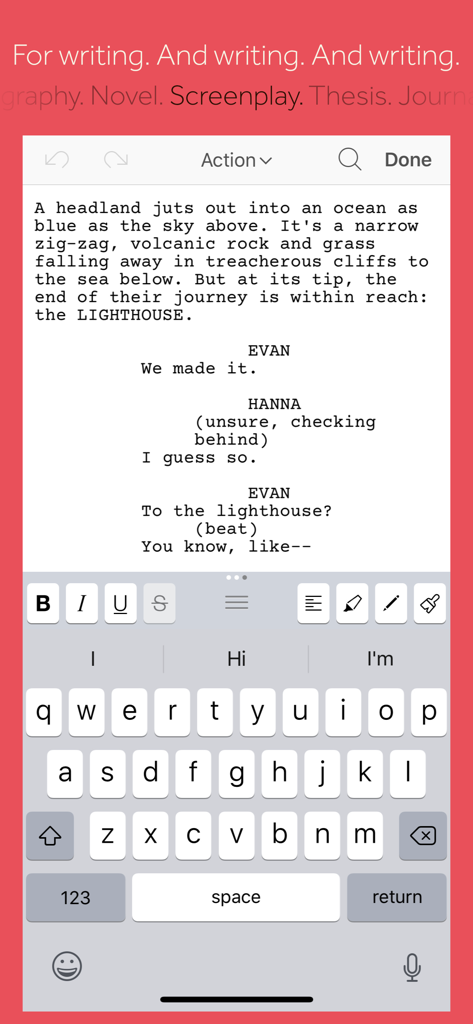
Scrivener 모바일 앱은 iPhone에서 시나리오 작성 모드 및 서식 도구를 보여줍니다.

Scrivener 모바일 앱은 iPhone에서 시나리오 작성 모드 및 서식 도구를 보여줍니다.

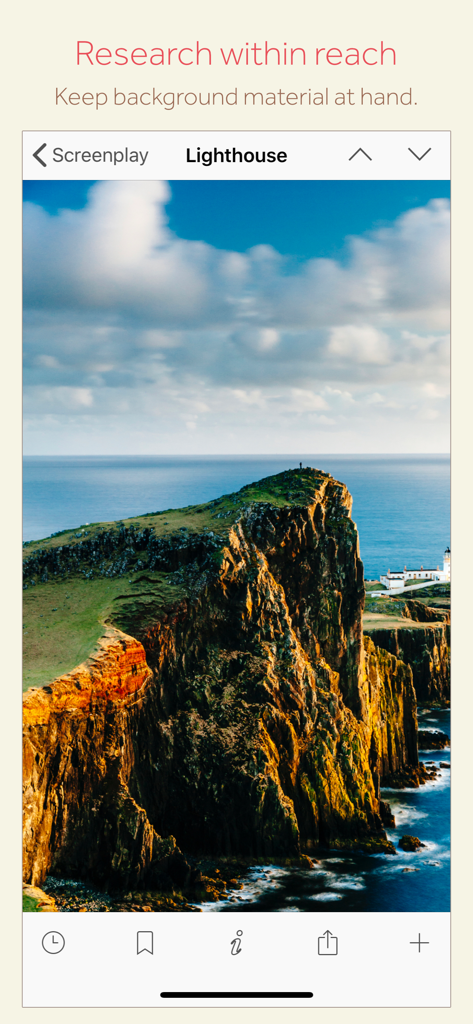
Scrivener 모바일 앱 인터페이스는 시나리오 프로젝트를 위한 등대 이미지를 보여줍니다.

Scrivener 모바일 앱 인터페이스는 시나리오 프로젝트를 위한 등대 이미지를 보여줍니다.

진지한 작가를 위한 궁극의 명령 센터

이 앱을 돋보이게 하는 도구, 464K+ 명의 사용자가 선택.

🗂️

스트레스 없는 구성

원고를 관리 가능한 조각으로 나누세요. 바인더를 사용하여 간단한 드래그 앤 드롭으로 장 또는 장면을 재구성하여 스토리가 유기적으로 성장하도록 하세요.

📚

자료, 항상 준비됨

캐릭터 스케치, 지도, PDF를 초안 옆에 보관하세요. iPad에서는 자료와 글쓰기를 나란히 보며 앱 전환 없이 흐름을 유지할 수 있습니다.

📤

탭 한 번으로 전문 출판

공유할 준비가 되셨나요? PDF, Word 또는 Kindle 전자책과 같은 업계 표준 형식으로 작품을 컴파일하세요. 어수선한 초안에서 즉시 완성된 원고로 변환하세요.

전 세계 사용자들에게 사랑받는 앱

Trusted by 464K+ 명이 이 앱을 사랑합니다.

"

"Scrivener는 제 소설의 복잡성을 따라갈 수 있는 유일한 도구입니다. 출퇴근 시간에 iPhone으로 브레인스토밍하고 커피숍에서 iPad 코르크보드를 사용하여 전체 줄거리를 재구성할 수 있다는 점이 마음에 듭니다. 제 모바일 장치를 진정한 전문 글쓰기 스튜디오로 만들어 주었습니다."

Elena Rodriguez, 소설 작가
"

"제 장편 연구 프로젝트에 이 앱은 필수적입니다. PDF, 노트, 초안을 모두 하나의 독립된 프로젝트에 담고 완벽하게 형식화된 문서를 편집자에게 컴파일할 수 있다는 점은 수많은 수작업을 절약해 줍니다. 진지한 작가를 위한 골드 스탠다드입니다."

Marcus Thorne, 프리랜서 저널리스트

앱 소개

에 대해 알아야 할 모든 것 Scrivener.

설명

“The biggest software advance for writers since the word processor.” —Michael Marshall Smith, bestselling author Typewriter. Ring-binder. Scrapbook. Scrivener combines all the writing tools you need to craft your first draft, from nascent notion to final full stop. Tailor-made for creating long manuscripts, Scrivener banishes page fright by allowing you to compose your text in any order, in sections as large or small as you like. Got a great idea but don’t know where it fits? Write when inspiration strikes and find its place later. Grow your manuscript organically, idea by idea. Whether you plan or plunge, Scrivener works your way: meticulously outline every last detail first, or hammer out a complete draft and restructure later. Or do a bit of both. All text sections in Scrivener are fully integrated with its outlining tools, so working with an overview of your manuscript is only ever a tap away, and turning Chapter Four into Chapter One is as simple as drag and drop. Need to refer to research? In Scrivener, your background material is always at hand. Write a description based on a photograph. Reference a video or PDF. Check for consistency with an earlier chapter. On the iPad, open two documents side-by-side; on the iPhone, flip between research and writing with just two taps. Once you’re ready to share your work with the world, simply compile everything into a single document for printing, or export to popular formats such as Word, PDF, Final Draft or plain text. You can even share using different formatting, so that you can write in your favorite font and still keep your editor happy. FEATURES Get Started • Interactive tutorial project • Keep each manuscript and supporting materials in a self-contained project • Import Word, RTF, Final Draft and plain text files • Easily split imported text into separate sections Get Writing • Write your manuscript in sections of any size • View all sections as a single text using the “Draft Navigator” (iPad only) • Quickly navigate sections using the “binder” sidebar • Format with fonts and presets • Comments, footnotes, links and highlights • Simple bullets and lists • Insert images • Pinch-zoom to resize text • Full-screen mode (iPad only) • Typewriter scrolling mode keeps typed text center-screen (iPad only) • Write a screenplay using scriptwriting mode • Live word and character counts • Set word and character count targets • Find and replace • Customizable keyboard row provides quick-access buttons for formatting, navigation and punctuation • Comprehensive keyboard shortcuts for external keyboard users • Dark mode Find Your Structure • Write in any order and reorganize later • Write a synopsis for any text section and see it in the outline • Expand, collapse and drill down into sections of your project • Rearrange sections as index cards on the corkboard (iPad only) • Project-wide search • Track ideas using labels and status • Apply custom icons to your sections Refer to Research • Import research material such as image, PDF and media files • View research files or other sections right alongside your writing (iPad only) • Every section has its own notes area for jotting down ideas • Supports multitasking split screen mode (supported devices only) Share Your Work • Compile to a single document for sharing or printing • Use different formatting in your exported or printed document • Export to Word, RTF, Final Draft, PDF or plain text • Convert rich text to Markdown for sharing with Markdown apps • Create and email zipped backups of your projects Work Anywhere • Use Dropbox to sync between devices and with the macOS and Windows versions of Scrivener* • Copy projects between devices via iTunes * Requires a Dropbox account (not compatible with iCloud). SUPPORT You can contact us at ios.support@literatureandlatte.com, visit our forums at http://www.literatureandlatte.com/forum, or find us @scrivenerapp on Twitter.

최신 버전

1.2.4

크기

26.5 MB

출시일

2016년 7월 20일

언제 어디서나 전문적인 글쓰기 스튜디오

초기 구상부터 최종 문장까지, 세계에서 가장 강력한 원고 관리 도구를 휴대하세요. 지금 Scrivener for iOS를 다운로드하고 걸작 만들기를 시작하세요.

다운로드: App Store