Switcher: Live Streaming App

Switcher: Live Streaming App

다운로드: App Store
Spark by MWM logo
로고: Switcher: Live Streaming App

Switcher: 라이브 스트리밍 앱 — 주머니 속 올인원 멀티캠 스튜디오

전문가 수준의 라이브 스트림으로 조직에 힘을 실어주세요. 여러 iOS 장치를 연결하고 모든 플랫폼에 동시에 스트리밍하며, 고가의 장비나 기술팀 없이 커뮤니티를 성장시키세요.

개발사

Switcher Inc.

카테고리

Photo & Video

다운로드

546K+

사용자 평점

4.5/5

총 평가 수

4K+

지원 언어

3

스튜디오, 단순화되다

이 인터페이스를 사용하는 546K+ 명의 사용자.

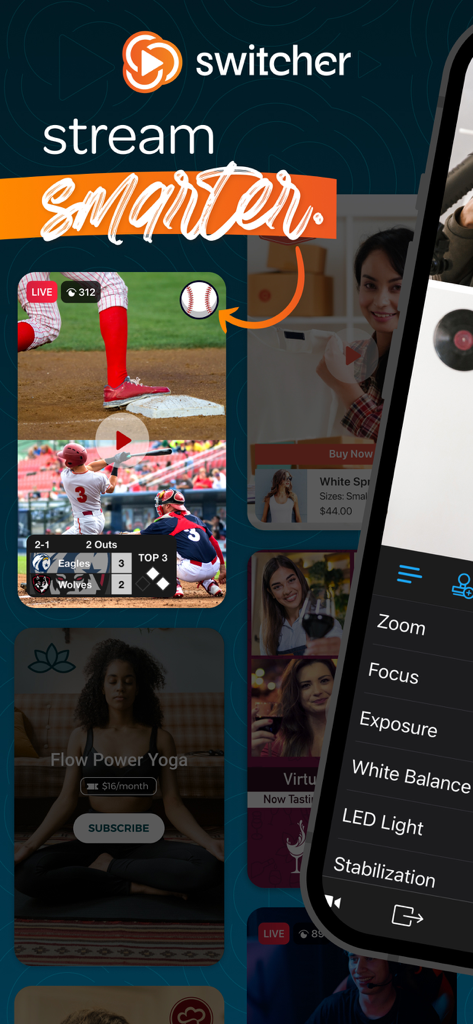
전문적인 수동 카메라 컨트롤과 함께 스포츠 비즈니스 및 요가를 위한 멀티캠 보기를 보여주는 Switcher 라이브 스트리밍 앱 인터페이스

전문적인 수동 카메라 컨트롤과 함께 스포츠 비즈니스 및 요가를 위한 멀티캠 보기를 보여주는 Switcher 라이브 스트리밍 앱 인터페이스

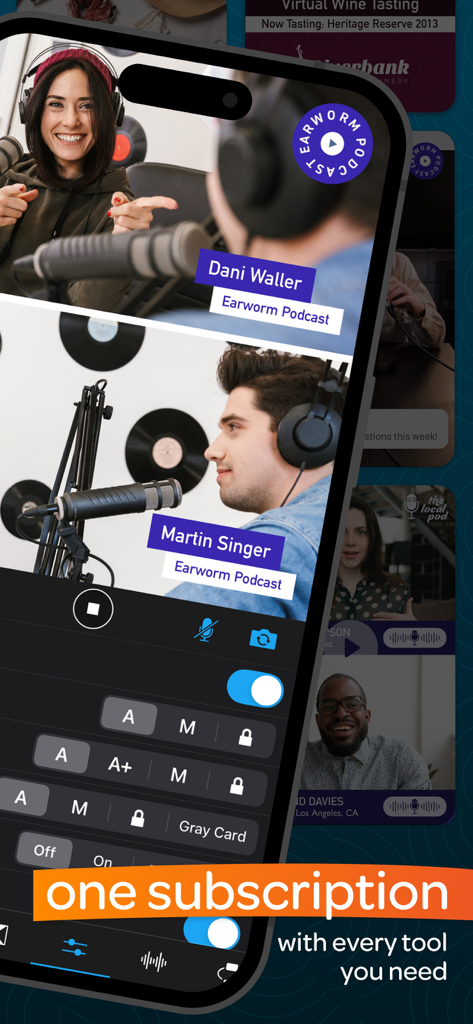
이름과 오디오 제어 설정이 있는 두 명의 호스트를 보여주는 모바일 장치의 분할 화면 팟캐스트 녹음 인터페이스.

이름과 오디오 제어 설정이 있는 두 명의 호스트를 보여주는 모바일 장치의 분할 화면 팟캐스트 녹음 인터페이스.

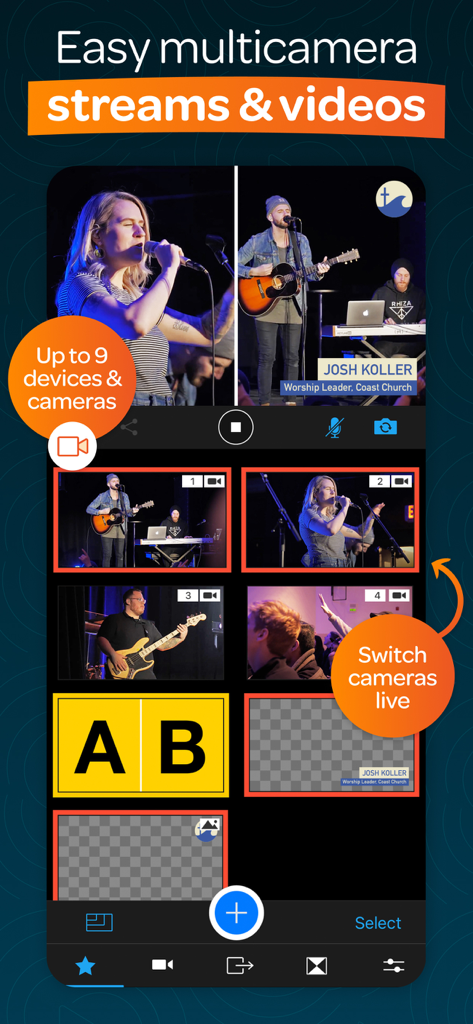
전문적인 방송을 위해 전환 옵션이 있는 라이브 음악 공연의 여러 카메라 각도를 보여주는 모바일 앱 인터페이스.

전문적인 방송을 위해 전환 옵션이 있는 라이브 음악 공연의 여러 카메라 각도를 보여주는 모바일 앱 인터페이스.

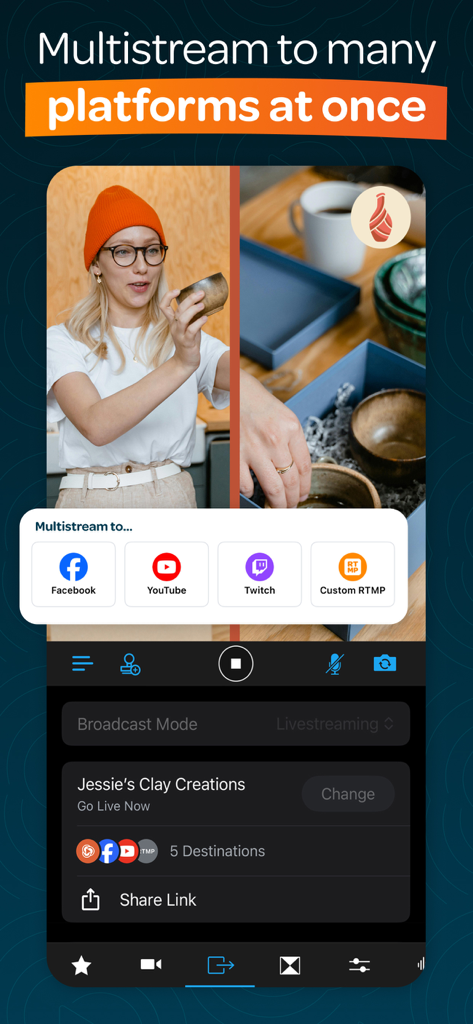
Facebook 및 YouTube의 멀티스트리밍 옵션을 보여주는 Switcher 앱의 라이브 스트림 인터페이스

Facebook 및 YouTube의 멀티스트리밍 옵션을 보여주는 Switcher 앱의 라이브 스트림 인터페이스

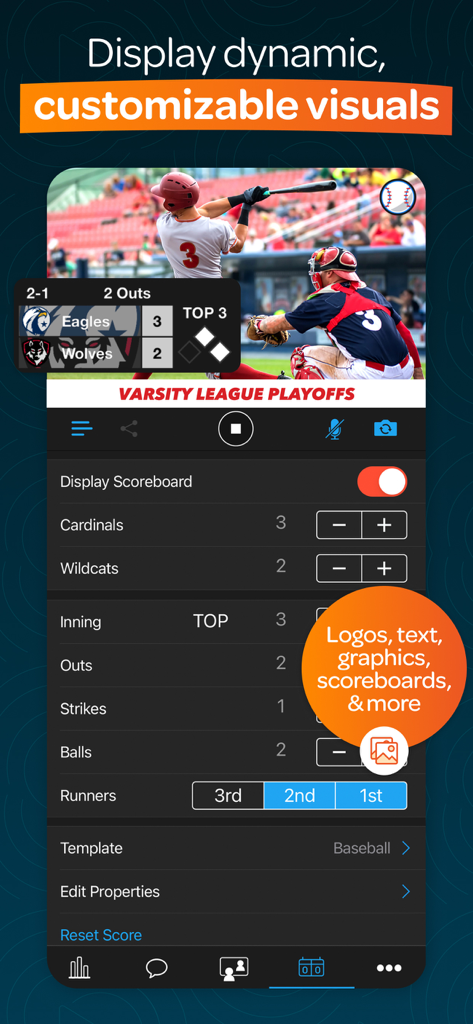
동적 그래픽과 사용자 정의 가능한 점수판이 있는 라이브 야구 스트림을 보여주는 Switcher 앱 인터페이스

동적 그래픽과 사용자 정의 가능한 점수판이 있는 라이브 야구 스트림을 보여주는 Switcher 앱 인터페이스

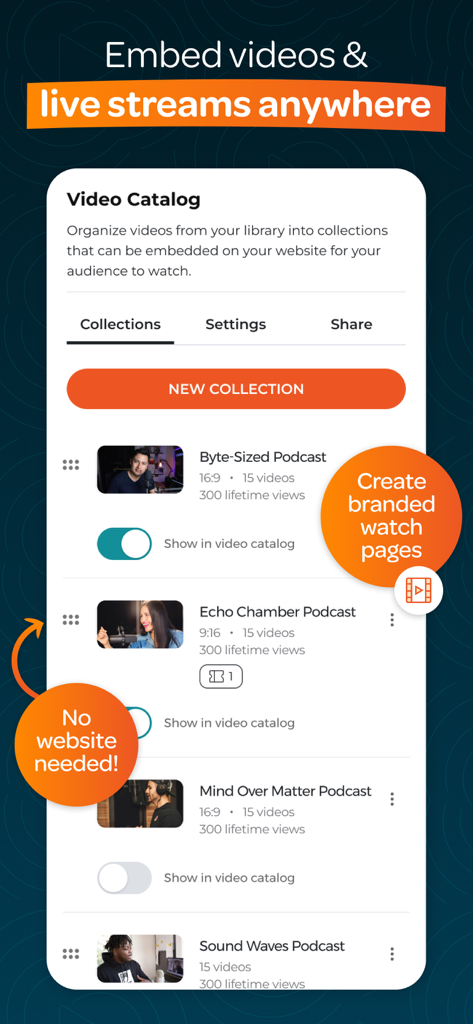
라이브 스트림을 구성하고 포함하는 옵션이 있는 비디오 카탈로그를 보여주는 모바일 앱 인터페이스.

라이브 스트림을 구성하고 포함하는 옵션이 있는 비디오 카탈로그를 보여주는 모바일 앱 인터페이스.

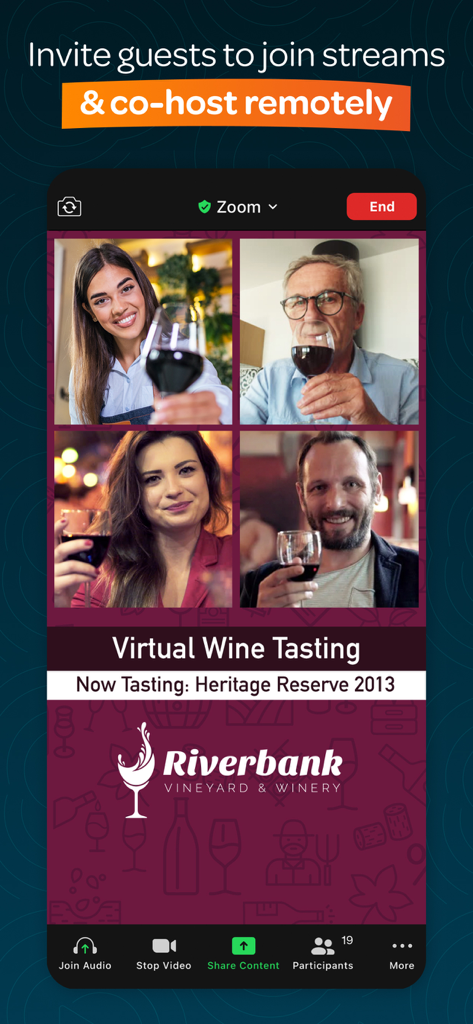
가상 와인 시음 라이브 스트림을 공동 진행하는 네 명의 원격 게스트를 보여주는 분할 화면 보기

가상 와인 시음 라이브 스트림을 공동 진행하는 네 명의 원격 게스트를 보여주는 분할 화면 보기

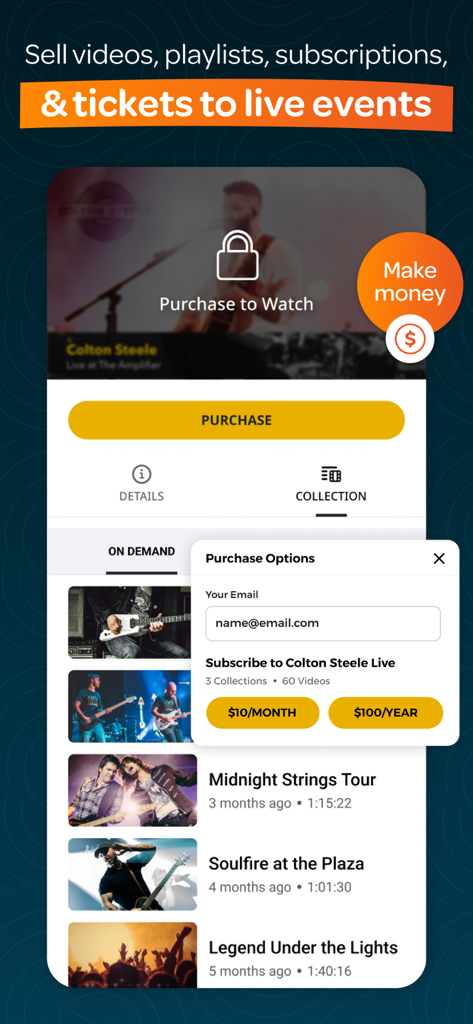
구매 및 구독 옵션으로 비디오 재생 목록 및 라이브 이벤트 티켓 판매 방법을 보여주는 모바일 앱 인터페이스

구매 및 구독 옵션으로 비디오 재생 목록 및 라이브 이벤트 티켓 판매 방법을 보여주는 모바일 앱 인터페이스

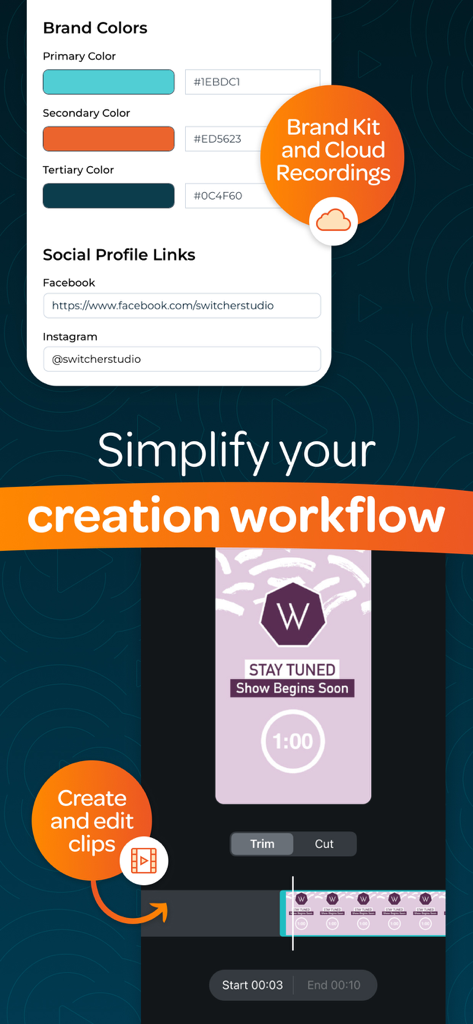
모바일 비디오 클립 편집 도구와 함께 색상 및 소셜 링크에 대한 브랜드 키 사용자 지정을 보여주는 Switcher Studio 앱 인터페이스

모바일 비디오 클립 편집 도구와 함께 색상 및 소셜 링크에 대한 브랜드 키 사용자 지정을 보여주는 Switcher Studio 앱 인터페이스

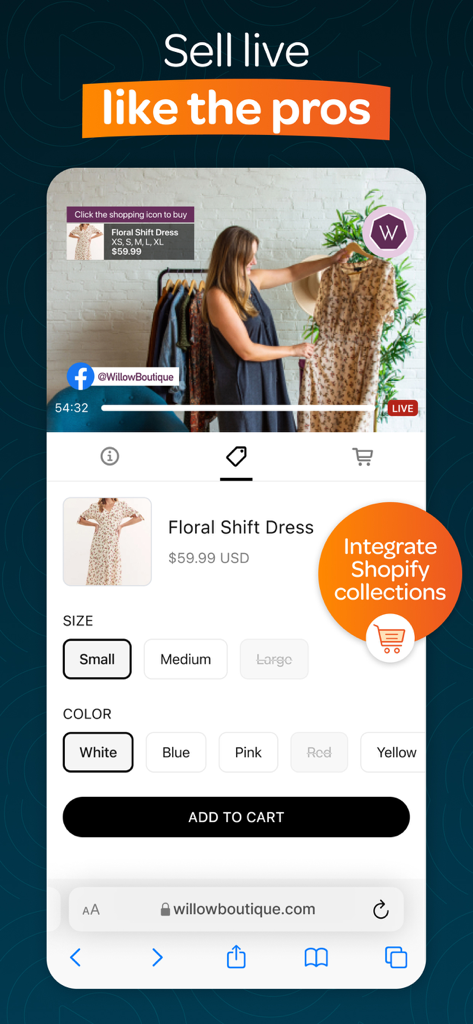
Shopify 통합 및 제품 결제 옵션이 있는 라이브 판매를 위한 모바일 인터페이스

Shopify 통합 및 제품 결제 옵션이 있는 라이브 판매를 위한 모바일 인터페이스

복잡함 없이 콘텐츠를 향상시키세요

이 앱을 돋보이게 하는 도구, 546K+ 명의 사용자가 선택.

🎥

멀티캠 마법

최대 9대의 iPhone 또는 iPad를 연결하여 모든 각도를 포착하세요. 시청자의 참여를 유도하는 방송 품질의 느낌을 위해 실시간으로 샷을 전환하세요.

🚀

모든 사람에게, 어디에나 도달하세요

Facebook, YouTube, Instagram에서 동시에 라이브를 진행하세요. 업무량을 두 배로 늘리지 않고 가시성을 극대화하고 커뮤니티를 성장시키세요.

💰

나의 브랜드, 나의 플랫폼

자체 웹사이트에서 광고 없는 비디오 카탈로그를 호스팅하세요. 전문가 수준의 Netflix 스타일 경험으로 온라인 기부, 구독 또는 판매를 촉진하세요.

전 세계 사용자들에게 사랑받는 앱

Trusted by 546K+ 명이 이 앱을 사랑합니다.

"

"Switcher는 우리의 일요일 방송을 변화시켰습니다. 추가 카메라로 이전 iPhone을 사용하고 있으며 설정이 너무 간단해서 자원봉사자들이 즉시 익혔습니다. 라이브 댓글을 관리하면서 Facebook과 YouTube로 스트리밍할 수 있다는 점은 온라인 사역을 크게 성장시켰습니다."

Marcus Thorne 목사
"

"모든 스트리밍 도구를 사용해 보았지만, 라이브 판매에는 Switcher를 능가하는 것이 없습니다. 멀티캠 전환을 통해 제품 세부 정보와 제 얼굴을 동시에 보여줄 수 있습니다. 또한 제 웹사이트의 Netflix 스타일 비디오 카탈로그는 이전보다 훨씬 더 오래 고객의 참여를 유지시켰습니다."

Sarah Jennings, Glow Boutique 설립자

앱 소개

에 대해 알아야 할 모든 것 Switcher: Live Streaming App.

설명

Switcher is an all-in-one multi-streaming & video platform built to fuel your growth. It’s a simple way to create professional multi-camera content and live stream to many social platforms at once—no pro equipment or tech skills needed. Whether you’re a church looking to grow, a sports team celebrating every moment, or a creator sharing your passion, Switcher has everything you need to level-up your live streams. ▶ “We saw our online giving increase, which allowed us to maintain our church expenses.” — Natalie June | New Greater Love Church ▶ “One or two people can manage a Switcher shoot versus a full 5- to 10-person team.” — Sarah Kelsey | Senior Manager, Smart Living ▶ “We can create quality content with Switcher that's on par with content people are making with these several-thousand-dollar setups.” — Alexander Sosa | Associate Pastor and Worship Leader, Life Church ▶ MULTI-STREAM LIVE TO EVERY PLATFORM AT ONCE – Go live on Facebook, YouTube, Instagram, and more—simultaneously – Live stream on your website and in private online groups – Display live comments, slides, scoreboards, and more – Invite up to five remote guests or collaborators to join your streams ▶ CREATE MULTI-CAMERA VIDEOS & STREAMS EFFORTLESSLY – Connect up to 9 devices (like iPhones, webcams, or cameras) to capture different angles – Switch between angles and edit your streams in real-time – Use the Auto-Switching tool to automatically rotate between angles – Display logos, graphics, text, photos, pre-recorded video, and more in real-time – Use your graphics or customize pre-made templates – Share multiple camera angles at once with split-screen, picture-in-picture, & grid layouts – Share your screen and webcam at the same time – Create multi-camera video clips in seconds and share them directly to social platforms – Use the ChromaKey/green screen tool to replace backgrounds with custom images or videos ▶ EMBED VIDEOS & STREAMS ANYWHERE – Transform your website with video players, playlists, & Netflix-style video catalogs – Host ad-free, branded video content—no competitor recommendations – Host up to 100 videos with no limits on length – Brand your videos and player with your logo, colors, and graphics – No website? Create a customized Netflix-style video watch page – Track your growth with built-in video analytics ▶ GET HANDS ON SUPPORT FROM FRIENDLY EXPERTS – Reach a real person on our US-based support team whenever you need help – Get one-on-one setup support to hit the ground running – Use our help center to find answers to your questions fast ▶ “We quickly realized the ease of using—and teaching others to use—Switcher for our church services and other events.” — Cherilyn Uthe | Faith Productions ▶ “I saw a 10% increase in subscribers almost immediately after I started using Switcher.” — Jon McLeod | Video Producer In-app purchases: ▶ STUDIO SUBSCRIPTION Includes the Switcher Studio iOS app for multi-camera production, multi-streaming, and social media clip creation and publishing. ▶ BUSINESS SUBSCRIPTION Includes the Switcher Studio iOS app, PLUS browser-based features to host, embed, manage, and monetize your videos and streams. To explore Switcher’s full suite of tools, visit switcherstudio.com Have questions? Drop us a line! support@switcherstudio.com Privacy Policy: switcherstudio.com/privacy-policy Terms of Use: switcherstudio.com/terms-of-use Compatible Devices: switcherstudio.com/compatible-devices

최신 버전

13.12.3

크기

212.6 MB

출시일

2014년 9월 25일

지금 전문가 수준의 라이브 스트림을 시작하세요

고가의 장비 없이 도달 범위를 넓히고 커뮤니티에 참여하는 데 Switcher를 사용하는 50만 명 이상의 크리에이터, 교회, 비즈니스에 동참하세요.

다운로드: App Store