Word Counter + Plain Text Pro

Word Counter + Plain Text Pro

다운로드: App Store
Spark by MWM logo
로고: Word Counter + Plain Text Pro
Word Counter + Plain Text Pro: 궁극의 텍스트 세탁소 및 카운터

복사하는 모든 텍스트에서 지저분한 서식을 즉시 제거하고 정확한 문자 수를 확인하세요. 이동 중에도 제로 마찰 생산성으로 글쓰기를 정리하고 편집하고 추적하는 가장 빠른 방법을 경험하세요.

다운로드: App Store

개발사

Jiulong Zhao

카테고리

Productivity

다운로드

2K+

사용자 평점

1.0/5

총 평가 수

0

지원 언어

1

효율성 시각화

이 인터페이스를 사용하는 2K+ 명의 사용자.

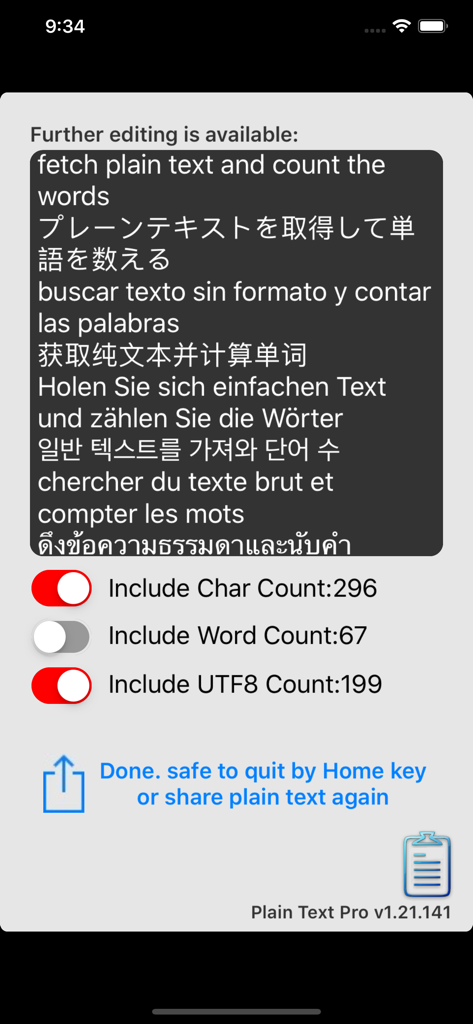
Word Counter 앱 인터페이스가 다국어 텍스트에 대한 문자 및 단어 수를 표시합니다.

Word Counter 앱 인터페이스가 다국어 텍스트에 대한 문자 및 단어 수를 표시합니다.

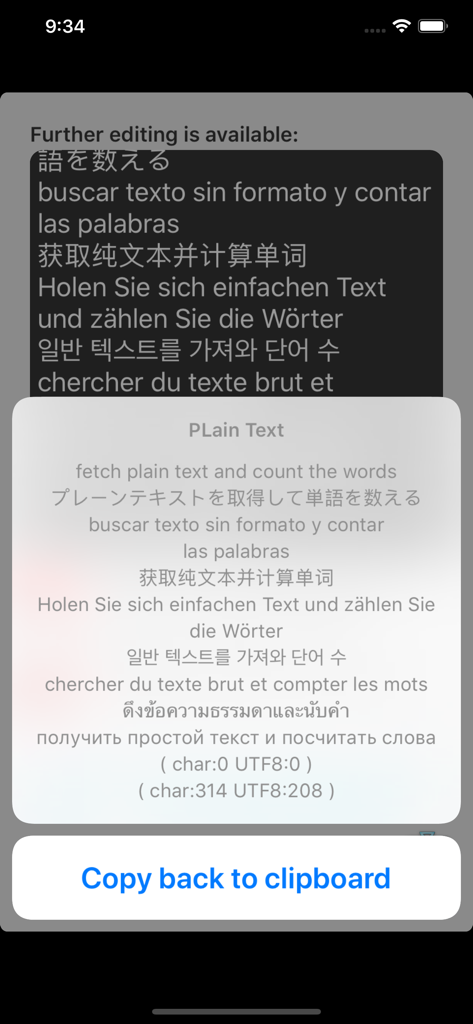
iPhone에서 다국어 일반 텍스트 변환기 및 단어 수 계산기 인터페이스

iPhone에서 다국어 일반 텍스트 변환기 및 단어 수 계산기 인터페이스

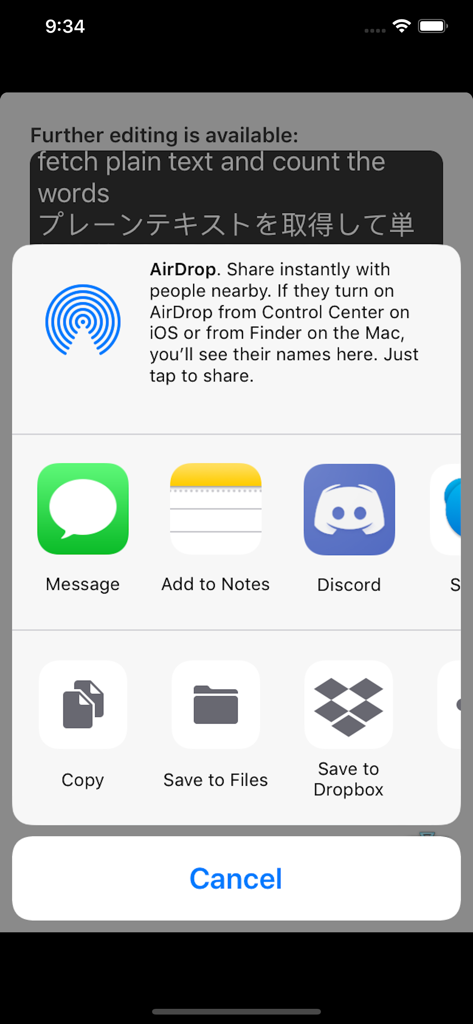
다양한 생산성 앱으로 정리된 텍스트를 내보내는 옵션을 표시하는 iOS 공유 시트

다양한 생산성 앱으로 정리된 텍스트를 내보내는 옵션을 표시하는 iOS 공유 시트

모바일 글쓰기 워크플로 강화

이 앱을 돋보이게 하는 도구, 2K+ 명의 사용자가 선택.

🧼

즉각적인 텍스트 세탁소

클립보드에서 지저분한 글꼴, 링크 및 서식을 자동으로 제거하여 모든 앱에서 사용할 수 있는 깨끗하고 전문적인 일반 텍스트를 얻으세요.

🔢

정밀 단어 추적

소셜 미디어, SEO 메타 태그 또는 학술 과제의 제한 사항을 정확한 문자, 단어 및 모든 언어에 대한 UTF8 계산으로 준수하세요.

마찰 없는 효율성

전원 사용자를 위해 '터치 없는' 인터페이스로 설계되었습니다. 앱을 열기만 하면 텍스트를 처리하고 단계를 낭비하지 않고 즉시 다시 복사할 수 있습니다.

전 세계 사용자들에게 사랑받는 앱

Trusted by 2K+ 명이 이 앱을 사랑합니다.

"

"이 앱은 제 소셜 미디어 워크플로에 완전히 새로운 기준을 제시합니다. 초안의 성가신 서식을 즉시 제거하고 게시물에 대한 정확한 문자 수를 몇 초 안에 제공합니다. 원터치 공유 기능으로 전체 콘텐츠 제작 프로세스가 훨씬 더 빠르고 효율적입니다."

Marcus Chen, 디지털 마케터
"

"마침내 모바일에서 UTF8 단어 수를 정확하게 처리하는 도구를 찾았습니다! 이중 언어 대학원생으로서 저는 연구 텍스트를 앱 간에 끊임없이 이동합니다. 이것은 추가 단계 없이 깨끗한 일반 텍스트와 정확한 수를 제공하는 유일한 도구입니다. 제 iPhone을 위한 최고의 생산성 해킹입니다."

Elena Rodriguez, 학술 연구원

앱 소개

에 대해 알아야 할 모든 것 Word Counter + Plain Text Pro.

설명

Convert all plain text from whatever you copied and count the character and words at the same time! Features: v1.21 - automatic output of plain text with even no need to touch the interface of the app - equipped with a plain text editor for further editing - text can be quickly shared with other apps with one-touch - not only the characters but also the words and UTF8 words will be counted and attached - all languages supported (please use the UTF8 number instead of word for some languages) - very accurate UTF8 word count engine for any Unicode character language users v1.21 -> v1.22 - fine-tuning, app size reduced - animation changed v1.22 -> v1.24 - all deprecated code rewritten v1.24 -> v1.27 - All deprecated code corrected for iOS15 and up - App interface modified: share button's size & image - System menu implemented: Technical Support, Rate Me, More From Us - App display name modified from "Plain Text Pro + Word Counter" to "Word Counter + Plain Text Pro" - App information updated for the new 13+/16+/18+ age-rating system Instructions basic mode: 1. copy anything from another app (just include pictures and videos, you can simply "Select all" then "Copy" ) 2. start "Plain Text Pro", the app will popup displaying all plain text it grabbed and converted 3. close "Plain Text Pro" by pressing the iPhone's Home key (yes, no need to touch anywhere in the app) 4. open another app and Paste the plain text Instructions professional mode: 1. copy anything from another app (just include pictures and videos, you can simply "Select all" then "Copy" ) 2. start "Plain Text Pro", the app will popup displaying all plain text it grabbed and converted 3. touch the button "Copy back to clipboard" 4. do further editing on the editor (the keyboard can be dismissed when you touch outside the editor) 5. choose what word count information be added to the end of the plain text, character, word, and UTF8 6. touch the Share button to share out or if you only need the plain text in the clipboard to paste, jump to the next step 7. close "Plain Text Pro" by pressing the iPhone's Home key (yes, no need to touch anywhere in the app)

최신 버전

v1.27

크기

2.2 MB

출시일

2019년 8월 20일

모바일 워크플로를 간소화할 준비가 되셨나요?

궁극의 '텍스트 세탁소'를 사용하는 수천 명의 효율성 집착 전문가들과 함께하세요. 탭 한 번으로 서식을 제거하고 문자를 계산하세요. 지금 바로 Word Counter + Plain Text Pro를 만나보세요.

다운로드: App Store