Yomu EBook Reader

Yomu EBook Reader

다운로드: App Store
Spark by MWM logo
로고: Yomu EBook Reader

Yomu EBook Reader: 디지털 서적 애호가를 위한 독립형 리더

개인 서재를 위해 세심하게 제작된 인터페이스로 방해 없는 독서 경험을 만끽하세요. iPhone, iPad, Mac 전반에 걸쳐 EPUB, Kindle, PDF 파일을 완벽한 개인 정보 보호와 함께 원활하게 동기화하세요.

개발사

Beat Raess

카테고리

Books

다운로드

832K+

사용자 평점

4.7/5

총 평가 수

5K+

지원 언어

5

독서의 기술

이 인터페이스를 사용하는 832K+ 명의 사용자.

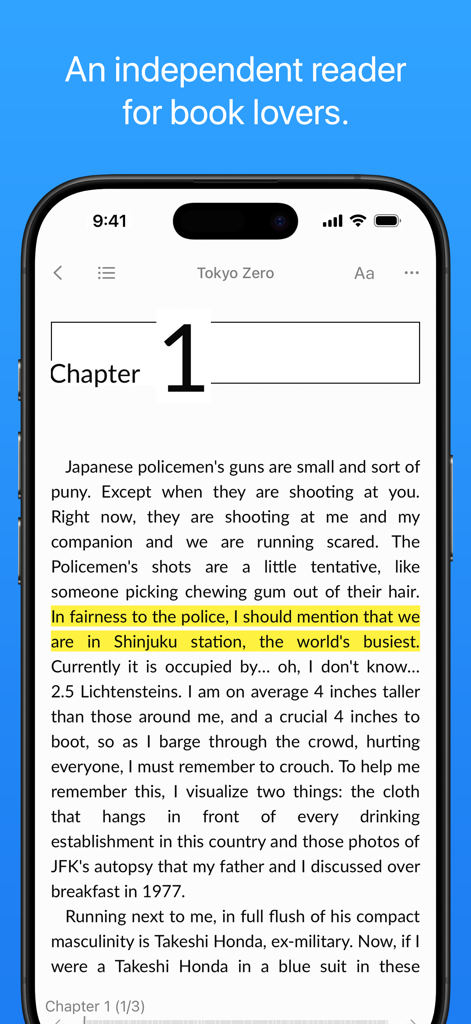
Yomu EBook Reader 앱이 iPhone에서 깔끔한 독서 인터페이스와 텍스트 하이라이트 기능을 보여줍니다.

Yomu EBook Reader 앱이 iPhone에서 깔끔한 독서 인터페이스와 텍스트 하이라이트 기능을 보여줍니다.

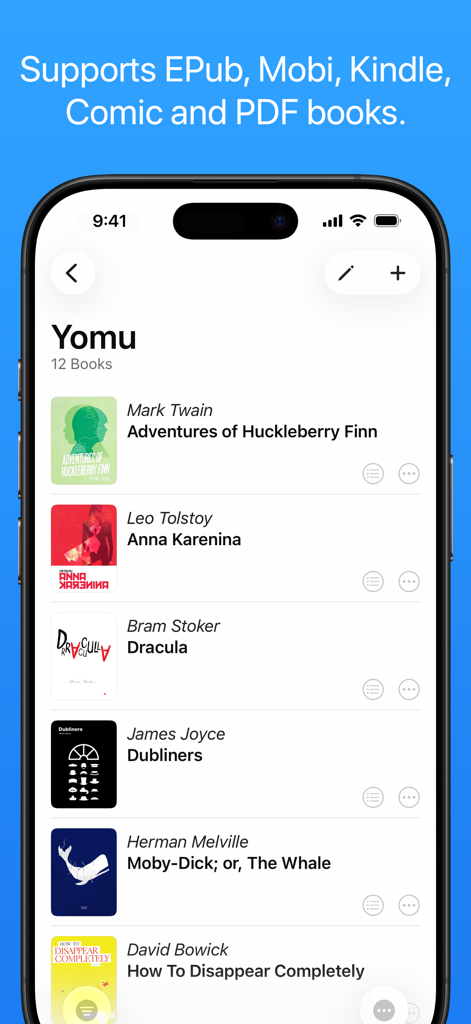
Yomu EBook Reader 라이브러리 인터페이스가 iPhone에서 고전 서적과 EPub, PDF와 같은 지원 형식을 표시합니다.

Yomu EBook Reader 라이브러리 인터페이스가 iPhone에서 고전 서적과 EPub, PDF와 같은 지원 형식을 표시합니다.

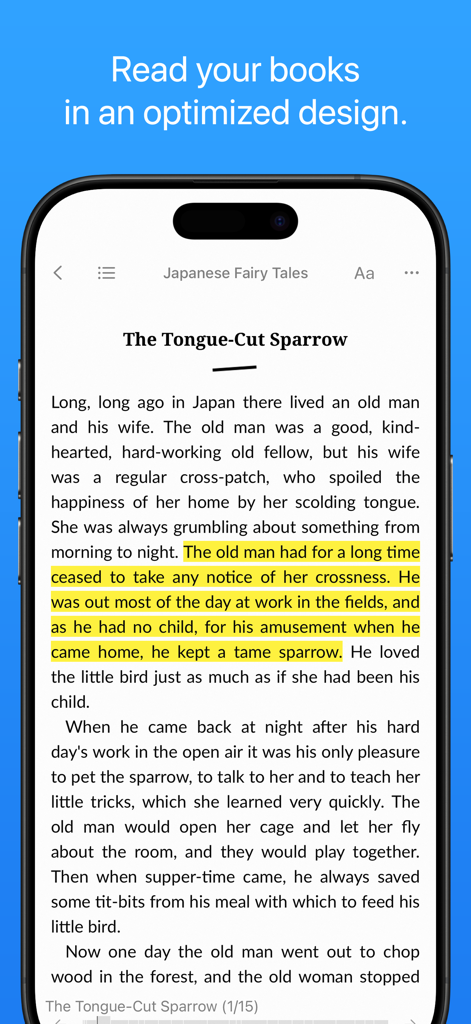
Yomu EBook Reader 인터페이스가 iPhone에서 하이라이트된 텍스트를 보여줍니다.

Yomu EBook Reader 인터페이스가 iPhone에서 하이라이트된 텍스트를 보여줍니다.

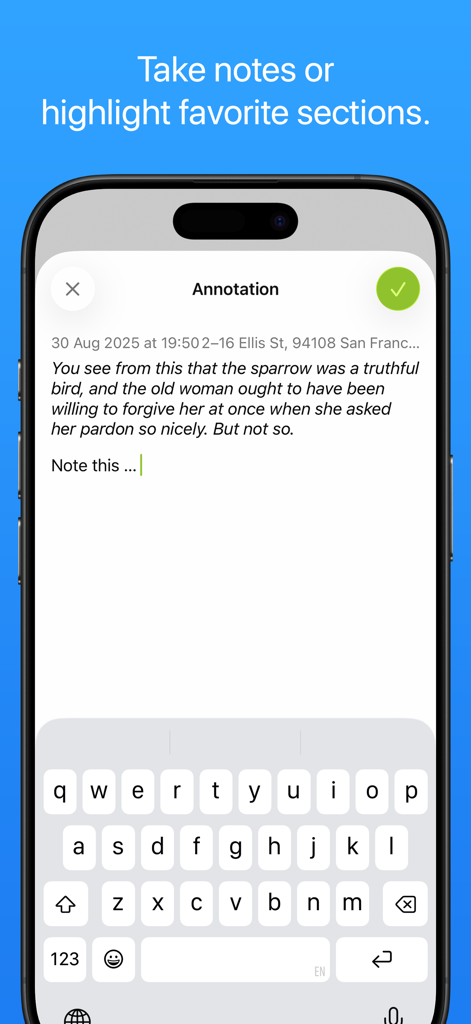
Yomu EBook Reader에서 노트 작성 및 섹션 하이라이트 방법을 보여주는 인터페이스.

Yomu EBook Reader에서 노트 작성 및 섹션 하이라이트 방법을 보여주는 인터페이스.

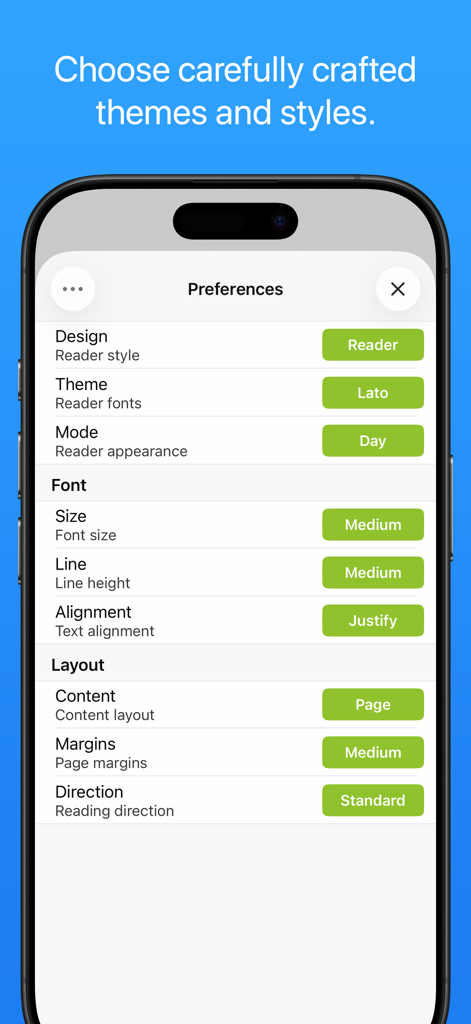
Yomu EBook Reader 앱의 설정 화면이 테마, 글꼴, 레이아웃 스타일에 대한 사용자 지정 옵션을 보여줍니다.

Yomu EBook Reader 앱의 설정 화면이 테마, 글꼴, 레이아웃 스타일에 대한 사용자 지정 옵션을 보여줍니다.

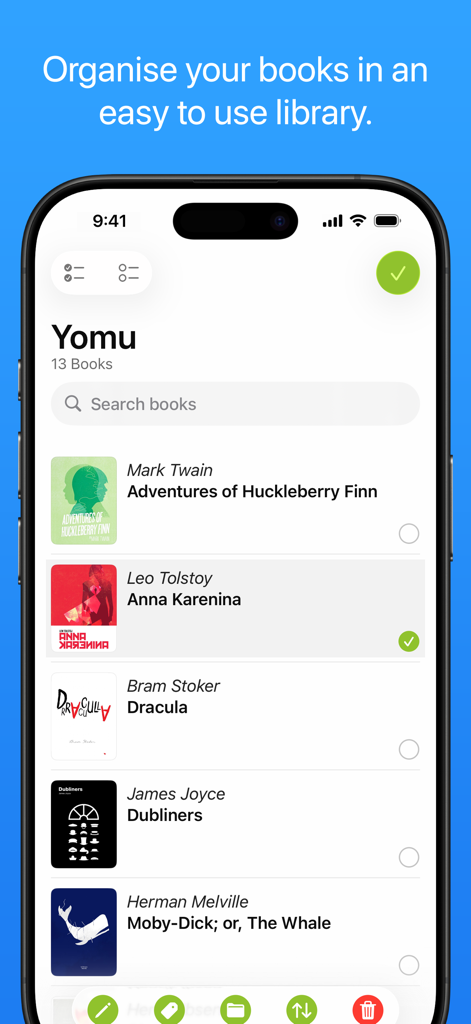
Yomu EBook Reader 라이브러리 인터페이스가 iPhone에서 선별된 디지털 서적 목록을 표시합니다.

Yomu EBook Reader 라이브러리 인터페이스가 iPhone에서 선별된 디지털 서적 목록을 표시합니다.

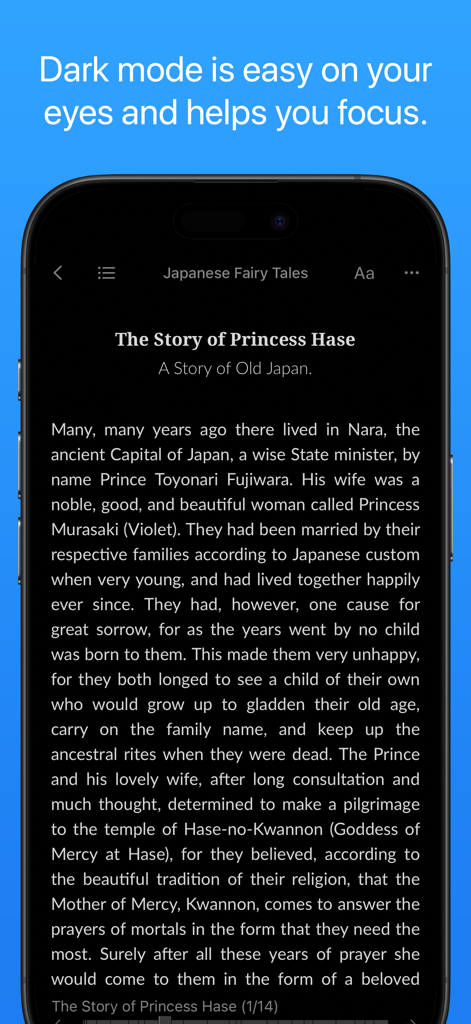
Yomu EBook Reader 인터페이스가 iPhone에서 방해 없는 경험을 위해 다크 모드로 책을 표시합니다.

Yomu EBook Reader 인터페이스가 iPhone에서 방해 없는 경험을 위해 다크 모드로 책을 표시합니다.

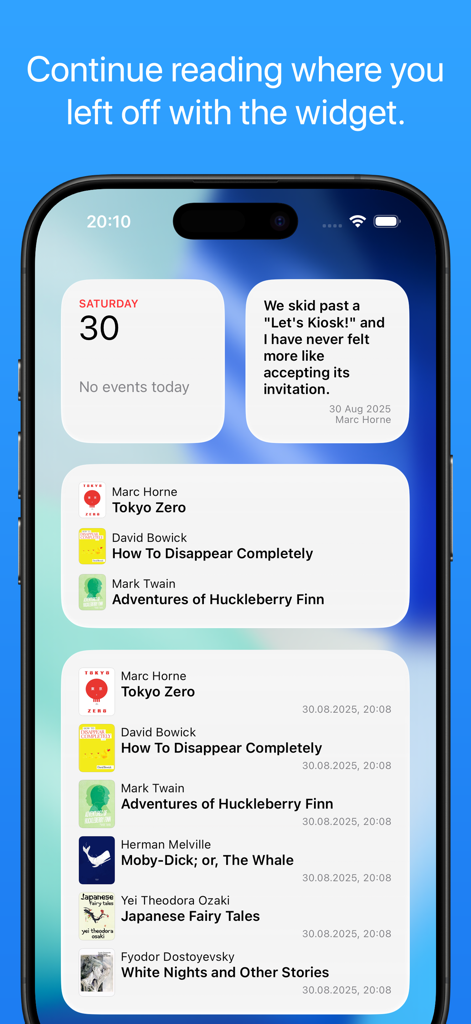
Yomu EBook Reader 위젯이 iPhone 홈 화면에 독서 목록과 책 인용구를 표시합니다.

Yomu EBook Reader 위젯이 iPhone 홈 화면에 독서 목록과 책 인용구를 표시합니다.

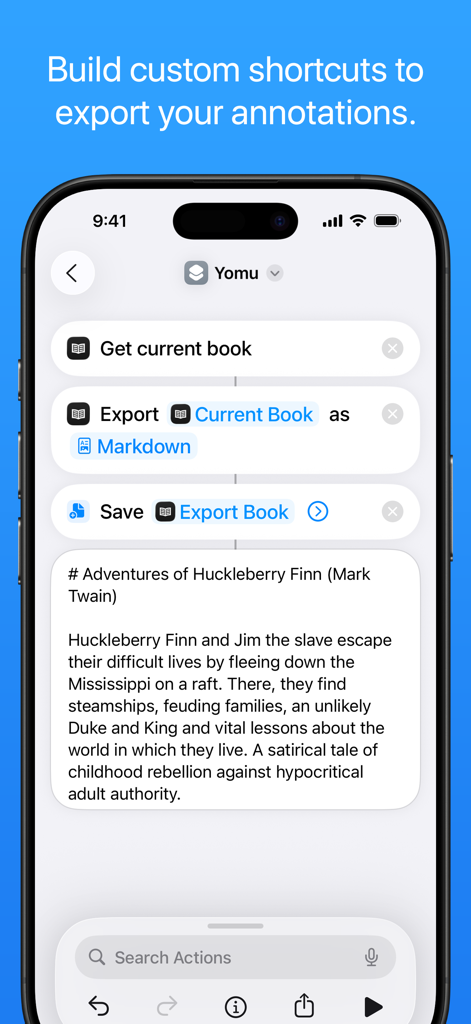
Yomu에서 책 주석을 Markdown으로 내보내는 사용자 지정 iOS 단축키 워크플로를 보여주는 iPhone 화면.

Yomu에서 책 주석을 Markdown으로 내보내는 사용자 지정 iOS 단축키 워크플로를 보여주는 iPhone 화면.

디지털 순수주의자를 위한 프리미엄 리더

이 앱을 돋보이게 하는 도구, 832K+ 명의 사용자가 선택.

📖

완전한 서재 자유

스토어 독점에서 벗어나세요. 모든 소스에서 EPUB, Kindle, PDF, 만화를 가져와 자신만의 DRM 없는 컬렉션을 관리하세요.

선(禪)과 같은 독서 집중

유려한 레이아웃과 사용자 지정 테마로 번잡함을 제거하세요. 완벽하게 개인화된 미학을 위해 여백과 타이포그래피를 맞춤 설정하세요.

☁️

두 번째 뇌 동기화

iCloud를 통해 서재와 하이라이트가 동기화 상태로 유지됩니다. 워크플로를 위해 리서치 및 노트를 Markdown 또는 JSON으로 직접 내보내세요.

전 세계 사용자들에게 사랑받는 앱

Trusted by 832K+ 명이 이 앱을 사랑합니다.

"

"연구원으로서 저는 모든 전자책 리더를 사용해 보았는데, Yomu는 제 워크플로에 있어 단연 최고입니다. iPad에서 기술 논문에 하이라이트 표시를 하고 이를 Markdown 형식으로 Mac의 노트에 즉시 동기화할 수 있다는 점은 혁신적입니다. 무거운 PDF 및 EPub 파일도 동일하게 유려하고 우아하게 처리합니다."

Elena Rodriguez 박사
"

"열 때마다 무언가를 사도록 유도하지 않는 독서 경험을 원했습니다. Yomu는 Kindle 생태계에서 완벽한 탈출구입니다. 타이포그래피는 놀랍고 인터페이스는 믿을 수 없을 정도로 깔끔하며, DRM 없는 전체 서재를 관리하는 동안에도 제 개인 정보를 존중한다는 점이 마음에 듭니다."

Mark Harrison

앱 소개

에 대해 알아야 할 모든 것 Yomu EBook Reader.

설명

Yomu is an independent reader for book lovers. Yomu’s design is carefully crafted for ebooks and offers custom styles for better readability and distraction-free reading. Designed to let you focus on reading, Yomu has no unnecessary preferences. Just open a book and start reading. Yomu’s fluid layout dynamically adjusts all text properties and margins depending on your preferred styles and device, giving you an optimal reading experience. FORMATS Yomu supports standard ebooks without digital rights management. Supported formats: - EPub (.epub) - Mobi (.mobi, .prc) - Kindle (.azw, .azw3, .kf8) - Comics (.cbz, .cbr) - PDF (.pdf) Choose any of over thousand freely available ebooks from publishers like Feedbooks, Manybooks or Project Gutenberg. Download ebooks directly from your browser, copy files from other apps or add them with AirDrop. Import files with iCloud Drive, iTunes File Sharing, or from Dropbox, Google Drive, OPDS and Calibre. READER The reader's design is carefully crafted for ebooks and offers custom styles for better readability. Choose your favorite theme, reader mode (day, sepia, grey, dusk, night, black), select a preset or custom font size, content layout (page, scroll) and many more options. All settings can be saved as your personal default for each book. Swipe or tap to go to the next page. You can also use the book's content outline or table of contents to navigate to another chapter. While reading EPub, Mobi and Kindle books, select text to take notes or highlight favorite sections. Create bookmarks or search inside ebooks to quickly find anything you are looking for. LIBRARY Organise your books in an easy to use library. Manage your library by creating folders or tags to organize your books. Sort your collection either by title, author, series, recently read or drag and drop for a custom order. You can edit a document's title, author, summary, cover or any other meta data. Save or export your books with all information and annotations in text, markdown or json format. CLOUD Yomu's Cloud Library (pro only) stores your books and annotations securely in Apple's iCloud. Keep all your ebooks safe and at hand on whatever device. Every time you change something on one device, it's synced to all your other devices. Always have the latest version, when you start reading on your iPad and continue on your iPhone on the go. Please note that you need to be signed in on your device with the same Apple ID on all platforms. WIDGETS See your recently read books or highlighted quotes. Yomu includes widgets to quickly view and open your books and quotes. Add a widget from the gallery and choose a list from the options. Tap on an entry to continue reading where you left off. YOMU PRO Yomu is free to use and includes all basic features. Every ebook format, theme or setting is available and lets you try out the unrestricted reader. However, the free version has some limitations and does not include certain features. Upgrade to Yomu Pro to get: - Cloud Library: Store and sync your library with Apple’s iCloud. - Unlimited Documents: No limit on the number of documents. - No Advertisement: Free version can display ads. Yomu is an independent app, your purchase supports the further development. When you buy an in-app purchase, you are doing so through Apple’s App Store and agree to their terms and conditions. Payments will be charged to the credit card of your Apple account. SERVICE Yomu is available for iPhone, iPad and Mac. In contrast to other apps, Yomu does not collect or sell any personal information. And it keeps your data private. Terms of Service: https://www.yomu-reader.com/terms/ Privacy Policy: https://www.yomu-reader.com/privacy/ Support: https://www.yomu-reader.com/support/

최신 버전

3.15.0

크기

56.6 MB

출시일

2013년 1월 5일

오늘 디지털 서재를 업그레이드하세요

방해 없는 개인 정보 보호 우선 경험을 즐기는 80만 명 이상의 독자들과 함께하세요. Yomu로 iPhone, iPad, Mac 전반에서 좋아하는 책을 읽기 시작하세요.

다운로드: App Store
FAQ

자주 묻는 질문

에 대해 알아야 할 모든 것 Yomu EBook Reader

Yomu EBook Reader는 무엇인가요?

Yomu EBook Reader는 책 애호가를 위해 설계된 독립적인 리더로, 사용자 지정 스타일과 방해 없는 전자책 읽기 환경을 제공합니다.

Yomu EBook Reader는 어떤 전자책 형식을 지원하나요?

Yomu EBook Reader는 EPub, Mobi, Kindle, Comics(cbz, cbr) 및 PDF 형식을 지원합니다. 디지털 권한 관리(DRM)가 없는 표준 전자책을 처리합니다.

Yomu EBook Reader에서 독서 경험을 사용자 지정할 수 있나요?

예, Yomu EBook Reader는 광범위한 사용자 지정 기능을 제공합니다. 사용자는 테마, 리더 모드(낮, 세피아, 회색, 황혼, 밤, 검정), 글꼴 크기 및 콘텐츠 레이아웃(페이지, 스크롤)을 선택할 수 있습니다.

Yomu EBook Reader는 하이라이트 및 메모 기능을 제공하나요?

예, Yomu EBook Reader를 사용하면 EPub, Mobi 및 Kindle 책에서 텍스트를 선택하여 메모를 작성하거나 좋아하는 부분을 강조 표시할 수 있습니다. 사용자는 책갈피를 만들 수도 있습니다.

Yomu EBook Reader 라이브러리에서 책을 어떻게 정리할 수 있나요?

Yomu EBook Reader를 사용하면 폴더나 태그를 만들어 책을 정리할 수 있습니다. 컬렉션은 제목, 저자, 시리즈, 최근 읽은 항목 또는 사용자 지정 드래그 앤 드롭 순서로 정렬할 수 있습니다.

Yomu Pro에는 어떤 기능이 포함되어 있나요?

Yomu Pro에는 iCloud 동기화를 위한 클라우드 라이브러리, 무제한 문서, 광고 없는 환경이 포함됩니다. 무료 버전에는 제한이 있으며 광고가 표시될 수 있습니다.

Yomu EBook Reader는 책을 위한 클라우드 동기화 기능을 제공하나요?

예, Yomu EBook Reader는 Yomu Pro와 함께 클라우드 라이브러리 기능을 제공합니다. 이 기능은 Apple의 iCloud를 사용하여 모든 장치에서 책과 주석을 안전하게 저장하고 동기화합니다.

Yomu EBook Reader는 개인 데이터를 수집하나요?

아니요, Yomu EBook Reader는 개인 정보를 수집하거나 판매하지 않습니다. 이 앱은 사용자 데이터 개인 정보 보호를 우선시합니다.

Yomu EBook Reader는 어떤 플랫폼을 지원하나요?

Yomu EBook Reader는 iPhone, iPad 및 Mac 장치를 포함한 Apple 플랫폼에서 사용할 수 있습니다.

Yomu EBook Reader에 책을 어떻게 가져올 수 있나요?

사용자는 브라우저에서 다운로드, 다른 앱에서 복사, AirDrop, iCloud Drive, iTunes 파일 공유, Dropbox, Google Drive, OPDS 또는 Calibre를 통해 Yomu로 책을 가져올 수 있습니다.

Yomu EBook Reader에는 위젯이 있나요?

예, Yomu EBook Reader에는 위젯이 포함되어 있습니다. 이 위젯을 통해 사용자는 최근 읽은 책이나 강조 표시된 구절을 빠르게 확인하고 열어 중단한 부분부터 다시 읽을 수 있습니다.