
Screen Recorder Voice & Video



Effortlessly capture your screen with professional face cam and voice overlays. Record high-quality tutorials, gameplay, and reactions with total privacy and instant sharing.
Publisher
Category
Photo & VideoDownloads
2M+User Rating
Total Ratings
49K+Locales
4Discover the interface used by 2M+ users.

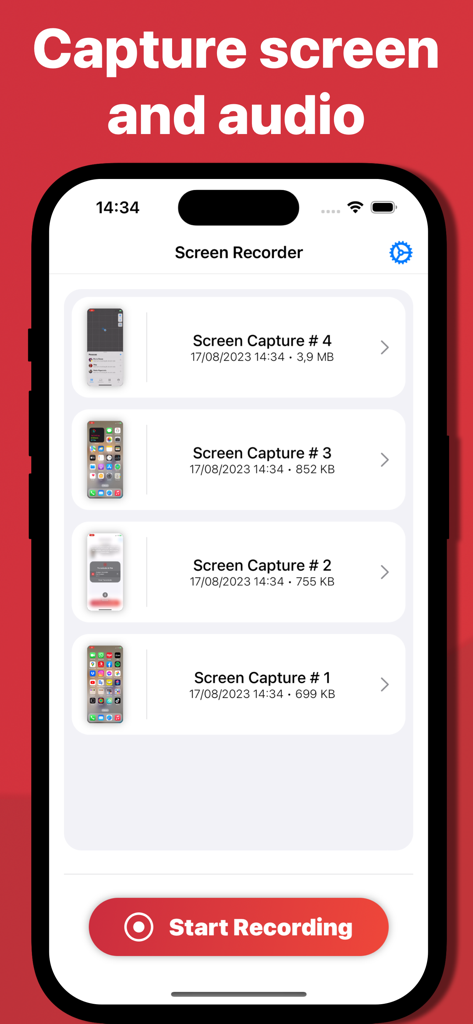
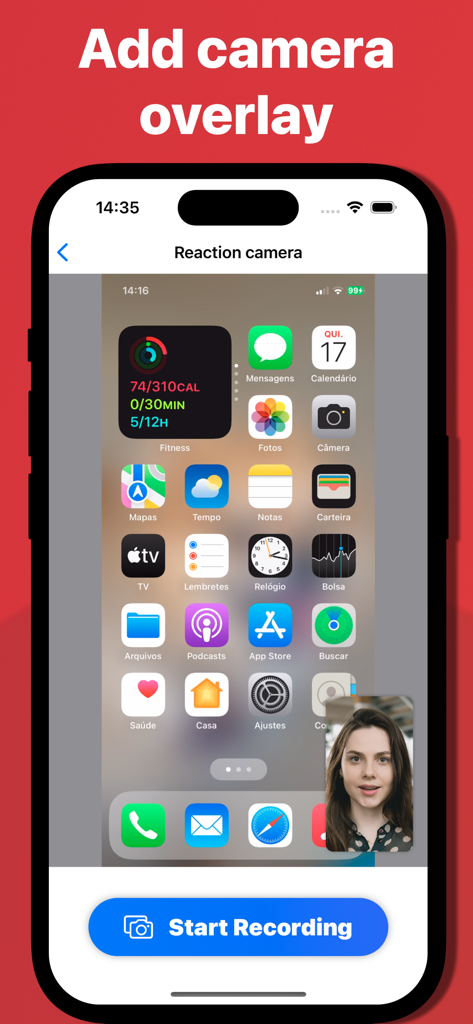
The tools that make this app stand out, trusted by 2M+ users.
Overlay your face and voice to create immersive gameplay videos and authentic reaction content ready for TikTok and Reels.
Record securely with 100% offline processing. Your videos are processed on-device and never shared with third parties.
Capture crystal-clear 4K screen recordings and share them instantly with one touch across all your iOS devices.
Trusted by 2M+ people who love this app.
"I have been looking for an app that allows me to record my gameplay with a face cam without needing a complex desktop setup. This app is a lifesaver for my YouTube channel! The quality is amazing and adding my commentary is so simple. I love that I can edit and share my reactions instantly."
"As a remote teacher, I often need to create quick tutorials for my students on how to use specific apps. This tool makes it incredibly easy to record my screen while explaining steps through the microphone. The privacy feature is also a huge relief since all my recordings stay on my device."
Everything you need to know about Screen Recorder Voice & Video.
Description
Latest Version
1.0.144
Size
22.0 MB
First Released
Aug 18, 2023
Join over 2 million creators who record, react, and share instantly. Get the all-in-one screen recorder that keeps your voice, face, and data 100% private.
Everything you need to know about Screen Recorder Voice & Video
Screen Recorder Voice & Video is an iPhone application for seamless screen recording. It captures high-quality video and audio, and allows personalization with microphone and face camera overlays for various content creation needs.
Yes, Screen Recorder Voice & Video supports recording your voice. It features a Microphone Overlay, enabling users to add narrations, explanations, or commentary alongside their screen recordings.
Yes, Screen Recorder Voice & Video provides a Face Camera Overlay. This feature allows users to enhance recordings by including a live face camera to share their reactions, expressions, and insights in real-time.
Screen Recorder Voice & Video prioritizes user privacy. It operates offline, processes all recording data directly on the device, and never stores or shares any data with external services or third parties.
Screen Recorder Voice & Video offers universal compatibility across all iOS devices. This ensures users can capture screen content whenever and wherever inspiration strikes on their Apple devices.
Yes, Screen Recorder Voice & Video allows simultaneous capture of both screen and audio. It records with crystal-clear video and audio quality, suitable for tutorials, gameplay, and app demonstrations.
Screen Recorder Voice & Video enables instant sharing. Users can easily share their recorded creations with one touch, directly from the app, to various platforms.
Apps with similar features and user experience

Medal B.V.

VIDEOSHOW PTE. LTD.

App of the Year LLC

DIGISET LLC

Poster App LLP

Dream United, Ltd.

Torqued Studios LLC

Danila Ianushev

Mark Thomas