Add Music to Video Voice Over

Add Music to Video Voice Over

Download on App Store
Spark by MWM logo
Logo of Add Music to Video Voice Over

Add Music to Video Voice Over: Level Up Your Social Media Sound

Layer perfect tracks and record custom voiceovers with ease. Use professional audio controls to create engaging videos that stand out on TikTok, Instagram, and YouTube.

Publisher

Brain Craft Ltd

Category

Photo & Video

Downloads

1M+

User Rating

4.4/5

Total Ratings

18K+

Locales

1

The Creative Studio at a Glance

Discover the interface used by 1M+ users.
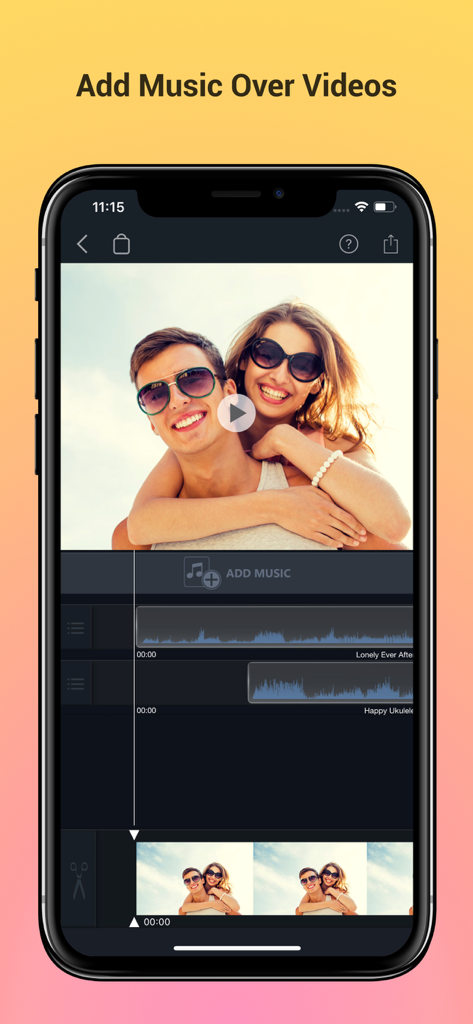
Mobile video editing interface showing audio track layering and video preview.

Mobile video editing interface showing audio track layering and video preview.

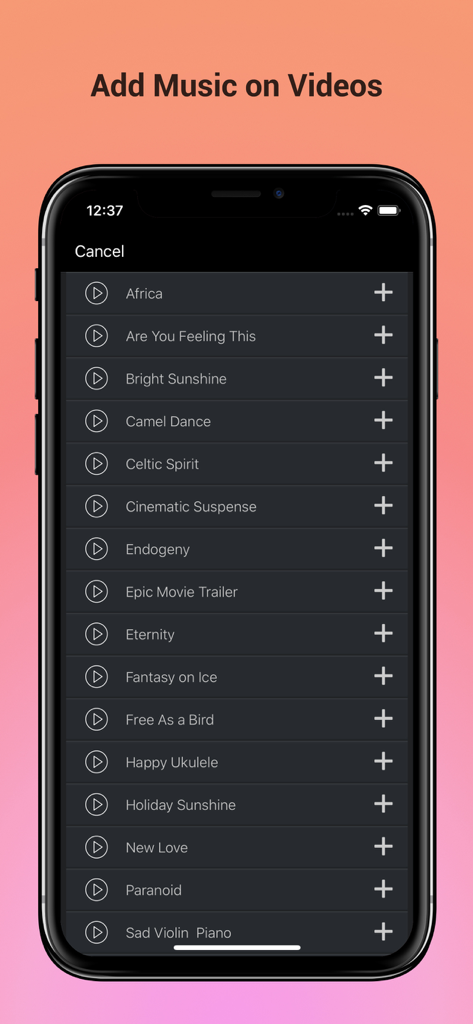
Mobile app interface showing a curated list of music tracks to add as background audio to videos.

Mobile app interface showing a curated list of music tracks to add as background audio to videos.

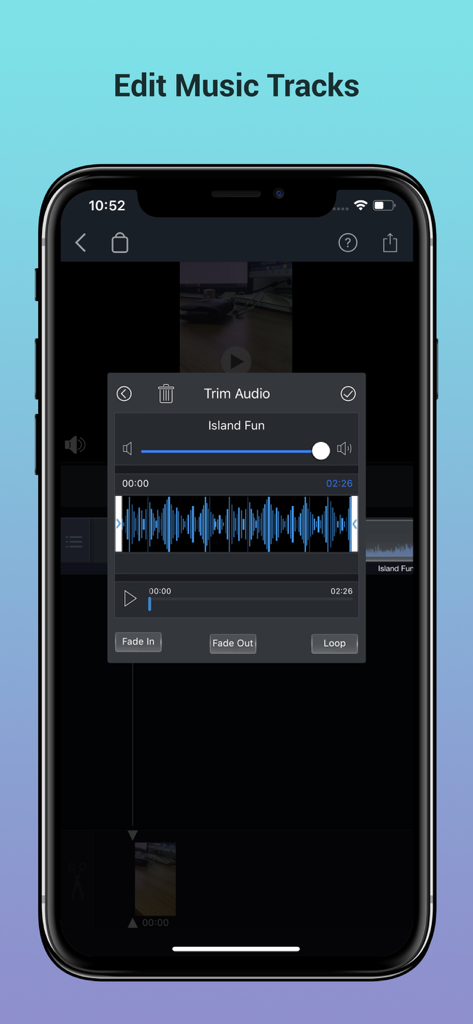
Smartphone screen showing the trim audio feature with waveform and fade controls.

Smartphone screen showing the trim audio feature with waveform and fade controls.

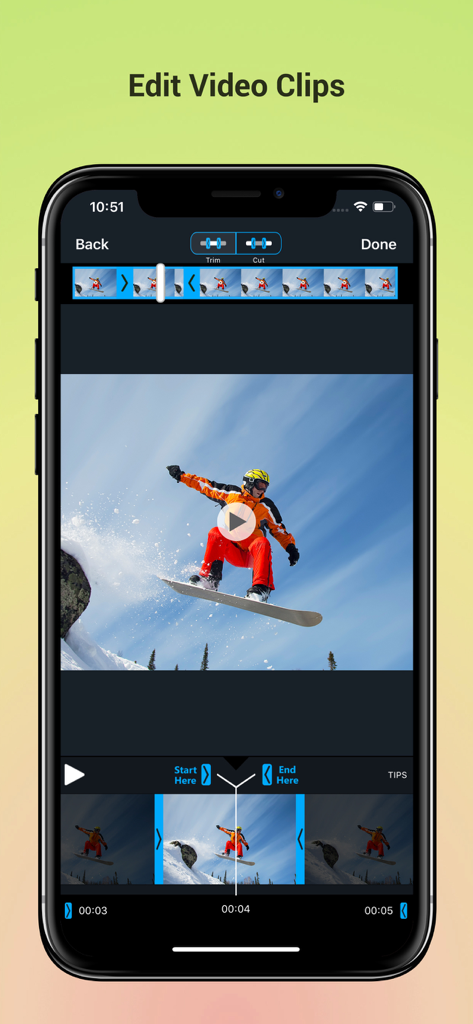
Smartphone screen showing a video editing app interface with trim and cut tools on a snowboarding clip

Smartphone screen showing a video editing app interface with trim and cut tools on a snowboarding clip

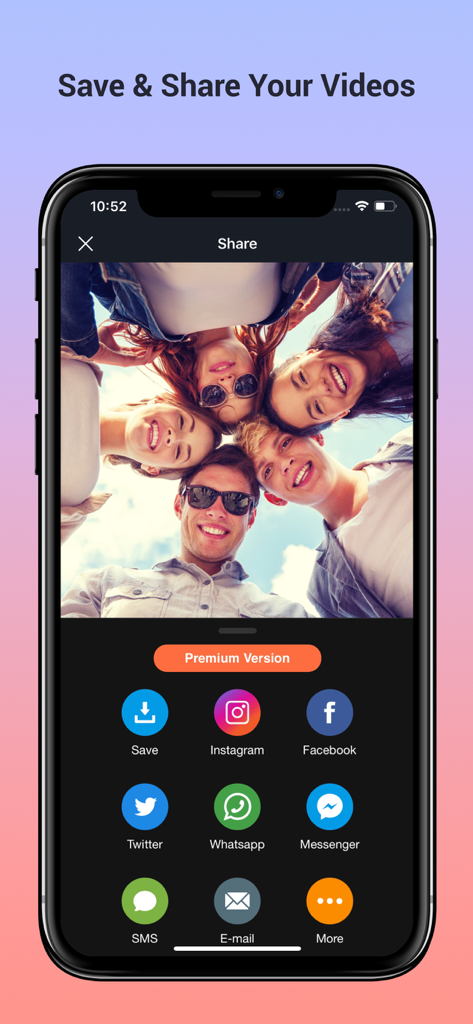
Sharing screen of a mobile video editing app with social media icons for Instagram Facebook and Twitter

Sharing screen of a mobile video editing app with social media icons for Instagram Facebook and Twitter

Create Professional Videos in Seconds

The tools that make this app stand out, trusted by 1M+ users.

🎙️

Pro-Grade Voiceovers

Record narration directly over your videos with precision volume control and smooth fade-in/fade-out effects for a polished finish.

🎵

Massive Music Library

Choose from thousands of trending tracks or import your own. Loop and trim audio to match every beat of your content perfectly.

Stunning Photo Slideshows

Turn your memories into cinematic stories. Combine unlimited photos with premium transitions and music for social-ready posts.

Loved by users worldwide

Trusted by 1M+ people who love this app.

"

"I've tried so many apps for my TikTok vlogs, but this is the only one that gets the audio balance right. The voice-over tool is super clear, and being able to fade the background music out at the end makes my videos look and sound way more professional. My engagement has definitely gone up!"

Chloe M., Lifestyle Influencer
"

"I wanted to make a special video for my daughter's first birthday using all our photos from the year. This app made it so simple to add her favorite song and include smooth transitions between the pictures. It is now a family treasure that I can easily share with the grandparents."

Mark T., Family Documentarian

About the app

Everything you need to know about Add Music to Video Voice Over.

Description

Best App to Add Background Music & Sound Effects on Your Videos. Record your own voice over video. Create slideshow with your moments & add music on it to make it live. • Add background music to videos. • Make your own music videos. • Record your own voice over video. • Make slideshow with music • Make funny Dubsmush videos. • Give life to your videos. • Get more likes & views on Youtube, Instagram, Facebook or Vine. Key Features: ========== - Add Music Tracks on Videos. - Record Your Own Voice Over Video. - Huge Collection of Awesome Music Tracks. - Make Slideshow With Your Photos - Edit Video: Trim & Cut frame by frame. Remove any unwanted part of your video. - Edit Audio: Trim, Fade-in, Fade-out & Loop options. - Volume Control For Audios. - Video Mute/UnMute. - Huge Collection of Slideshow Transitions. - Minimum Processing Time. - Beautiful Ui With Stunning Design. - Very Easy to use. Premium Features: - Premium Music Tracks - Add Unlimited Music - Select Unlimited Photos - Premium Slideshow Styles - Premium Filtes - Ads Free Version - Unlock Everything Fade-in Means: Gradually increase the level of audio volume at the beginning. Fade-out Means: Gradually decrease the level of audio volume at its end. Audio Loop Means: Repeating section of audio at whole video. Payment & Subscription Terms: Choose between the following options for unlimited access to all features: • Weekly Subscription with 3-day free trial; • Yearly Subscription. Subscriptions are billed weekly or annually at the rate selected depending on the selected plan. Subscription automatically renews unless auto-renew is turned off at least 24 - hours before the end of the current period. - payment will be charged to iTunes Account at confirmation of purchase. - Account will be charged for renewal within 24-hours prior to the end of the current period. - No cancellation of the current subscription is allowed during active subscription period. - Subscriptions may be managed by the user and auto-renewal may be turned off by going to the user's Account Settings after purchase. - Any unused portion of a free trail period will forfeited when the user purchases a subscription. ## Subscriptions may be managed by the user and auto-renewal may be turned off by going to the user's iTunes Account Settings after purchase. ## Subscription can be cancelled during its free trial period via the subscription setting through your iTunes account. This must be done 24 hours before the end of the subscription period to avoid being charged. Privacy Policy, Terms of Service: https://braincraftapps.com/apps/i/add-music-to-videos/privacy-policy/ https://braincraftapps.com/apps/i/add-music-to-videos/terms/ Found any bug? or Have any suggestions? or Wanna new features? Please mail me at: support@braincraftapps.com Keep in touch to receive all updates. Thank You.

Latest Version

2.1

Size

59.7 MB

First Released

Aug 31, 2017

Ready to Create Videos That Get Noticed?

Join over 1 million creators using our pro-level audio tools to boost engagement on TikTok and Instagram. Download now and start your story today.

Download on App Store