Adobe Lightroom for iPad

Adobe Lightroom for iPad

Download on App StoreDownload on Google Play
Spark by MWM logo
Logo of Adobe Lightroom for iPad

Adobe Lightroom for iPad: Professional AI Photo & Video Editor

Bring your creative vision to life with the power of Adobe Firefly AI, precision Apple Pencil tools, and hundreds of premium presets for your best photos and reels.

Publisher

Adobe Inc.

Category

Photo & Video

Downloads

14M+

User Rating

4.7/5

Total Ratings

233K+

Locales

23

Precision in Every Pixel

Discover the interface used by 14M+ users.

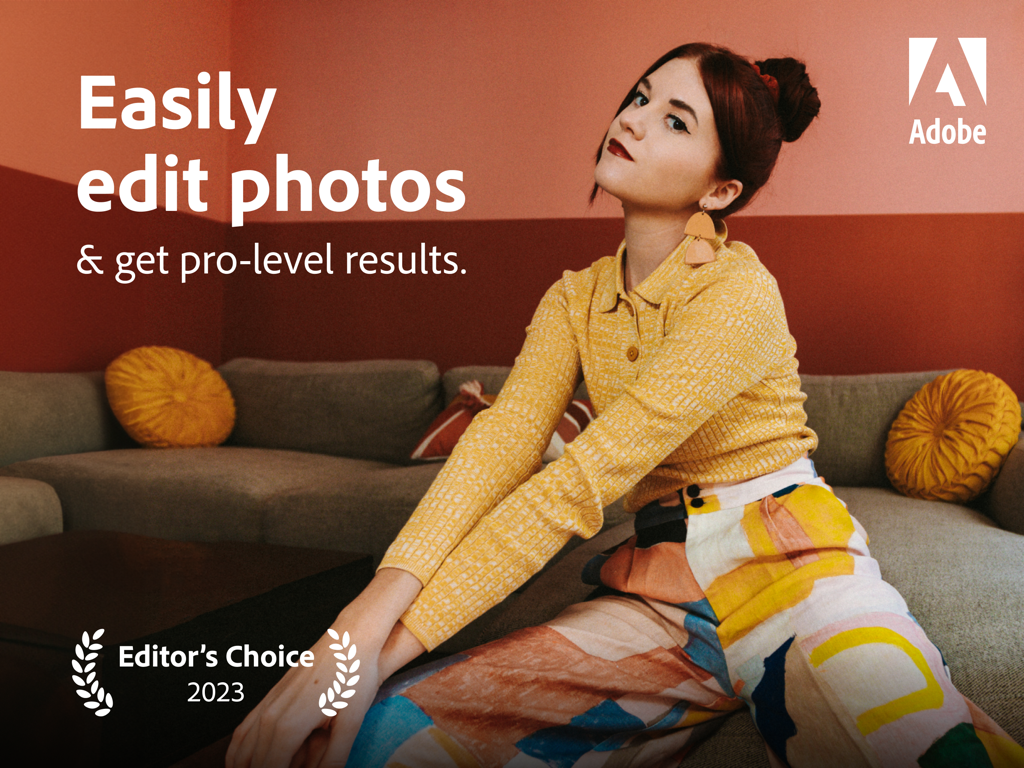
Promotional image for Adobe Lightroom for iPad featuring a young woman and text about pro-level photo editing results

Promotional image for Adobe Lightroom for iPad featuring a young woman and text about pro-level photo editing results

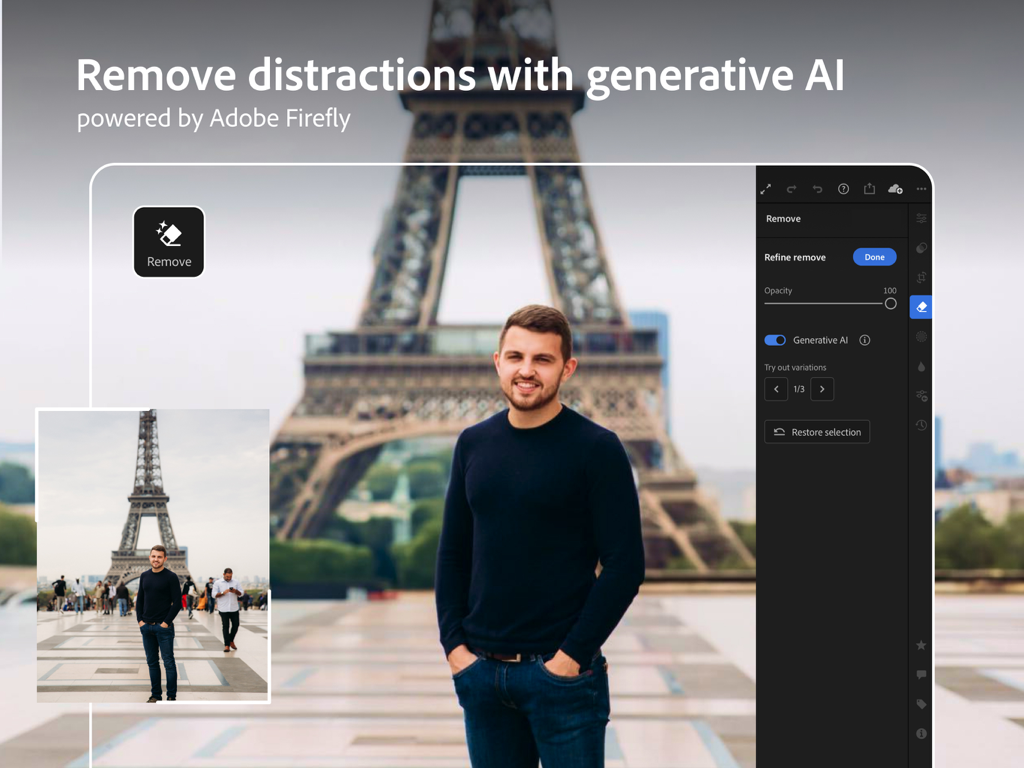
Adobe Lightroom for iPad showing a person in front of the Eiffel Tower with background distractions removed using generative AI

Adobe Lightroom for iPad showing a person in front of the Eiffel Tower with background distractions removed using generative AI

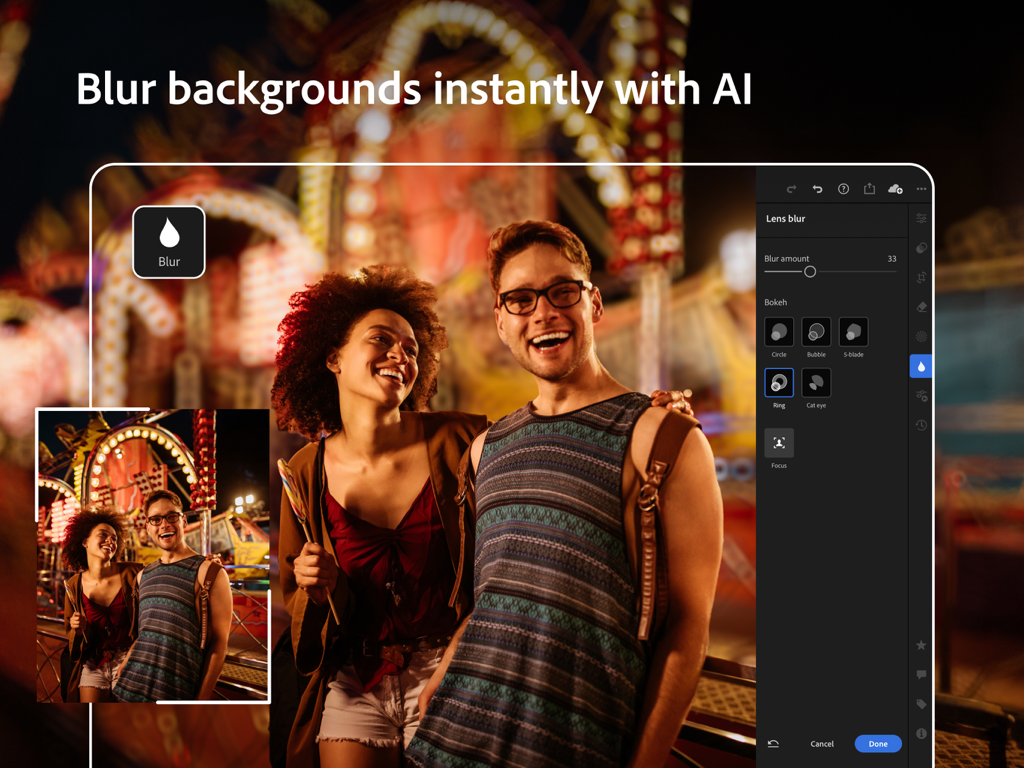
Adobe Lightroom for iPad interface showing the AI lens blur feature to add bokeh effects to a photo

Adobe Lightroom for iPad interface showing the AI lens blur feature to add bokeh effects to a photo

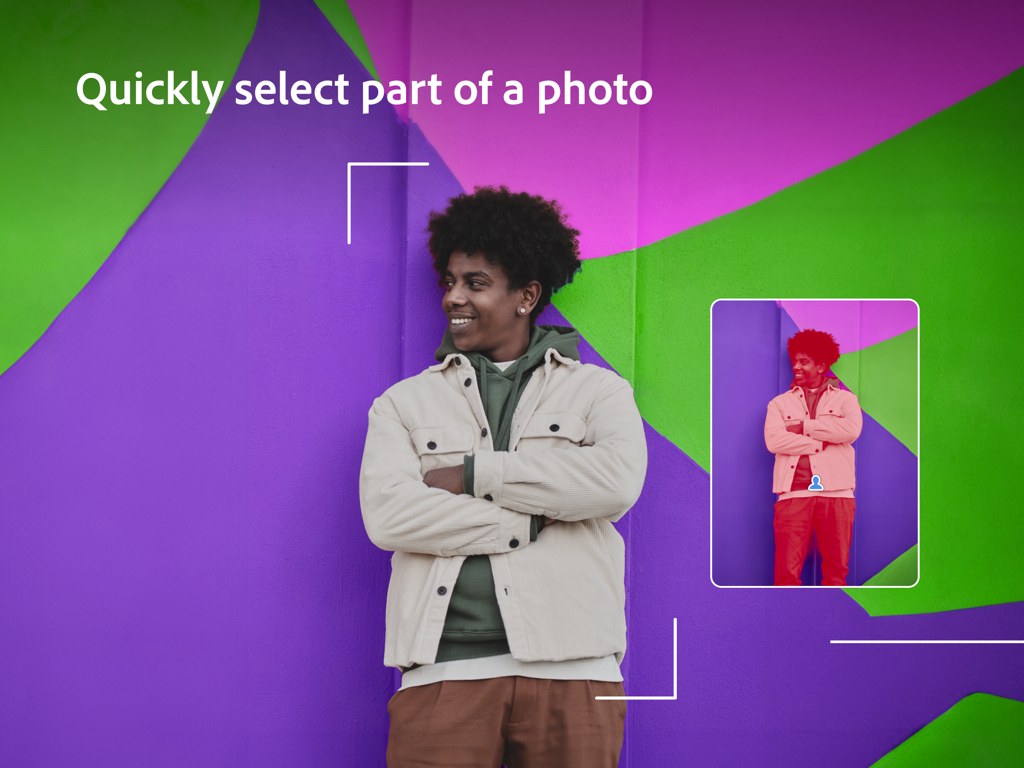
Adobe Lightroom for iPad showing quick subject selection with AI masking

Adobe Lightroom for iPad showing quick subject selection with AI masking

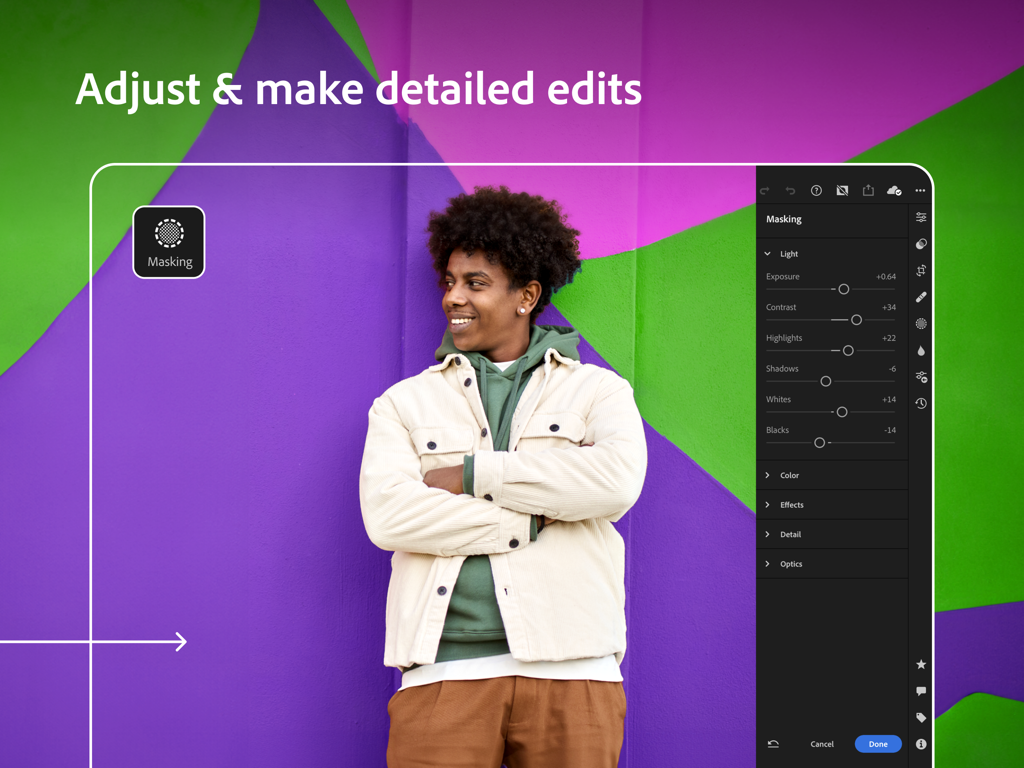
Adobe Lightroom for iPad interface showing masking and light adjustment sliders on a portrait photo

Adobe Lightroom for iPad interface showing masking and light adjustment sliders on a portrait photo

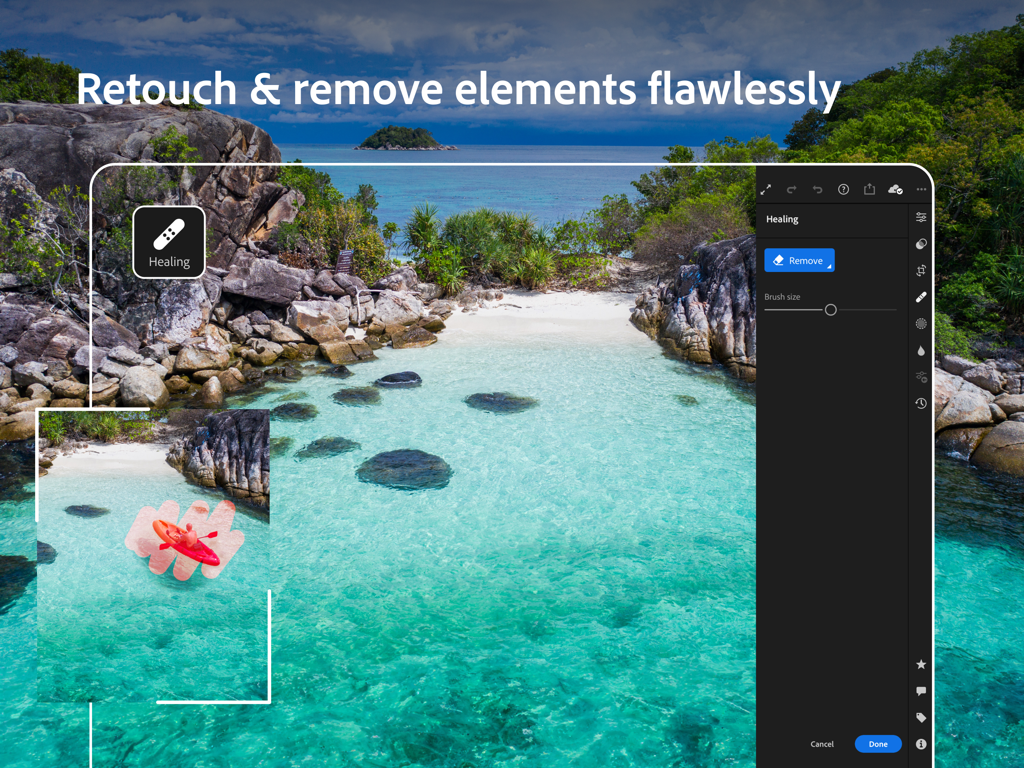
A demonstration of the Adobe Lightroom for iPad healing tool being used to remove a red kayak from a clear blue beach water photo.

A demonstration of the Adobe Lightroom for iPad healing tool being used to remove a red kayak from a clear blue beach water photo.

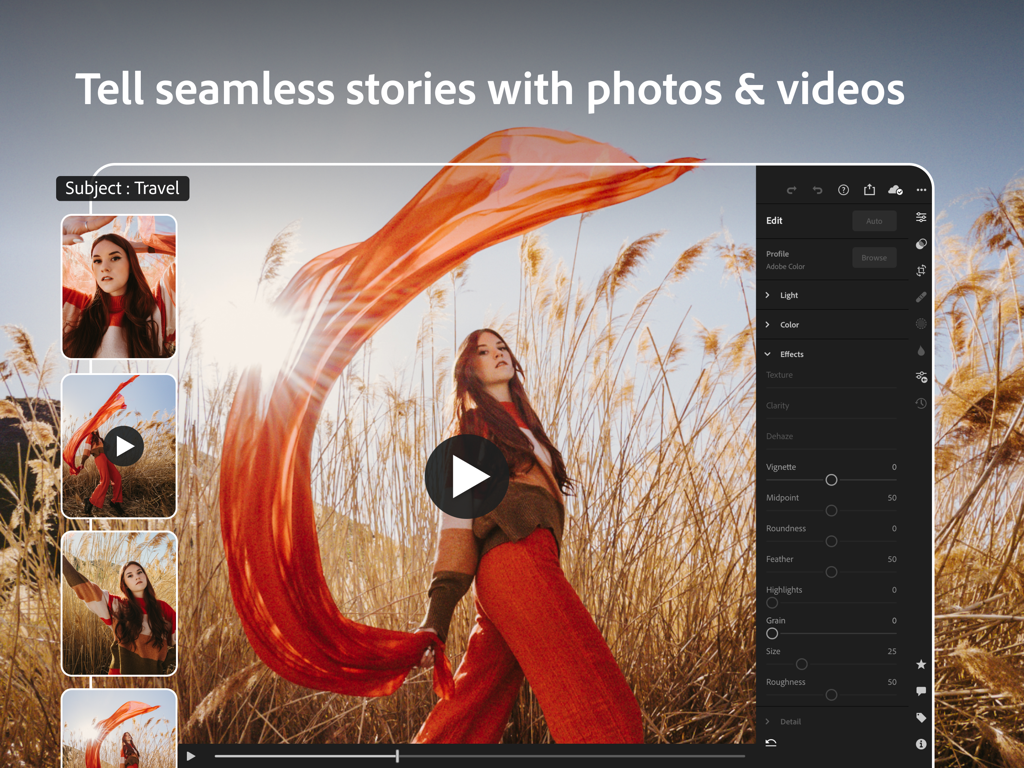
Adobe Lightroom for iPad interface showing video editing tools for travel content

Adobe Lightroom for iPad interface showing video editing tools for travel content

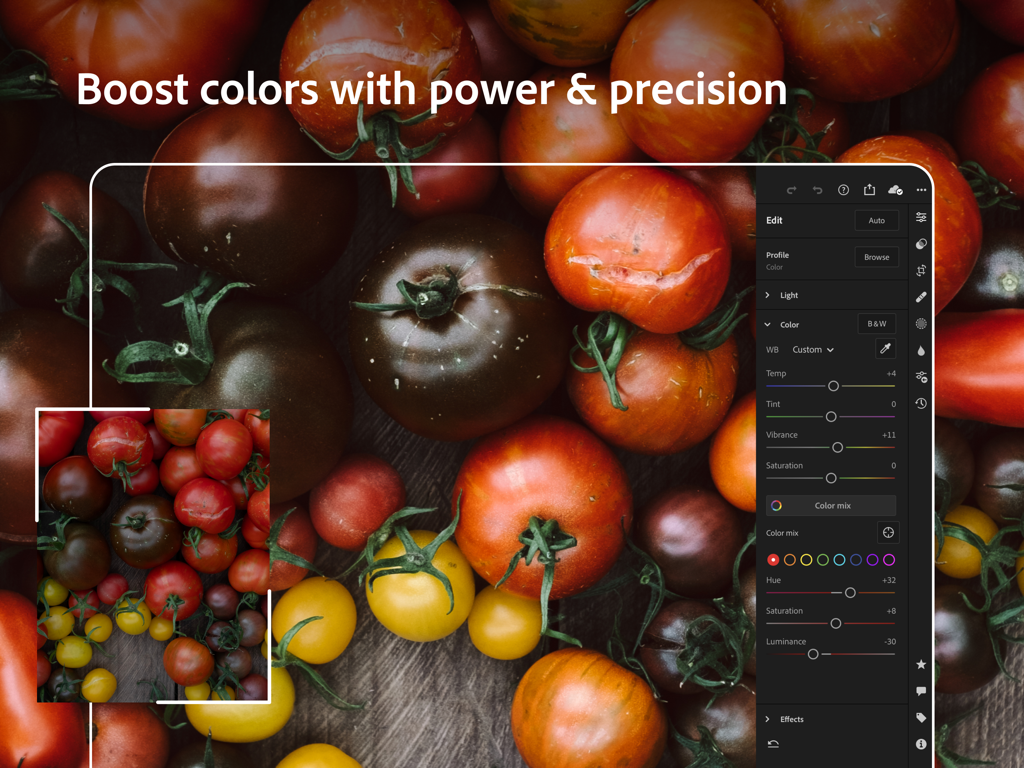
Adobe Lightroom for iPad interface showing precision color editing and vibrance adjustments on a photo of tomatoes.

Adobe Lightroom for iPad interface showing precision color editing and vibrance adjustments on a photo of tomatoes.

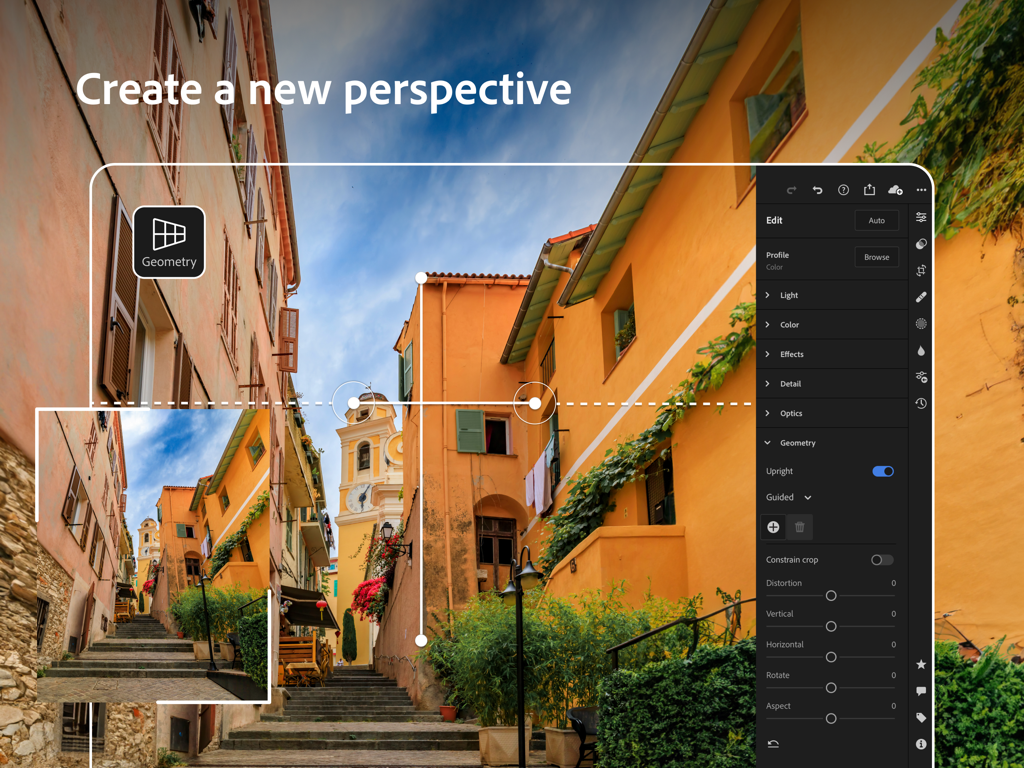
Adobe Lightroom for iPad geometry tool interface showing perspective correction on a street photo

Adobe Lightroom for iPad geometry tool interface showing perspective correction on a street photo

Elevate Your Creative Vision with Pro-Grade Precision

The tools that make this app stand out, trusted by 14M+ users.

🪄

AI-Powered Perfection

Let Firefly Generative AI do the heavy lifting by removing distractions and applying adaptive lens blur in a single tap.

✏️

Tactile Stylus Control

Achieve pixel-perfect results with Apple Pencil support for advanced masking, localized retouching, and precision color grading.

📸

Creator-Ready Presets

Access 200+ professional filters to instantly nail your aesthetic and turn your editing process into viral social reels.

Loved by users worldwide

Trusted by 14M+ people who love this app.

"

"The iPad version of Lightroom has completely changed my workflow. Being able to use the Apple Pencil for precise masking and the new Generative Remove feature means I can finish a full client shoot at a coffee shop instead of being stuck at my desk. The sync with my desktop is seamless."

Marcus J., Freelance Photographer
"

"I'm obsessed with the premium presets! They give my Reels and photos that consistent, high-end look in seconds. The AI-powered tools like Lens Blur make my phone photos look like they were shot on a professional camera. Total game changer for my content."

Chloe S., Lifestyle Creator

About the app

Everything you need to know about Adobe Lightroom for iPad.

Description

Join millions of users who trust Adobe Photoshop Lightroom as their AI-powered photo editor to bring their photos, videos and reels to life. MAKE YOUR PHOTOS AND VIDEOS STAND OUT Start with one-tap presets or filters for pictures, videos and reels. Then, fine-tune the details with powerful tools to retouch, remove objects, blur backgrounds, and make more precise edits to bring your vision to life. Whether you’re developing your skills, a seasoned pro, or just love capturing life’s moments, Lightroom’s Photo & Video Editor helps you instantly transform any photo or video in just a few taps. Get started with a free account. SAVE TIME WITH AI-POWERED ENHANCEMENTS • Remove unwanted objects and distractions in a touch with Generative Remove, powered by Firefly generative AI • Instantly boost your photo in one tap with Auto • Add a bokeh effect or blur photos using Lens Blur • Quickly retouch portraits, make subjects pop or transform skies with Adaptive presets • Find the perfect filters for pictures using AI with Recommended presets • Easily make precise edits to select parts of your photos via masking in editor mode EASY-TO-USE AND POWERFUL PHOTO EDITOR • Instantly find a photo and video to edit from your iCloud account • Get editing with a fast and intuitive photo and video editor interface • Fix lighting in any photo or video by editing exposure, highlights, shadows, contrast, color, curves and more with precision sliders • Take full control of the color palette in your photo or video by editing hue, saturation, luminance, and color grading • Brush away, retouch and remove objects in pictures • Edit the clarity, texture, dehaze, grain and vignette sliders • Crop, rotate or add a border to your photo before sharing to social • Edit and export photos in HDR CURATED PRESETS AND FILTERS FOR PICTURES, VIDEOS AND REELS • Make quick and easy edits with free presets and camera filters • Create and save your own presets or filters for future edits • Explore 200+ exclusive Premium Presets created by professional photographers and influencers QUICK VIDEO EDITOR AND REELS MAKER • Share your creative process using Lightroom’s editor by creating short before-and-after reels, made for social, with an edit replay • Apply presets to instantly enhance videos or reels and create the same look and feel across your collection • Edit and retouch any video with precision sliders for contrast, highlights, vibrance, video effects and more • Quickly trim and rotate your video PRO-GRADE CAMERA • Capture flawless photos with Lightroom’s built-in camera, offering full manual controls, RAW capture, and HDR • Apply presets or filters for pictures as you take your shot GO PREMIUM TO ELEVATE YOUR PHOTOS AND VIDEOS Achieve next-level photography with Lightroom Premium’s intuitive photo editor and video editor. Upgrade to unlock more easy-to-use and advanced tools including: • AI-powered tools to make searching for photos and videos faster and editing easier • Access 200+ exclusive premium preset filters created by professional photographers • Precision tools like Generative Remove, masking and geometry • Edit photos and retouch in RAW • Easily apply the same edits across multiple pictures • Find the same top-quality features in the photo editor that users love for video editing • Get editing tips and tricks, save new presets, showcase your photos online, and connect with photographers in Lightroom’s Community • Photo and video edits sync seamlessly, so start editing on your phone and effortlessly continue on your tablet or online on your laptop • 100GB of cloud storage Terms & Conditions: Your use of this application is governed by the Adobe General Terms of Use http://www.adobe.com/go/terms_linkfree_en and the Adobe Privacy Policy http://www.adobe.com/go/privacy_policy_linkfree_en Do not sell or share my personal information www.adobe.com/go/ca-rights-linkfree

Latest Version

11.1

Size

327.2 MB

First Released

Apr 8, 2014

Ready to Create Your Best Work Yet?

Join over 14 million creators who trust Adobe Lightroom for pro-level AI editing on the go. Download now to transform your photos and reels with professional precision.

Download on App StoreDownload on Google Play
FAQ

Frequently Asked Questions

Everything you need to know about Adobe Lightroom for iPad

What is Adobe Lightroom for iPad?

Adobe Lightroom for iPad is an AI-powered photo and video editor. It allows users to enhance photos, videos, and reels with presets, fine-tune details, remove objects, and blur backgrounds to bring their vision to life.

Can Adobe Lightroom for iPad remove unwanted objects from photos?

Yes, Adobe Lightroom for iPad includes a Generative Remove feature, powered by Firefly generative AI, to remove unwanted objects and distractions from photos in a single touch.

Does Adobe Lightroom for iPad offer background blurring capabilities?

Yes, Adobe Lightroom for iPad provides Lens Blur functionality, powered by AI, to add a bokeh effect or blur photo backgrounds instantly, with various bokeh styles.

How can I adjust colors precisely in Adobe Lightroom for iPad?

Adobe Lightroom for iPad allows precise color adjustments by editing hue, saturation, luminance, and color grading. Users also control the temperature, tint, vibrance, and saturation with precision sliders.

Is there a free version of Adobe Lightroom for iPad?

Yes, users can get started with Adobe Lightroom for iPad with a free account. This free version includes a fast and intuitive photo and video editor.

What premium features are available in Adobe Lightroom for iPad?

Premium features include AI-powered tools for faster searching and easier editing, 200+ exclusive presets, Generative Remove, masking, geometry tools, RAW editing, multi-photo editing, seamless sync, and 100GB of cloud storage.

Can Adobe Lightroom for iPad edit videos and reels?

Yes, Adobe Lightroom for iPad functions as a quick video editor and reels maker. It allows applying presets, trimming, rotating, and retouching videos with precision sliders for various effects.

Does Adobe Lightroom for iPad support RAW image editing?

Yes, Adobe Lightroom for iPad's built-in pro-grade camera offers RAW capture. Premium users can also edit and retouch photos in RAW format directly within the app.

How can users create and save their own presets in Adobe Lightroom for iPad?

Adobe Lightroom for iPad allows users to create and save their own customized presets or filters for future edits. This feature helps ensure a consistent look across their photo and video collections.

Is there cloud storage included with Adobe Lightroom for iPad Premium?

Yes, a Premium subscription to Adobe Lightroom for iPad includes 100GB of cloud storage. This enables seamless photo and video edits that sync across your phone, tablet, or laptop.