
AeroADSB



Maximize your situational awareness with real-time GDL 90 data. Connect your Stratux receiver to access traffic, weather, and attitude info—all without an internet connection or monthly fees.
Publisher
Category
NavigationDownloads
83K+User Rating
Total Ratings
100Locales
1Discover the interface used by 83K+ users.
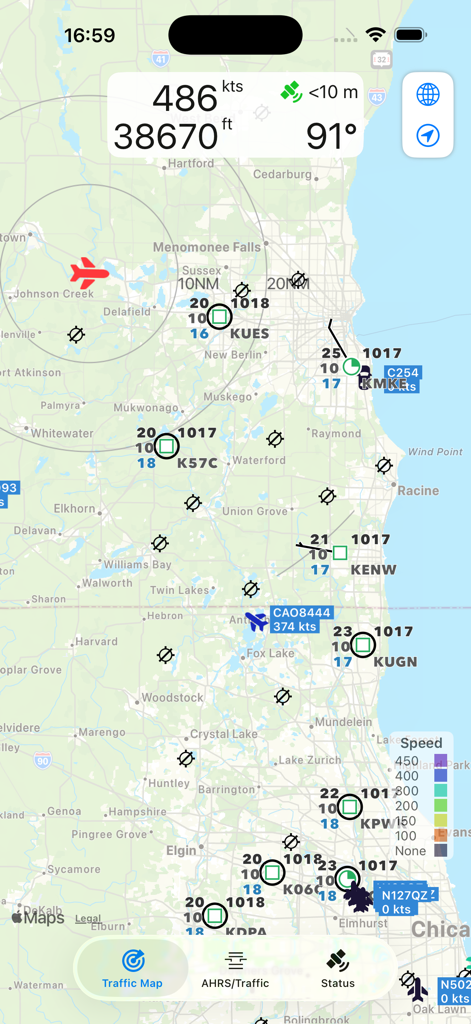
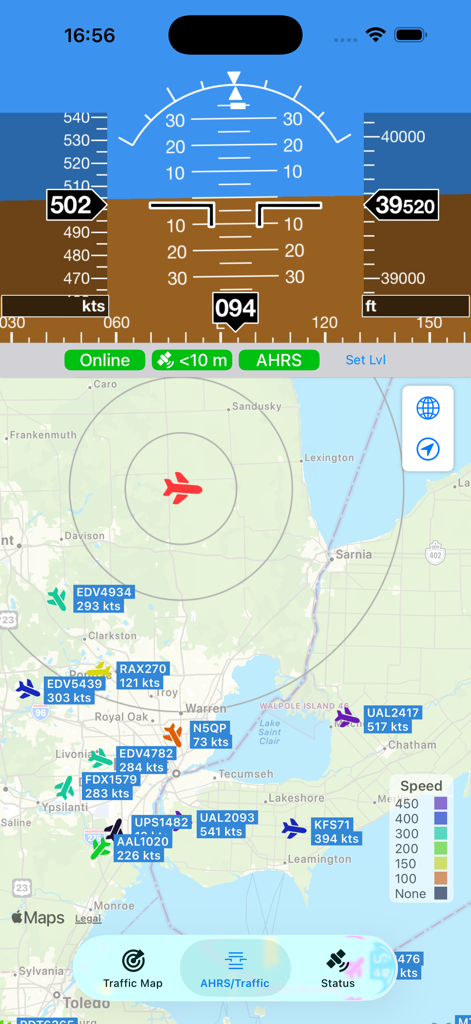
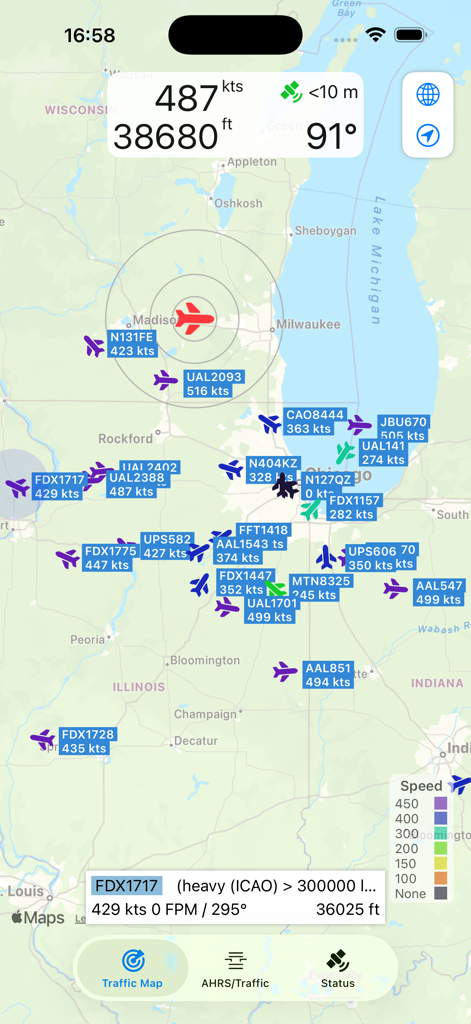
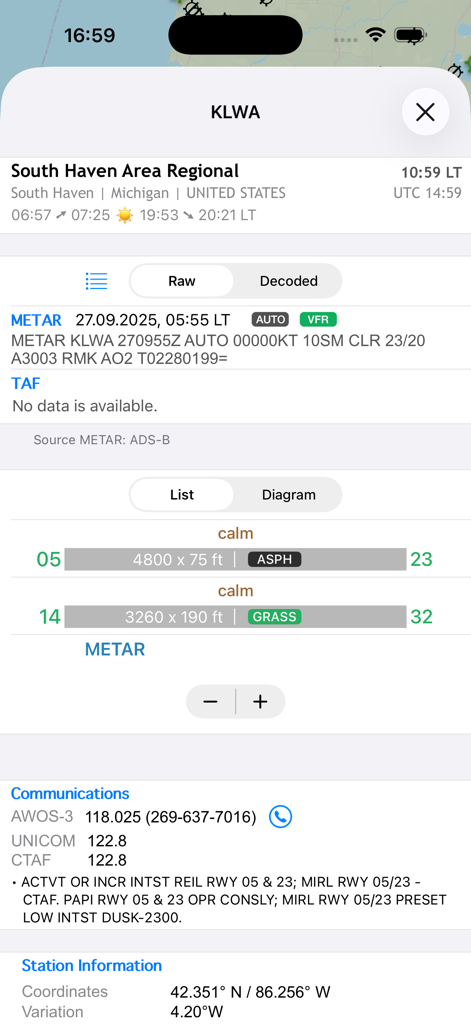
The tools that make this app stand out, trusted by 83K+ users.
Track nearby aircraft in real-time using GDL 90 protocols. Stay ahead of the pattern with reliable data delivered directly to your map, no internet required.
Fly with confidence using a secondary digital cockpit. Access critical attitude, heading, and altitude data to serve as a vital backup to your primary instruments.
Designed for the tinkerer. Seamlessly integrate with Stratux or custom ADS-B builds via UDP, providing professional-grade avionics without the monthly subscription.
Trusted by 83K+ people who love this app.
"AeroADSB is a must-have for any pilot using a Stratux or DIY receiver. It handles the GDL 90 data stream perfectly, providing real-time traffic and METARs without the bloated subscription costs of bigger apps. It is the most reliable, no-nonsense tool in my electronic flight bag."
"The AHRS display and situational awareness this app provides are top-tier. I love that it works completely offline via UDP port 4000, ensuring I have a dependable backup for my altitude and heading data during every flight. It's technical, precise, and exactly what a general aviation pilot needs."
Everything you need to know about AeroADSB.
Description
Latest Version
1.4
Size
20.9 MB
First Released
May 28, 2021
Download AeroADSB today and connect your GDL 90 receiver for real-time traffic, weather, and AHRS. Professional-grade data with zero subscriptions.
Everything you need to know about AeroADSB
The AeroADSB app receives and displays aircraft traffic data on a map from ADS-B receivers supporting the GDL 90 protocol. It also includes an attitude and heading reference system (AHRS).
No, the AeroADSB app works entirely independent from an internet connection. It operates solely with an ADS-B receiver, receiving GDL 90 data via UDP on port 4000.
AeroADSB displays aircraft traffic data, attitude and heading reference system (AHRS) information, airspeed, altitude, heading, and METAR/TAF weather data after a one-time unlock.
The AeroADSB app receives aircraft traffic data from ADS-B receivers, such as Stratux, that support the GDL 90 protocol. It requires GDL 90 data sent via UDP to port 4000.
Yes, AeroADSB can display METAR and TAF weather data. This feature requires a one-time unlock within the app. Users should check region availability before purchasing.
Yes, the default UDP port 4000, used for GDL 90 data reception by the AeroADSB app, can be changed within the app's settings.
Yes, the AeroADSB app displays nearby aircraft traffic, including flight identifiers and speeds, on its map interface. It visualizes air traffic directly from ADS-B receiver data.
The AeroADSB app displays flight parameters such as airspeed (kts), altitude (ft), and heading (degrees) for aircraft. This data is part of its comprehensive traffic display.
Yes, the AeroADSB app is compatible with Stratux ADS-B receivers. It is designed to receive GDL 90 protocol data from such devices.
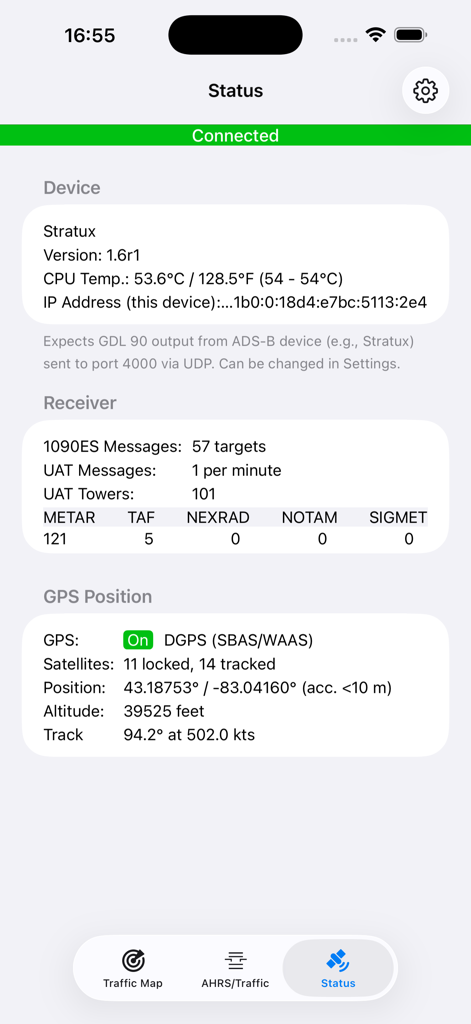
Users can check the connection status by navigating to the 'Status' tab within the AeroADSB app. This section displays device connection, receiver messages, and GPS information.
Top-ranked apps in the same category

Google LLC

waze

AutoNavi Information Technology Co. Ltd.

Beijing Baidu Netcom Science & Technology Co.,Ltd

Moovit App Global LTD

9280-0366 Quebec inc.

Parkmobile USA, Inc

Shenzhen Tencent Computer Systems Company Limited

Ile de France Mobilites