App Lock, Hide App & Lock Apps

App Lock, Hide App & Lock Apps

Download on App Store
Spark by MWM logo
Logo of App Lock, Hide App & Lock Apps
App Lock, Hide App & Lock Apps: Your Ultimate Digital Vault

Secure your photos, hide sensitive apps, and protect your private data with the most trusted all-in-one privacy suite for iPhone. Keep your personal life private and your digital assets safe.

Publisher

KINGSMEN VIETNAM COMPANY LIMITED

Category

Utilities

Downloads

1M+

User Rating

4.3/5

Total Ratings

37K+

Locales

1

Inside the Vault

Discover the interface used by 1M+ users.
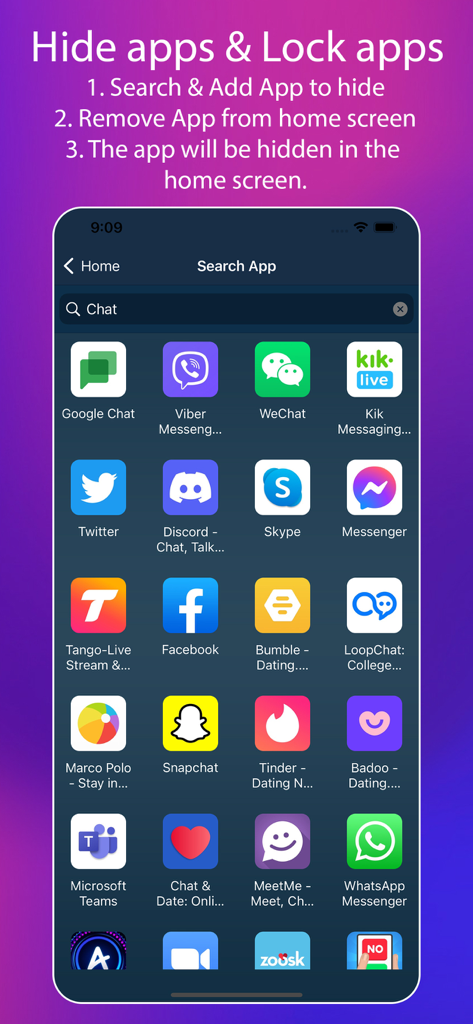
Search interface to select and hide apps like Snapchat and Tinder from the home screen

Search interface to select and hide apps like Snapchat and Tinder from the home screen

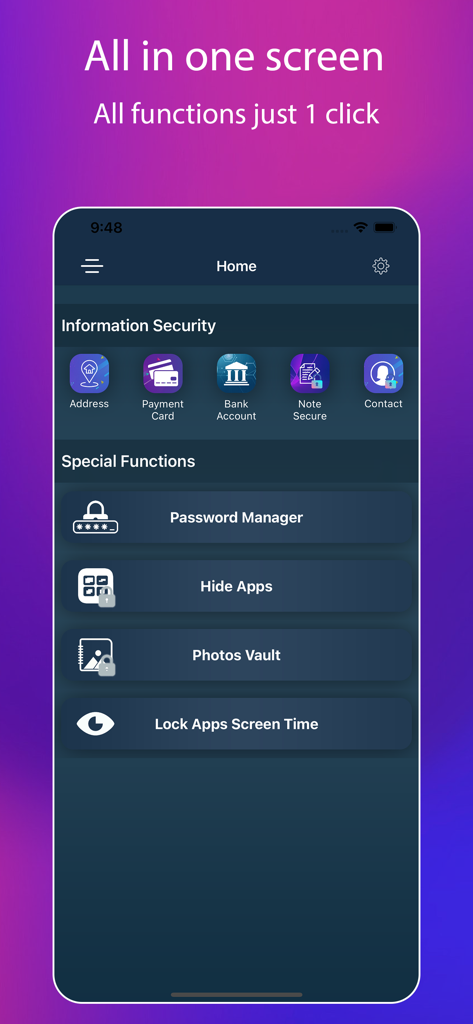
A mobile app interface displaying security features for hiding apps and locking personal information.

A mobile app interface displaying security features for hiding apps and locking personal information.

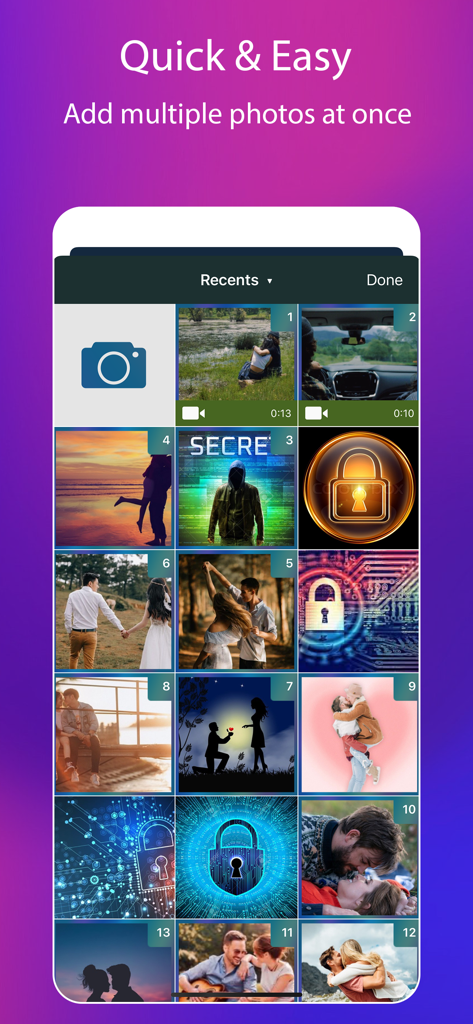
App interface for selecting multiple photos to hide and lock for privacy

App interface for selecting multiple photos to hide and lock for privacy

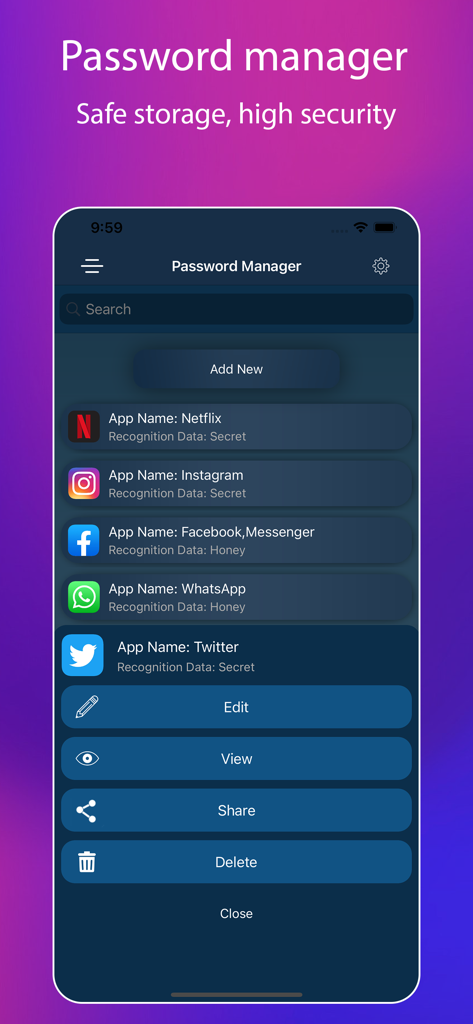
Interface of the Password Manager showing a list of secured apps like Netflix and Instagram with options to edit and view data.

Interface of the Password Manager showing a list of secured apps like Netflix and Instagram with options to edit and view data.

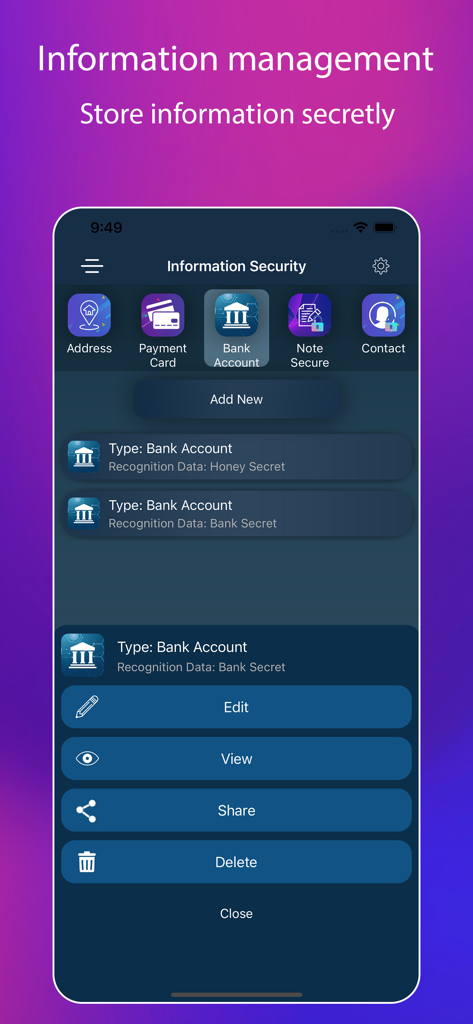
Interface of the app showing secret storage options for bank accounts and payment cards.

Interface of the app showing secret storage options for bank accounts and payment cards.

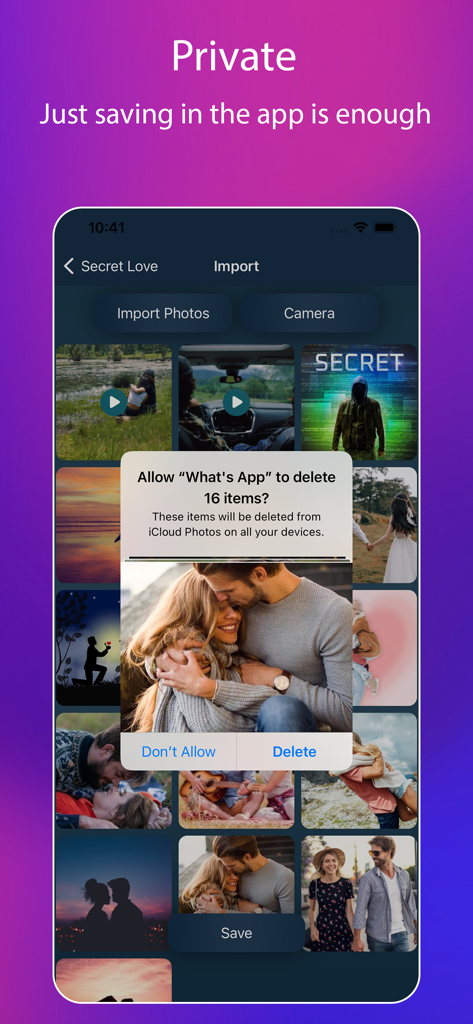
Interface of a private photo vault app showing a prompt to securely hide and delete photos from the device library

Interface of a private photo vault app showing a prompt to securely hide and delete photos from the device library

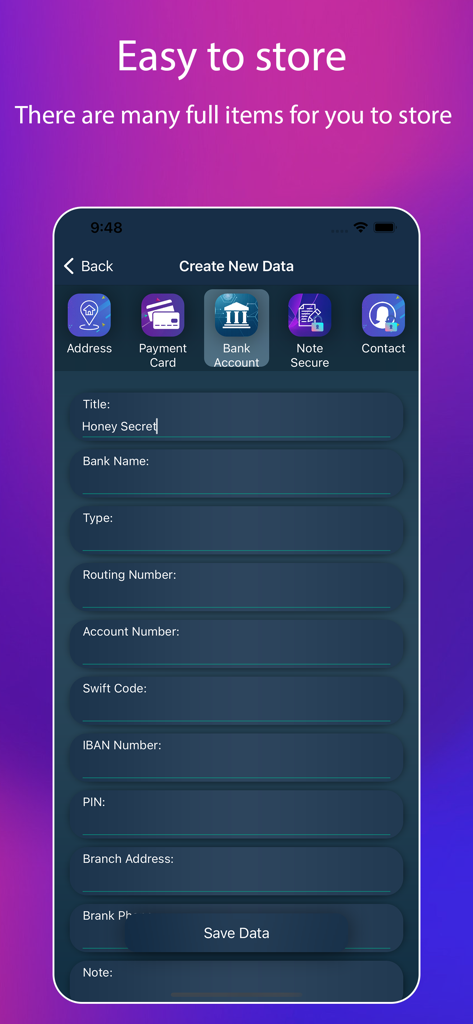
Form to securely store bank account details in the App Lock vault

Form to securely store bank account details in the App Lock vault

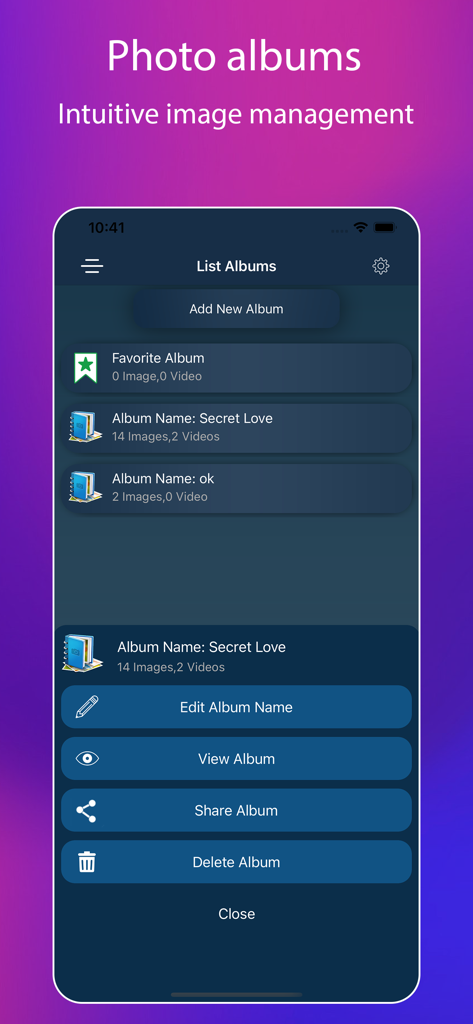
A screen showing a list of secret photo albums with options to edit view and share

A screen showing a list of secret photo albums with options to edit view and share

Ultimate Privacy & Security Suite

The tools that make this app stand out, trusted by 1M+ users.

🛡️

Invisible App & Media Vault

Hide and lock your private photos, videos, and social media apps behind a secure barrier that keeps your personal life invisible to anyone else holding your phone.

🏦

Sensitive Data Shield

Protect your most critical information, from banking details and credit cards to private notes, within a professional-grade encrypted environment.

🔑

Smart Password Management

Eliminate security risks by generating unbreakable random passwords and storing all your digital credentials in a single, secret hub that only you can access.

Loved by users worldwide

Trusted by 1M+ people who love this app.

"

"As a professional who often handles sensitive client data on the go, this app has been a lifesaver. It provides a secure vault for my banking apps and private notes that feels much more robust than the standard OS locks. The peace of mind I get knowing my personal information is shielded by a separate password is worth every penny of the subscription."

Michael R.
"

"I'm always handing my phone to friends to show them photos or music, but I hate the feeling of them accidentally seeing my private messages or dating apps. This app makes it so easy to hide specific icons and lock my gallery. It’s the first thing I install on my iPhone to keep my social life private and my digital boundaries secure."

Sarah J.

About the app

Everything you need to know about App Lock, Hide App & Lock Apps.

Description

An application integrated with many elite features has just been released, that main is App Lock, Hide App & Lock Apps. This application will help you manage all your documents as well as personal information in a confidential manner, you will use a separate password that only you know. Best features of the app: - Photos Lock - Videos Lock - Detailed application lock instructions - Hide apps - Secret Password Manager - Confidential information data (bank, account, notes, address, contact...) - Generate random password In addition, we will provide you with the best support 24/7 for problems arising, please email us or contact us on the support website(https://lockdatamanager.kingsmen.website/). ----------------------------------- Information about the auto-renewable nature of the subscription - Subscription period is monthly or yearly. Every month or year your subscription renews. - Prices for subscriptions depends on which package you choose and will be seen in payment screen. - Payment will be charged to iTunes Account at confirmation of purchase. - Subscription automatically renews unless auto-renew is turned off at least 24-hours before the end of the current period. - Account will be charged for renewal within 24-hours prior to the end of the current period, and identify the cost of the renewal. - Subscriptions may be managed by the user and auto-renewal may be turned off by going to the user's Account Settings after purchase. - Any unused portion of a free trial period, if offered, will be forfeited when the user purchases a subscription to that publication, where applicable. - You can cancel your subscription via this url: https://support.apple.com/en-us/HT202039 - Privacy policy: https://lockdatamanager.kingsmen.website/privacy-policy.html - Term of use: https://lockdatamanager.kingsmen.website/terms-conditions.html ----------------------------------- Thank you

Latest Version

1.6

Size

123.8 MB

First Released

Mar 30, 2022

Take Back Control of Your Privacy

Join over 1 million users who secure their personal photos, apps, and banking info with the ultimate digital vault. Download now and keep your private life truly private.

Download on App Store
FAQ

Frequently Asked Questions

Everything you need to know about App Lock, Hide App & Lock Apps

What are the main features of App Lock, Hide App & Lock Apps?

App Lock, Hide App & Lock Apps provides App Lock, Hide App, Photos Lock, Videos Lock, Secret Password Manager, and secure storage for confidential information like bank details and contacts.

How does App Lock, Hide App & Lock Apps secure personal information?

App Lock, Hide App & Lock Apps secures personal information by requiring a separate, user-defined password. It manages documents and personal data confidentially, including bank accounts, notes, and contacts.

Can I hide applications using App Lock, Hide App & Lock Apps?

Yes, App Lock, Hide App & Lock Apps allows users to hide apps. The process involves searching and adding the app to hide, then removing it from the home screen. The app then becomes hidden.

What kind of confidential data can App Lock, Hide App & Lock Apps store?

App Lock, Hide App & Lock Apps stores confidential information data including bank details, account information, secure notes, addresses, and contact information. It also features a Secret Password Manager.

How can I manage my subscriptions for App Lock, Hide App & Lock Apps?

Users can manage their App Lock, Hide App & Lock Apps subscriptions and turn off auto-renewal through their iTunes Account Settings after purchase. A cancellation URL is also provided.

Does App Lock, Hide App & Lock Apps offer photo and video locking features?

Yes, App Lock, Hide App & Lock Apps includes Photos Lock and Videos Lock. It provides a Photos Vault feature to securely store and manage images and videos.

Is there customer support available for App Lock, Hide App & Lock Apps?

Yes, App Lock, Hide App & Lock Apps offers 24/7 customer support. Users can email the support team or contact them via the support website at https://lockdatamanager.kingsmen.website/.

What are the subscription periods for App Lock, Hide App & Lock Apps?

App Lock, Hide App & Lock Apps offers monthly or yearly subscription periods. Each subscription automatically renews at the chosen interval.

Does App Lock, Hide App & Lock Apps include a password manager?

Yes, App Lock, Hide App & Lock Apps includes a Secret Password Manager. This feature allows for safe storage and high security for various application credentials.

Can App Lock, Hide App & Lock Apps generate random passwords?

Yes, App Lock, Hide App & Lock Apps includes a feature to generate random passwords. This enhances security for new accounts or updates existing ones.