Google Photos: Backup & Edit

Google Photos: Backup & Edit

Download on App StoreDownload on Google Play
Spark by MWM logo
Logo of Google Photos: Backup & Edit

Google Photos: The Smarter Way to Save Your Memories

Get 15 GB of free storage to keep your life safe. Effortlessly find, edit, and share your photos with powerful Google AI, and finally say goodbye to 'Storage Full' warnings on your device.

Publisher

Google LLC

Category

Photo & Video

Downloads

-

User Rating

4.8/5

Total Ratings

-

Locales

39

Memories in Focus

Discover the interface used by users.

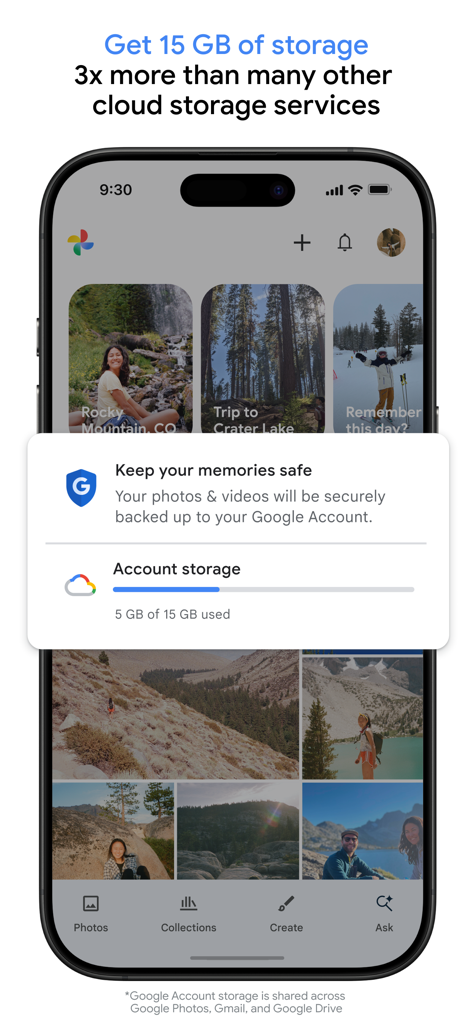
Google Photos mobile interface showing 15 GB of free cloud storage and secure photo backup feature

Google Photos mobile interface showing 15 GB of free cloud storage and secure photo backup feature

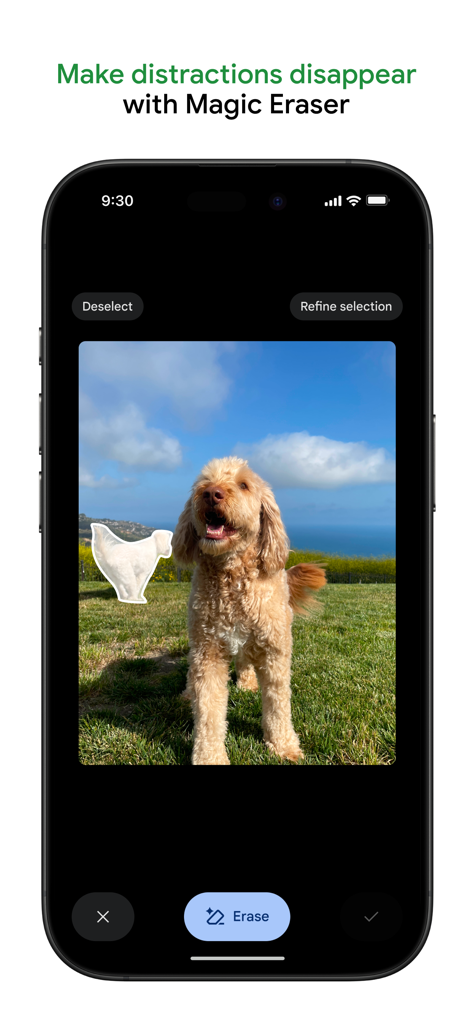
Google Photos app interface showing the Magic Eraser tool removing a background distraction from a photo of a dog

Google Photos app interface showing the Magic Eraser tool removing a background distraction from a photo of a dog

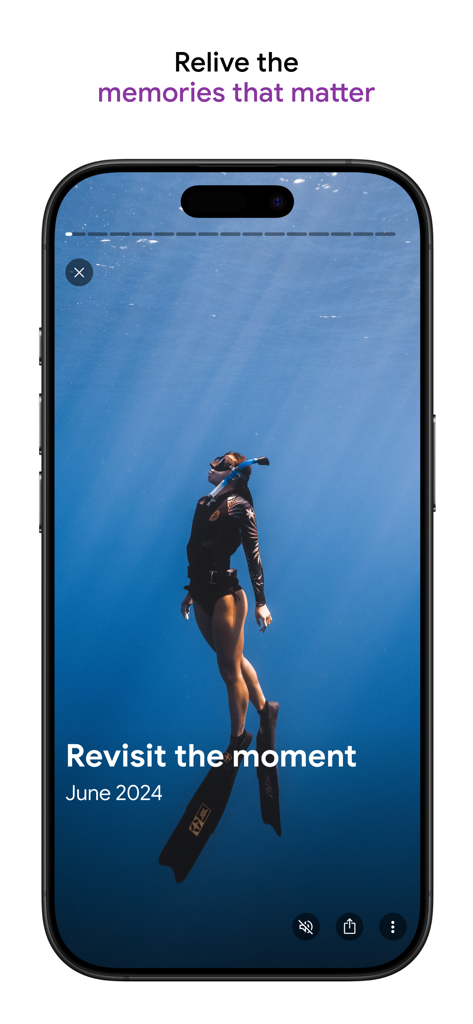
Smartphone displaying an underwater diving photo within the Google Photos memories feature.

Smartphone displaying an underwater diving photo within the Google Photos memories feature.

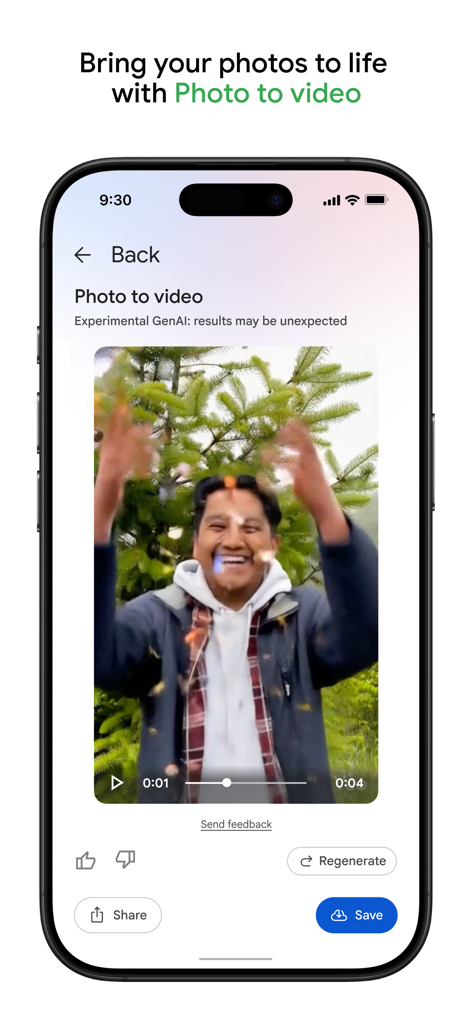
Smartphone screen showing Google Photos AI Photo to video feature with a smiling man and animated particles.

Smartphone screen showing Google Photos AI Photo to video feature with a smiling man and animated particles.

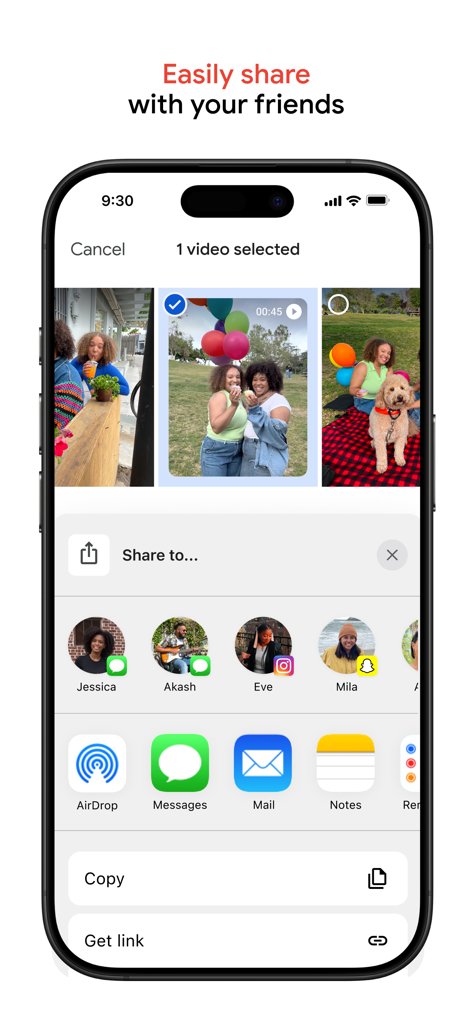
Google Photos app interface showing a menu to share a selected video with friends through various apps

Google Photos app interface showing a menu to share a selected video with friends through various apps

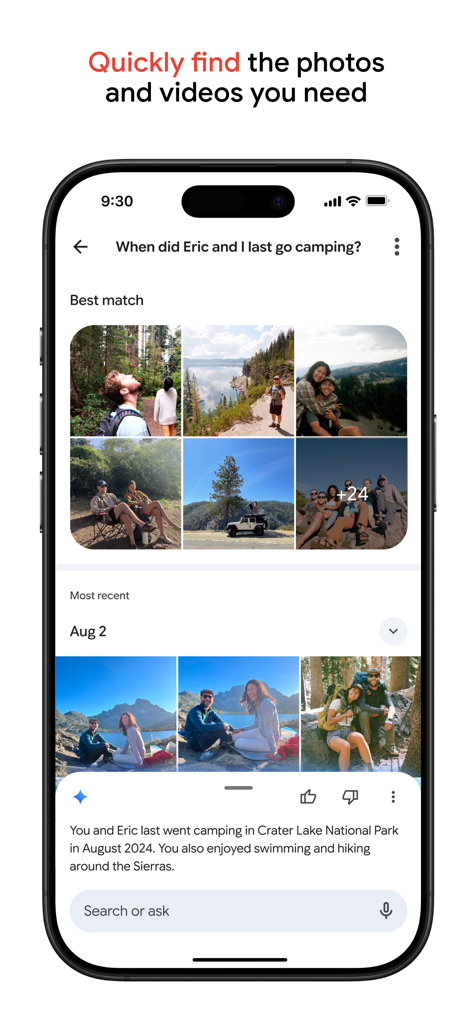
Screenshot of Google Photos interface showing an AI powered search query about a camping trip with photo results and a summary

Screenshot of Google Photos interface showing an AI powered search query about a camping trip with photo results and a summary

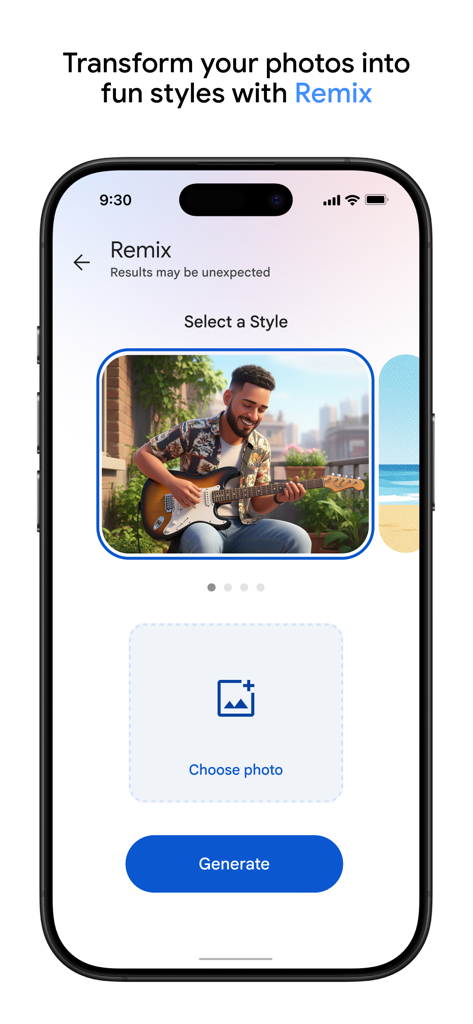
Google Photos Remix interface showing AI photo transformation styles with a generate button

Google Photos Remix interface showing AI photo transformation styles with a generate button

Your Memories, Smarter and Safer

The tools that make this app stand out, trusted by users.

☁️

Never Run Out of Space

Get 15 GB of free cloud storage—3x more than competitors. Use our 'Free Up Space' tool to clear your phone’s memory with a single tap.

🔍

Search, Don’t Scroll

Find exactly what you need instantly. Use AI-powered search to locate specific people, pets, or even text within your photos in seconds.

Pro Editing Made Simple

Perfect your shots without the complexity. Use Magic Eraser to remove distractions and Unblur to bring fuzzy memories back to life.

Loved by users worldwide

Trusted by people who love this app.

"

"As a mom of three, I’m constantly taking photos, and I used to live in constant fear of the 'Storage Full' message. Google Photos has been a total lifesaver! I love how it automatically backs everything up, letting me clear my phone's memory in seconds. The shared albums also make it so easy to keep the whole family updated without clogging up group chats."

Sarah Miller
"

"The AI search tool is absolutely mind-blowing. I can search for something as specific as 'sunset at the beach' and find the exact photo from three years ago in seconds. Plus, the Magic Eraser feature is perfect for cleaning up my travel shots by removing distractions. It's the only app I trust to keep my entire life's memories organized and safe."

David Chen

About the app

Everything you need to know about Google Photos: Backup & Edit.

Description

Google Photos is the home for all your photos and videos. Easily back up, edit, organize, and search your memories with the help of Google AI. • 15 GB OF CLOUD STORAGE: Every Google account gets 15 GB of storage*, 3X more than many other cloud storage services. So you can back up and keep your memories safe automatically on all of your devices. • AI-POWERED EDITING TOOLS: Make complex edits in just a few taps. Remove unwanted distractions with Magic Eraser. Improve out-of-focus blurry photos with Unblur. Enhance lighting and brightness with Portrait Light. • CREATE WITH GOOGLE PHOTOS: Play with AI-powered tools to create content. Remix lets you bring your pictures to life transforming them into fun, unique styles, while Photo to video animates your photos, turning static memories into moving videos. • SEARCH MADE SIMPLE: No more endless scrolling. Ask Photos helps you quickly find what you're looking for, from simple searches like "dogs" to complex searches such as "what's my recipe for pine nut lemon rice?" • EASY ORGANIZATION: Google Photos helps declutter your gallery by automatically organizing duplicates and similar photos into Photo Stacks. It also offers smart, intuitive folders for screenshots, documents, custom albums and daily camera roll organization, making your gallery feel orderly and personalized. You can even save sensitive photos and videos to a locked folder protected by your device screen lock. • RELIVE AND SHARE YOUR FAVORITE MEMORIES: Stroll down memory lane right in Google Photos. Share photos, videos, and albums with any of your contacts — even if they don't use Google Photos. • ALL YOUR MEMORIES IN ONE PLACE: With backup on, you can easily transfer your photos from other apps, galleries and devices, so all of your content is in one place • YOUR MEMORIES ARE SAFE: Your photos and videos are safe and secure from the instant you store them, protected by our advanced security infrastructure while in storage or when you share them. • FREE UP SPACE: Never worry about running out of space on your phone again. Photos that are backed up in Google Photos can be removed from your device’s storage in just a tap. • PRINT YOUR FAVORITE MOMENTS: From your phone, to your home. Turn your favorite memories into photo books, photo prints, canvas wall art and more. Price varies by product. • GOOGLE LENS: Search what you see. This preview enables you to identify text and objects in your photos to learn more and take action. Google Privacy Policy: https://google.com/intl/en_US/policies/privacy * Google Account storage is shared across Google Photos, Gmail, and Google Drive.

Latest Version

7.58.0

Size

379.4 MB

First Released

May 28, 2015

Never Run Out of Space for Your Memories Again

Get 15 GB of free cloud storage—3x more than iCloud—to back up your life. Join over 300 million users who use Google AI to search, edit, and protect their photos in seconds.

Download on App StoreDownload on Google Play
FAQ

Frequently Asked Questions

Everything you need to know about Google Photos: Backup & Edit
How much free cloud storage does Google Photos offer?

Google Photos provides 15 GB of free cloud storage with every Google account. This storage is shared across Google Photos, Gmail, and Google Drive.

Does Google Photos include a Magic Eraser feature?

Yes, Google Photos includes the AI-powered Magic Eraser tool. It allows users to remove unwanted distractions and objects from their photos with ease.

Can Google Photos create videos from my pictures?

Yes, Google Photos offers a "Photo to video" feature that animates static memories. It transforms your photos into moving videos using AI-powered tools.

How can I search for specific photos in Google Photos?

Google Photos features "Ask Photos" which enables simple and complex searches. Users can quickly find specific photos or videos using natural language queries.

How does Google Photos help organize my gallery?

Google Photos automatically organizes duplicates into Photo Stacks. It also creates smart folders for screenshots, documents, and custom albums, enhancing gallery organization. A locked folder protects sensitive media.

What is the Remix feature in Google Photos?

The Remix feature in Google Photos uses AI-powered tools to transform pictures into fun, unique styles. It allows users to bring their images to life with creative variations.

Is my data secure in Google Photos?

Yes, your photos and videos are safe and secure in Google Photos. They are protected by Google's advanced security infrastructure from the moment they are stored.

Can Google Photos help free up space on my device?

Yes, Google Photos helps free up device space. Photos backed up in Google Photos can be removed from your device’s storage with a single tap, without losing the content.

Can I print photos directly from Google Photos?

Yes, Google Photos allows you to print your favorite moments. You can turn memories into photo books, prints, and canvas wall art directly from the app.

Does Google Photos integrate with Google Lens?

Yes, Google Photos includes Google Lens functionality. This feature enables users to identify text and objects within their photos to learn more and take action.