Audio Jam: AI for musicians

Audio Jam: AI for musicians

Download on App Store
Spark by MWM logo
Logo of Audio Jam: AI for musicians
Audio Jam: The AI-Powered Command Center for Your Musical Mastery

Isolate instrument tracks with surgical precision, adjust tempo without losing pitch, and sync your digital scores. Use AI to deconstruct your favorite songs and cut your practice time in half.

Publisher

Kiraku Tech Co., Ltd.

Category

Music

Downloads

299K+

User Rating

4.8/5

Total Ratings

6K+

Locales

6

Your Studio, Visualized

Discover the interface used by 299K+ users.
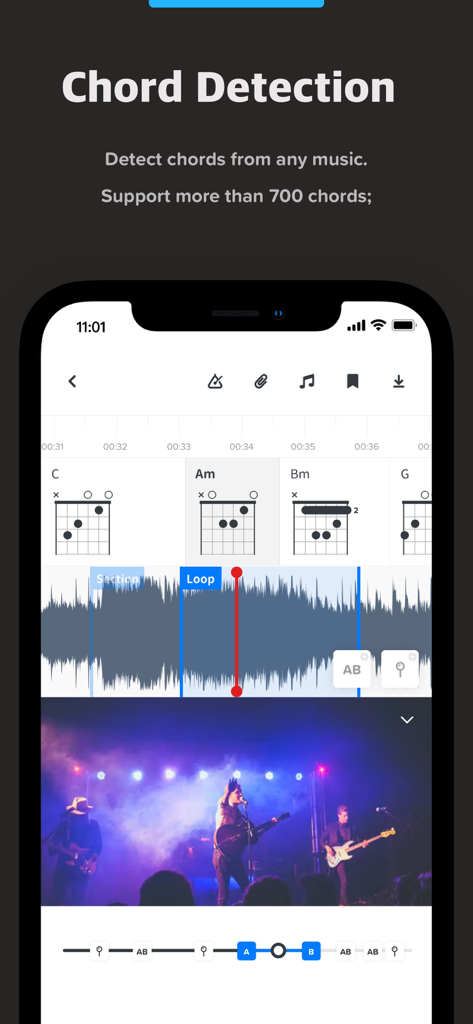
Audio Jam app interface displaying AI chord detection and guitar chord diagrams

Audio Jam app interface displaying AI chord detection and guitar chord diagrams

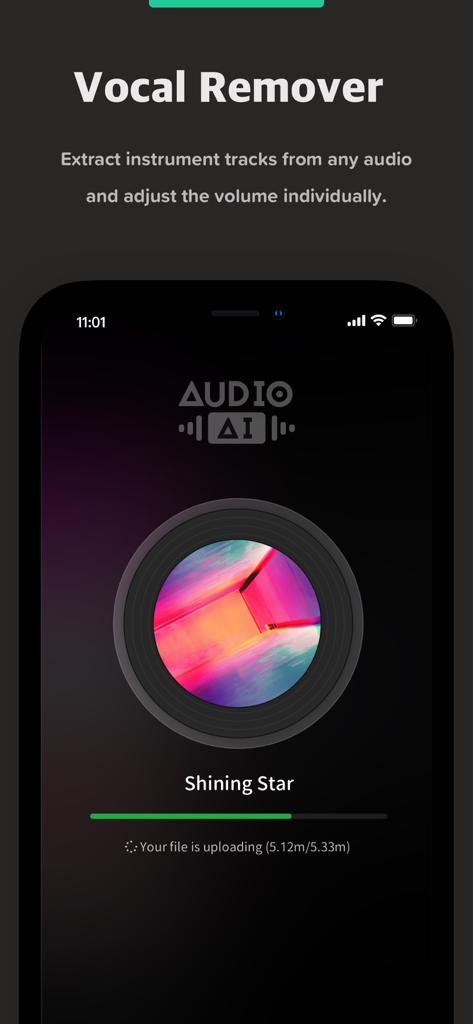
Audio Jam app screen showing the AI vocal remover feature extracting instrument tracks from a song

Audio Jam app screen showing the AI vocal remover feature extracting instrument tracks from a song

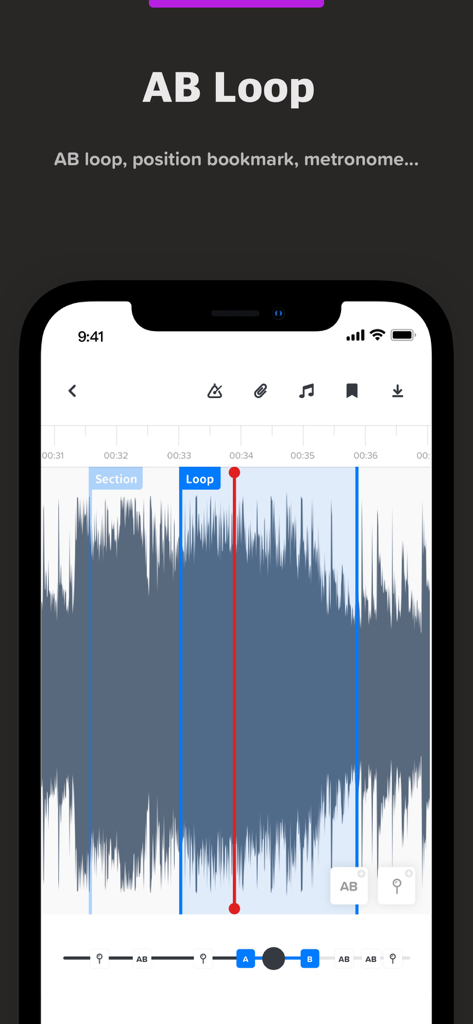
Audio Jam app interface showing the AB loop feature with an audio waveform and markers for music practice.

Audio Jam app interface showing the AB loop feature with an audio waveform and markers for music practice.

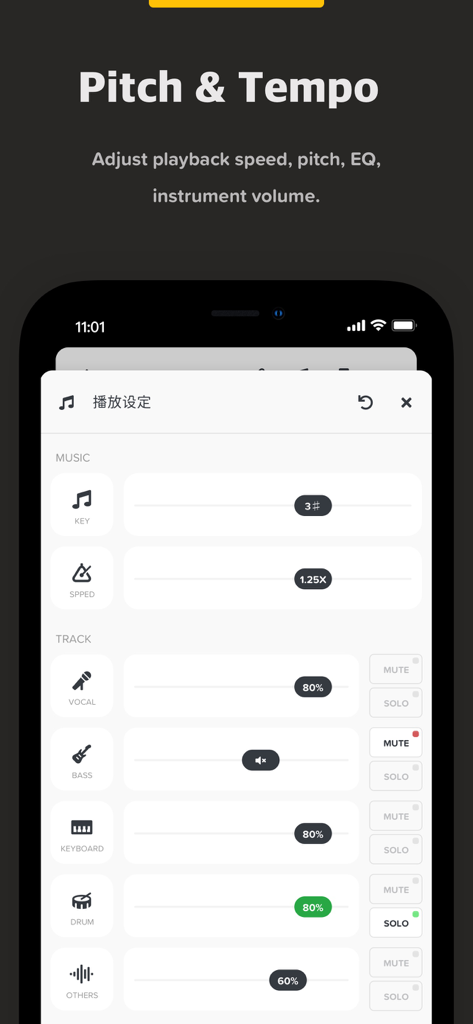
Audio Jam app interface for adjusting music pitch tempo and individual instrument track volumes

Audio Jam app interface for adjusting music pitch tempo and individual instrument track volumes

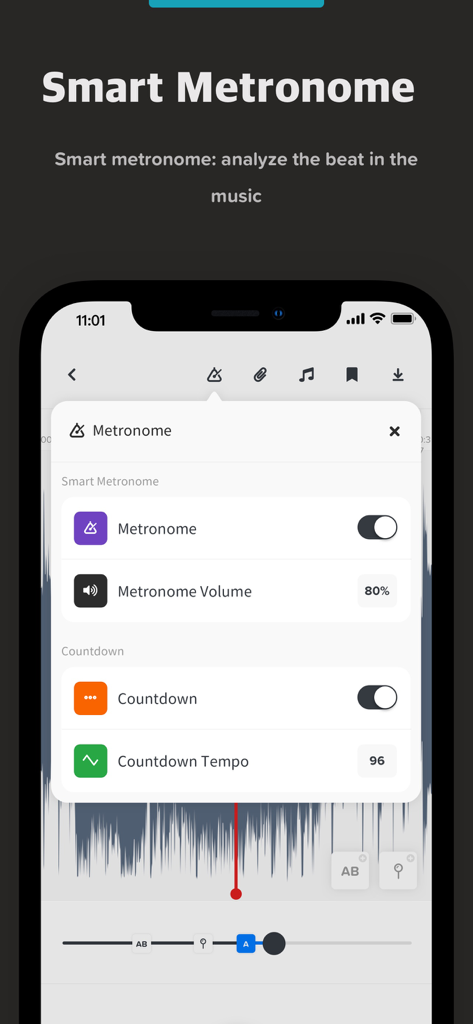
Interface of Audio Jam app showing smart metronome settings including volume and countdown tempo

Interface of Audio Jam app showing smart metronome settings including volume and countdown tempo

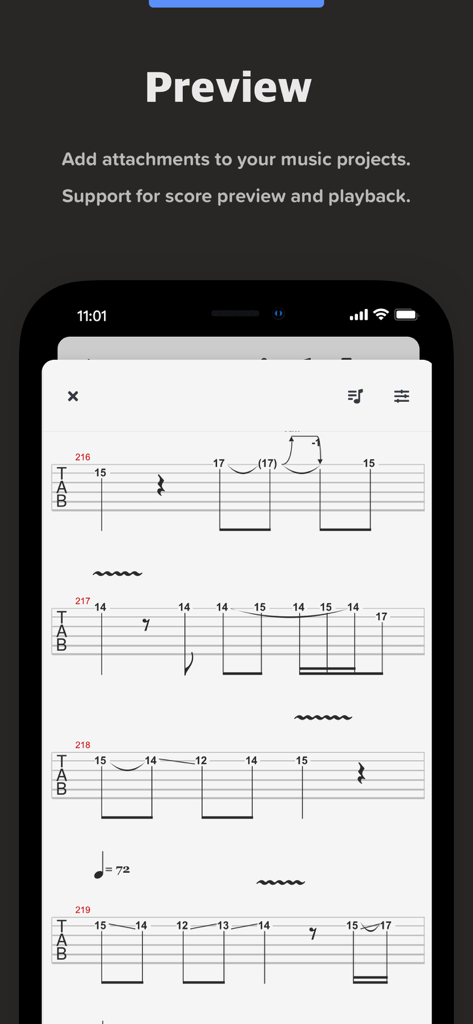
Mobile screen showing a guitar tablature score preview within the Audio Jam app

Mobile screen showing a guitar tablature score preview within the Audio Jam app

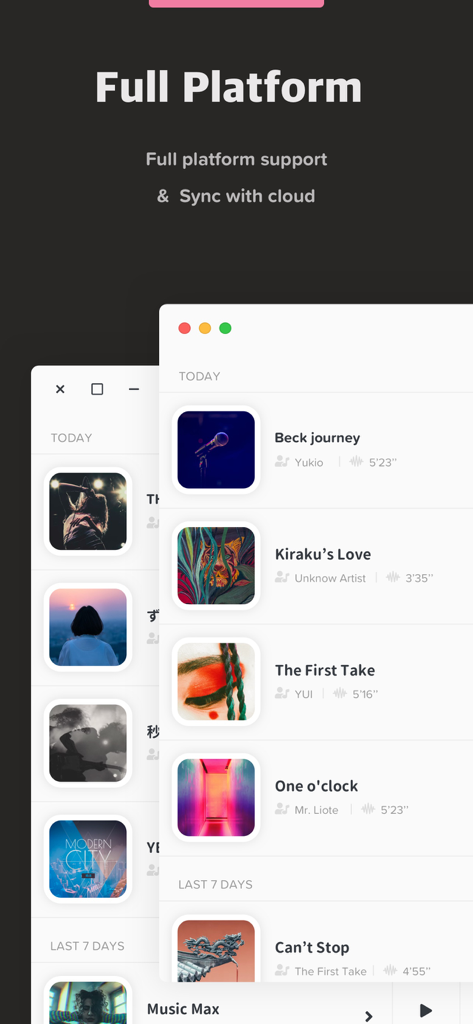
Audio Jam music app interface highlighting full platform support and cloud synchronization feature

Audio Jam music app interface highlighting full platform support and cloud synchronization feature

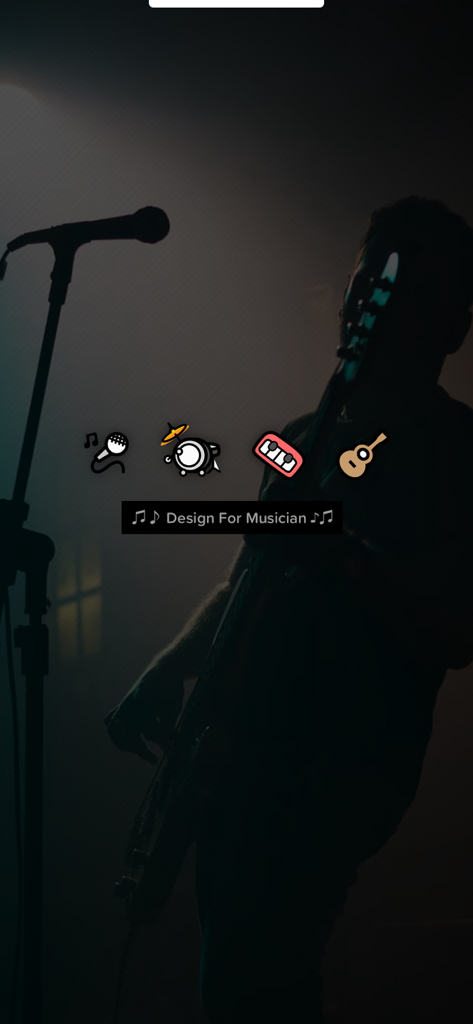
Silhouette of a musician on stage with icons representing vocals, drums, keyboards, and guitar stems.

Silhouette of a musician on stage with icons representing vocals, drums, keyboards, and guitar stems.

Master Every Note with AI-Powered Precision

The tools that make this app stand out, trusted by 299K+ users.

🎸

AI Instrument Separation

Instantly isolate or remove vocals, drums, bass, and guitars from any song to hear every detail of the performance with X-ray clarity.

🔁

Smart AB Looping & Speed Control

Slow down fast passages without changing the pitch. Loop difficult sections to build muscle memory until you have mastered the track.

🎼

Integrated Score & Cloud Sync

Sync your projects across all devices and preview Guitar Pro or MusicXML files alongside your audio for a seamless practice workflow.

Loved by users worldwide

Trusted by 299K+ people who love this app.

"

"Audio Jam is an absolute lifesaver for my session work. Being able to isolate the guitar stems and loop difficult sections has cut my practice time in half. I can finally hear the nuances in a mix that used to be buried. It’s easily the most essential tool in my kit for learning new setlists quickly."

Marcus Rivera
"

"As a music student, this is the tool I’ve always dreamed of. I use the AudioAI to remove the bass tracks so I can play along to my favorite records, and the pitch adjustment is perfect for practicing in different keys. The cloud sync between my Mac and iPad is seamless—I couldn't imagine my daily routine without it."

Chloe Chen

About the app

Everything you need to know about Audio Jam: AI for musicians.

Description

# Designed for musician To do well, you must first sharpen your tools. AudioJam is a powerful music learning tool for professional musicians like you. AI accompaniment to extract instrument tracks, AB loop clips, adjust tempo and pitch... Pick up the score and practice songs more efficiently. It has the following specific features. * AudioAI: Separate vocal, drum, bass, keyboard piano, guitar and other instrument tracks from any song. And you can adjust the volume of the separated tracks. * AB Loop Playback: Set the starting point and end point of the audio, and keep playing AB loop constantly. * Audio Bookmarks: Add bookmarks to specific positions of the audio to easily jump to the corresponding position. * Speed and Tone Adjustment: Adjust the tone and speed more suitable. * EQ Adjustment: Support three bands of EQ, increase or decrease the volume of the corresponding high and low frequency bands to easily distinguish the sound of instruments. * Music Attachments: You can import music-related attachments and support preview playback of Guitar Pro and MusicXML scores. * Countdown Entry: Countdown entry following the beat for more effective practice with songs. * All-platform + Cloud Sync: Allows you to access your project whenever and wherever you want. In AudioJam, we support the following audio and video formats. * Audio: mp3, m4a, aac, aiff, wav * Video: mp4, mov To get the best out of AudioJam, you can also upgrade to our Pro membership. It includes the following benefits. * AudioAI usage limit increased from 5 times/month to 100 times/month. * Audio and video length increased from five minutes to twenty minutes. * Number of projects raised from three to unlimited. * Exporting projects. * No ads, more refreshing experience. * Pro benefits are available across all platforms. ++ Additional Subscription Notice ++ * Annual / semi-annual / monthly subscription plans (starting at USD $6.99 / $39.99 respectively). * Payment will be made through your iTunes account after confirmation of purchase. * By default, the subscription will automatically renew at the same price and period after the subscription expires according to the original plan. To cancel your subscription, you must cancel at least 24 hours in advance of the expiration of your existing subscription plan. * You can cancel your subscription plan at any time through the subscription settings in your personal iTunes account (find Settings on your device, click iTunes and App Store > Apple ID > View Apple ID > Enter Password > Subscriptions > Manage App Subscriptions > Click the Cancel Subscription button at the bottom of the page). # Legal * For more information, please visit: http://audiojam.app/ * Privacy Policy: https://audiojam.app/privacy * Terms of Service: https://audiojam.app/terms # Questions? If you have any suggestions or feedback, please email our production team at focus-feedback#foxmail.com

Latest Version

2.12.0

Size

135.4 MB

First Released

Dec 21, 2021

Sharpen Your Skills and Master Every Song

Join over 300,000 musicians using Audio Jam's AI toolkit to isolate tracks, loop difficult sections, and perfect your performance on any device.

Download on App Store
FAQ

Frequently Asked Questions

Everything you need to know about Audio Jam: AI for musicians

What is AudioJam?

AudioJam is a powerful AI-powered music learning tool designed for professional musicians. It helps users practice efficiently by offering features like instrument track extraction, tempo/pitch adjustment, and AB loop playback.

Can AudioJam separate instrument tracks from a song?

Yes, AudioJam's AudioAI feature separates vocal, drum, bass, keyboard, guitar, and other instrument tracks from any song. Users also adjust the volume of individual separated tracks.

Does AudioJam detect chords in music?

Yes, AudioJam features Chord Detection. It detects chords from any music and supports recognition for over 700 different chords, assisting musicians in learning and transcribing.

Does AudioJam support AB loop playback?

Yes, AudioJam supports AB Loop Playback. Users set specific start and end points within an audio track to continuously loop that section for practice.

Can users adjust the speed and tone in AudioJam?

Yes, AudioJam allows users to adjust both the tone (pitch) and speed (tempo) of the audio. This feature helps musicians practice songs at a pace and pitch suitable for their needs.

Does AudioJam have a smart metronome?

Yes, AudioJam features a Smart Metronome that analyzes the beat within the music. It also offers a countdown entry to help musicians start practicing effectively with the song's tempo.

What audio and video formats does AudioJam support?

AudioJam supports several audio formats including mp3, m4a, aac, aiff, and wav. It also supports video formats such as mp4 and mov for importing media.

What benefits does an AudioJam Pro membership offer?

AudioJam Pro membership increases AudioAI usage to 100 times/month, extends audio/video length to twenty minutes, provides unlimited projects, allows project exporting, removes ads, and offers cross-platform benefits.

How much does a monthly AudioJam Pro subscription cost?

A monthly AudioJam Pro subscription starts at USD $6.99. Other plans, including semi-annual, are also available, with the semi-annual plan starting at USD $39.99.

How do I cancel my AudioJam Pro subscription?

Users cancel their AudioJam Pro subscription through the subscription settings in their personal iTunes account. Cancellation must occur at least 24 hours before the existing plan expires to prevent automatic renewal.