C/C++ LLVM Clang

C/C++ LLVM Clang

Download on App Store
Spark by MWM logo
Logo of C/C++ LLVM Clang

C/C++ LLVM Clang: Professional Offline Coding & Compilation on the Go

Master C and C++ with a desktop-grade LLVM compiler in your pocket. Execute code locally, sync projects via Git and iCloud, and transform your iPad into a professional workstation—no internet required.

Publisher

小文 黄

Category

Developer Tools

Downloads

117K+

User Rating

4.7/5

Total Ratings

1K+

Locales

2

Code Without Limits

Discover the interface used by 117K+ users.
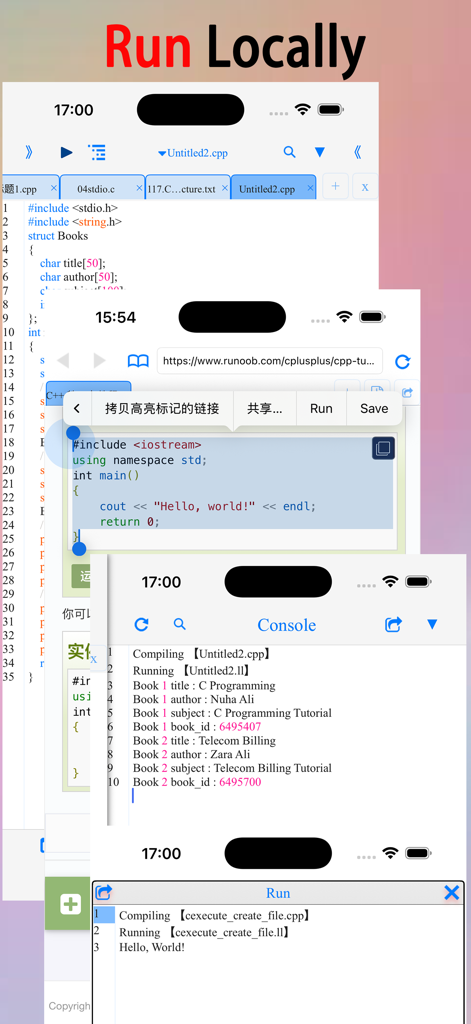
A collage of screenshots from a mobile IDE showing a C and C++ code editor browser based code selection and the local console output for offline execution

A collage of screenshots from a mobile IDE showing a C and C++ code editor browser based code selection and the local console output for offline execution

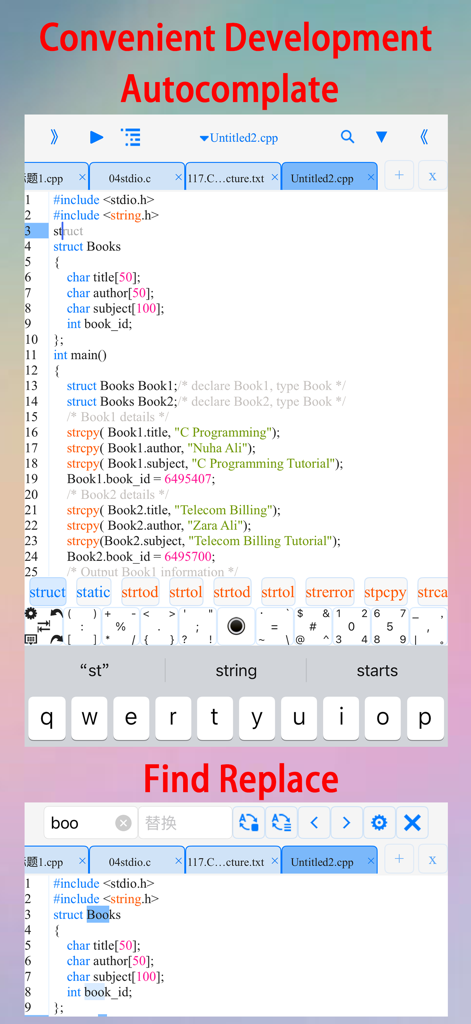
C and C plus plus compiler app interface showing autocomplete and search features

C and C plus plus compiler app interface showing autocomplete and search features

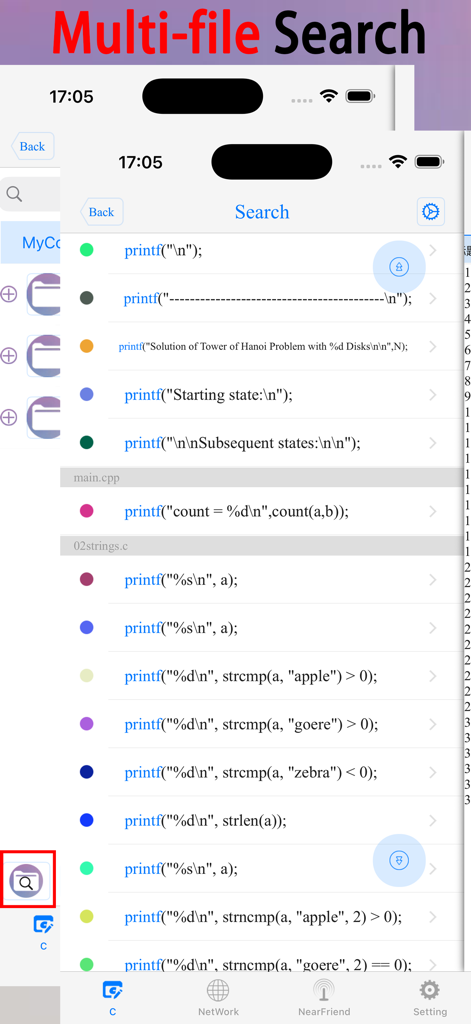
Screenshot of the C/C++ LLVM Clang app showing the multi-file search results across multiple code files.

Screenshot of the C/C++ LLVM Clang app showing the multi-file search results across multiple code files.

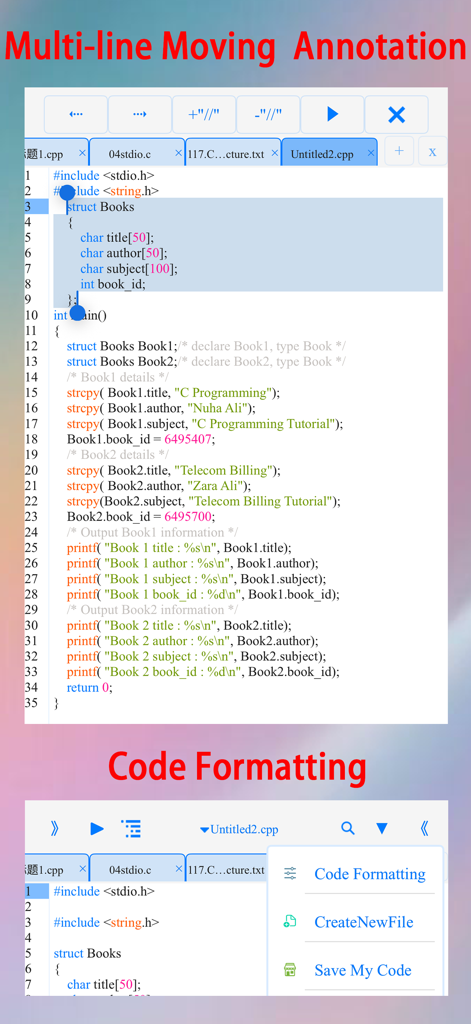
Mobile code editor interface with C plus plus code formatting and multi line selection options

Mobile code editor interface with C plus plus code formatting and multi line selection options

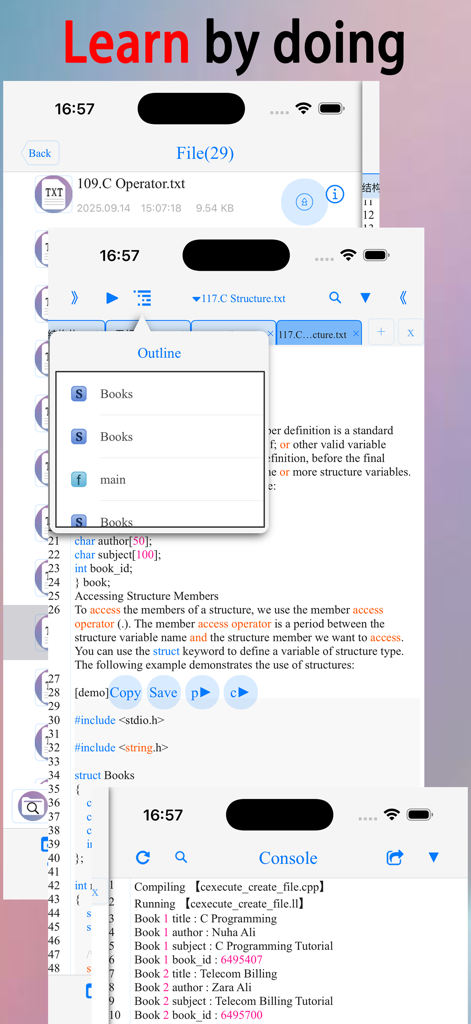
C and C plus plus mobile compiler app showing code editor outline and console output

C and C plus plus mobile compiler app showing code editor outline and console output

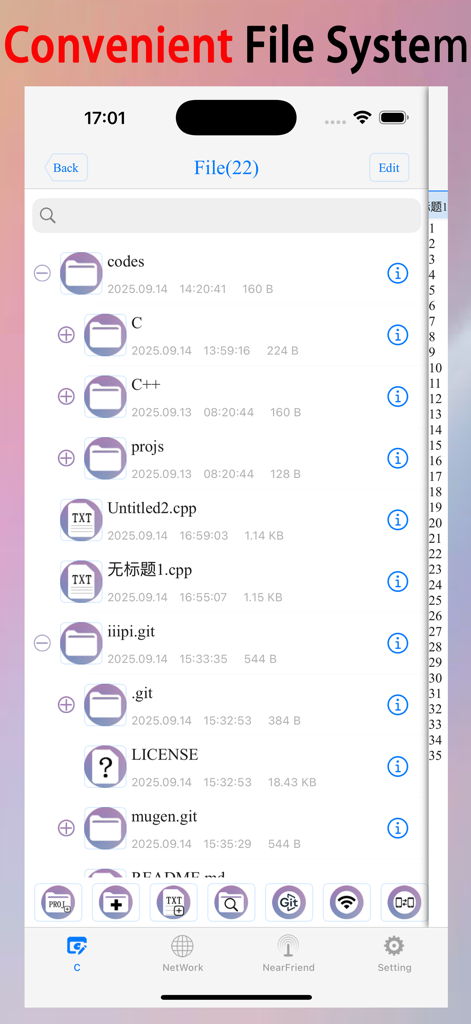
A mobile file manager interface showing folders and source code files for C and C plus plus programming

A mobile file manager interface showing folders and source code files for C and C plus plus programming

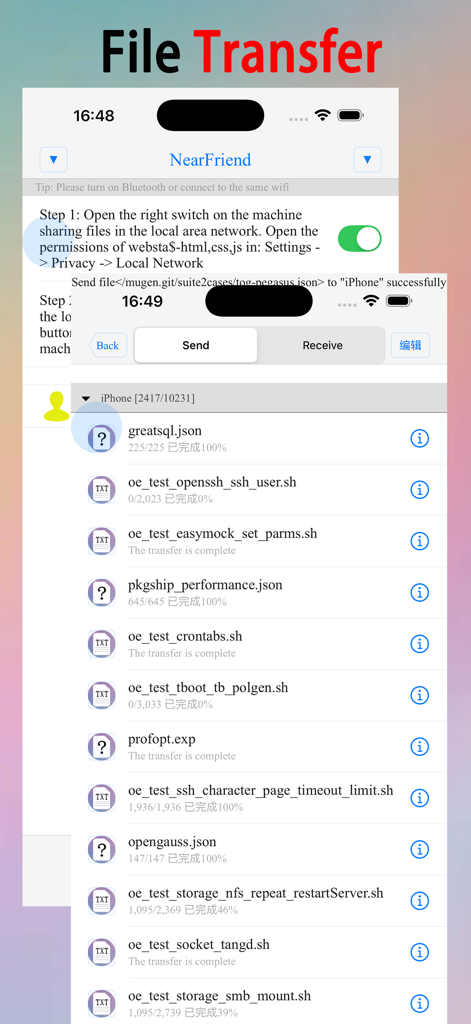
File transfer interface in the C-CPP LLVM Clang mobile app showing file list and transfer status.

File transfer interface in the C-CPP LLVM Clang mobile app showing file list and transfer status.

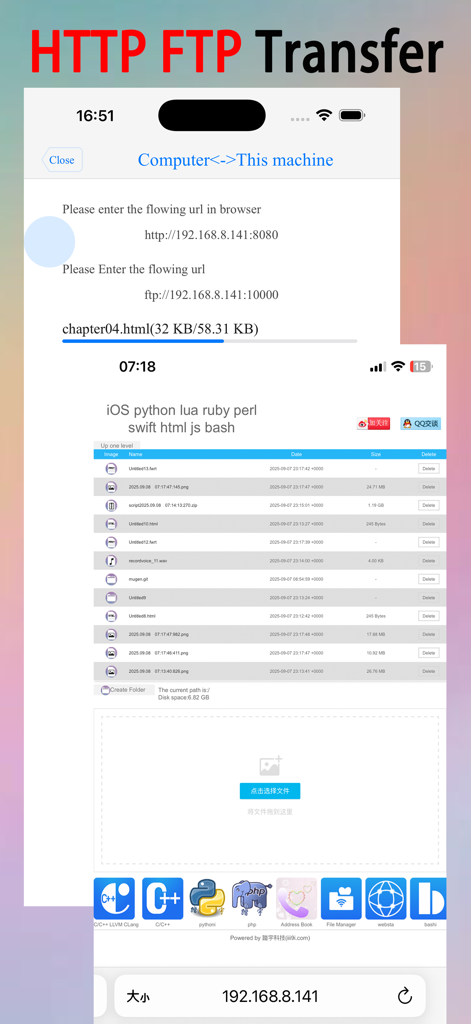
Mobile app interface for HTTP and FTP file transfers between device and computer

Mobile app interface for HTTP and FTP file transfers between device and computer

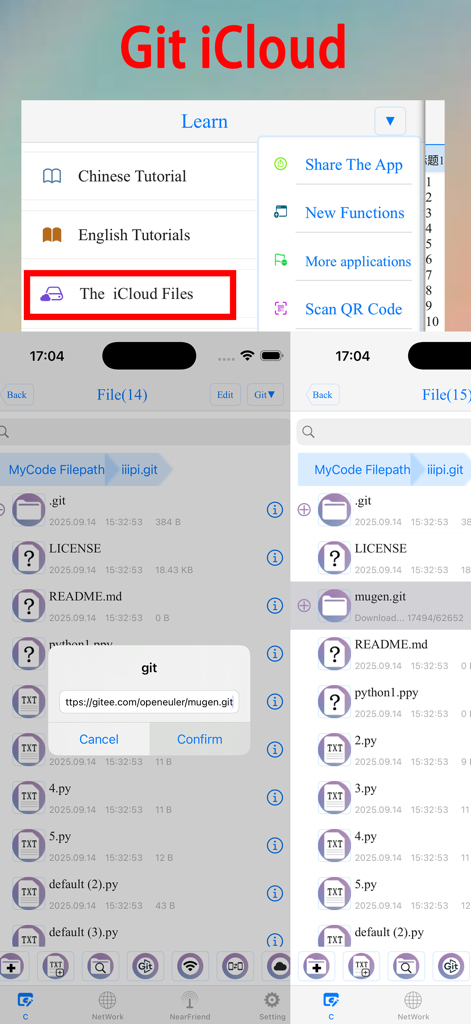
Interface of the C/C++ LLVM Clang app demonstrating Git integration and iCloud file synchronization

Interface of the C/C++ LLVM Clang app demonstrating Git integration and iCloud file synchronization

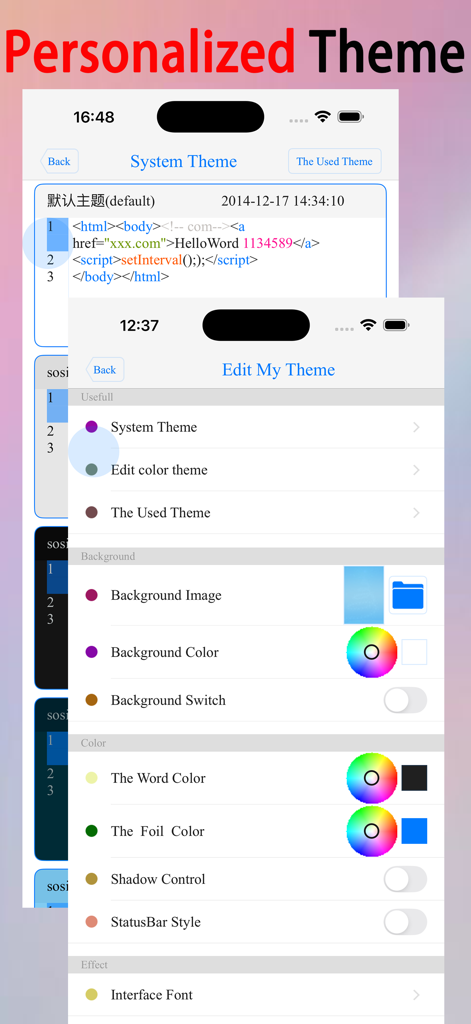
Personalized theme settings for the C/C++ IDE app showing options to edit background colors fonts and text styles

Personalized theme settings for the C/C++ IDE app showing options to edit background colors fonts and text styles

Master C/C++ Development Anywhere

The tools that make this app stand out, trusted by 117K+ users.

Native Offline Compilation

Run your code instantly with a local LLVM and Clang compiler. No internet required, no latency—just pure native execution for C and C++ projects.

🔄

Professional Git & Cloud Sync

Pull repositories directly from GitHub or Gitee and keep your workspace synchronized across devices via iCloud for a seamless desktop-to-mobile workflow.

💎

Intelligent Pro Editor

Code faster with smart auto-complete, customizable templates, and a specialized symbol keyboard designed to make mobile programming as efficient as your desktop setup.

Loved by users worldwide

Trusted by 117K+ people who love this app.

"

"This app is a lifesaver for my Data Structures class. Being able to compile and run C++ code natively on my iPad during my commute is amazing. The symbol keyboard makes typing code on a touchscreen actually bearable, and the offline support means I can finish my assignments even without Wi-Fi."

Alex Chen, CS Student
"

"Finally, a real development environment for the iPad. The LLVM/Clang integration is top-notch, and the Git support allows me to pull my projects directly from GitHub. I love the customization options for the editor—it feels just as powerful as my desktop setup but fits in my pocket."

Jordan Miller, Senior Software Engineer

About the app

Everything you need to know about C/C++ LLVM Clang.

Description

This is a learning tool for efficient C/C++ learning, fast programming, 【(LLVM+Clang)offline compilation and local execution】, Git fetching, iCloud storage, and efficient transfer and sharing via LAN HTTP/FTP multi-point connections. (^.^) It aspires to help you who want to learn, develop, or improve! ! ! (^.^) (^.^) Enjoy colorful learning materials at your fingertips and run examples while learning, making it easy to understand and efficient. (^.^) Enjoy code templates, autocomplate, auto-indentation, code coloring, symbol completion, a symbol keyboard, text search, multi-file search, multi-line indentation, and multi-line comments, code formatting, making development more convenient. (^.^) Enjoy easy iCloud storage and multi-device synchronization for efficient collaboration. (^.^) Get source code projects from gitee.com and GitHub with Git. (^.^) Connect to your LAN or Bluetooth and efficiently transfer files via HTTP/FTP multi-point connections. (^.^) Use the built-in browser to easily search for learning materials. Simply select code in the built-in browser to run it. (^.^) Open files in C, CPP, txt, PDF, CHM, MP3, M4V, zip, GIF, PNG, HTML, PY, doc, and other formats from the file system. (^.^) Create folders, files, move files, import files, import photos, import videos, generate audio and video, compress files, and control file sorting from the file system. (^.^) Use gestures like 【left and right swipe】 to switch interfaces quickly and easily. (^.^) Adjust code color, font size, and line spacing for a more comfortable reading experience. (^.^) Customize background images, background colors, text colors, Key colors, shadows, text fonts, text size, background animations, interface transition animations, and the number and order of tabs on the main interface to create your own personalized learning software. (^.^) Generate QR codes for C/C++ scripts and learning materials at your leisure, and scan them to access the scripts and learning materials. (^.^) Share C/C++ scripts and learning materials via email, Weibo, Twitter, and Facebook. Code Templates - The contents of a new file will be copied from the code template. For any questions or suggestions, please contact the developer: QQ: 1301367159 WeChat: 1301367159

Latest Version

3.0

Size

137.1 MB

First Released

Jul 31, 2015

Ready to Code Offline? Take the Power of LLVM with You.

Join 117K+ developers mastering C/C++ on the move. Download the ultimate mobile IDE and turn your iPad or iPhone into a professional workstation today.

Download on App Store
FAQ

Frequently Asked Questions

Everything you need to know about C/C++ LLVM Clang

Does "C/C++ LLVM Clang" support offline compilation?

Yes, C/C++ LLVM Clang supports offline compilation and local execution using LLVM+Clang. This allows users to compile and run C/C++ code without an internet connection.

Can users fetch source code projects from Git repositories in C/C++ LLVM Clang?

Yes, C/C++ LLVM Clang allows users to fetch source code projects from gitee.com and GitHub using Git. This feature facilitates project management and collaboration.

Does "C/C++ LLVM Clang" support iCloud for file synchronization?

Yes, C/C++ LLVM Clang supports easy iCloud storage and multi-device synchronization. This enables efficient collaboration and access to files across multiple Apple devices.

How does C/C++ LLVM Clang facilitate file transfer?

C/C++ LLVM Clang connects to your LAN or Bluetooth for efficient file transfer. It supports multi-point connections via HTTP/FTP protocols, allowing seamless sharing of learning materials and scripts.

What code editing features are available in C/C++ LLVM Clang?

C/C++ LLVM Clang offers features like code templates, autocompletion, auto-indentation, code coloring, symbol completion, symbol keyboard, text search, multi-file search, multi-line indentation, multi-line comments, and code formatting.

Can users customize the appearance of the C/C++ LLVM Clang app?

Yes, users can customize code color, font size, line spacing, background images/colors, text colors, key colors, shadows, text fonts, background animations, interface transition animations, and the number/order of tabs.

What file formats can the C/C++ LLVM Clang app open?

The C/C++ LLVM Clang app can open C, CPP, txt, PDF, CHM, MP3, M4V, zip, GIF, PNG, HTML, PY, and doc files from the file system.

How can users share C/C++ scripts and learning materials from the app?

Users can share C/C++ scripts and learning materials via email, Weibo, Twitter, and Facebook. The app also supports generating QR codes for easy sharing and access.

Does C/C++ LLVM Clang include a built-in browser?

Yes, C/C++ LLVM Clang includes a built-in browser. Users can use it to search for learning materials and select code directly within the browser to run it, facilitating "learn by doing."