Calculator for iPad +

Calculator for iPad +

Download on App Store
Spark by MWM logo
Logo of Calculator for iPad +
Calculator for iPad +: The Professional Standard for Your Workflow

Experience a redefined, ad-free calculator built for the iPad power user. Elevate your productivity with a premium interface designed for seamless multitasking and professional-grade calculations.

Download on App Store

Publisher

Beijing Free Calculator Technology Co., Ltd.

Category

Lifestyle

Downloads

29M+

User Rating

4.2/5

Total Ratings

41K+

Locales

31

Precision in Every Pixel

Discover the interface used by 29M+ users.
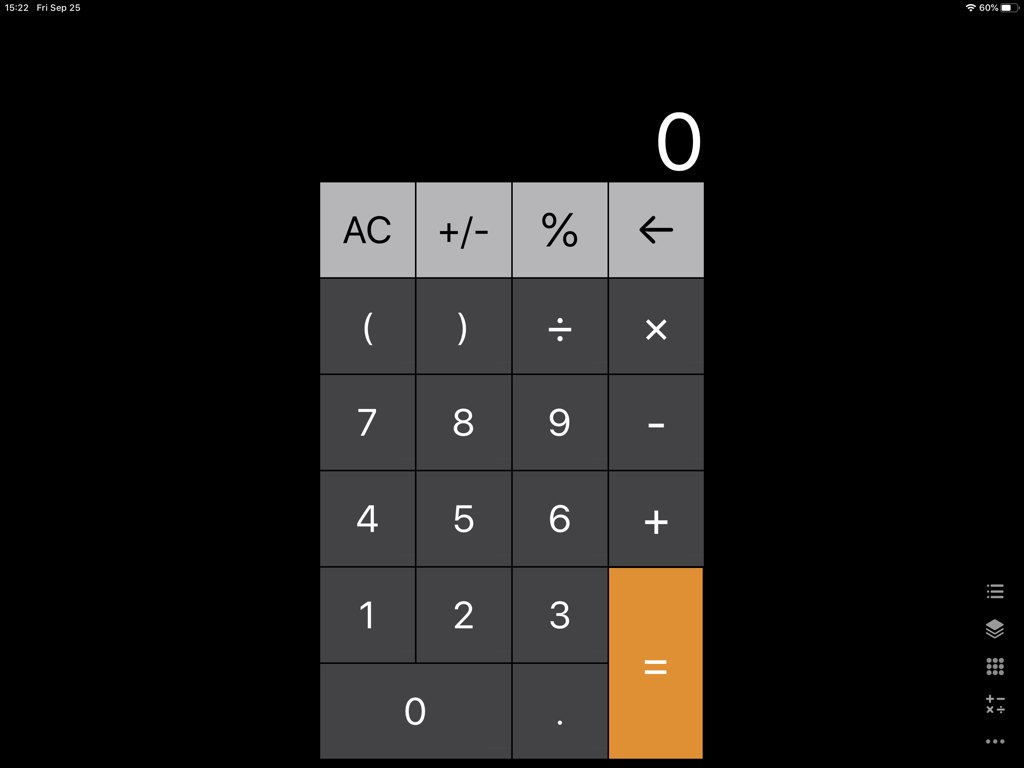
User interface of the Calculator for iPad plus app showing a clean dark theme with numeric keypad and operators

User interface of the Calculator for iPad plus app showing a clean dark theme with numeric keypad and operators

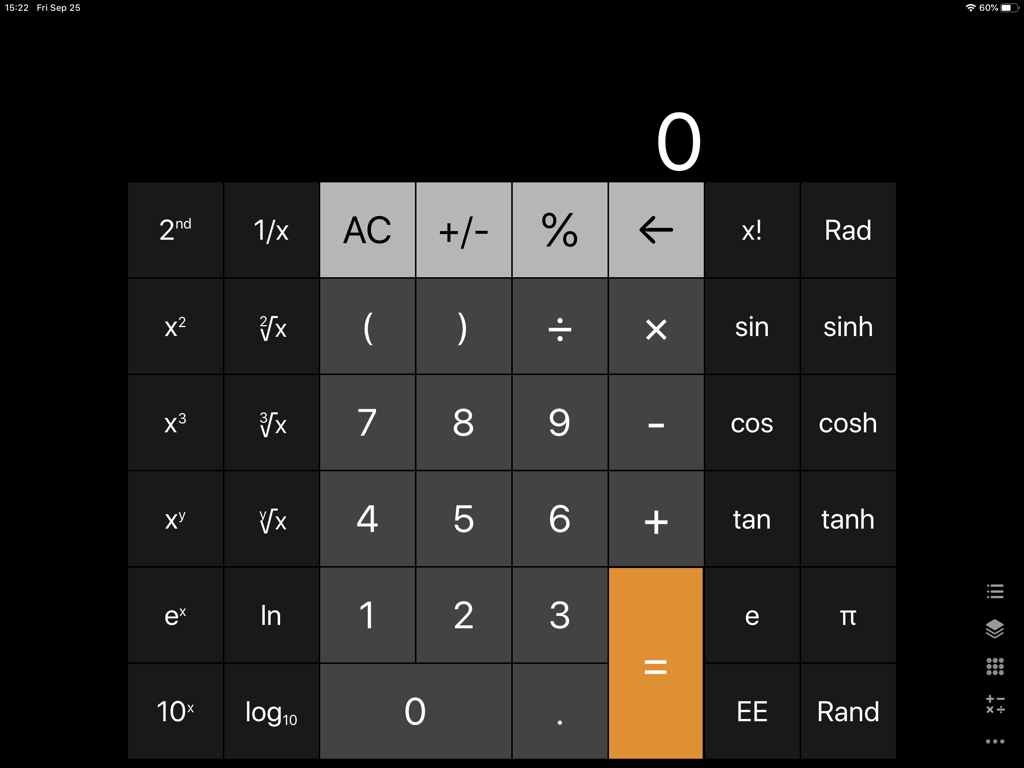
Scientific calculator app interface for iPad with dark theme

Scientific calculator app interface for iPad with dark theme

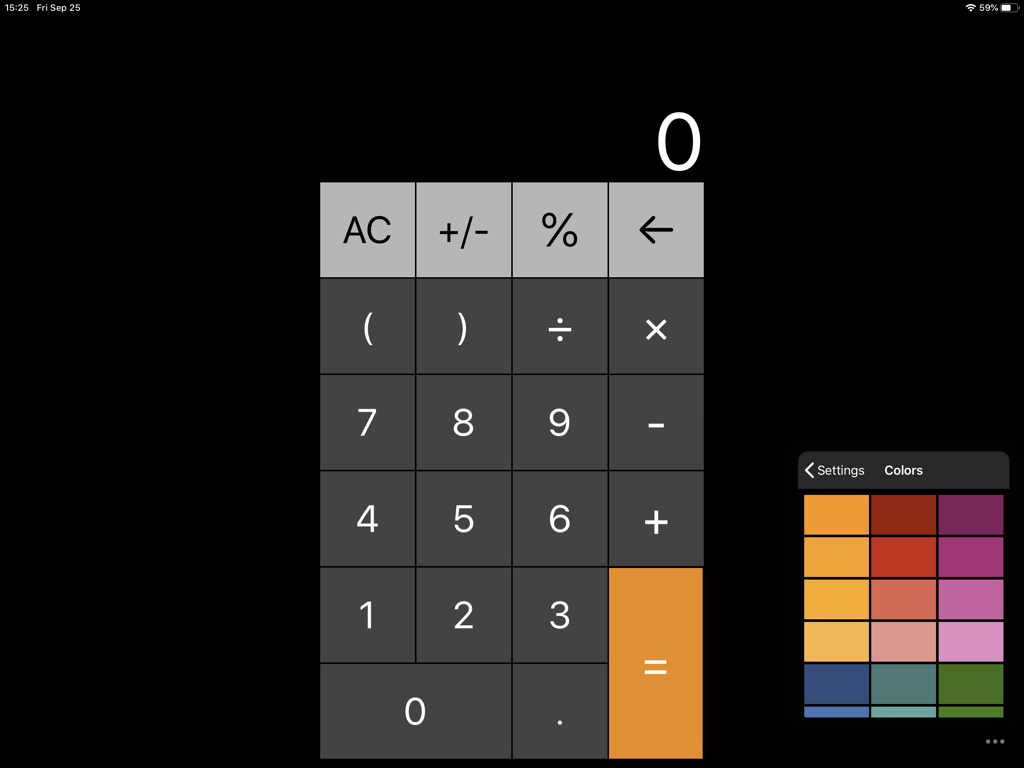
Main interface of Calculator for iPad plus showing a numeric keypad and a side menu with color theme options.

Main interface of Calculator for iPad plus showing a numeric keypad and a side menu with color theme options.

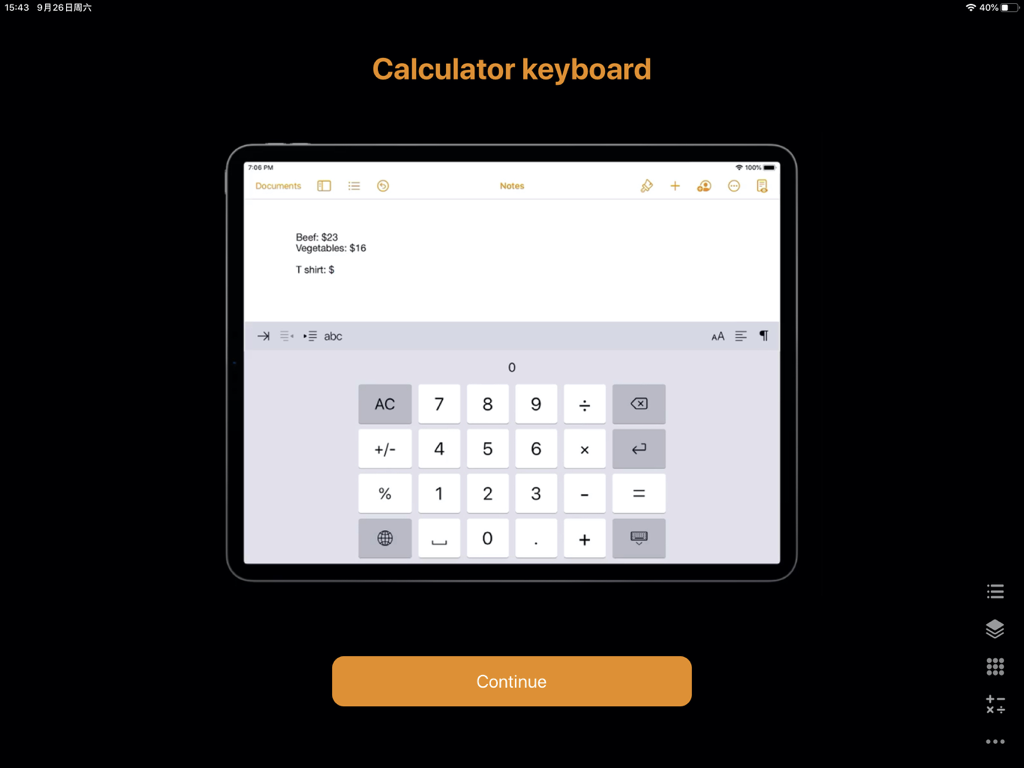
An iPad screen showing a calculator keyboard extension being used within a notes application to sum up prices

An iPad screen showing a calculator keyboard extension being used within a notes application to sum up prices

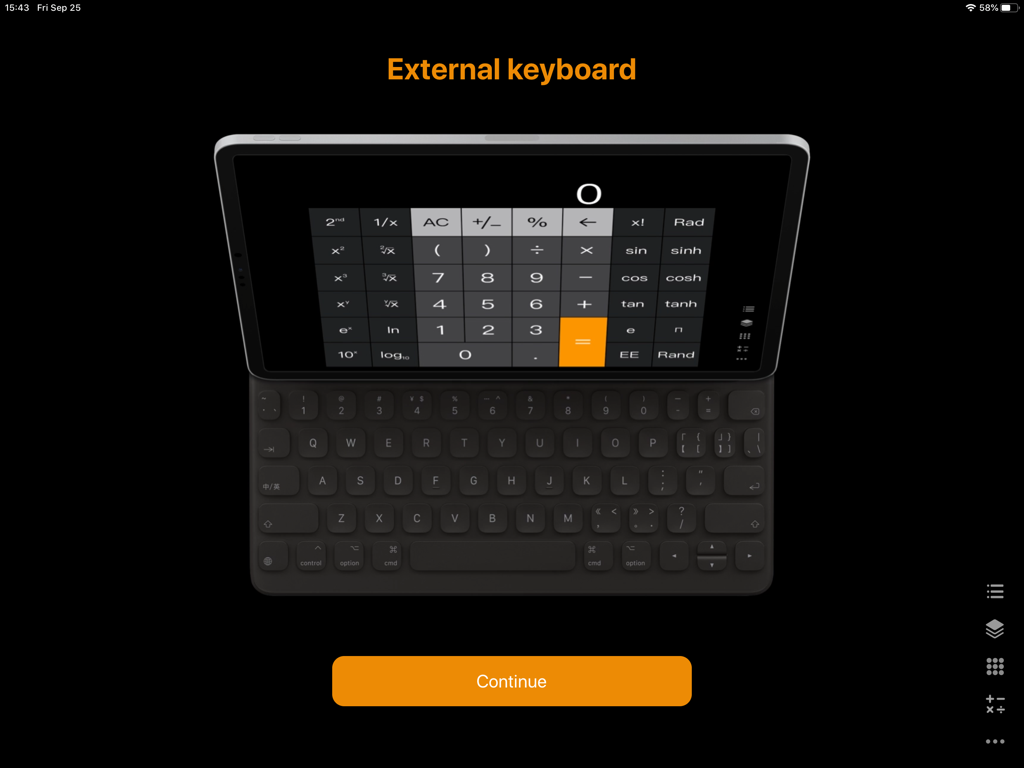
Calculator for iPad plus app shown on an iPad with an external keyboard

Calculator for iPad plus app shown on an iPad with an external keyboard

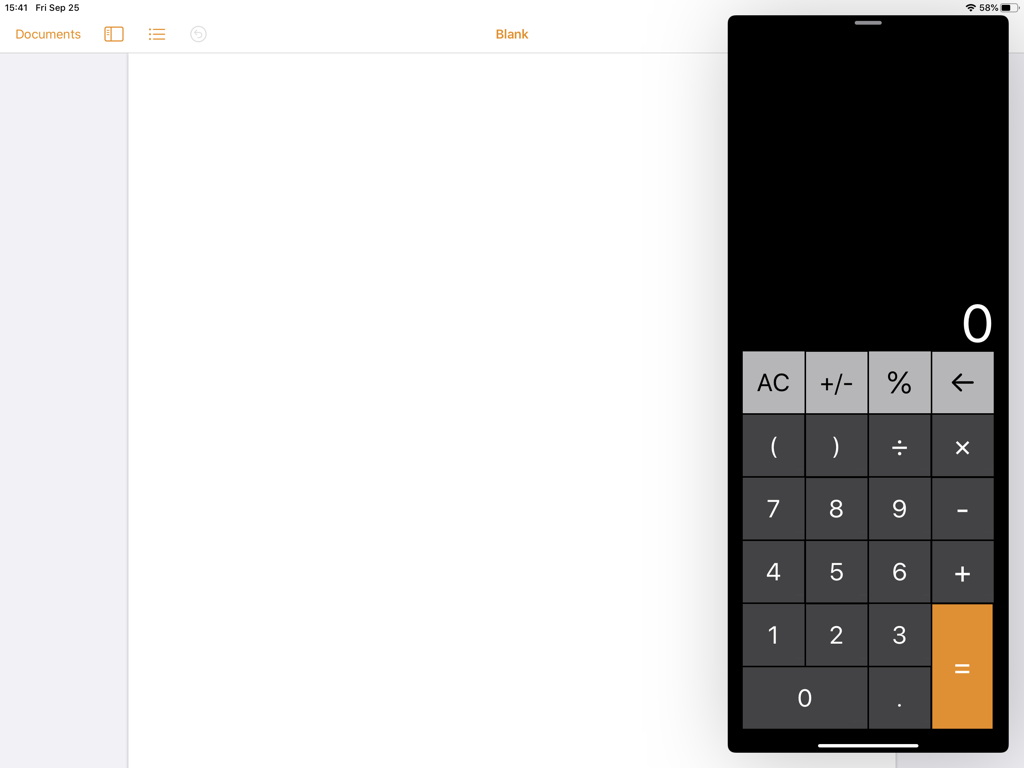
Calculator for iPad app in Slide Over multitasking view

Calculator for iPad app in Slide Over multitasking view

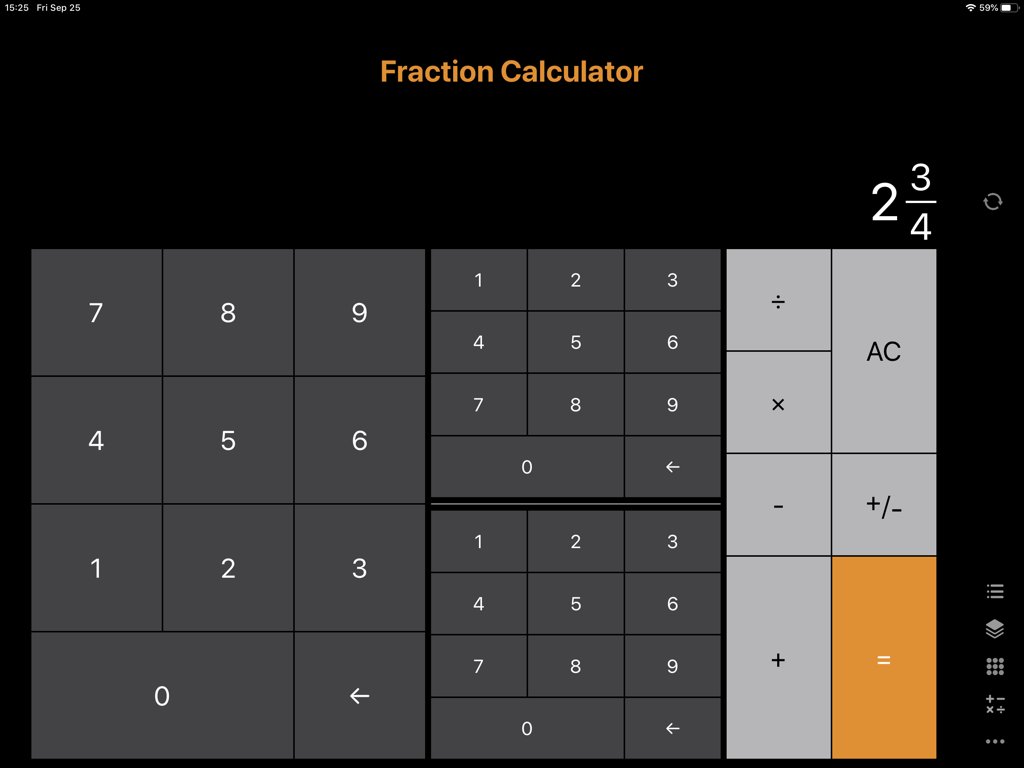
Fraction calculator app interface on iPad showing a mixed fraction and numerical keypad in dark mode

Fraction calculator app interface on iPad showing a mixed fraction and numerical keypad in dark mode

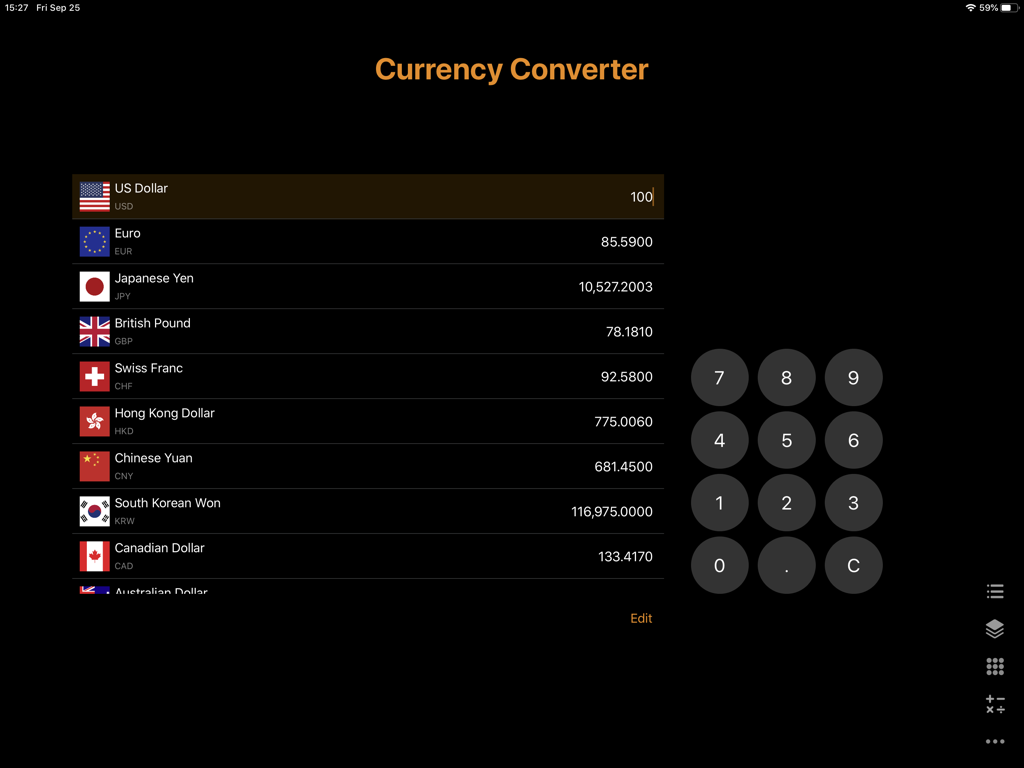
Currency converter interface within the Calculator for iPad app showing global exchange rates and a numeric keypad

Currency converter interface within the Calculator for iPad app showing global exchange rates and a numeric keypad

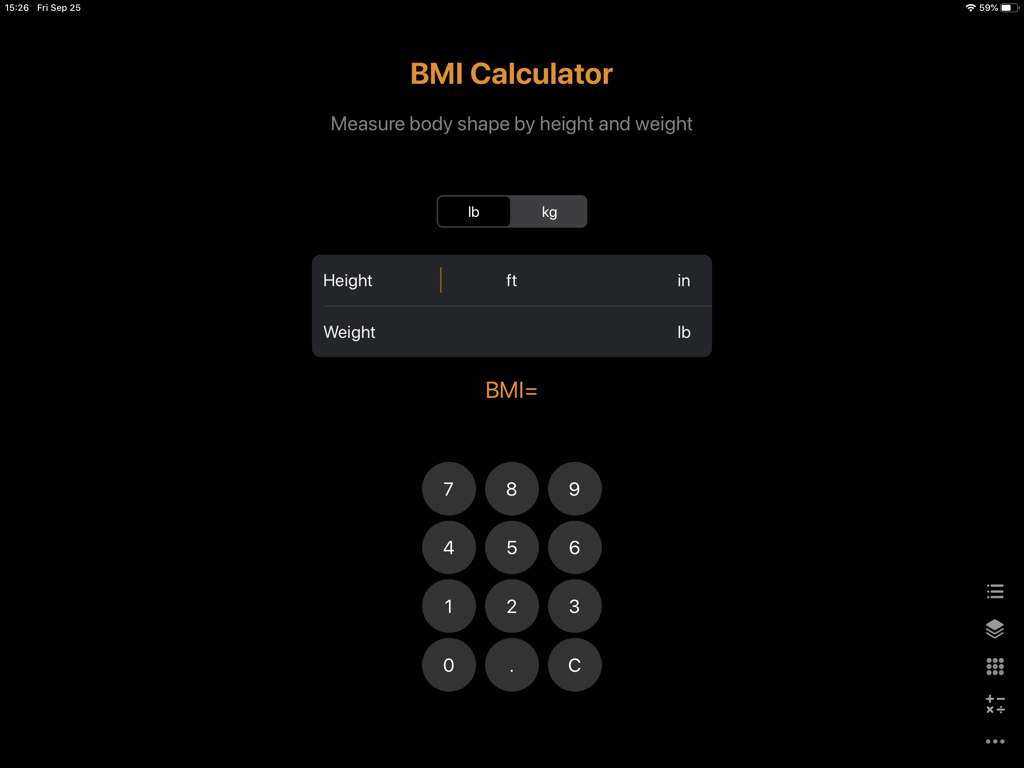
Interface of the BMI calculator feature within the iPad app showing height and weight input fields and a dark themed number pad

Interface of the BMI calculator feature within the iPad app showing height and weight input fields and a dark themed number pad

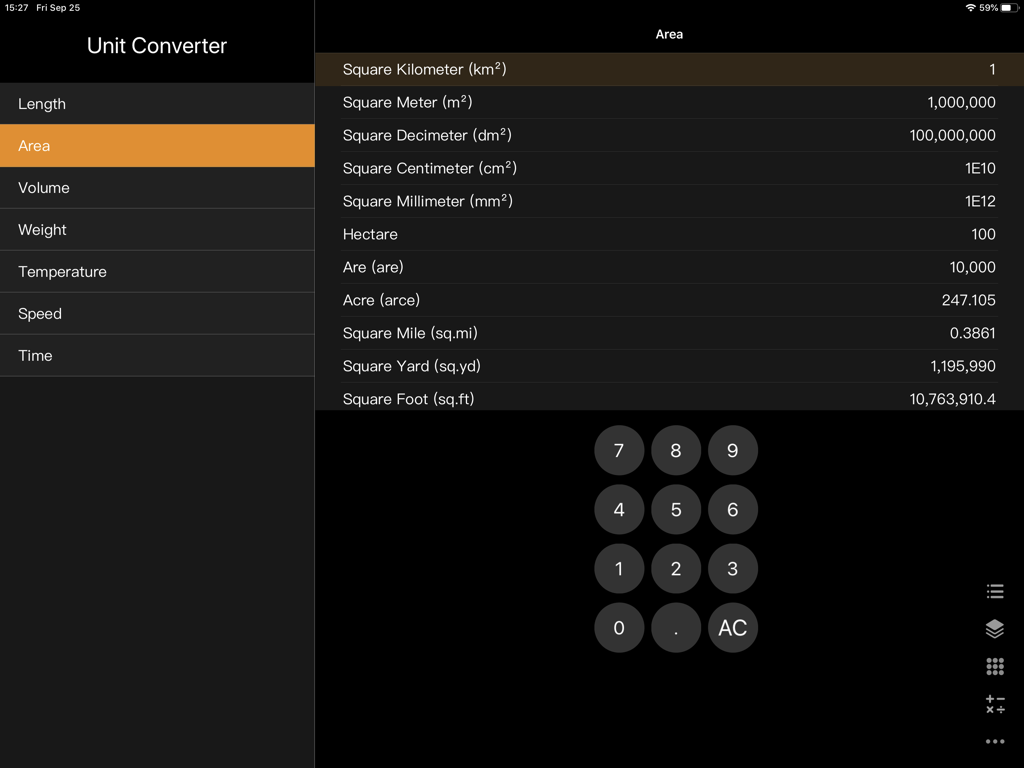
The Unit Converter interface in the Calculator for iPad app showing area measurement conversions and a numeric keypad.

The Unit Converter interface in the Calculator for iPad app showing area measurement conversions and a numeric keypad.

Maximize Your Productivity on iPad

The tools that make this app stand out, trusted by 29M+ users.

📑

Seamless Multitasking

Master your workflow with full support for Split View and Slide Over, allowing you to calculate while you work alongside other apps.

💎

Professional Grade Interface

A clean, distraction-free environment that leverages the iPad's canvas for an intuitive and aesthetic user experience optimized for your desk.

📐

Advanced Math & History

Access powerful scientific functions and a detailed history log to track your complex calculations and financial figures effortlessly.

Loved by users worldwide

Trusted by 29M+ people who love this app.

"

"As a finance professional who uses an iPad Pro as my primary workstation, this app is indispensable. The Split View integration allows me to run calculations directly alongside my spreadsheets without any lag or intrusive ads. It is the most polished and reliable calculator I have found for my business needs."

Sarah Jenkins, Independent CPA
"

"Finally, a calculator that actually utilizes the iPad's full screen! I use it daily for my STEM coursework and the scientific mode is incredibly intuitive. The interface is beautiful and fits perfectly with the rest of my productivity apps. It makes multitasking during long study sessions so much smoother."

David Chen, Engineering Student

About the app

Everything you need to know about Calculator for iPad +.

Description

Redefining the new generation of calculators for the iPad SUBSCRIPTION PRICING AND TERMS This calculator offers an auto-renewing subscription to provide you with unlimited access to the calculator. the price is $2.99/month for unlocking all content and features. This price is for United States customers. Pricing in other countries may vary and actual charges may be converted to your local currency depending on the country of residence. Payment will be charged to iTunes Account at confirmation of purchase. Subscription automatically renews unless auto-renew is turned off at least 24-hours before the end of the current period. Account will be charged for renewal within 24-hours prior to the end of the current period, and identify the cost of the renewal. Subscriptions may be managed by the user and auto-renewal may be turned off by going to the user’s Account Settings after purchase. Any unused portion of a free trial period, if offered, will be forfeited when the user purchases a subscription to that publication, where applicable. Read more about our terms and conditions here: Terms of service: https://weibo.com/5580956204/I55tg3VVB Privacy policy: https://weibo.com/5580956204/HB9vBf59c Email: From2019219@gmail.com

Latest Version

5.8.1

Size

18.7 MB

First Released

Oct 23, 2017

Elevate Your iPad to a Professional Workstation

Join over 29 million power users and experience the ultimate ad-free calculator designed for seamless multitasking and professional precision.

Download on App Store
FAQ

Frequently Asked Questions

Everything you need to know about Calculator for iPad +

What is the subscription price for "Calculator for iPad +"?

The "Calculator for iPad +" offers an auto-renewing subscription for $2.99 per month. This cost unlocks all content and features. Pricing may vary for customers outside the United States.

Does "Calculator for iPad +" include scientific functions?

Yes, "Calculator for iPad +" includes extensive scientific functions. These include trigonometry (sin, cos, tan), logarithms (ln, log10), exponents (x², x³, xʸ), factorials, and constants like 'e' and 'π'.

Can users customize the appearance of "Calculator for iPad +"?

Yes, users can customize the appearance of "Calculator for iPad +". The app offers various color themes, which users select from a dedicated settings menu to personalize the calculator's interface.

Does "Calculator for iPad +" function as a keyboard in other apps?

Yes, "Calculator for iPad +" functions as a calculator keyboard. Users can integrate it into other applications, such as notes, to perform calculations directly within their documents.

Is "Calculator for iPad +" compatible with external keyboards?

Yes, "Calculator for iPad +" is compatible with external keyboards. The app supports input from physical keyboards, enhancing usability for complex calculations and data entry.

Does "Calculator for iPad +" offer a fraction calculator?

Yes, "Calculator for iPad +" offers a dedicated fraction calculator. This feature allows users to perform operations directly with fractions, simplifying complex fractional arithmetic.

What currencies does the "Calculator for iPad +" currency converter support?

The "Calculator for iPad +" currency converter supports multiple major currencies. These include US Dollar, Euro, Japanese Yen, British Pound, Swiss Franc, Hong Kong Dollar, Chinese Yuan, South Korean Won, Canadian Dollar, and Australian Dollar.

Can "Calculator for iPad +" convert units?

Yes, "Calculator for iPad +" includes a comprehensive unit converter. It supports conversions across categories such as length, area, volume, weight, temperature, speed, and time.

Does "Calculator for iPad +" feature a BMI calculator?

Yes, "Calculator for iPad +" features a BMI calculator. Users input their height in feet/inches or meters and weight in pounds or kilograms to measure their body shape.

How do users manage their subscription for "Calculator for iPad +"?

Users manage their "Calculator for iPad +" subscription through their iTunes Account Settings after purchase. Auto-renewal can be turned off at least 24-hours before the current period ends.

Where can users find the privacy policy for "Calculator for iPad +"?

Users find the privacy policy for "Calculator for iPad +" via a dedicated link provided in the app description. The policy details how user data is handled by the application.