Camera M - Pro Manual Controls

Camera M - Pro Manual Controls

Download on App Store
Spark by MWM logo
Logo of Camera M - Pro Manual Controls
Camera M - Professional Manual Controls for the Photography Purist

Unlock the full power of your iPhone with DSLR-level precision. Experience Zero-process RAW, focus peaking, and fluid manual controls designed for those who demand total creative authority over every shot.

Publisher

bxb, LLC

Category

Photo & Video

Downloads

255K+

User Rating

4.5/5

Total Ratings

3K+

Locales

5

The Interface of Control

Discover the interface used by 255K+ users.
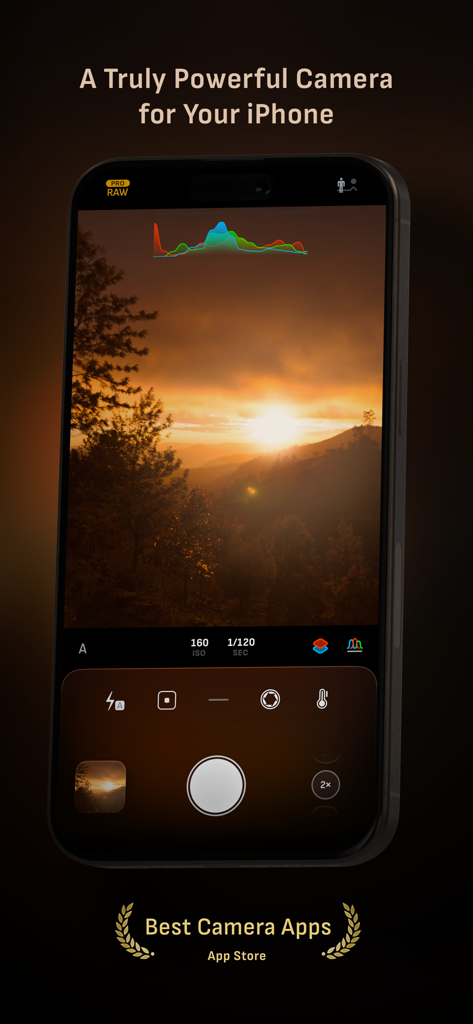
Camera M app interface showing professional manual controls and live histogram while capturing a sunset landscape

Camera M app interface showing professional manual controls and live histogram while capturing a sunset landscape

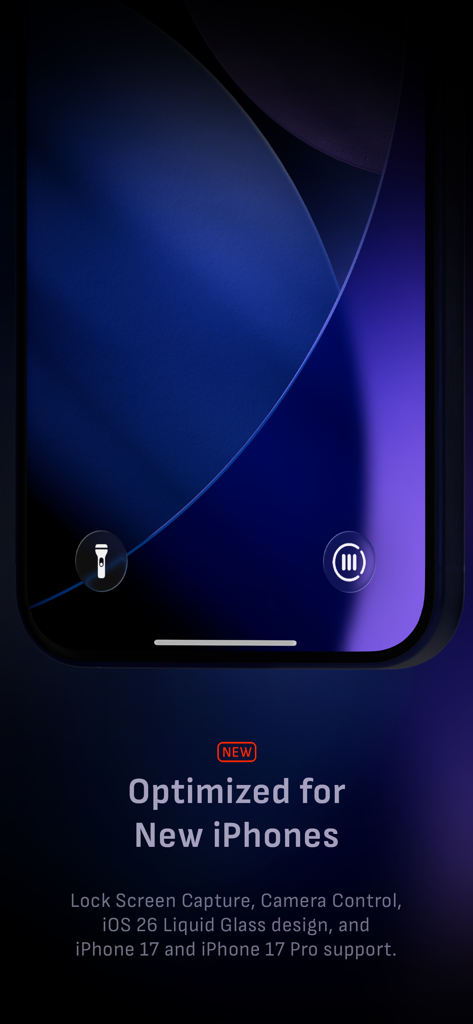
Camera M app interface showing lock screen capture and manual controls optimized for iPhone 17

Camera M app interface showing lock screen capture and manual controls optimized for iPhone 17

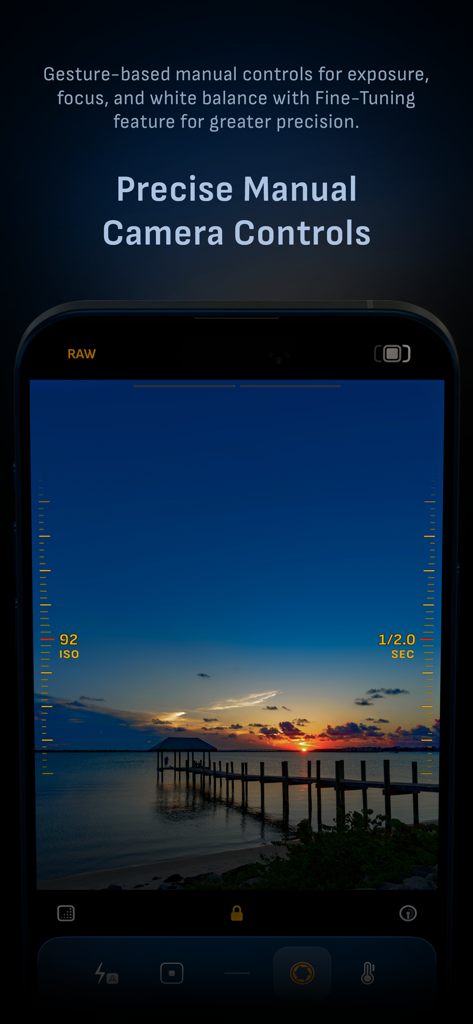
Camera M app interface showing precise manual controls for ISO and shutter speed during a sunset photoshoot

Camera M app interface showing precise manual controls for ISO and shutter speed during a sunset photoshoot

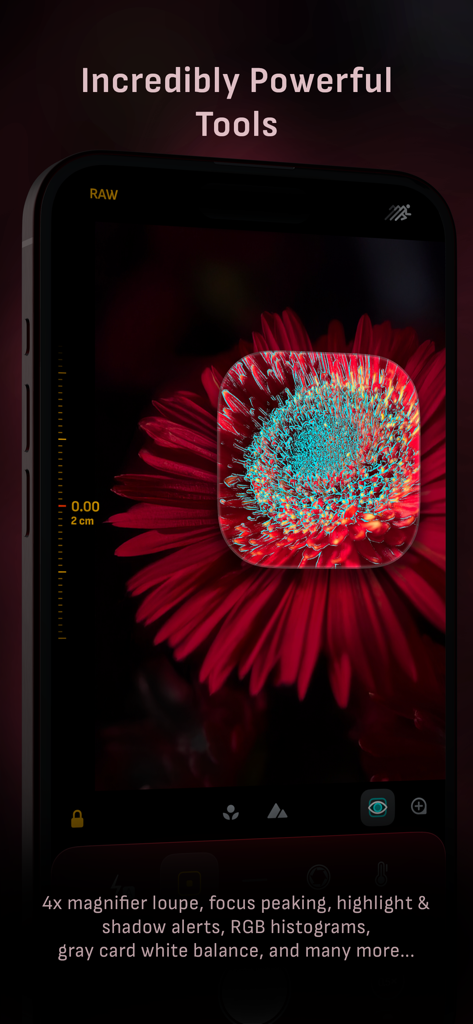
Camera M app interface showing a 4x magnifier loupe and focus peaking on a red flower macro photo.

Camera M app interface showing a 4x magnifier loupe and focus peaking on a red flower macro photo.

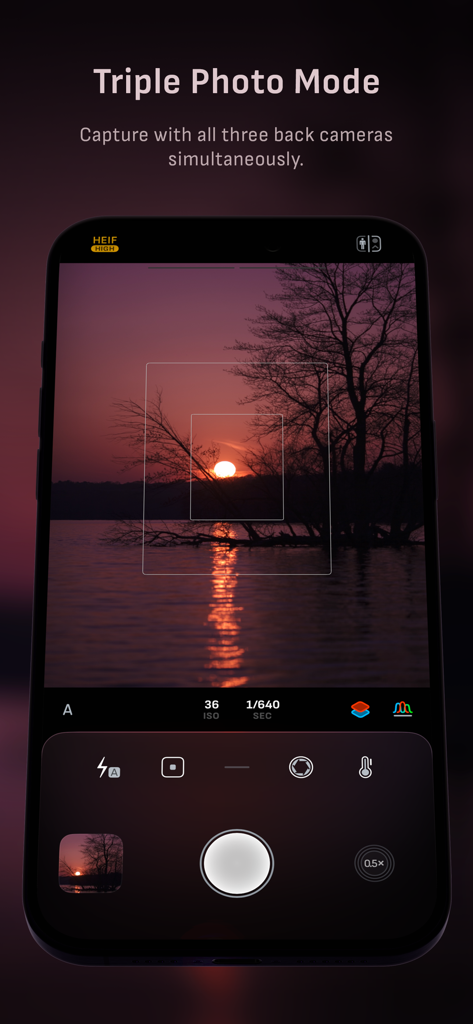
Camera M interface displaying the Triple Photo Mode for simultaneous capture using all three iPhone camera lenses.

Camera M interface displaying the Triple Photo Mode for simultaneous capture using all three iPhone camera lenses.

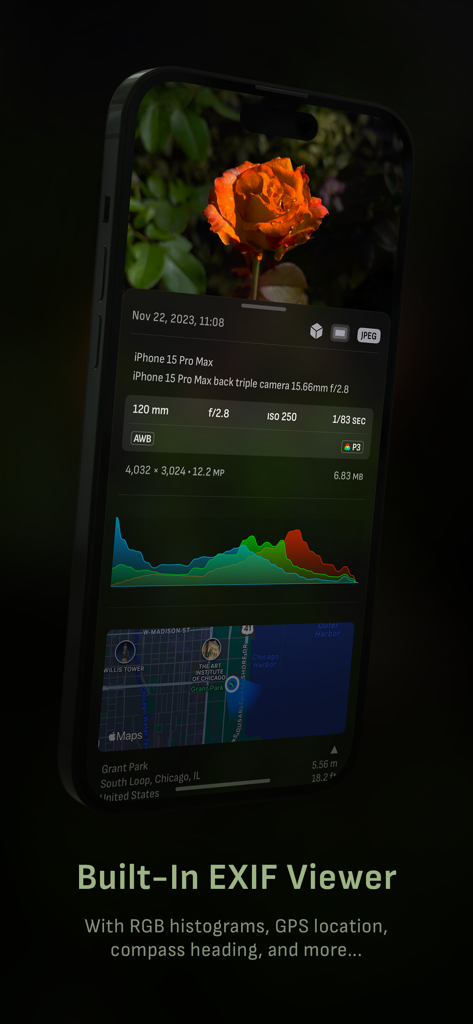
Camera M app interface showing detailed EXIF metadata and GPS location for a photo.

Camera M app interface showing detailed EXIF metadata and GPS location for a photo.

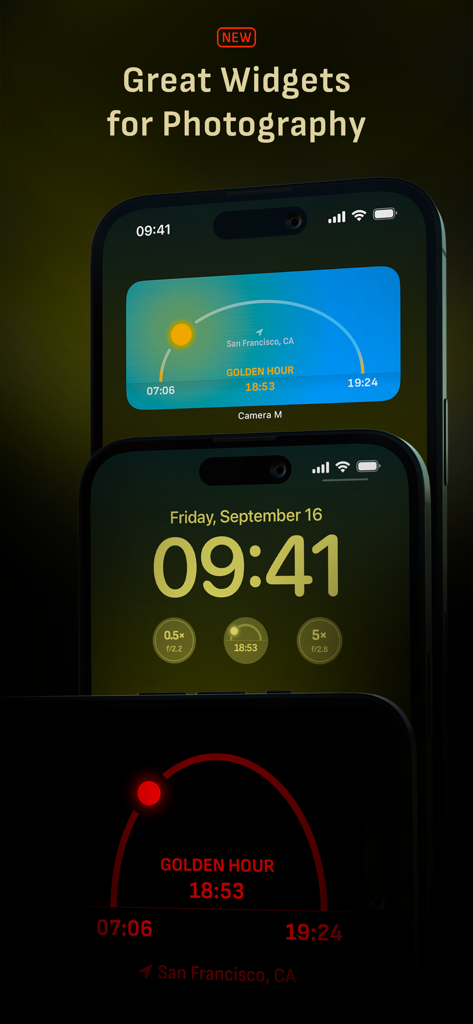
iPhone Home Screen and Lock Screen widgets for Camera M showing Golden Hour tracking and lens information

iPhone Home Screen and Lock Screen widgets for Camera M showing Golden Hour tracking and lens information

Camera M app interface showing professional image format options including ProRAW RAW TIFF and HEIF

Camera M app interface showing professional image format options including ProRAW RAW TIFF and HEIF

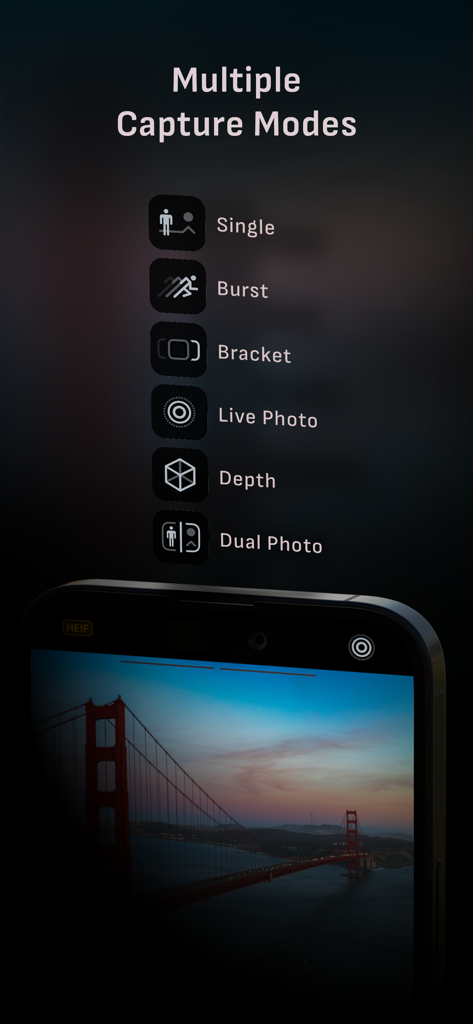
A smartphone screen displaying multiple capture modes for Camera M including Single Burst Bracket Live Photo Depth and Dual Photo

A smartphone screen displaying multiple capture modes for Camera M including Single Burst Bracket Live Photo Depth and Dual Photo

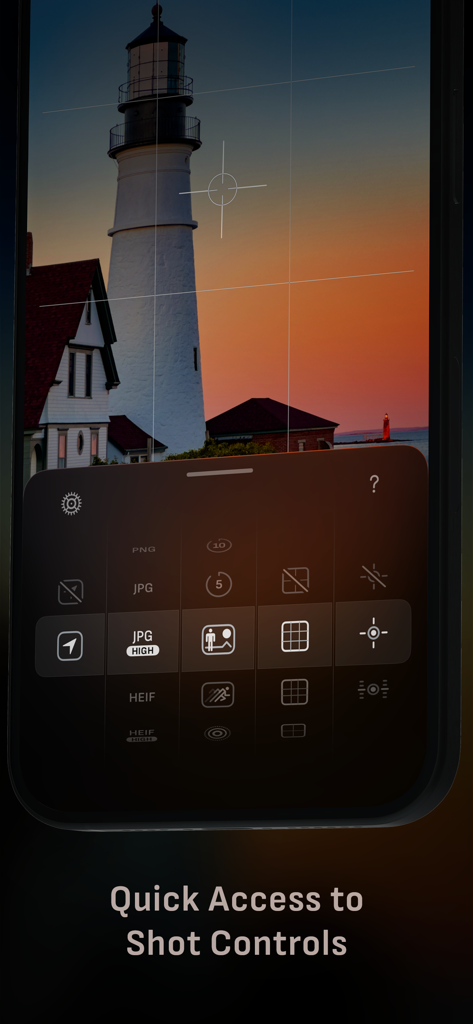
Camera M app interface featuring manual shot controls and a lighthouse photograph at sunset.

Camera M app interface featuring manual shot controls and a lighthouse photograph at sunset.

Pro-Grade Control. Zero Compromises.

The tools that make this app stand out, trusted by 255K+ users.

๐ŸŽ›๏ธ

Precision Manual Control

Take back command with fluid, gesture-based controls for ISO, shutter speed, and white balance. Experience the tactile feel of a professional camera optimized for one-handed use.

๐Ÿ’Ž

Authentic Zero-Process RAW

Bypass aggressive smartphone sharpening and over-processing. Capture pure, untouched data in Zero-Process RAW or ProRAW for ultimate creative freedom in your editing workflow.

๐Ÿ“Š

Professional Monitoring Tools

Ensure technical perfection with live RGB histograms, focus peaking, and gray card calibration. All the expert tools you need to nail exposure and focus every single time.

Loved by users worldwide

Trusted by 255K+ people who love this app.

"

"Finally, a camera app that treats my iPhone like a real piece of glass. I was tired of the over-sharpened AI look from the stock app. Camera Mโ€™s Zero-process RAW gives me the organic, clean files I need for professional editing. The gesture-based manual focus is incredibly fluid."

Julian Vance
"

"As a social media director, I need speed and precision. The one-handed controls are a lifesaver on shoots, and the live histograms ensure I never miss an exposure. It has completely replaced my DSLR for street photography. It is the most powerful tool in my creative kit."

Sarah Chen

About the app

Everything you need to know about Camera M - Pro Manual Controls.

Description

Camera M is a professional manual camera designed to do one thing exceptionally well โ€“ to help you capture beautiful photos in the highest possible quality with powerful and precise manual camera controls akin to a DSLR. HIGHLIGHTS โ€ข Fluid gesture-based native manual controls with Fine-Tuning feature โ€ข iOS 26 optimization with Liquid Glass design โ€ข Minimum focus distance display for macro photography โ€ข Intelligent Focus Tracking โ€ข Focus Peaking and 4x magnifier loupe with panning function โ€ข Live RGB and RGB luminance histograms โ€ข Manual gray card calibration โ€ข Max Image Processing to ensure the absolute best image quality โ€ข Zero-process RAW support โ€ข ProRAW*, RAW, HEIF, JPEG, TIFF, and PNG image formats โ€ข Single, Burst, Timer, Live, Depth*, Dual Photo*, and Bracket shooting modes โ€ข Triple Photo mode with simultaneous ultra-wide, wide-angle, and telephoto camera capture* โ€ข Darkroom integration โ€ข Great widgets for photography โ€ข App Shortcuts CAMERA CONTROLS โ€“ Manual focus โ€“ Macro and Scene focus presets โ€“ Exposure bias โ€“ Manual ISO & exposure duration adjustments โ€“ ISO & exposure duration semi-priority modes โ€“ Manual white balance temperature and tint โ€“ White balance presets โ€“ Gray card white balance calibration โ€“ Auto, on, and off flash modes โ€“ Manual torch brightness level โ€“ Manual switching between Ultra Wide, Wide, and Telephoto cameras* โ€“ Digital pinch zoom with 10x range โ€“ Camera Control support for all manual controls โ€“ Lock Screen camera capture support IMAGE FORMATS โ€“ Apple ProRAW* โ€“ RAW with stabilization* โ€“ HEIF with optional minimum compression* โ€“ JPEG with optional minimum compression โ€“ TIFF โ€“ PNG โ€“ Live Photo* โ€“ P3 wide color support* SHOOTING MODES โ€“ Single โ€“ Burst โ€“ Timer โ€“ Depth* โ€“ Dual/Triple Photo* โ€“ Live Photo* โ€“ Bracket TOOLS โ€“ Exposure offset gauge โ€“ Intelligent Focus Tracking โ€“ Live focus peaking assistant โ€“ 4x magnifier loupe with panning function โ€“ Minimum focus distance display โ€“ Live RGB and RGB luminance histograms โ€“ Highlight & shadow alert display โ€“ Horizon level with available pitch tracking and flat options โ€“ Rule of Thirds, Golden Ratio, Quadrant, and Square grids โ€“ Siri Shortcuts and App Shortcuts โ€“ Detailed camera specifications display with PDF export MAX IMAGE PROCESSING โ€“ Deep Fusion and Smart HDR support for iPhone 11 and later. โ€“ Ensures maximum image quality with better noise reduction, image stabilization, and additional processing for all other iPhones and iPads ZERO-PROCESS RAW โ€“ Capture standard RAW files with absolutely no processing PHOTO LIBRARY โ€“ Summarized and full EXIF metadata display โ€“ Location data display with compass and elevation โ€“ RGB and RGB luminance histogram displays โ€“ Access to all photo albums and folders WIDGETS โ€“ Home Screen: Golden Hour, EXIF, and Cameras โ€“ Lock Screen: Cameras and Golden Hour โ€“ Control Center: Focus, exposure, and white balance APPLE WATCH SUPPORT โ€“ Shutter button control โ€“ Sunrise, sunset, and Golden Hour display with sun position indicator ERGONOMICS โ€“ True one-handed control on all iPhones โ€“ An uncompromising approach to user experience in landscape orientation ACCESSIBILITY โ€“ Dynamic Type and Bold Text support โ€“ Increase Contrast support TECHNOLOGY Camera M is powered exclusively by native APIs and frameworks. There are absolutely no dependencies on any outside sources. This makes Camera M responsive and efficient โ€” from its small download size down to its quick app launch times. We hope you enjoy taking amazing photos with Camera M! Website: www.camera-m.com User manual: www.camera-m.com/manual Get in touch: contact@camera-m.com Follow us: @CameraMApp #CameraM * These features are available on supported devices only. * Depth capture requires iPhone X, or later. * Depth capture for selfies requires an iPhone or an iPad with a TrueDepth camera system. * Apple ProRAW capture requires iPhone 12 Pro or later. * For more information on device and feature compatibility: www.camera-m.com/compatibility

Latest Version

9.0.3

Size

25.3 MB

First Released

Aug 3, 2017

Take Absolute Control of Your Photography

Join the elite creators ditching 'Auto' for professional manual precision. Download Camera M and unlock the true power of your iPhone Pro today.

Download on App Store