Cast Web Videos to TV - iWebTV

Cast Web Videos to TV - iWebTV

Download on App Store
Spark by MWM logo
Logo of Cast Web Videos to TV - iWebTV

iWebTV: Cast Any Web Video to Your TV in Stunning 4K

The ultimate tool for cord-cutters. Stop settling for laggy screen mirroring—stream high-quality video while blocking annoying ads and popups on Roku, Fire TV, and Smart TVs.

Publisher

Swishly inc

Category

Photo & Video

Downloads

7M+

User Rating

4.7/5

Total Ratings

166K+

Locales

2

Experience the Big Screen

Discover the interface used by 7M+ users.

iWebTV app promotional image showing a movie being cast to a smart TV in 4K resolution.

iWebTV app promotional image showing a movie being cast to a smart TV in 4K resolution.

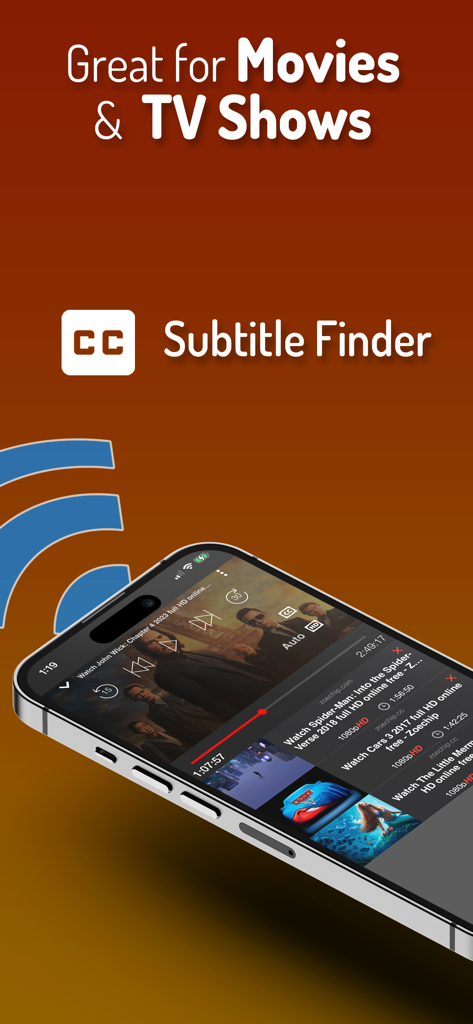
iWebTV app interface showing subtitle finder feature for movies and tv shows

iWebTV app interface showing subtitle finder feature for movies and tv shows

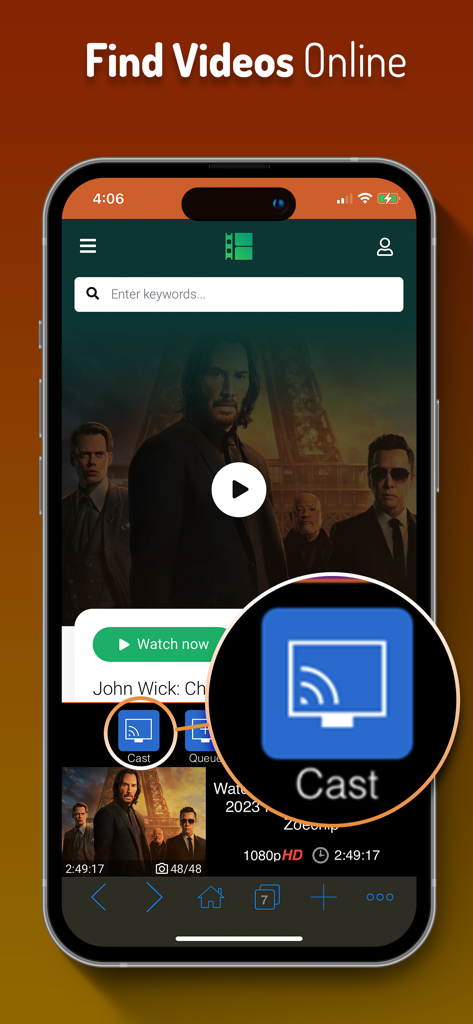
iWebTV app interface showing the cast button and search bar to find videos online.

iWebTV app interface showing the cast button and search bar to find videos online.

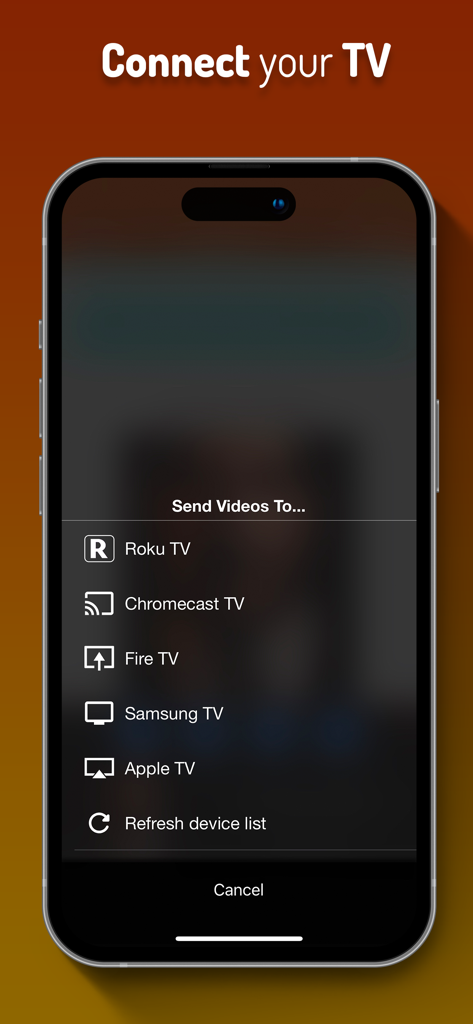
Smartphone screen showing the iWebTV menu for casting to Roku Chromecast Fire TV and Apple TV

Smartphone screen showing the iWebTV menu for casting to Roku Chromecast Fire TV and Apple TV

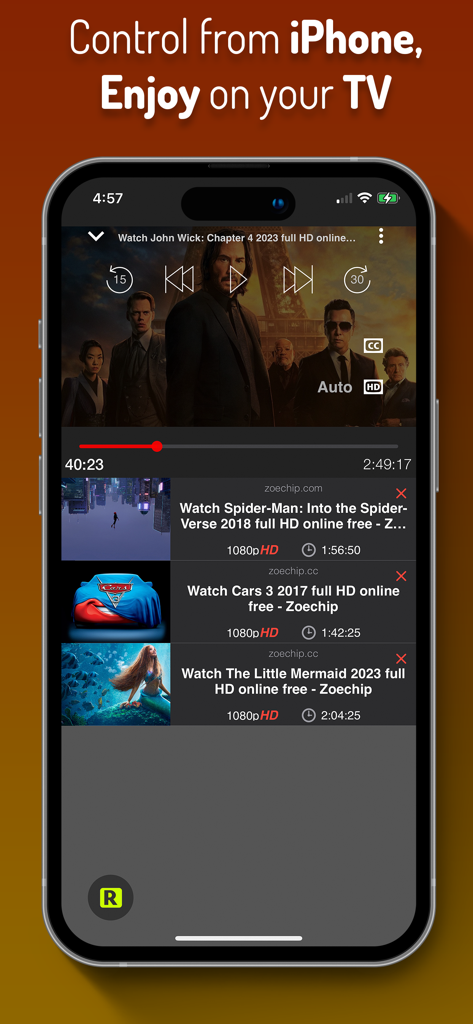
iWebTV app on iPhone showing movie playback controls and a binge-ready video queue for TV casting

iWebTV app on iPhone showing movie playback controls and a binge-ready video queue for TV casting

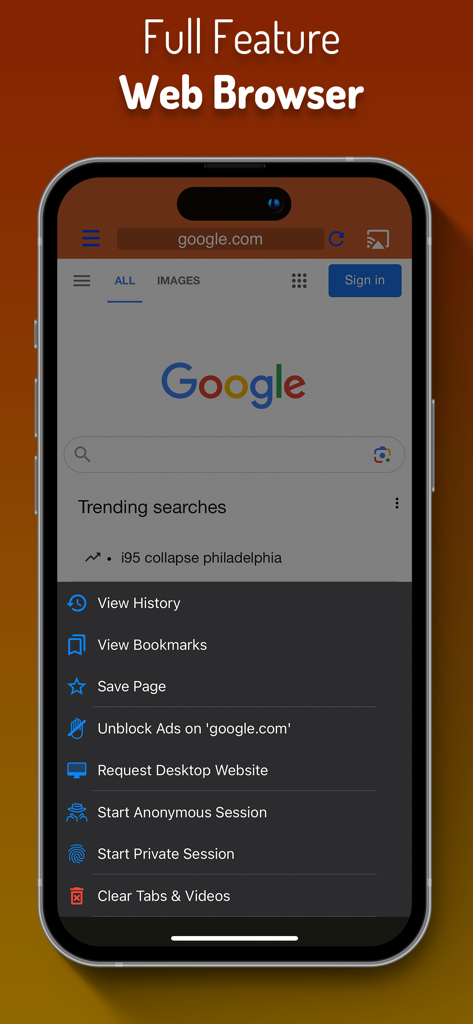
iWebTV app screenshot showing a full feature web browser with ad blocking and privacy modes

iWebTV app screenshot showing a full feature web browser with ad blocking and privacy modes

Stream Any Web Video to the Big Screen

The tools that make this app stand out, trusted by 7M+ users.

💎

Native 4K Quality

Ditch the lag of screen mirroring. iWebTV streams directly to your TV hardware, ensuring the highest possible resolution while keeping your phone free for other tasks.

🛡️

Built-In Ad & Popup Shield

Browse with confidence. Our advanced browser automatically blocks intrusive ads and spammy popups, turning any video site into a premium, clutter-free experience.

🎬

Binge-Ready Movie Tools

Take control of your night with auto-detected subtitles and a powerful video queue. Line up your favorite episodes and enjoy a seamless, cinema-like marathon.

Loved by users worldwide

Trusted by 7M+ people who love this app.

"

"I finally ditched my cable subscription, but getting live sports from a browser to the TV used to be a laggy mess. iWebTV changed everything. The 4K quality is flawless, and because it streams directly to my Roku instead of mirroring, I can still use my phone for other things while the game is on. The ad-blocker makes the whole experience feel like a premium service."

Marcus J.
"

"Finding niche international films usually means dealing with endless popups and no subtitle support. iWebTV's advanced browser blocks all the junk, and the subtitle auto-detect is a total game-changer for my foreign cinema nights. It’s the only app I’ve found that works perfectly across both my living room Samsung TV and the Fire Stick in my bedroom."

Elena S.

About the app

Everything you need to know about Cast Web Videos to TV - iWebTV.

Description

Best Casting App! Cast any online video to your TV. iWebTV® works with any TV equipped with Chromecast® + Roku® + Fire TV® + Apple TV® (4th Gen) + Samsung TVs (2018 and later models). *** Feature Highlights *** • HD resolution supported (1080p and up to 4K depending on the device) • Unlike mirroring apps, iWebTV sends the actual video stream to your TV (Much better image quality & overall experience). • Advanced browser, supports multiple browser tabs, blocks or hides spammy popups, search from the URL bar, ad blocker, browsing history etc... • Subtitle auto-detect + Movie/TV Subtitle library • Live streams support • Video preview to instantly locate your favorite scenes. • Binge-ready: queue up several videos, and enjoy. • Set your own home page, bookmark web page or videos. • Full playback controls, even after exiting the app (from the lock screen). • Privacy modes Some of the features above require in-app purchase iWebTV actually plays the video on your media player which results in a much higher quality picture than apps that mirror your screen. **** Notes **** (1) Some premium features require in-app purchases. (2) Excluding video formats incompatible with iOS (flash). (3) While most video websites work well, email us from the app menu if you experience any issues: > “Get Help” > “Frequent Questions” > “Need more help? (Other Issues)”> “Contact Support” (opens email). Smart TV from most TV manufacturers will work with this app without any preliminary setup. Just start the app, choose a video & hit the cast button! This includes TVs from Samsung, TCL, Vizio, Sony, Hisense, Insigna, Sharp, Philips and others. **** Legal **** iWebTV™ is a trademark of Swishly Inc. "Chromecast" is a trademark of Google LLC. "Fire TV" is a trademark of Amazon Technologies, Inc. "Roku" is a trademark of Roku Inc. "Apple TV" is a trademark of Apple Inc. Terms: • Privacy Policy: http://www.swishly.com/webtv/privacy-policy.html • Terms of Use: http://www.swishly.com/webtv/terms-of-use.html iWebTV offers a variety of upgrades, one of which is subscription-based ("Premium Services" $0.99/month or $9.99/year). With this subscription you will get the benefit of all premium features in addition to 2 premium services (Cloud Proxy Streaming + Unlimited subtitle downloads)

Latest Version

2.0.105

Size

54.8 MB

First Released

Jul 11, 2015

Join 7 Million Users Streaming the Web in 4K

Stop settling for laggy mirroring and annoying pop-ups. Download iWebTV now and cast any web video directly to your TV with the quality you deserve.

Download on App Store
FAQ

Frequently Asked Questions

Everything you need to know about Cast Web Videos to TV - iWebTV

What is iWebTV?

iWebTV is an application designed to cast any online video to compatible televisions. It supports various devices like Chromecast, Roku, Fire TV, Apple TV, and Samsung TVs.

What devices does iWebTV support for casting?

iWebTV works with Chromecast, Roku, Fire TV, Apple TV (4th Gen), and Samsung TVs (2018 and later models). It also supports Smart TVs from various manufacturers without preliminary setup.

Does iWebTV support high-definition video streaming?

Yes, iWebTV supports HD resolution, including 1080p and up to 4K, depending on the casting device. It sends the actual video stream for optimal quality.

Can I use iWebTV to block ads while browsing?

Yes, iWebTV includes an advanced browser with an ad blocker feature. It also blocks or hides spammy popups to enhance the browsing experience.

Are subtitles available when casting videos with iWebTV?

Yes, iWebTV offers subtitle auto-detection and includes a Movie/TV Subtitle library. Premium Services subscribers get unlimited subtitle downloads.

What is the difference between iWebTV and mirroring apps?

Unlike mirroring apps, iWebTV sends the actual video stream directly to your TV. This method provides significantly better image quality and an improved overall viewing experience.

Does iWebTV offer a subscription for premium features?

Yes, iWebTV offers 'Premium Services' as a subscription for $0.99/month or $9.99/year. This unlocks all premium features, including Cloud Proxy Streaming and unlimited subtitle downloads.

Can I queue multiple videos to play on iWebTV?

Yes, iWebTV is 'Binge-ready' and allows users to queue up several videos. This feature ensures continuous playback for an uninterrupted viewing experience.

Does iWebTV support live streams?

Yes, iWebTV supports live streams, allowing users to cast real-time content from the web to their television.

Can I browse the web directly within the iWebTV app?

Yes, iWebTV features a full-feature web browser. It supports multiple tabs, a search bar, browsing history, and privacy modes.

What privacy features does iWebTV offer?

iWebTV includes privacy modes within its advanced browser. Users can start anonymous or private sessions and clear browsing history, tabs, and videos.