Clarity by Broadcom

Clarity by Broadcom

Download on App Store
Spark by MWM logo
Logo of Clarity by Broadcom

Clarity by Broadcom: Enterprise Project Management in Your Pocket

Eliminate administrative friction and keep projects moving. Manage timesheets, checklists, and critical approvals on the go with secure, mobile-first efficiency.

Download on App Store

Publisher

CA, Inc

Category

Business

Downloads

1K+

User Rating

4.8/5

Total Ratings

0

Locales

1

Clarity in Action

Discover the interface used by 1K+ users.
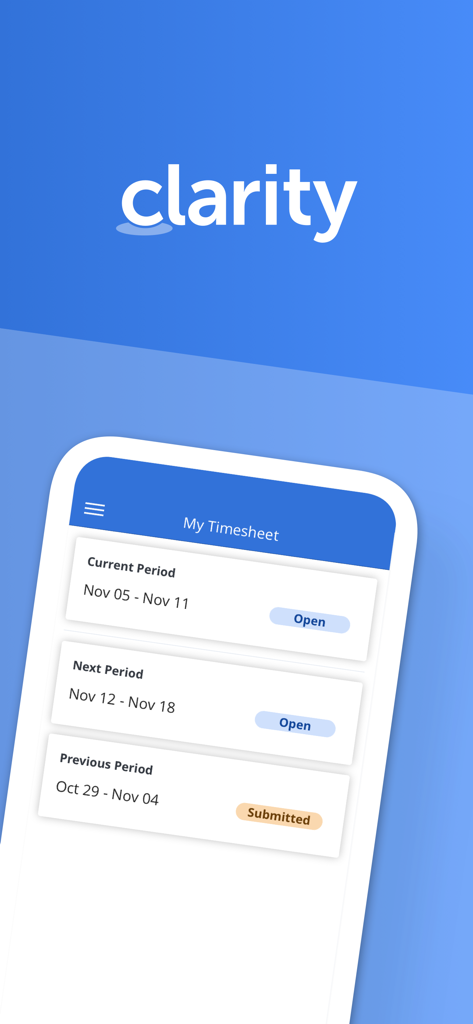
Interface of Clarity by Broadcom app displaying the My Timesheet overview with current and previous reporting periods.

Interface of Clarity by Broadcom app displaying the My Timesheet overview with current and previous reporting periods.

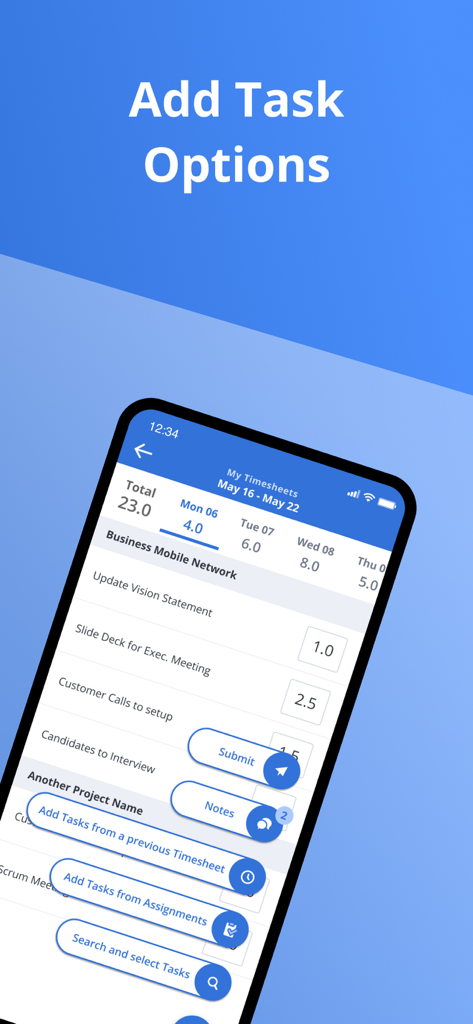
Clarity app interface showing options to add tasks to a timesheet

Clarity app interface showing options to add tasks to a timesheet

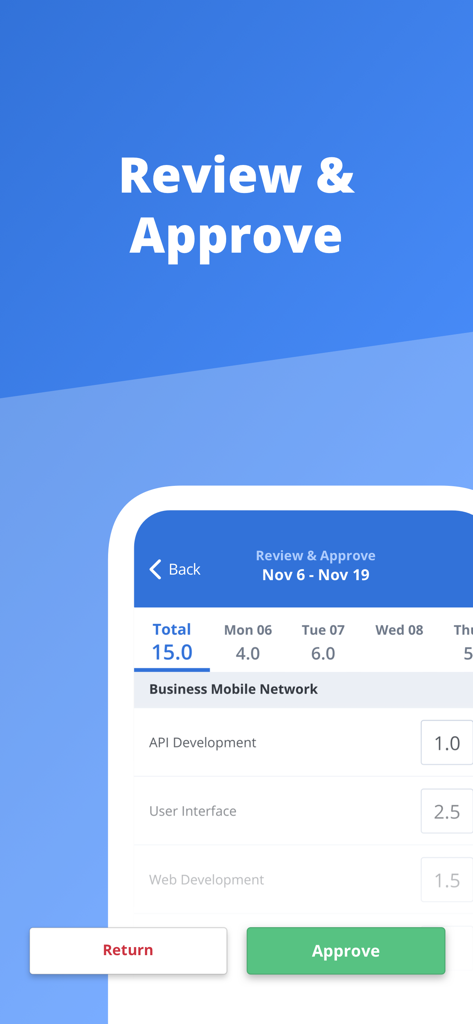
Review and approve screen in the Clarity mobile app showing hours logged for project tasks.

Review and approve screen in the Clarity mobile app showing hours logged for project tasks.

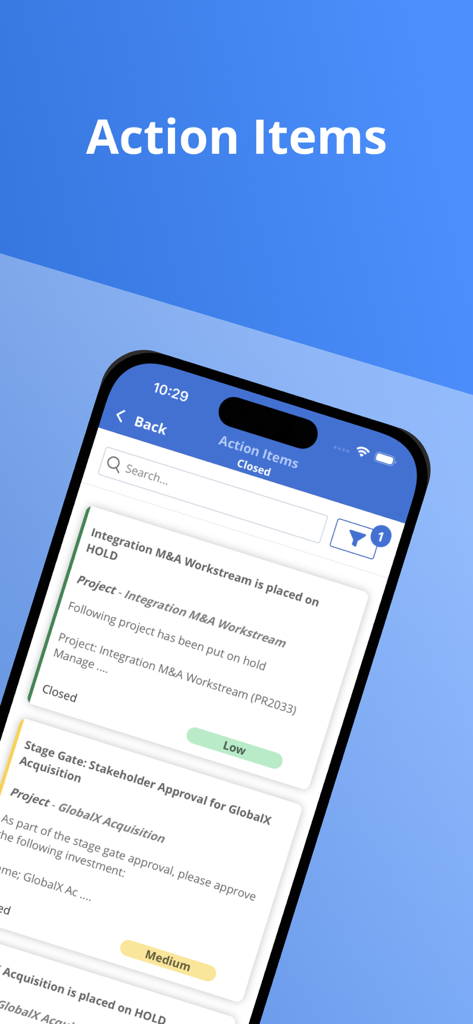
A mobile screen from the Clarity by Broadcom app displaying a list of project action items.

A mobile screen from the Clarity by Broadcom app displaying a list of project action items.

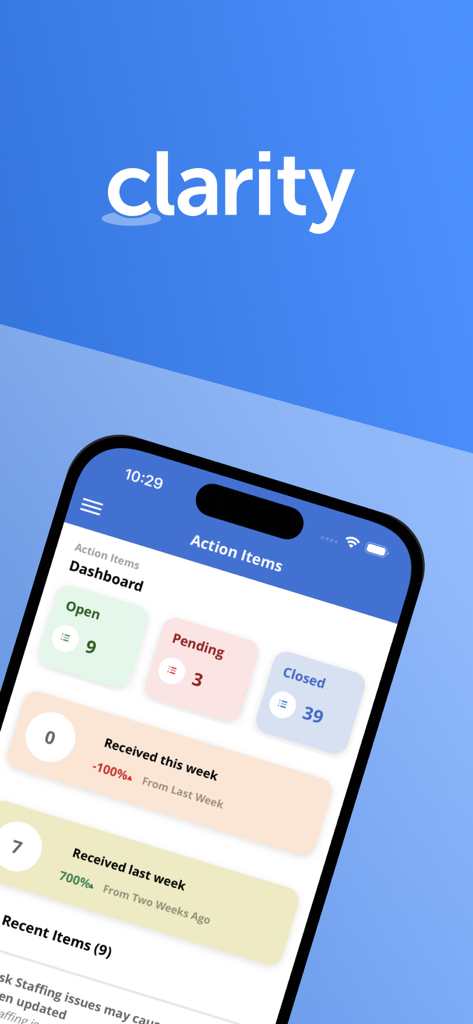
Clarity app dashboard showing project action items and weekly task status summaries

Clarity app dashboard showing project action items and weekly task status summaries

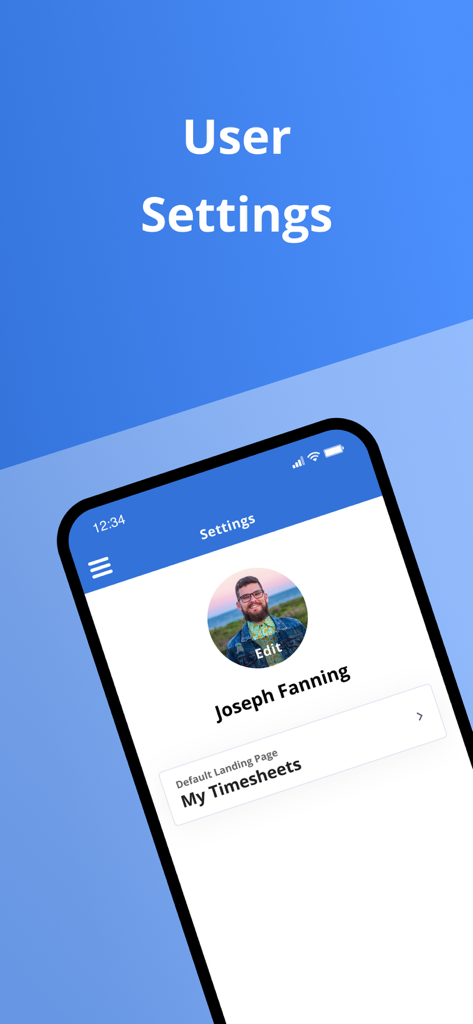
User settings screen in the Clarity app showing profile details and default landing page options

User settings screen in the Clarity app showing profile details and default landing page options

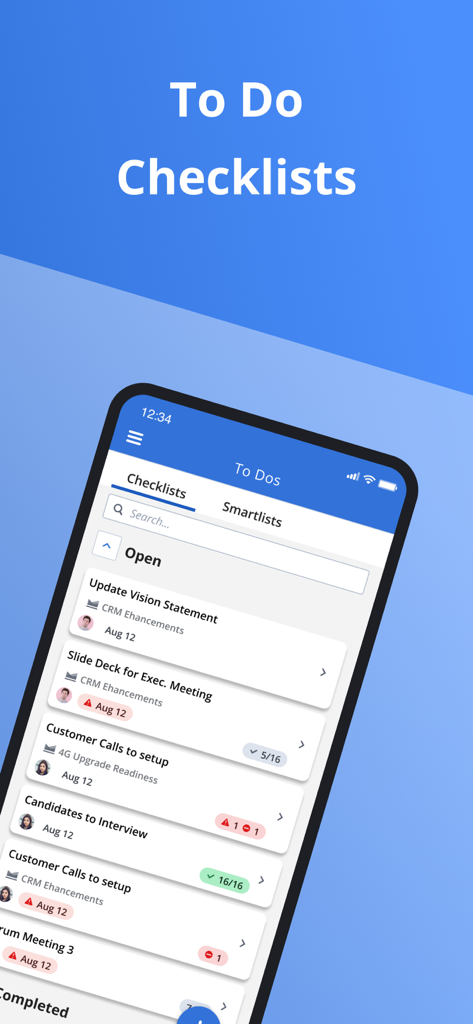
Clarity by Broadcom mobile app interface showing corporate to-do lists and project checklists

Clarity by Broadcom mobile app interface showing corporate to-do lists and project checklists

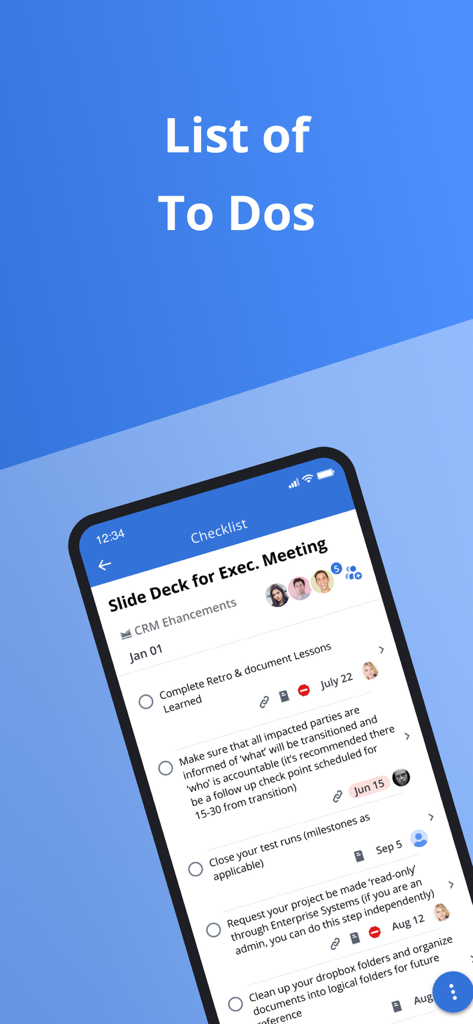
Clarity app screen showing a project to-do list with task descriptions and due dates

Clarity app screen showing a project to-do list with task descriptions and due dates

Interface of the Clarity by Broadcom mobile app showing a To Do Smartlist with open and overdue tasks for project management.

Interface of the Clarity by Broadcom mobile app showing a To Do Smartlist with open and overdue tasks for project management.

Master Your Workflow on the Move

The tools that make this app stand out, trusted by 1K+ users.

⏱️

Frictionless Time Tracking

Eliminate administrative fatigue by submitting timesheets in seconds. Log actuals and notes on the go with secure SSO access.

Instant Action & Approvals

Never be the bottleneck. Review, approve, or return action items directly from your dashboard to keep high-stakes projects on track.

📋

Strategic Task Organization

Manage complex To-Dos with smart checklists and attachments. Stay connected to your team via integrated project conversations.

Loved by users worldwide

Trusted by 1K+ people who love this app.

"

"Managing a large team means constant approvals. This app allows me to clear my action items and approve timesheets while I am on the go, ensuring my projects never stall. It is an essential tool for keeping my workflow fluid and my team productive."

Marcus T., Senior Project Manager
"

"Timesheet compliance used to be a chore, but the Clarity mobile app makes it effortless. I love being able to update my tasks and check my smartlists during my commute. The SSO integration is flawless and saves me so much time every week."

Elena R., Business Analyst

About the app

Everything you need to know about Clarity by Broadcom.

Description

In today's to-go economy team members are always looking for more convenient ways to access their application from anywhere. The Clarity mobile app is single sign-on enabled, which means users may log into it by simply reentering the same username and password they use to access other SSO-enabled corporate accounts. Time management functionality - View past and future time reporting periods - Add or remove work from timesheet - Ability to enter total actuals for entire time period for tasks instead of each day - Split task within a timesheet for different codes - Add notes to timesheet as well as timesheet task - Ability to enter notes date at timesheet and task level within timesheet - Return own timesheet - View timesheet rules error within a error panel under “My Timesheet” and “Review and Approve Timesheet” - Support time entry increments - Submit timesheet for approval Time review and approval functionality - View open, submitted, returned, and approved time for previous, current, and next period. - Ability to approve or return submitted time. - View submitted time details Respond to Action Items - Action Item dashboard to display action items based on received date and status. - Quickly access pre-filtered action items. - Ability to filter for action items based on multiple criteria. - View action item history and act on actions items as needed. Manage Checklists - View all checklists available within My Workspace - To Do - Create/Edit/Complete/Share/Copy/Delete Checklists - View and manage sections within Checklist - Manage To Dos within a Checklist - Upload attachments within To Dos - Reorder To Dos and sections View Smartlists - View all smartlist available within My Workspace - To Do - Filter smartlist based on name - View To Dos within the smartlist and sort them by Date, Name, and Owner - Manage To Dos within a smartlist Conversations - View existing conversations that were started within Clarity - Respond to existing conversations - Upload supported documents, images, or camera shots to conversations.   General Setting - Ability for the user to define their app default landing page. - Ability to open Clarity app in mobile when clicking on a link

Latest Version

3.3.1

Size

31.4 MB

First Released

Nov 16, 2018

Productivity That Moves With You

Empower your workflow with the Clarity mobile experience. Securely manage timesheets, approve action items, and unblock your team—all from the palm of your hand.

Download on App Store