Microsoft Teams

Microsoft Teams

Download on App StoreDownload on Google Play
Spark by MWM logo
Logo of Microsoft Teams

Microsoft Teams: Your All-in-One Hub for Work, Community, and Connection

Empower your hybrid life with the only app that brings chats, meetings, tasks, and files together in one secure place—built for professionals, students, and organizers alike.

Publisher

Microsoft Corporation

Category

Business

Downloads

334M+

User Rating

4.7/5

Total Ratings

11M+

Locales

48

The Hub in Action

Discover the interface used by 334M+ users.

A mobile smartphone displaying the Microsoft Teams chat interface with a list of contacts and group messages

A mobile smartphone displaying the Microsoft Teams chat interface with a list of contacts and group messages

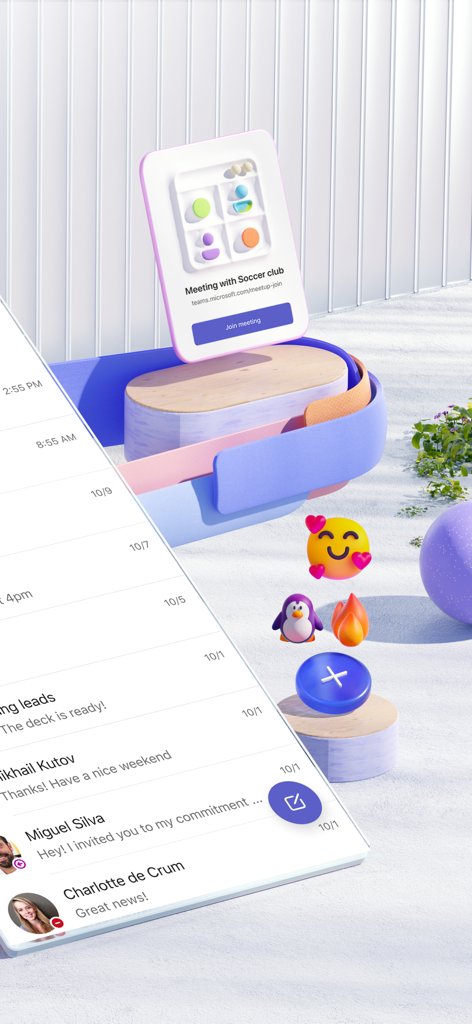
A mobile device displaying Microsoft Teams chat messages alongside a floating meeting notification for a community group.

A mobile device displaying Microsoft Teams chat messages alongside a floating meeting notification for a community group.

Group video call on Microsoft Teams mobile app

Group video call on Microsoft Teams mobile app

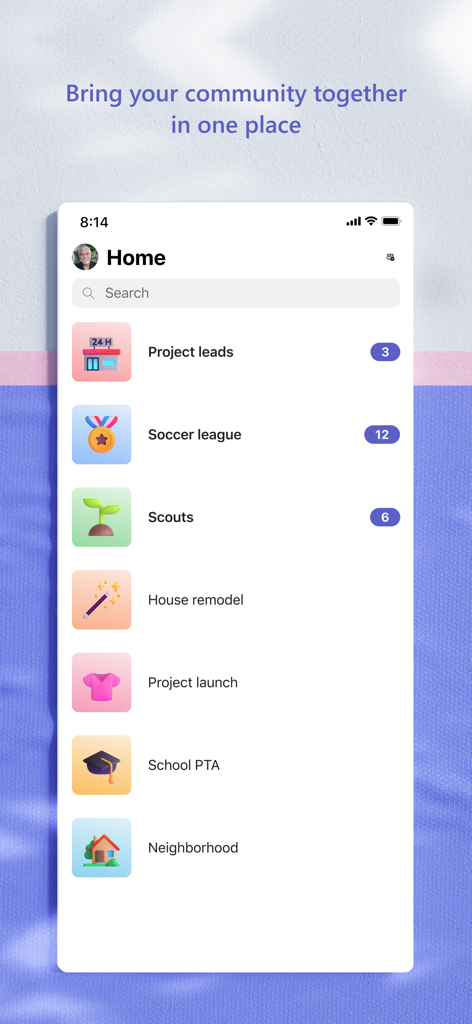
Microsoft Teams mobile app home screen displaying a list of various community groups and project folders

Microsoft Teams mobile app home screen displaying a list of various community groups and project folders

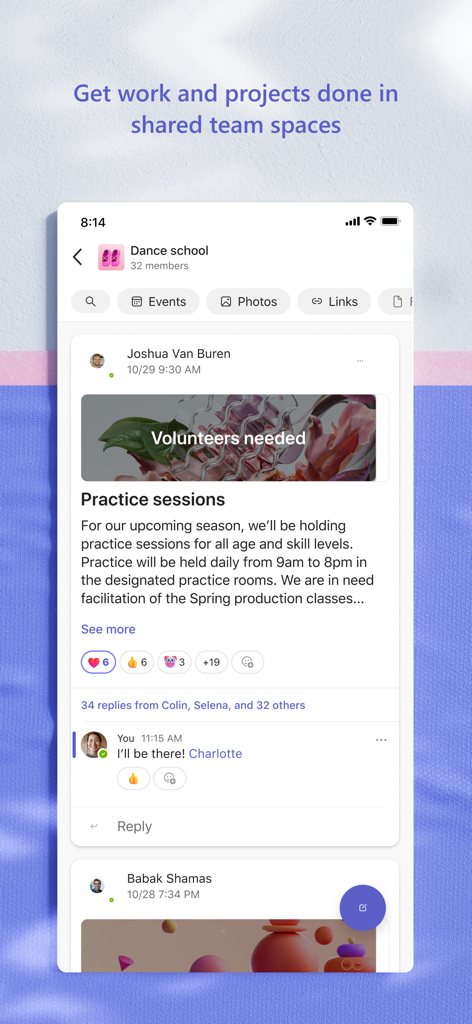
The Microsoft Teams app interface showing a dance school community page with a post about practice sessions and collaboration features.

The Microsoft Teams app interface showing a dance school community page with a post about practice sessions and collaboration features.

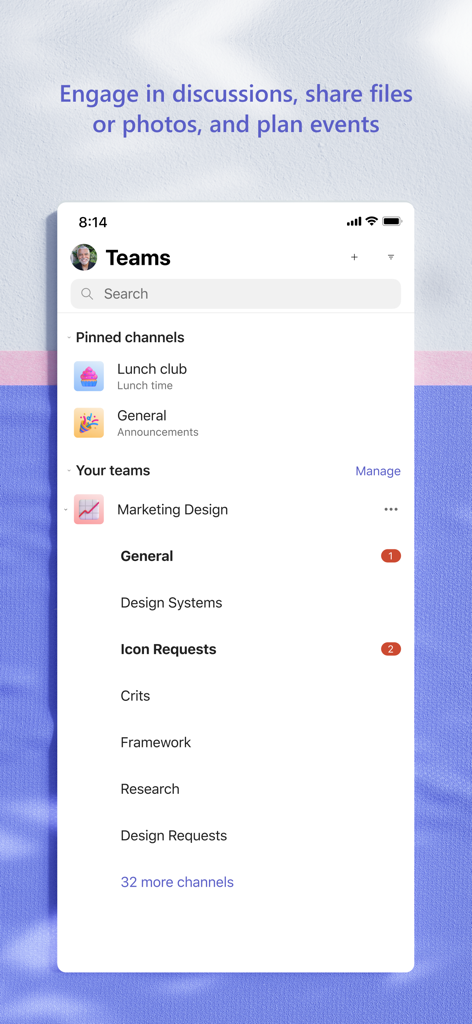
Microsoft Teams mobile app interface showing organized pinned channels and team workspace for professional collaboration.

Microsoft Teams mobile app interface showing organized pinned channels and team workspace for professional collaboration.

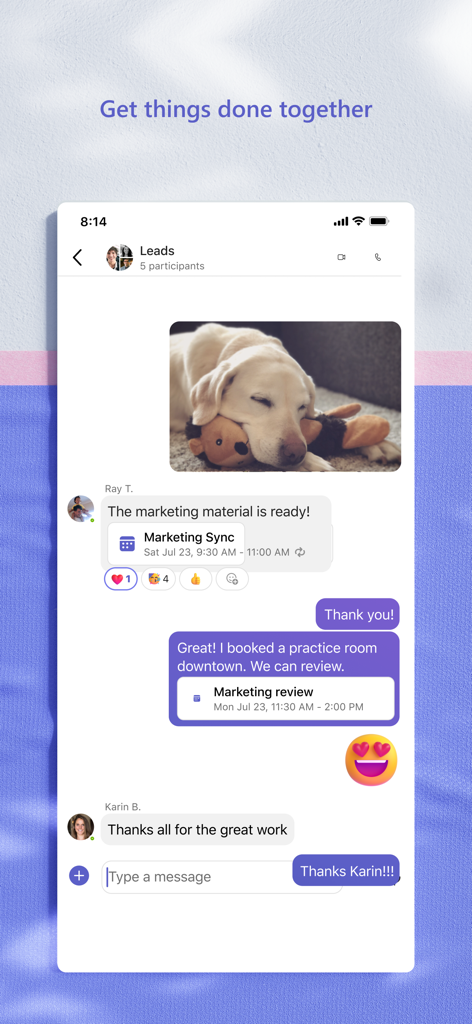
A mobile view of a Microsoft Teams group chat showing messages a shared photo and a calendar meeting invitation

A mobile view of a Microsoft Teams group chat showing messages a shared photo and a calendar meeting invitation

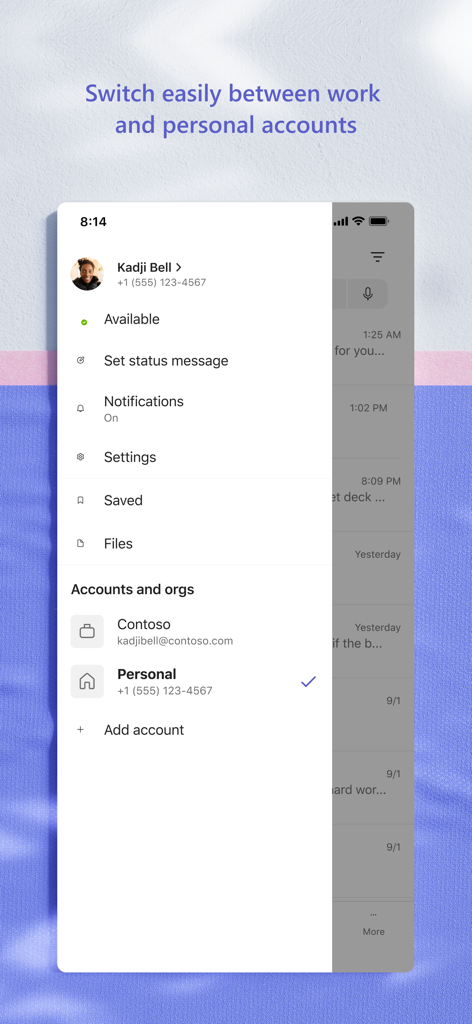
Interface of the Microsoft Teams mobile app displaying the menu to switch between work and personal accounts

Interface of the Microsoft Teams mobile app displaying the menu to switch between work and personal accounts

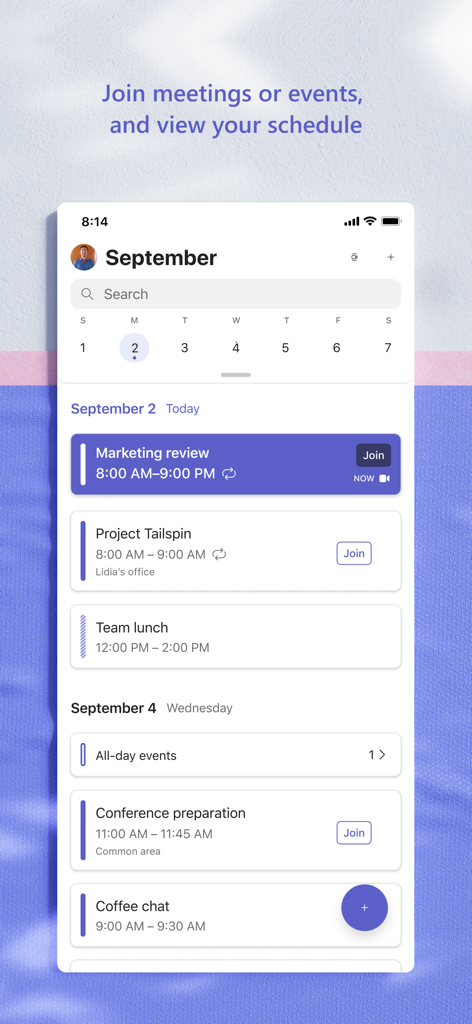
A screenshot of the Microsoft Teams mobile app showing a daily schedule with scheduled meetings and options to join events.

A screenshot of the Microsoft Teams mobile app showing a daily schedule with scheduled meetings and options to join events.

Your All-in-One Collaboration Hub

The tools that make this app stand out, trusted by 334M+ users.

🤝

Seamless Connectivity

Move instantly from a group chat to a high-definition video call, keeping your team or community connected from any device.

📊

Integrated Workflow

Access, share, and co-author Microsoft 365 documents in real-time without ever switching between different applications.

🛡️

Enterprise-Grade Security

Manage projects and sensitive data with peace of mind, backed by the robust security and compliance of the Microsoft ecosystem.

Loved by users worldwide

Trusted by 334M+ people who love this app.

"

"Managing a hybrid team across three time zones used to be a nightmare of switching between apps. With Teams, I have my video calls, shared spreadsheets, and task lists in a single view. It’s the ultimate productivity hub that actually keeps our projects on track."

Elena Rodriguez, Senior Project Lead
"

"I started using Teams for work, but now I use it for my non-profit board too. The secure file storage and dedicated channels make organizing our annual fundraiser so much easier than endless email chains. It's reliable, professional, and keeps my life organized."

Marcus Thompson, Community Director

Review Analysis

Insights from user reviews.

Sentiment Score

23%
Negative

Summary

The mobile app receives overwhelmingly negative feedback, primarily stemming from persistent login and authentication issues, which often involve complex loops with authenticator apps and frequent logouts, especially after recent updates. Users widely criticize the app's poor performance, describing it as consistently slow to load, download, and generally sluggish, leading to battery drain. Additionally, numerous critical bugs impact core functionalities such as calls ending abruptly, messages and media failing to display, notifications not clearing, and assignments being inaccessible. Specific version-related bugs, like login failures and inability to create meetings after the 2025-10-28/29 and 2025-11-21 updates, are frequently mentioned. Despite these widespread issues, some users still find the app functional for work and educational settings, expressing desire for more reaction options and community management features.

Common Themes

Communication Features Bugs(12)
Login and Account Access(10)
Performance and Responsiveness(7)
Assignment and Media Display Issues(7)
Positive Feedback / Feature Suggestions(7)
User Interface and Audio Experience(4)

About the app

Everything you need to know about Microsoft Teams.

Description

Whether you’re connecting with your community for an upcoming activity or working with teammates on a project, Microsoft Teams helps bring people together so that they can get things done. It’s the only app that has communities, events, chats, channels, meetings, storage, tasks, and calendars in one place—so you can easily connect and manage access to information. Get your community, family, friends, or workmates together to accomplish tasks, share ideas, and make plans. Join audio and video calls in a secure setting, collaborate in documents, and store files and photos with built-in cloud storage. You can do it all in Microsoft Teams. Easily connect with anyone: • Skype is now part of Teams. Continue where you left off with your chats, calls and contacts in Microsoft Teams Free. • Meet securely with communities, teammates, family, or friends. • Set up a meeting within seconds and invite anyone by sharing a link or calendar invite. • Chat 1-1 or to your entire community, @mention people in chats to get their attention. • Create a dedicated community to discuss specific topics and make plans*. • Work closely and collaborate by keeping conversations organized by specific topics and projects with teams and channels. • Video or audio call anyone directly in Teams or instantly convert a group chat to a call. • Use GIFs, emojis, and message animations to express yourself when words aren’t enough. Accomplish plans and projects together: • Send photos and videos in chats to quickly and easily share important moments. • Use cloud storage to access shared documents and files on the go. • Organize shared content in a community — events, photos, links, files —so you don’t have to waste time searching*. • Get the most out of your meetings by using screen share, whiteboard, or breakout in virtual rooms. • Manage access to information and ensure the right people have access to the right info, even when people join and leave projects. • Use task lists to stay on top of projects and plans - assign tasks, set due dates, and cross off items to keep everyone on the same page. Designed to give you peace of mind: • Securely collaborate with others while maintaining control over your data. • Keep communities safe by allowing owners to remove inappropriate content or members*. • Enterprise-level security and compliance you expect from Microsoft 365**. *Available when using Microsoft Teams with your Microsoft account. **Commercial features of this app require a paid Microsoft 365 commercial subscription or a trial subscription of Microsoft Teams for work. If you’re not sure about your company’s subscription or the services you have access to, visit Office.com/Teams to learn more or contact your IT department. By downloading Teams, you agree to the license (see aka.ms/eulateamsmobile) and privacy terms (see aka.ms/privacy). For support or feedback, email us at mtiosapp@microsoft.com. EU Contract Summary: aka.ms/EUContractSummary Consumer Health Data Privacy Policy   https://go.microsoft.com/fwlink/?linkid=2259814

Latest Version

7.22.2

Size

435.9 MB

First Released

Nov 2, 2016

Ready to simplify the way you work and connect?

Join millions of professionals who trust Microsoft Teams for secure, all-in-one collaboration. Download now and keep your projects, chats, and community in sync.

Download on App StoreDownload on Google Play
FAQ

Frequently Asked Questions

Everything you need to know about Microsoft Teams

What is Microsoft Teams?

Microsoft Teams is a comprehensive application that brings people together for communication and collaboration. It combines communities, events, chats, channels, meetings, storage, tasks, and calendars into a single platform.

What communication features does Microsoft Teams include?

Microsoft Teams offers secure audio and video calls, 1-1 or group chats, @mentions, and integrations like Skype chats and contacts. Users can express themselves with GIFs, emojis, and message animations.

Can users collaborate on documents and files within Microsoft Teams?

Yes, Microsoft Teams allows users to collaborate on documents and store files and photos using built-in cloud storage. Shared content can be organized within communities, and meetings feature screen sharing and whiteboards.

Does Microsoft Teams support video meetings and calls?

Yes, Microsoft Teams supports video meetings and calls. Users can connect with anyone securely, set up meetings instantly, and invite participants via link or calendar invite. The app displays multiple participants in a grid view.

Can I manage tasks and projects directly within Microsoft Teams?

Yes, Microsoft Teams allows users to manage projects and plans. It includes task lists to assign tasks, set due dates, and track completion, ensuring everyone remains synchronized on project progress.

What security and privacy features does Microsoft Teams provide?

Microsoft Teams provides secure collaboration, user control over data, and tools for community owners to remove inappropriate content or members. It incorporates enterprise-level security and compliance from Microsoft 365.

Is Microsoft Teams free to use?

Yes, basic features of Microsoft Teams are available for free. However, commercial features require a paid Microsoft 365 commercial subscription or a trial subscription of Microsoft Teams for work.

Does Microsoft Teams allow switching between work and personal accounts?

Yes, Microsoft Teams supports switching easily between work and personal accounts. The app provides an interface where users can select or add different organizational or individual profiles from a dedicated menu.

How does Microsoft Teams help organize community events?

Microsoft Teams provides a dedicated space to organize community events, along with photos, links, and files. Users can view and join scheduled events directly from their calendar within the app interface.

Does Microsoft Teams integrate with Skype?

Yes, Skype is now part of Microsoft Teams. Users can continue their chats, calls, and access contacts from Skype directly within Microsoft Teams Free, consolidating communication efforts.