Collage Maker: CollagePlus

Collage Maker: CollagePlus

Download on App Store
Spark by MWM logo
Logo of Collage Maker: CollagePlus
Collage Maker: CollagePlus – Your All-in-One Studio for Aesthetic Stories

Transform your favorite memories into professional-grade layouts. From viral photo dumps to business carousels, create stunning visuals effortlessly with 1,000+ themed templates and powerful editing tools.

Download on App Store

Publisher

Shamble, Inc.

Category

Photo & Video

Downloads

865K+

User Rating

4.8/5

Total Ratings

13K+

Locales

17

Your Aesthetic, Realized

Discover the interface used by 865K+ users.
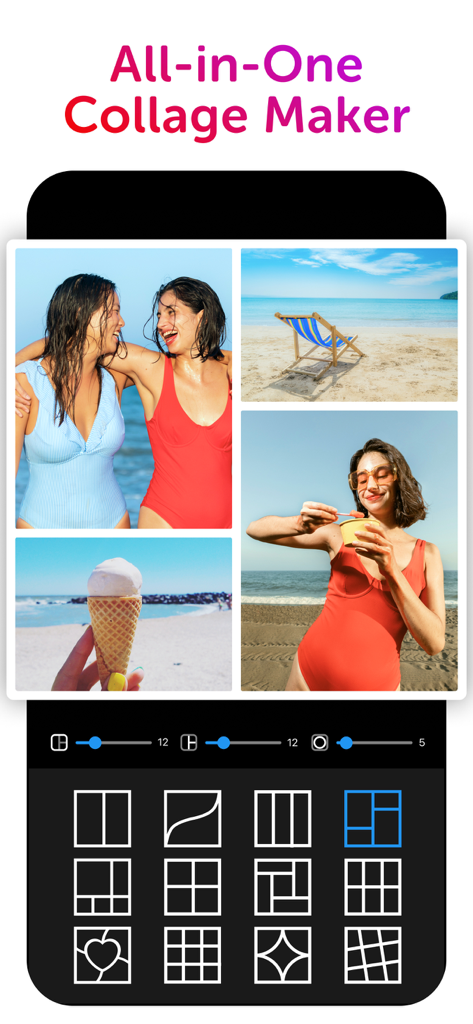
Screenshot of the CollagePlus app showing a beach themed photo collage and various grid layout options.

Screenshot of the CollagePlus app showing a beach themed photo collage and various grid layout options.

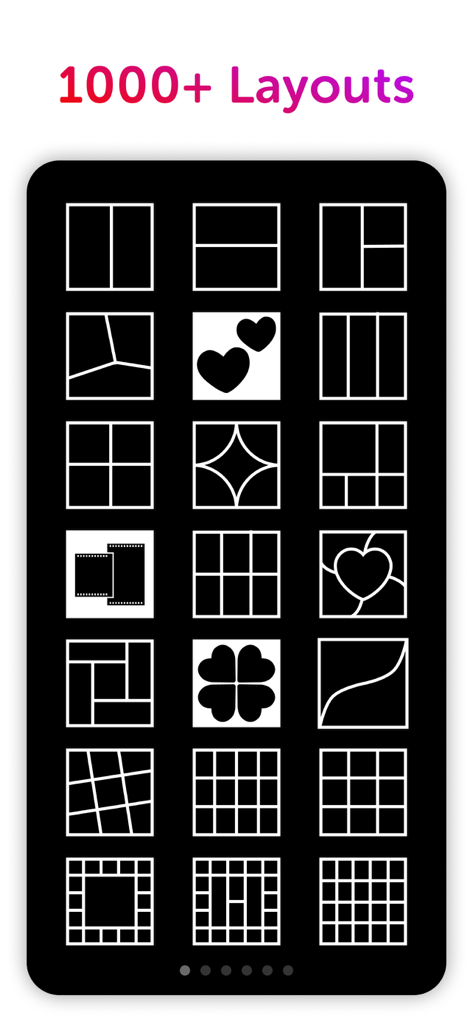
A phone screen displaying various photo collage layout options including grids and heart shapes

A phone screen displaying various photo collage layout options including grids and heart shapes

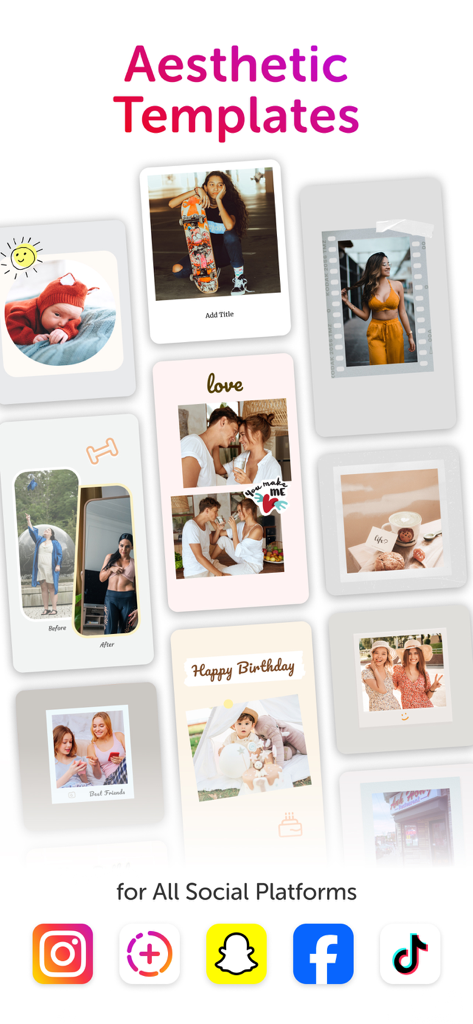
A collection of aesthetic photo collage templates for social media including polaroid styles, before and after shots, and birthday layouts.

A collection of aesthetic photo collage templates for social media including polaroid styles, before and after shots, and birthday layouts.

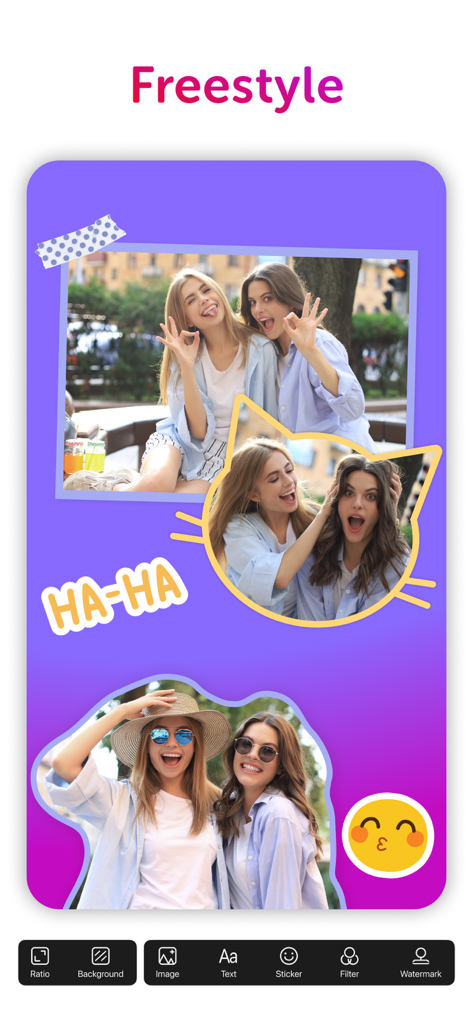
The freestyle collage feature in CollagePlus app showing photo layouts and stickers.

The freestyle collage feature in CollagePlus app showing photo layouts and stickers.

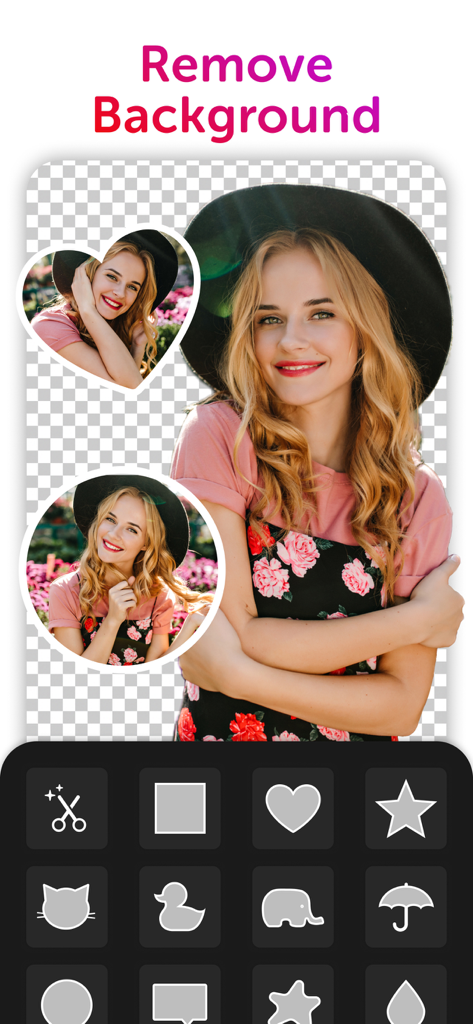
User interface of CollagePlus app showing background removal and custom photo cutouts

User interface of CollagePlus app showing background removal and custom photo cutouts

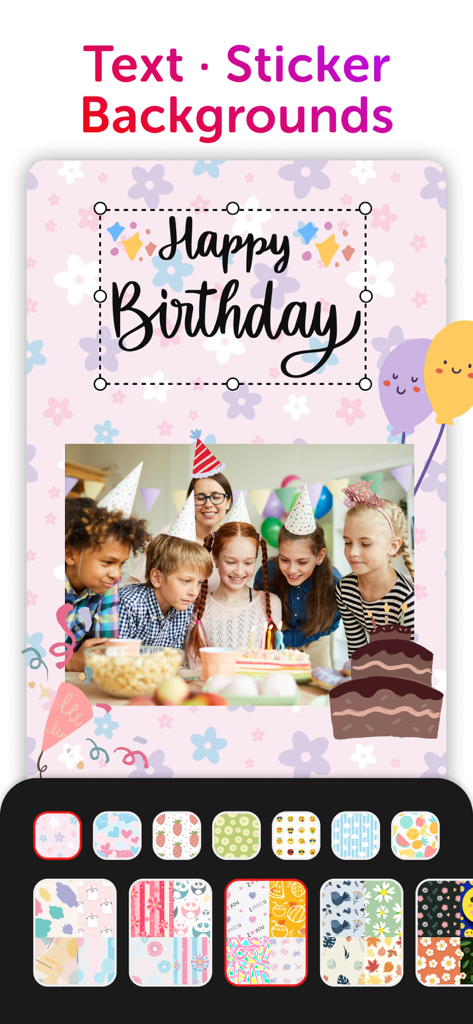
A birthday collage creator showing a group of children at a party with customizable floral backgrounds, stickers, and happy birthday text.

A birthday collage creator showing a group of children at a party with customizable floral backgrounds, stickers, and happy birthday text.

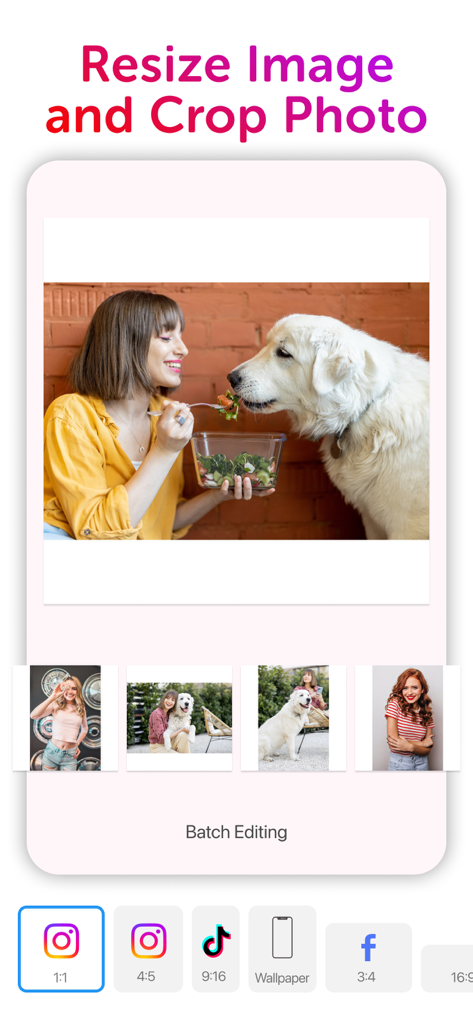
Interface of CollagePlus app showing photo resizing and cropping options for social media platforms

Interface of CollagePlus app showing photo resizing and cropping options for social media platforms

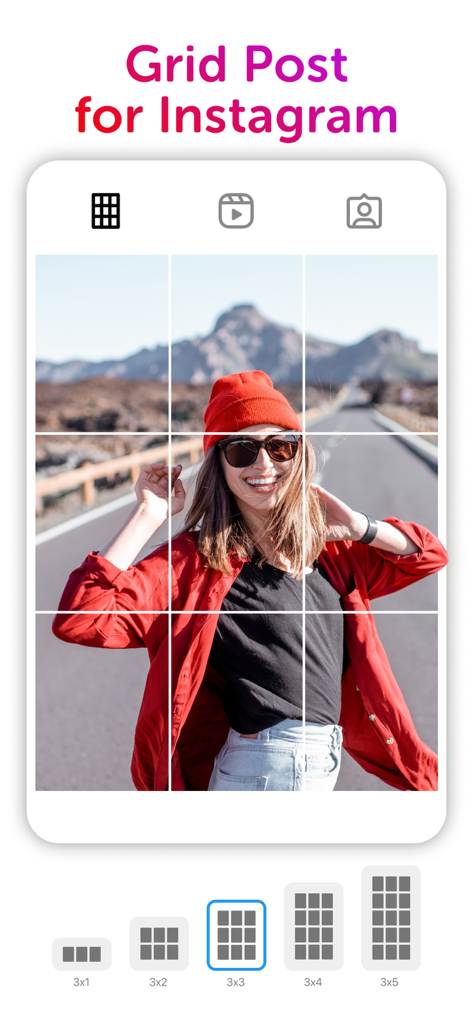
A 3x3 grid post preview for Instagram showing a photo of a woman in a red beanie being split into multiple squares.

A 3x3 grid post preview for Instagram showing a photo of a woman in a red beanie being split into multiple squares.

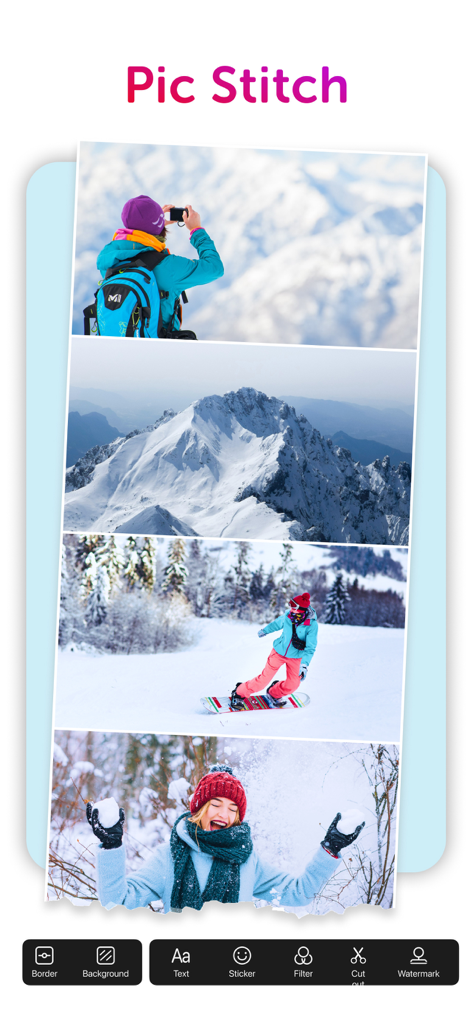
A vertical photo collage featuring winter mountains and snowboarding scenes created with the Pic Stitch tool.

A vertical photo collage featuring winter mountains and snowboarding scenes created with the Pic Stitch tool.

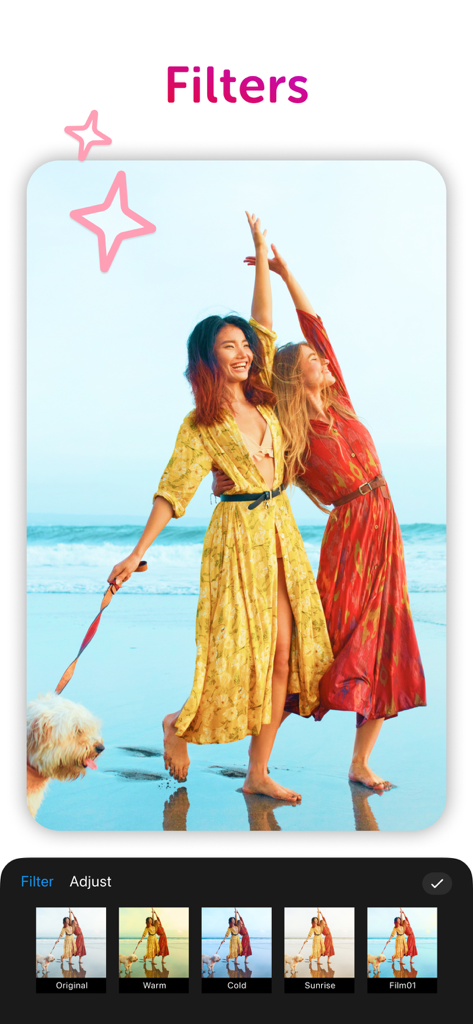
Screenshot of CollagePlus app showing various photo filter options like warm and cold for a beach picture

Screenshot of CollagePlus app showing various photo filter options like warm and cold for a beach picture

Turn Every Memory into a Masterpiece

The tools that make this app stand out, trusted by 865K+ users.

🎨

Unlimited Creative Freedom

Remix up to 20 photos using 1,000+ aesthetic layouts or go Freestyle to design your own digital scrapbooks and vision boards.

📈

Optimized for Social Growth

Master the algorithm with seamless Instagram carousels, 9-grid panoramas, and Pinterest stitches designed to stop the scroll.

🪄

AI-Powered Precision

Remove backgrounds instantly and use curated filter packs to give your milestone celebrations or product photos a clean, high-end look.

Loved by users worldwide

Trusted by 865K+ people who love this app.

"

"As a busy mom, I don't have hours to spend on editing, but I want my family memories to look special. CollagePlus is my go-to for documenting my daughter's monthly milestones and our holiday trips. The celebration templates are stunning, and I love how easy it is to blend Live Photos with still shots!"

Sarah Jenkins
"

"Literally the best tool for my Instagram feed. The Carousel Maker and the grid splitters have saved me so much time creating aesthetic content for my brand. It gives my posts that high-end, curated look without needing a graphic designer. It is a must-have for any digital creator!"

Chloe Rivera

About the app

Everything you need to know about Collage Maker: CollagePlus.

Description

CollagePlus turns your favorite memories into beautiful collages, stories, and posts — from everyday moments to special celebrations. Whether you're celebrating a birthday, sharing a sweet couple story, or making a before-and-after comparison, CollagePlus offers 1000+ layouts and themed templates so you can always find the perfect style. Remix up to 20 photos with tools simple enough for quick edits yet flexible enough for creative projects. Plus, tools like filters, cutouts, background remover, text, and stickers help your photos look clean and aesthetic with minimal effort, making creative editing easy and enjoyable. Features • 1000+ Layouts: Classic, modern, and aesthetic designs. Combine up to 20 photos with adjustable spacing, borders, and backgrounds. • Freestyle: Place photos anywhere on a blank canvas. Great for moodboards, journaling, and scrapbooks. • Templates: Curated designs for stories, posters, cards, and aesthetic collages. • Live Collage: Blend Live Photos with still images for dynamic effects. • Stitch: Create long images for Pinterest, screenshots, comparisons, and social media posts. • Square Fit: Add backgrounds, choose ratios, and export no-crop photos. Batch supported. • Wallpaper Maker: Create personalized wallpapers with clean layouts and special ratios. • Background Remover & Cutout: Remove backgrounds instantly and make custom stickers. • Grid Maker: Split photos into 3, 6, 9, or 12 grids for seamless panoramas. • Carousel Maker: Generate multi-frame Instagram carousels. • Photo Editing Tools: Filters, text, stickers, color picker, watermark, and more. • Celebration Packs: Create birthday posts and seasonal collages with themed stickers. Who It’s For • People creating posts for birthdays, anniversaries, holidays, and special celebrations. • Couples who love sharing daily sweet moments or relationship stories. • Moms and families documenting their kids’ everyday life, growth, and milestones. • Travelers who want to share memories from trips, weekend adventures, and scenic moments. • Students and creators who enjoy making moodboards, journals, vision boards, and aesthetic layouts. • Social media users who want clean, beautiful visuals for Instagram, TikTok, Facebook, and Pinterest. • Influencers, small-business owners, and sellers who create product photos, promo layouts, and campaign visuals. • Anyone who makes comparison visuals — Before & After, A/B choices, outfit comparisons, glow-ups, or progress photos. • People who simply want an easy, fun way to turn everyday photos into something beautiful. Subscription • CollagePlus Pro unlocks premium layouts, templates, backgrounds, and advanced tools. • Payment is charged to your Apple ID at confirmation of purchase. • Your subscription renews automatically unless canceled at least 24 hours before the end of the current period. • You can manage or cancel your subscription anytime in your App Store account settings. • If offered, a free trial will convert to a paid subscription unless canceled before the trial ends. Privacy Policy: https://collage.plus/PrivacyPolicy.html Terms of Service: https://collage.plus/TermsAndConditions.html

Latest Version

2.5.6

Size

221.4 MB

First Released

Jun 8, 2022

Start Creating Your Aesthetic Story Today

Join 865,000+ users who turn their favorite memories into stunning, professional-looking collages. Download CollagePlus and elevate your photos in seconds.

Download on App Store
FAQ

Frequently Asked Questions

Everything you need to know about Collage Maker: CollagePlus

What is CollagePlus?

CollagePlus is an all-in-one collage maker that transforms memories into beautiful collages, stories, and posts. It offers over 1000 layouts and various editing tools for creative photo projects.

How many layouts does CollagePlus offer?

CollagePlus offers over 1000 layouts, including classic, modern, and aesthetic designs. These layouts allow users to combine up to 20 photos with adjustable spacing, borders, and backgrounds.

Can CollagePlus remove photo backgrounds?

Yes, CollagePlus includes a Background Remover tool. This feature instantly removes backgrounds from photos, allowing users to create clean cutouts and custom stickers effortlessly.

Does CollagePlus support creating Instagram grid posts?

Yes, CollagePlus features a Grid Maker that splits photos into 3, 6, 9, or 12 grids. This functionality enables users to create seamless panoramas or grid posts specifically for Instagram.

Can I create long images or photo stitches with CollagePlus?

Yes, CollagePlus provides a "Stitch" feature. This tool allows users to create long images for platforms like Pinterest, comparisons, or various social media posts by combining multiple photos vertically.

What types of templates are available in CollagePlus?

CollagePlus offers curated templates for stories, posters, cards, and aesthetic collages. These designs cater to various occasions, including birthdays, holidays, and social media content across platforms.

How do I manage my CollagePlus Pro subscription?

Users manage or cancel their CollagePlus Pro subscription in their App Store account settings. Renewal occurs automatically unless canceled at least 24 hours before the current period ends.

Does CollagePlus offer a free trial for its Pro features?

Yes, CollagePlus may offer a free trial. If a free trial is provided, it converts to a paid subscription unless canceled before the trial period concludes.

Can I use CollagePlus to add text and stickers to my photos?

Yes, CollagePlus includes photo editing tools for adding text and stickers. Users can also utilize a color picker and add watermarks to their creations.

Is CollagePlus suitable for social media content creation?

Yes, CollagePlus is ideal for social media content. It helps create clean, beautiful visuals for Instagram, TikTok, Facebook, and Pinterest, including specific tools like Carousel Maker and Grid Maker.