Photo Collage Montage Maker

Photo Collage Montage Maker

Download on App Store
Spark by MWM logo
Logo of Photo Collage Montage Maker

Photo Collage Montage Maker: Turn Your Memories Into Beautiful Stories Instantly

Join over 3 million users who transform everyday photos into stunning collages. Perfect for parents, travelers, and small businesses who want professional layouts without the effort.

Publisher

Honk Honk Punch Pty Ltd

Category

Photo & Video

Downloads

4M+

User Rating

4.8/5

Total Ratings

157K+

Locales

20

Your Stories in Style

Discover the interface used by 4M+ users.
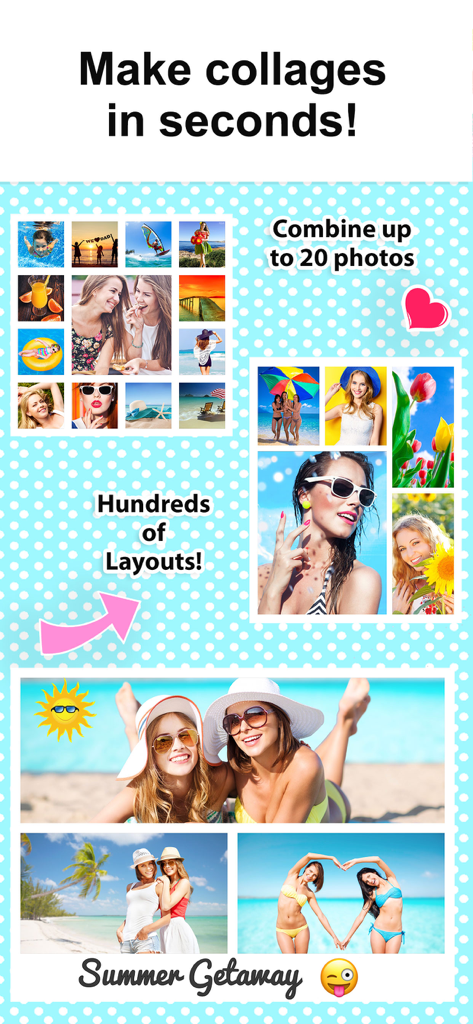
Marketing display showing various photo collage layouts and summer vacation pictures from the Photo Collage Montage Maker app.

Marketing display showing various photo collage layouts and summer vacation pictures from the Photo Collage Montage Maker app.

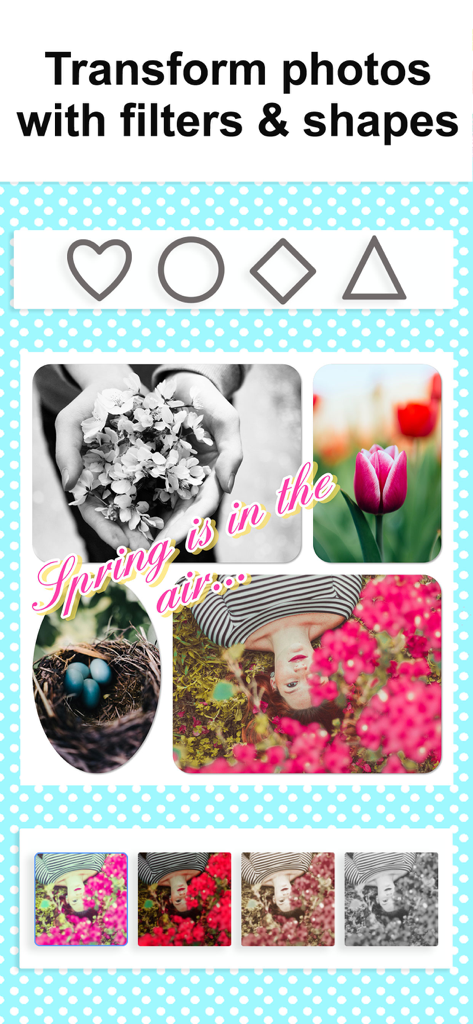
A photo collage interface featuring spring themed images with filter options and geometric shapes

A photo collage interface featuring spring themed images with filter options and geometric shapes

A square photo collage for Instagram with decorative stickers and personal photos on a blue polka dot background.

A square photo collage for Instagram with decorative stickers and personal photos on a blue polka dot background.

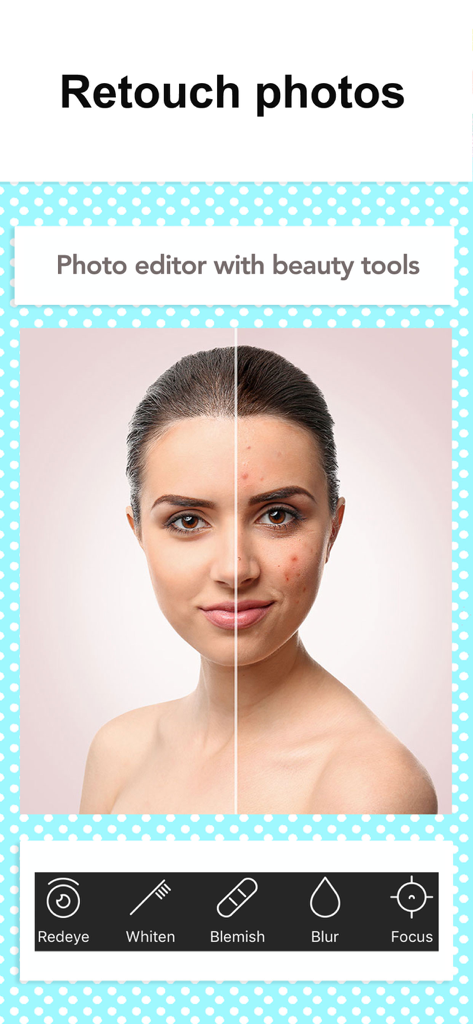
Before and after comparison of a portrait using photo retouching and beauty editor tools

Before and after comparison of a portrait using photo retouching and beauty editor tools

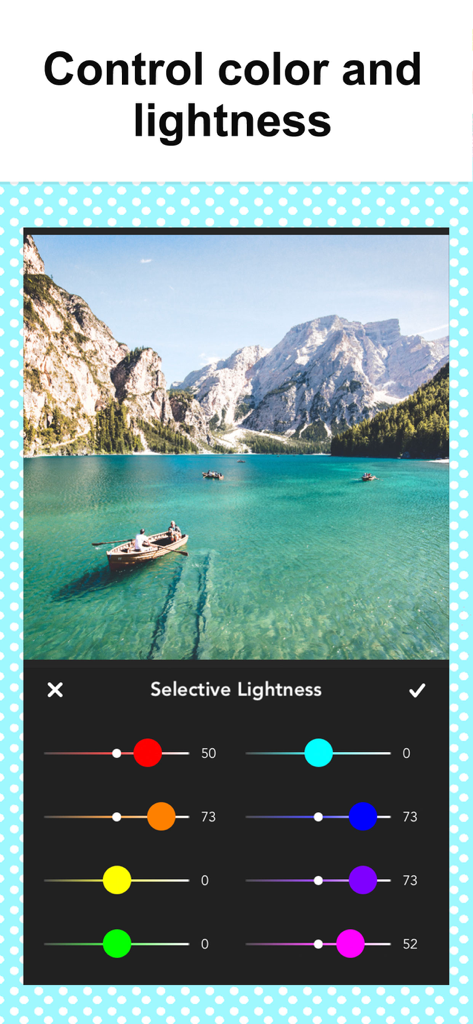
Photo editing interface showing selective color and lightness sliders for a scenic lake landscape

Photo editing interface showing selective color and lightness sliders for a scenic lake landscape

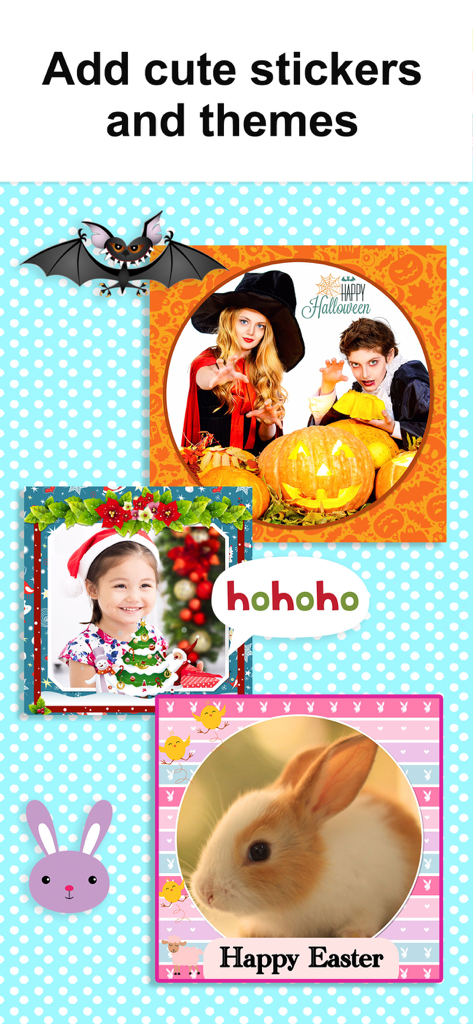
Photo collage examples with Halloween, Christmas, and Easter stickers and themed frames.

Photo collage examples with Halloween, Christmas, and Easter stickers and themed frames.

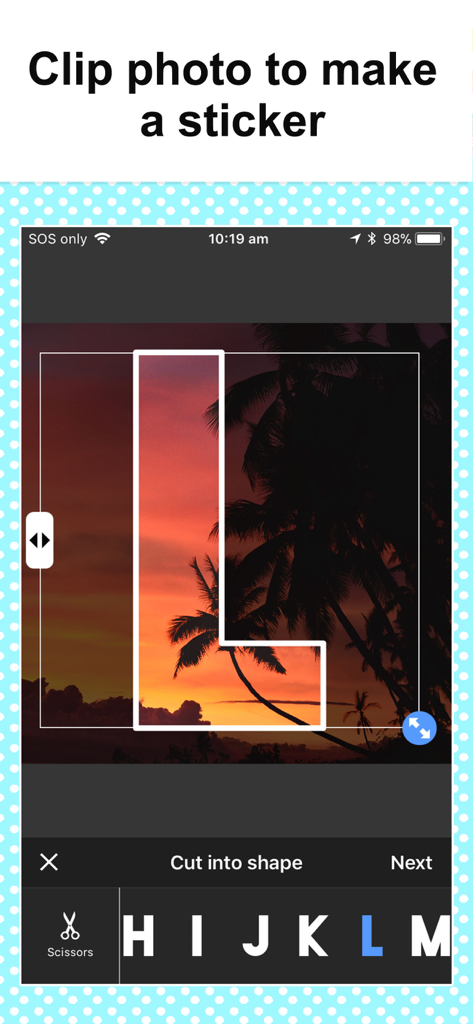
A photo of a sunset being clipped into the shape of a letter to create a custom sticker in the collage maker app

A photo of a sunset being clipped into the shape of a letter to create a custom sticker in the collage maker app

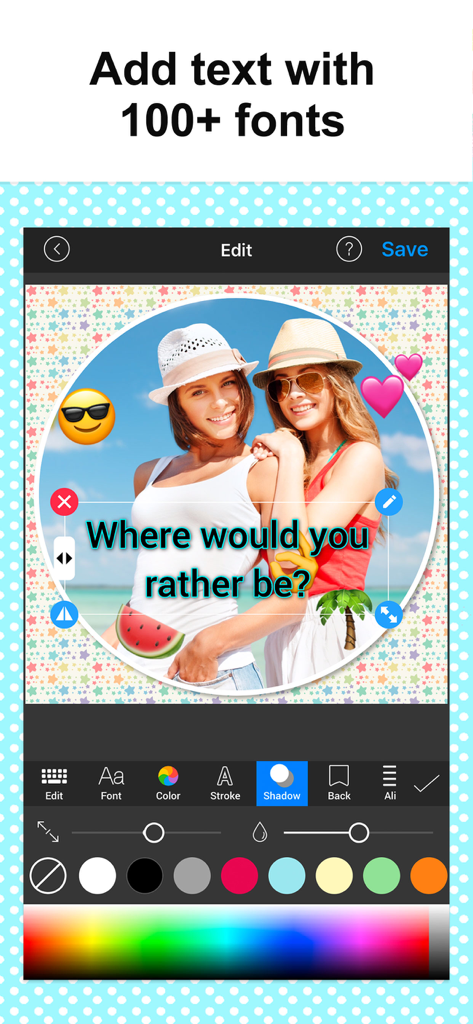
Photo Collage Montage Maker interface showing text overlay and emoji editing on a travel photo with different font options.

Photo Collage Montage Maker interface showing text overlay and emoji editing on a travel photo with different font options.

Turn Every Moment into a Masterpiece

The tools that make this app stand out, trusted by 4M+ users.

🪄

Instant Automatic Framing

Perfect for busy parents and creators—simply select your photos and watch the app automatically generate beautiful layouts in seconds.

🎨

Digital Scrapbooking Style

Bring back the joy of scrapbooking with 120+ layouts, 60+ creative fonts, and hundreds of patterns to make every memory feel personal.

📈

Professional Business Displays

Ideal for side-hustlers and small businesses to create stunning multi-angle product grids and high-impact 'before and after' sequences.

Loved by users worldwide

Trusted by 4M+ people who love this app.

"

"As a busy mom of three, I have thousands of photos sitting on my phone. This app is a lifesaver! I love how it automatically suggests layouts so I can turn a whole birthday party into one beautiful collage in seconds. It is like digital scrapbooking without the mess, and my family on Facebook always asks how I make such cute posts!"

Sarah Miller
"

"I use this for my online boutique to create multi-angle product shots and it has totally leveled up my branding. The text options and shadow effects make my photos look professional without needing a designer. It is the easiest way to show off new arrivals on Instagram and my customers love the clean look."

David Thompson, Etsy Seller

About the app

Everything you need to know about Photo Collage Montage Maker.

Description

Quickly combine multiple photos into one beautifully framed picture. Join over 3 million users who love to tell their story and share with friends & family via social media or email! Also great for printing! Choose your pictures and the app automatically frames them in multiple ways - so easy! Pick your preferred collage and share. You will love the endless combinations of patterns, stickers, text, borders, filters, shapes, frames and more. Create a before-and-after sequence, combine up to 20 great photos of each of your kids, or produce a photographic series. Also super useful for online businesses to display product! Perfect for capturing and sharing celebrations, holidays, pets, culinary achievements and more. Your friends will love the beautiful collages you produce. So much more personal than simply posting individual photos. Here's how it works: • Select your photos and watch as they are automatically put into multiple collages • Choose the collage arrangement you like best • Select your colors or background patterns • Add text and stickers • Save to Camera Roll or share your masterpiece on your favorite social media networks including Facebook, Twitter and Instagram. Here's what some of our users had to say: **** This is the most awesome app in the world!! Especially for a die hard scrapbooker who doesn't have time to do traditional scrapbooking any more. Love, love, love this app! There are endless ways to utilize this App! So much fun! It lets me be creative! Great job! Hands down, this is my favorite collage app... And believe me, I've tried many!! **** FEATURES • COMBINE YOUR PHOTOS INTO A UNIQUE COLLAGE - Over 120 layouts - All layouts are FREE!!! - Over 90 Free beautiful pattern backgrounds + Unsplash and Pixababy - Over 40 Free stickers - Over 50 Pro pattern backgrounds - Amazing photo effects to apply to individual photos - Easy share direct to Instagram, Twitter, Facebook, Flikr, Tumblr, Email - Save to Camera Roll • CAPTION & STYLE YOUR PIC & COLLAGE - Add text easily and quickly - 61 creative fonts - Easy to change text color, size, font, background - Easy to move, resize and rotate the text • EDIT PIC & COLLAGE WITH PRO PHOTO EDITOR - Edit photo via a built-in PRO photo editor - Zoom in grid to pan, pinch, rotate photo - Pan, rotate or mirror each photo - Rounded corners on photos - Move photos between different grids by drag and drop - Tap picture to show photo edit menu - Shadow each photo Snap Collage Premium Subscription Info: - You can subscribe for unlimited access to premium content, including: Unlocking all Stickers & Overlays, Over 50 Pro Patterns, Pro Fonts, Custom Photo Backgrounds, No Ads, and more Prices: - $2.99 per month with 3 day free trial - $11.99 per year with 7 day free trial - You'll be able to use all features for the duration of your subscription - Payment will be charged to your iTunes Account at confirmation of purchase - The subscription renews automatically unless auto-renewal is turned off for at least 24-hours before the end of the current period - The account will be charged for renewal within 24-hours prior to the end of the current period at the cost of the chosen package - Subscriptions may be managed by the user and auto-renewal may be turned off by going to the user's Account Settings after purchase - Any unused portion of a free trial period, if offered, will be forfeited when the user purchases a subscription You can read our privacy policy and terms of use at http://cushwayapps.com/app-privacy/snapcollage/privacy.html http://cushwayapps.com/app-privacy/snapcollage/terms.html Have you found a bug, got a suggestion, or want a new feature? Email us at: support@honkhonkpunch.com

Latest Version

5.6.0

Size

58.6 MB

First Released

Aug 15, 2012

Ready to Share Your Story?

Join over 4 million users turning their favorite moments into beautiful, framed masterpieces. Download now and start creating in seconds.

Download on App Store
FAQ

Frequently Asked Questions

Everything you need to know about Photo Collage Montage Maker

How can I create photo collages with Photo Collage Montage Maker?

The Photo Collage Montage Maker app creates collages by selecting photos, picking a layout, and customizing with colors, patterns, text, and stickers. Users can then save or share the finished collage.

How many photos can I combine in Photo Collage Montage Maker?

Users can combine up to 20 photos into a single collage using the Photo Collage Montage Maker app. This allows for comprehensive visual storytelling and composition.

What customization options does Photo Collage Montage Maker offer?

Photo Collage Montage Maker offers customization with patterns, stickers, text, borders, filters, shapes, and frames. Users can also adjust colors, lightness, and apply beauty tools.

Does Photo Collage Montage Maker include free layouts and backgrounds?

Yes, Photo Collage Montage Maker provides over 120 free layouts and more than 90 free pattern backgrounds. These free features allow users to create diverse collages without a subscription.

Does Photo Collage Montage Maker have a built-in photo editor?

Yes, Photo Collage Montage Maker includes a built-in photo editor. It allows users to zoom, rotate, mirror, drag & drop photos, and perform retouching with beauty tools like blur and blemish removal.

What is included in a Photo Collage Montage Maker Premium subscription?

Photo Collage Montage Maker Premium unlocks all stickers, patterns, fonts, and custom photo backgrounds. This subscription also removes all advertisements from the application for an uninterrupted experience.

How do I manage or cancel a Photo Collage Montage Maker Premium subscription?

Photo Collage Montage Maker subscriptions automatically renew unless cancelled at least 24 hours before the current period ends. Users manage their subscriptions anytime in Account Settings.

Can I add text to my collages in Photo Collage Montage Maker?

Yes, Photo Collage Montage Maker allows users to add text to collages. It features over 60 fonts and provides full styling control, including options for color, stroke, and shadow.

Does Photo Collage Montage Maker support social media resizing?

Yes, Photo Collage Montage Maker supports resizing collages specifically for social media. This feature ensures optimal display and sharing across various online platforms.