
DAILY POCKET - Budget Manager



Take control of your spending with simple manual entry, beautiful analytics, and zero bank-linking required. Start your journey toward a smarter, more mindful financial life today.
Publisher
Category
FinanceDownloads
442K+User Rating
Total Ratings
4K+Locales
26Discover the interface used by 442K+ users.
The tools that make this app stand out, trusted by 442K+ users.
Record every expense in under 10 seconds. Designed for the active user who needs to log and go.
No bank accounts to link. Keep your financial data completely private with FaceID and encrypted backups.
Stay on track with flexible weekly or monthly budgets and beautiful charts that reveal your habits.
Trusted by 442K+ people who love this app.
"I've tried every budgeting app out there, but I hated linking my bank account to everything. Daily Pocket is a breath of fresh air. It's incredibly fast to log my coffee or groceries, and the biometric lock gives me total peace of mind. It's simple, private, and exactly what I needed to finally stick to a budget."
"As a freelancer, my income changes every week, so the weekly budget toggle is a total game-changer. I love being able to snap photos of my receipts for my records and see exactly where my money goes with the custom categories. It's visually clean and makes staying frugal actually feel rewarding."
Everything you need to know about DAILY POCKET - Budget Manager.
Description
Latest Version
6.0.5
Size
33.4 MB
First Released
Mar 3, 2017
Join over 442,000 users who master their budget with ease and total privacy. Download DAILY POCKET now and take the first step towards a smarter, frugal lifestyle.
Everything you need to know about DAILY POCKET - Budget Manager
DAILY POCKET - Budget Manager is an app designed for easy and fast tracking of spending and income. It helps users manage budgets, customize categories, view statistics, and secure financial data.
Yes, DAILY POCKET - Budget Manager allows users to set customized budgets. You can define a specific budget amount and choose a budget period, such as a month or a week.
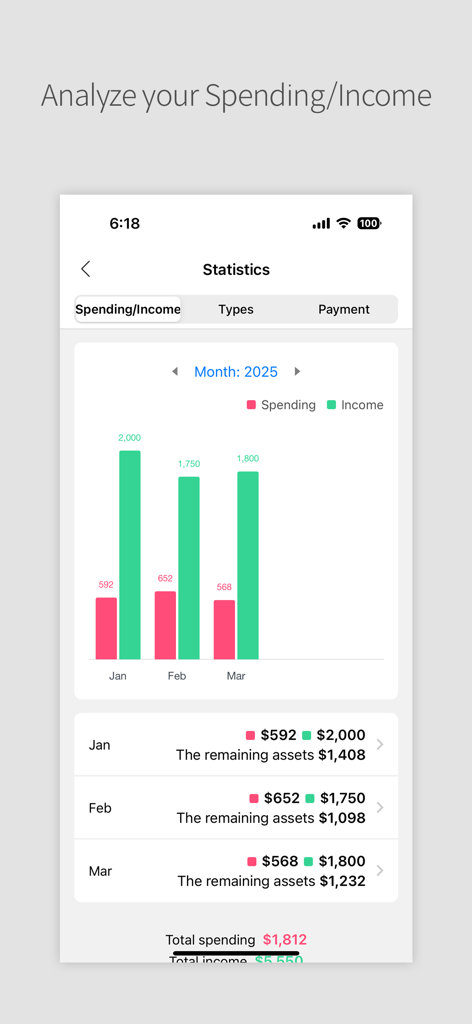
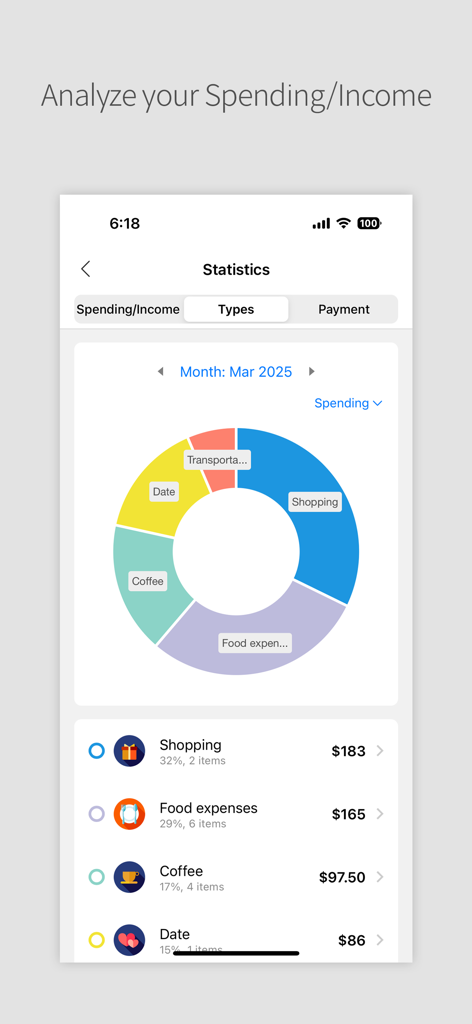
DAILY POCKET - Budget Manager provides various statistics graphs. These include charts for spending/income on total, 1-year, 6-month, or 1-month bases, offering detailed financial analysis.
Yes, DAILY POCKET - Budget Manager provides easy backup and recovery options. Users can securely back up their financial data using either Google Drive or Dropbox.
DAILY POCKET - Budget Manager ensures app safety through security features. Users can protect their financial information by enabling a password lock or biometric authentication.
Yes, DAILY POCKET - Budget Manager supports photo attachments. You can attach receipts to your spending history entries and add memos with details like time and date.
DAILY POCKET - Budget Manager offers customized categories for spending, income, and payments. It supports various category icons and a manual sorting function to organize entries as desired.
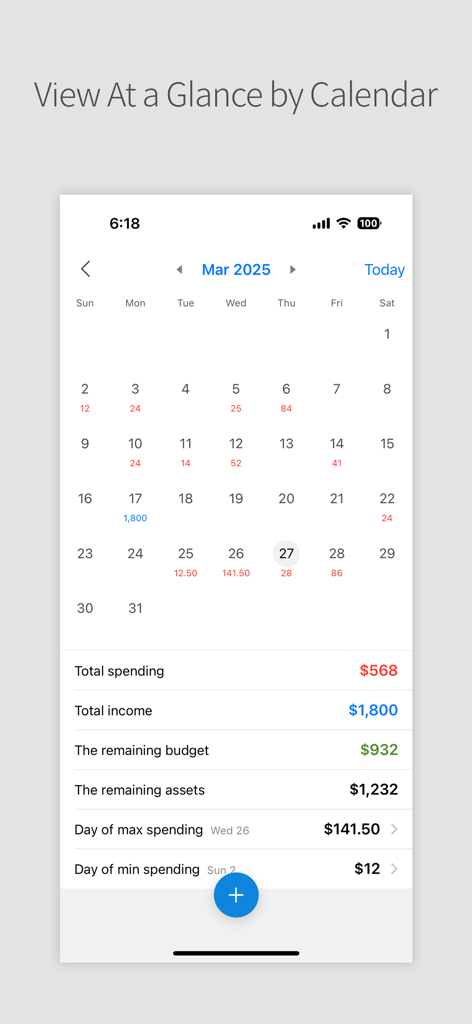
Yes, DAILY POCKET - Budget Manager includes a calendar view. This feature displays total histories of spending and income for each month and day, providing a clear overview.
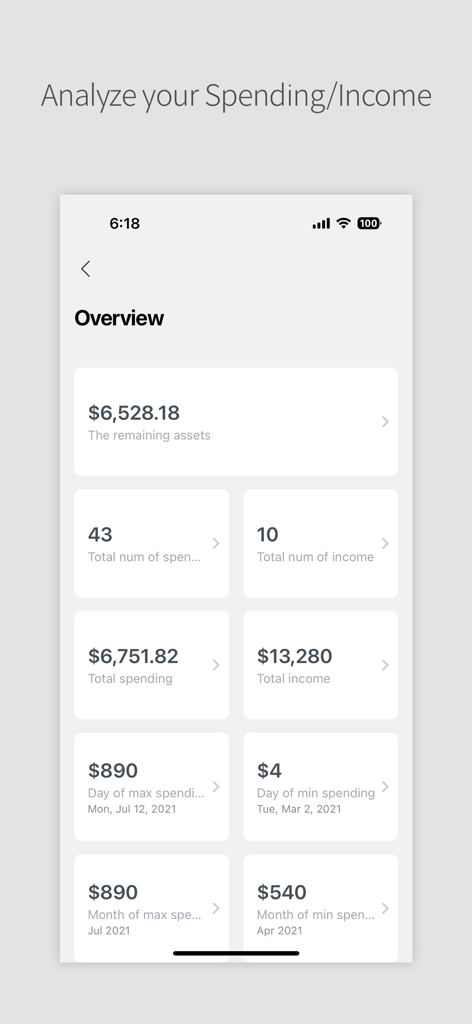
DAILY POCKET - Budget Manager provides a status overview including total spending/income, remaining budget, and identifies the days or months with the most or least money spent.
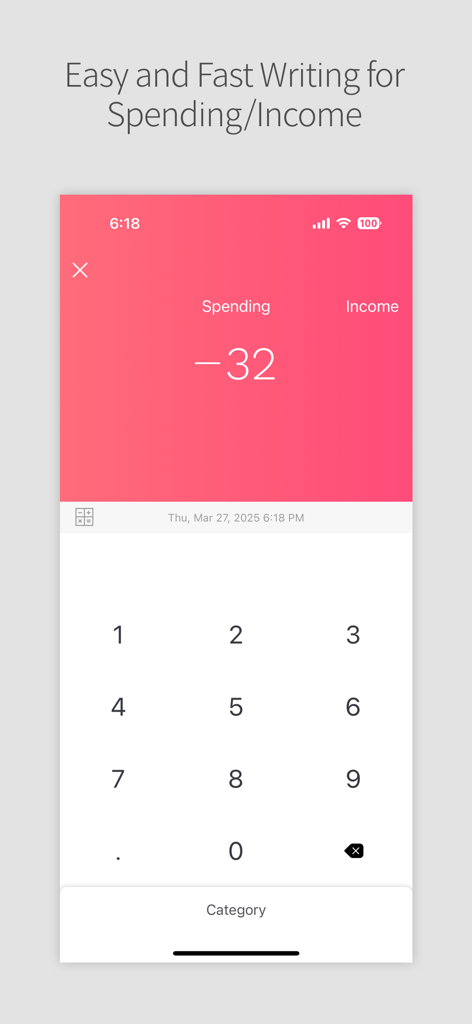
Yes, DAILY POCKET - Budget Manager prioritizes easy and fast writing for spending and income. It offers simple input, correction, and deletion functionalities for quick management.
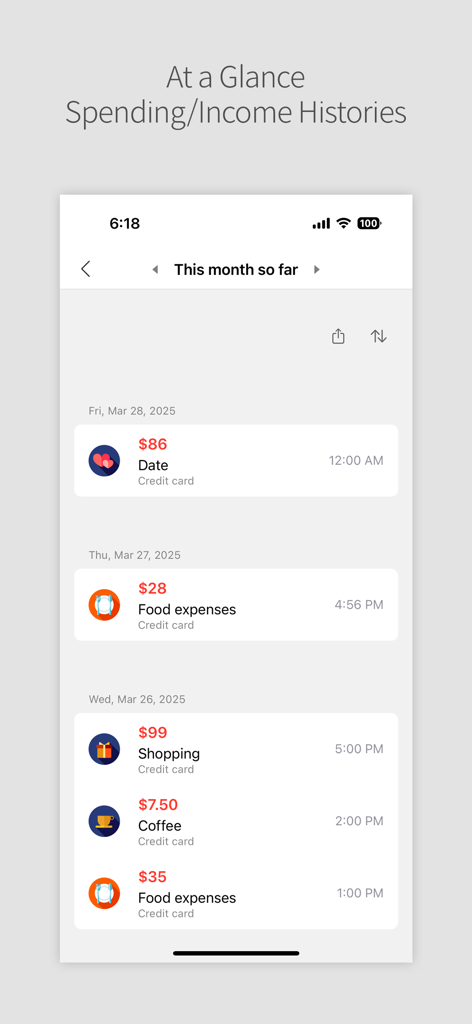
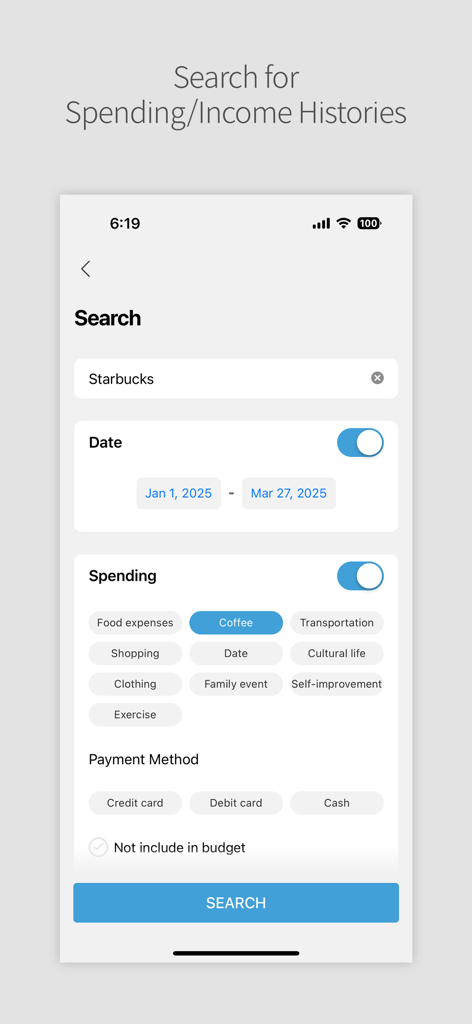
DAILY POCKET - Budget Manager allows you to search for spending and income histories. You can use keywords, filter by date range, specific categories, or payment methods to find transactions.
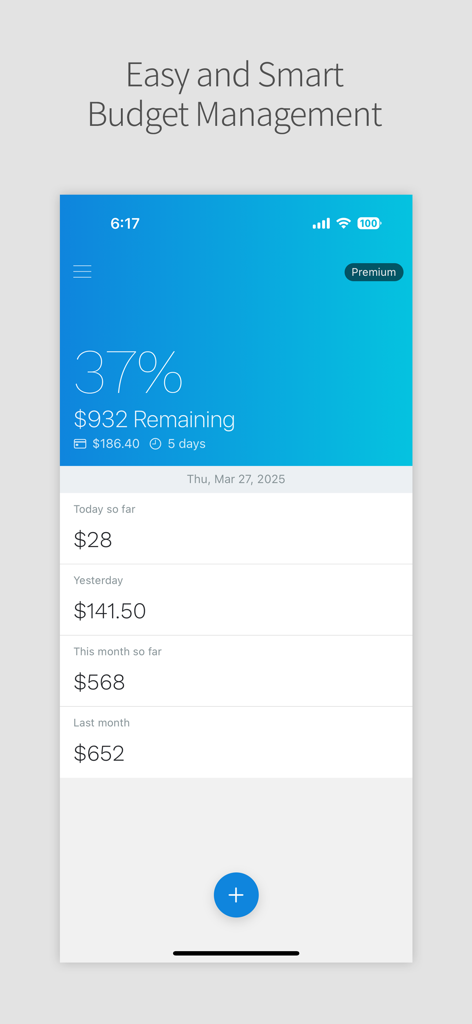
Yes, DAILY POCKET - Budget Manager clearly displays your remaining budget. The main overview screen shows the percentage and exact amount of your budget that is still available.
Yes, DAILY POCKET - Budget Manager supports customization for payment categories. Screenshots indicate that you can filter transactions by payment methods such as Credit card, Debit card, and Cash.
Apps with similar features and user experience

Beijing Shark Pioneer Network Technology Co.,Ltd

Shanghai Yuhuan Technology Co., Ltd.

Orange dog d.o.o.

Realbyte Inc.

Akash Jain

Guangzhou Quji Technology Co., Ltd.

You Need A Budget LLC

Copilot Money, Inc.

YouQian