Desqueeze - Batch Resizer

Desqueeze - Batch Resizer

Download on App Store
Spark by MWM logo
Logo of Desqueeze - Batch Resizer

Desqueeze - Batch Resizer: Professional Photo and Video Scaling for Creators

Batch process unlimited files with desktop-level precision. Upscale to 8K, de-squeeze anamorphic footage, and instantly optimize for social media while preserving HDR and metadata quality.

Publisher

Aliaksei Khutarshchykau

Category

Photo & Video

Downloads

125K+

User Rating

4.7/5

Total Ratings

2K+

Locales

5

Precision in Every Pixel

Discover the interface used by 125K+ users.
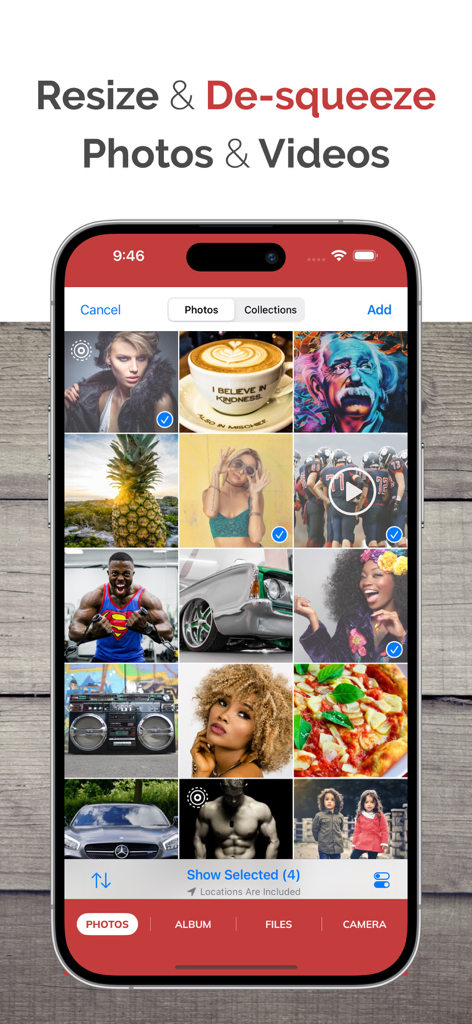
iPhone screen showing the Desqueeze app interface with a grid of selected photos and videos for batch resizing

iPhone screen showing the Desqueeze app interface with a grid of selected photos and videos for batch resizing

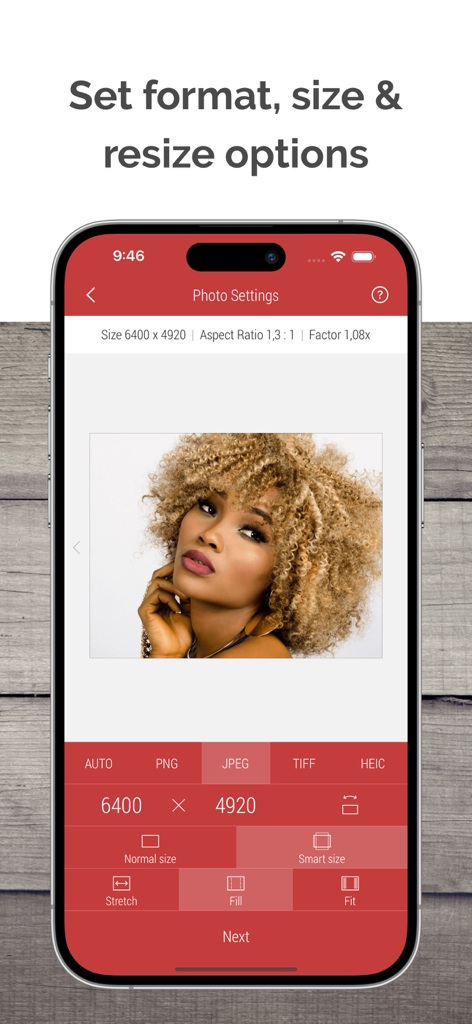
Desqueeze app interface showing photo resizing options including format size and stretch settings

Desqueeze app interface showing photo resizing options including format size and stretch settings

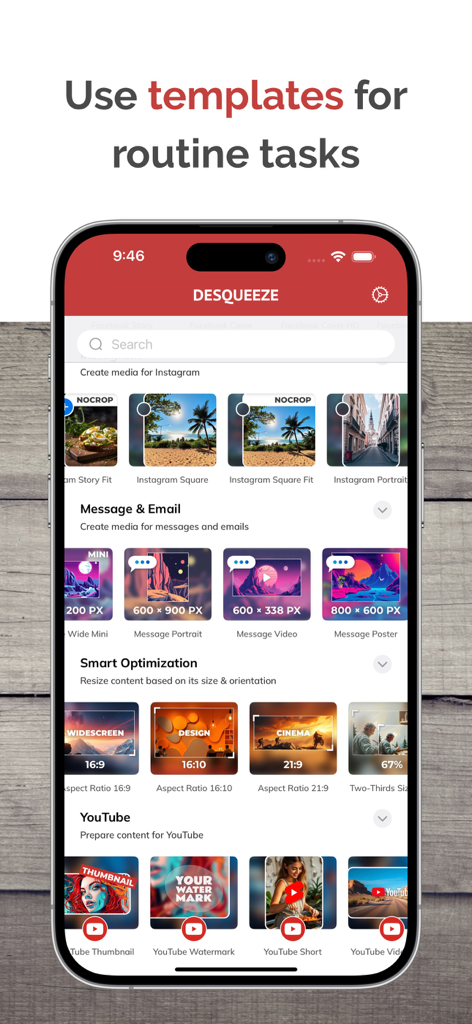
Desqueeze app interface showing social media resizing templates for Instagram and YouTube

Desqueeze app interface showing social media resizing templates for Instagram and YouTube

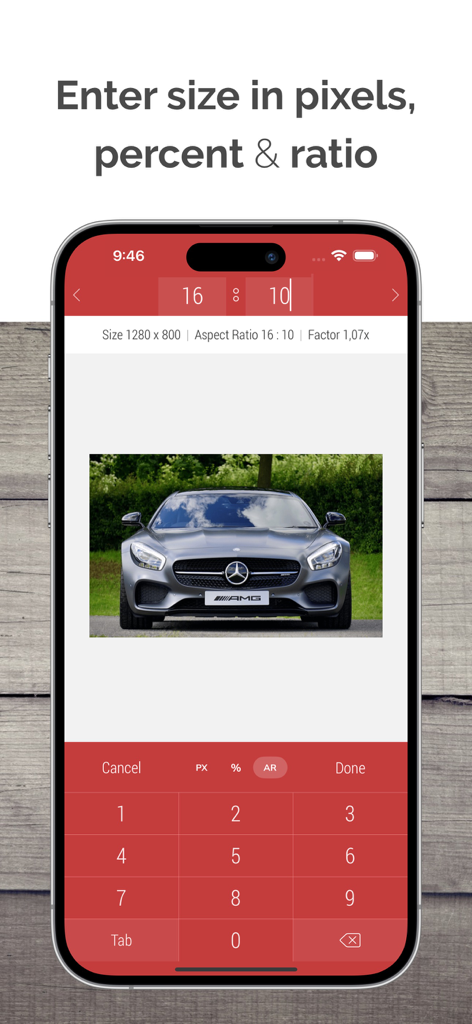
Interface of Desqueeze app showing custom pixel and aspect ratio inputs for photo resizing

Interface of Desqueeze app showing custom pixel and aspect ratio inputs for photo resizing

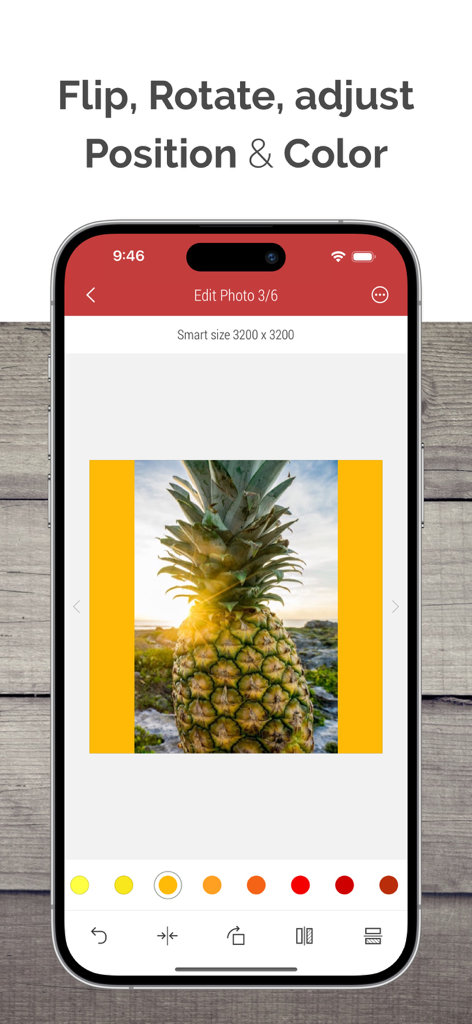
Desqueeze app screen showing photo editing tools for flipping rotating and adjusting colors

Desqueeze app screen showing photo editing tools for flipping rotating and adjusting colors

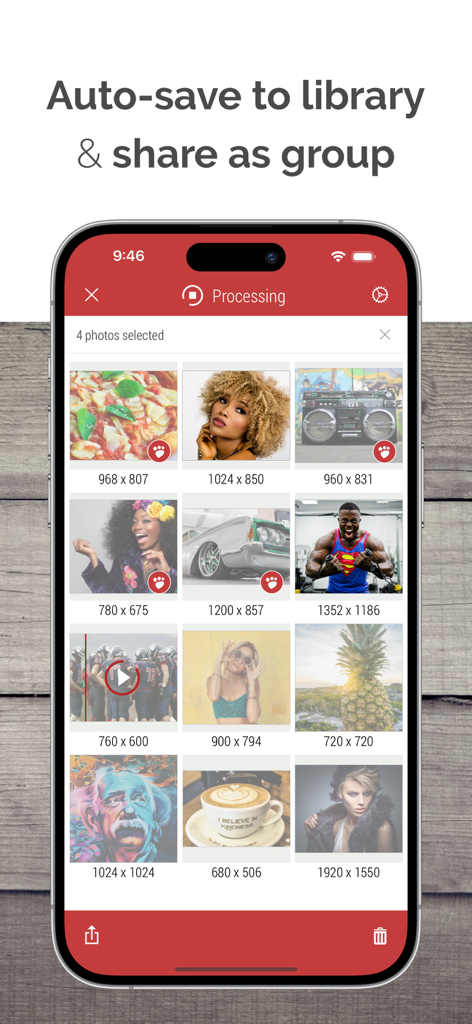
A mobile app interface showing a grid of photos and videos with pixel dimensions being processed for batch sharing and saving.

A mobile app interface showing a grid of photos and videos with pixel dimensions being processed for batch sharing and saving.

Professional Power, Mobile Convenience

The tools that make this app stand out, trusted by 125K+ users.

Unlimited Batch Processing

Save hours of manual work by resizing and reformatting an unlimited number of photos and videos simultaneously with a single tap.

💎

Pro-Grade Quality Control

Handle massive files with support for up to 8K video and 18,000px photos while preserving HDR, metadata, and custom color profiles.

🎬

Content Creator Toolkit

Access 100+ platform-ready templates and professional anamorphic de-squeezing to ensure your content looks perfect on every screen.

Loved by users worldwide

Trusted by 125K+ people who love this app.

"

"As a social media manager handling multiple clients, Desqueeze is an absolute lifesaver. The batch processing and pre-set templates for Instagram and TikTok save me hours every week. I can finally resize hundreds of assets for different platforms in one go without losing any quality. It’s a core part of my mobile workflow now!"

Sarah J.
"

"Finally, an app that handles anamorphic footage properly on iPhone. I use this for all my cinematic projects to de-squeeze files and upscale to 8K. The level of control over bitrates, color profiles, and metadata preservation is unmatched. It’s basically desktop-level processing in the palm of my hand."

Marcus Chen

About the app

Everything you need to know about Desqueeze - Batch Resizer.

Description

Resize, de-squeeze, and upscale your photos and videos — with batch processing, HDR, and Live Photo support. Apply 100+ templates for quick social media, optimization, and anamorphic results. Enter exact sizes up to 18,000 × 12,000 px for photos and 8K for videos for your custom results. Optimize format, file size, and color profile — while preserving high quality and metadata. DESQUEEZE FEATURES: Resize Photos and Videos • Enter a new size in pixels, aspect ratios, and percentages • Resize in three different ways: Stretch, Fill, and Fit • Choose between Normal and Smart size for more flexible resizing • Batch resize an unlimited number of photos and videos • Reuse up to 10 recent resizing tasks with one tap • De-squeeze anamorphic photos to achieve a natural look • Resize Live Photos while preserving their format, or convert them to still images Import Sources inside Desqueeze • Select photos and videos from the Photo Library • Select any full album from the Photo Library • Select multiple photos and videos from the Files app • Take a picture with the camera Reformat Photos • Choose between PNG, JPEG, HEIC, and TIFF image formats • Specify compression quality for JPEG, HEIC, and TIFF formats • Select Auto format to reuse the original image format when possible • Adjust image resolution with a new DPI, or keep the original DPI Reformat Videos • Choose between MP4, QuickTime (MOV), and M4V video formats • Select Auto format to reuse the original video format when possible • Choose video codec between Auto, H.264, and HEVC(H.265) • Specify video bitrate or use Automatic Edit Photos and Videos • Flip and rotate images or videos • Choose a background color for Fit mode • Specify default background color for photos and videos • Adjust position and offset for Fill and Fit modes Manage Colors for Photo and Video • Apply one of 12 Color Profiles, inlcuding Original (Automatic) • Process photos and videos while preserving HDR Templates • Use a universal set of 100+ standard templates to resize photos and videos for specific platforms and standards, including Instagram, YouTube, Facebook, and more • Create personal templates for your own tasks • Duplicate standard templates and modify personal templates • Customize standard Tempalate Library for your workflow and needs Photo Viewer and Video Player • Preview photos or play videos on the Result screen (long press a photo or video to preview) Share Photos and Videos • Save results to the Photo Library or Files app • Share results via Instagram, Mail, Facebook, Messages, etc • Use original or custom names for shared results ——— Basic (Free) version has some limitations. You can learn more about them inside the app. ——— Upgrade to PRO to unlock all features and remove all Basic version limitations (In-App Purchase) PRO version is available to other family members when Family Sharing is enabled.
PRO version can be canceled at any time. ——— Maximum target pixel size for photos and videos: Photos (8-bit): • Basic (Free) version: 4,032 x 3,024 px • PRO version: from 12,000 x 10,000 px (iPhone XR) up to 18,000 x 12,000 px (iPhone 16 Pro) Note: Maximum size for 16-bit photos is lower due to hardware limitations. Videos: • Basic (Free) version: 1920 x 1080 px • PRO version: 7680 x 4320 pixels (8K) ——— Contact & Links • Contact us by Email: contact@desqueeze.com • Follow us on Twitter and Facebook: @desqueeze • Visit our Website: http://desqueeze.com • Terms of Use: https://www.apple.com/legal/internet-services/itunes/dev/stdeula/ • Privacy Policy: http://desqueeze.com/privacy

Latest Version

4.7.10

Size

50.0 MB

First Released

Dec 19, 2015

Master Your Workflow with Pro-Grade Resizing

Join over 125,000 creators optimizing their content for every platform. Get the speed of batch processing and the quality of 8K today.

Download on App Store