Direct Message : Click to Chat

Direct Message : Click to Chat

Download on App Store
Spark by MWM logo
Logo of Direct Message : Click to Chat
Direct Message : Click to Chat — The All-In-One Power Tool for Modern Messaging

Streamline your workflow and social presence: message without saving contacts, generate AI content, and create professional social media posts in one seamless app.

Publisher

Liger Infotech

Category

Social Networking

Downloads

865K+

User Rating

4.6/5

Total Ratings

18K+

Locales

1

Efficiency in Motion

Discover the interface used by 865K+ users.
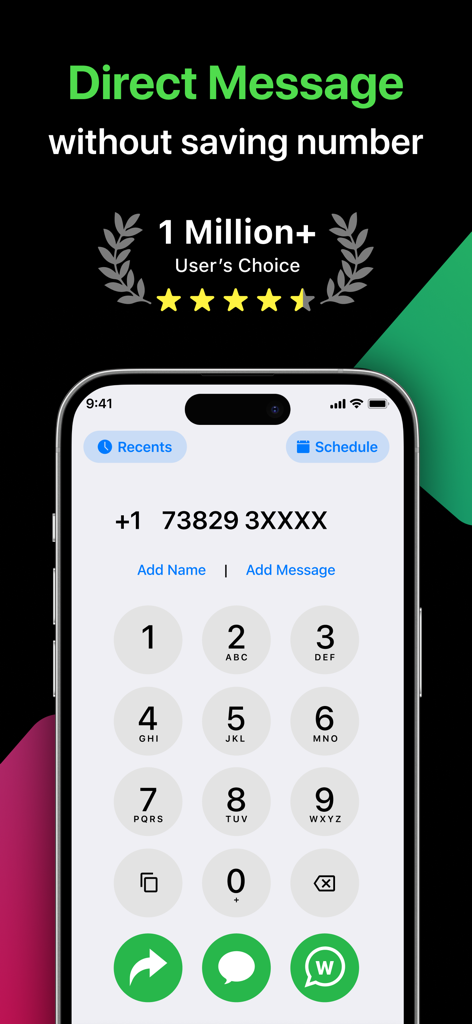
Direct Message app interface showing a phone dialer and the option to chat without saving a number

Direct Message app interface showing a phone dialer and the option to chat without saving a number

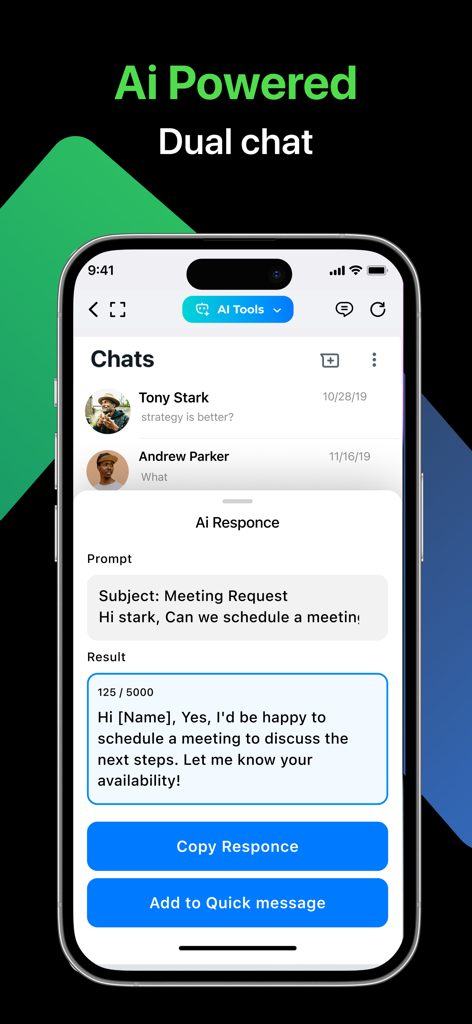
Direct Message app interface showing an AI powered chat response generator for professional messaging

Direct Message app interface showing an AI powered chat response generator for professional messaging

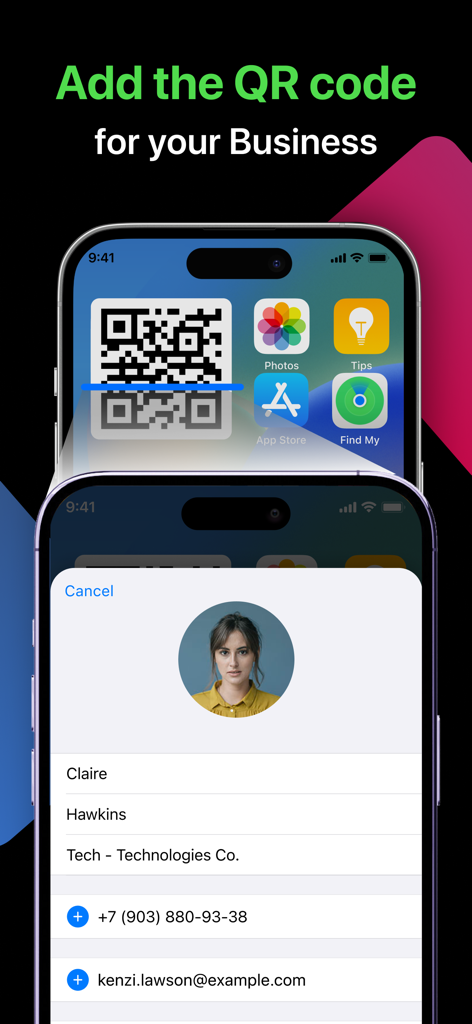
An iPhone home screen displaying a business QR code widget for easy contact sharing next to a user profile card.

An iPhone home screen displaying a business QR code widget for easy contact sharing next to a user profile card.

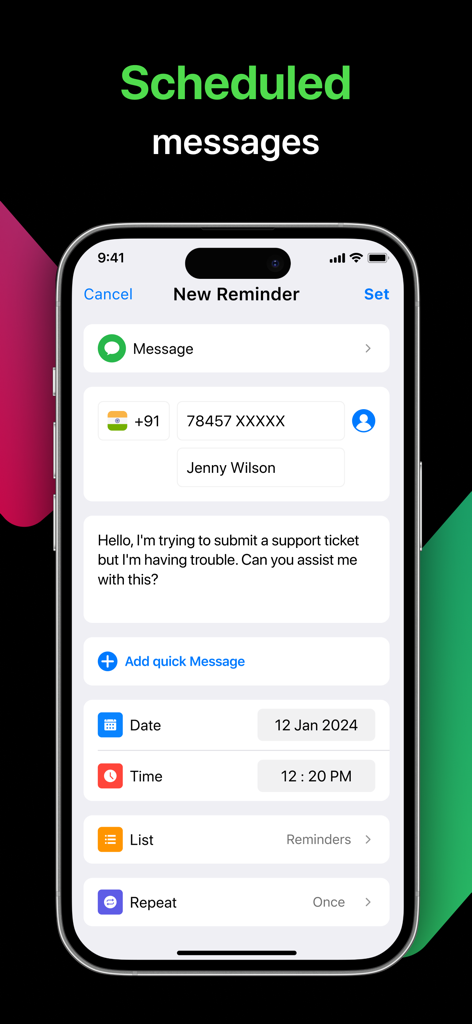
Smartphone screen showing how to schedule messages and set reminders for contacts

Smartphone screen showing how to schedule messages and set reminders for contacts

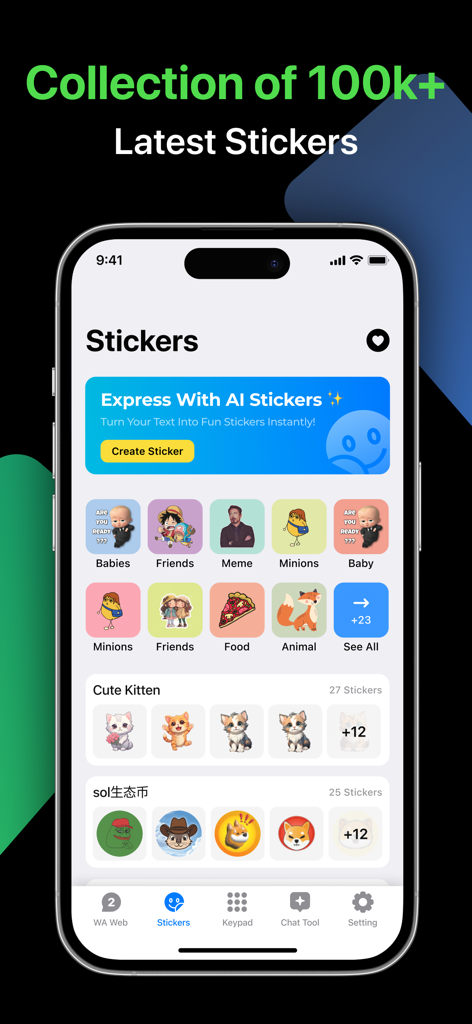
Interface of the Stickers feature in the Direct Message app showing AI sticker generation and various sticker categories like memes and animals

Interface of the Stickers feature in the Direct Message app showing AI sticker generation and various sticker categories like memes and animals

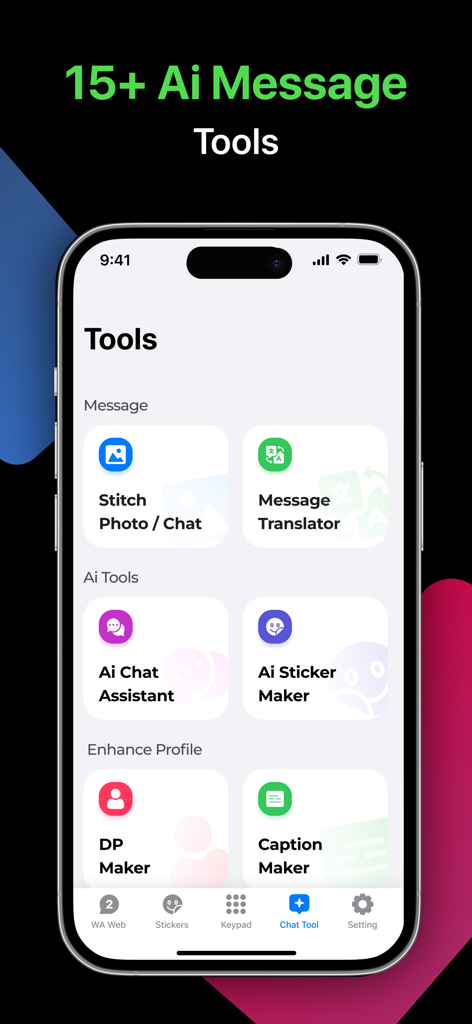
Mobile app screen showing a menu of AI messaging tools and social media profile enhancers

Mobile app screen showing a menu of AI messaging tools and social media profile enhancers

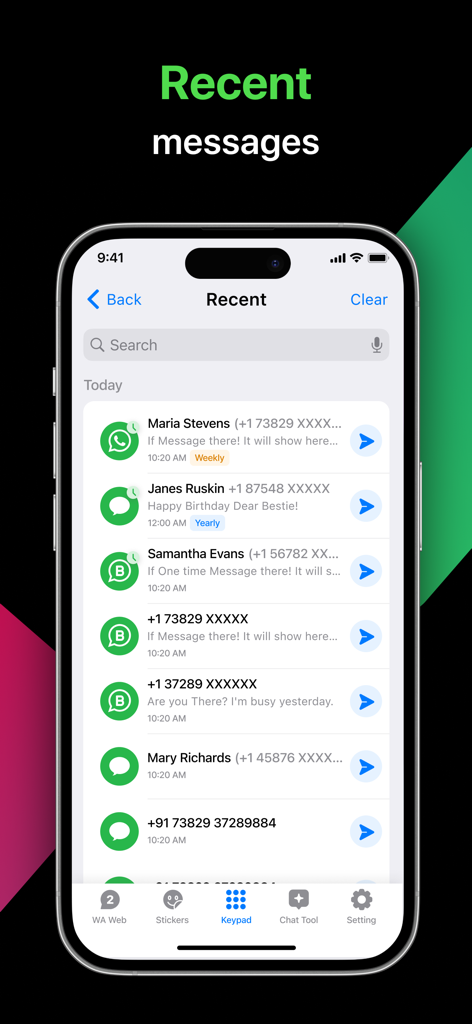
iPhone screen showing the recent messages history list in the Direct Message Click to Chat app

iPhone screen showing the recent messages history list in the Direct Message Click to Chat app

Unlock Your Messaging Potential

The tools that make this app stand out, trusted by 865K+ users.

📲

Seamless Contactless Chat

Instantly message new clients or marketplace buyers without cluttering your phonebook with one-time contacts.

AI-Powered Efficiency

Draft contextually relevant messages and translate conversations instantly with our built-in AI assistant.

🚀

Professional Creator Suite

From high-impact video splitting to instant business QR codes, get the tools you need to grow your digital brand.

Loved by users worldwide

Trusted by 865K+ people who love this app.

"

"ClickToChat has completely cleaned up my digital life. As a freelance photographer, I used to have hundreds of 'one-time' contacts clogging my phonebook just to send a quick message. Now I can chat instantly and share my business QR code right from my home screen widget. It is an essential tool for any small business owner."

Marcus T.
"

"The AI features in this app are incredible! I use the sticker generator to add a unique touch to my brand's social media presence, and the video splitter saves me so much time when posting long clips to my stories. It is the perfect all-in-one toolkit for creators who want to stay organized and professional."

Elena R.

About the app

Everything you need to know about Direct Message : Click to Chat.

Description

Unlock seamless communication with ClickToChat, the all-in-one app for enhanced messaging, productivity, and creativity. Whether you're managing conversations without cluttering your phonebook, automating responses, or creating AI-generated stickers, ClickToChat simplifies your chat experience with powerful tools designed for efficiency and fun. App Features Quick Messages - Instantly send frequently used responses with a single tap, saving you time and effort. Message Scheduling - Never miss important messages, schedule birthday wishes, follow-ups, and reminders in advance. AI Chat & Text Generator - Generate contextually relevant, engaging messages with advanced AI. AI Message Translator - Communicate in multiple languages effortlessly with real-time AI-powered translations. AI Sticker Generator - Create unique, personalized stickers with AI, making your chats more expressive. Photo Date & Time Stamper - Add customizable timestamps to your images for easy organization and authenticity. Split Video for Social Media - Seamlessly split long videos into smaller clips for posting on WhatsApp Status, Instagram Stories, and more. Stitch Photos & Create PDF - Merge multiple images into a long scrolling image or convert them into a PDF for easy sharing. Business QR Code Generator - Create a personalized business QR code with your contact details including name, phone number, email, fax, address, notes, and photo. Add the QR code as a widget on your iPhone home screen for quick access. Simply show the QR code to instantly share your contact information without hassle. Fun Stickers & Social Media Tools - Access a vast collection of stickers, chat stories, creative bios, and unique symbols. Additional Perks Fast Mode - Start a chat quickly by copying a number, without saving it to contacts. Customizable Experience - Adjust app settings to easily manage dual messenger accounts. Auto Features - Automatically apply your country code and paste numbers directly into the app. Explore the power of a cleaner, more organized, and enhanced messaging experience with ClickToChat today. SUBSCRIPTION PRICING AND TERMS Click To Chat In-App Purchase: USD $ 0.99 Weekly Subscription USD $ 3.99 Monthly Subscription USD $ 19.99 Yearly Subscription The subscription will automatically renew unless turned off in your iTunes Account Settings at least 24 hours before the current period ends. You can go to your iTunes Account settings to manage your subscription and turn off auto-renew. Your iTunes Account will be charged when the purchase is confirmed. Privacy Policy - https://docs.google.com/document/d/1k2Rtqw0BbPk0CawwkAvd_HjeNTx6vnWf19w_c9CltGQ/edit?usp=sharing Terms & Conditions - https://docs.google.com/document/d/1D7KLRNsUTUdvNGnPm4Lt7LOFYlMinVzO3aafqizK_t8/edit?usp=sharing Legal Notice - Click To Chat is a third-party app and is not affiliated or sponsored by any official messaging platforms. Any Feedback or Tips? Our team highly values your privacy and aims to provide a safe and reliable space for your privacy. We welcome all user feedback. If you have any questions about the product, please Email us on given Email Address: manufacturingbiss@gmail.com Always Happy To Help

Latest Version

6.5

Size

93.7 MB

First Released

Mar 9, 2019

Ready to Master Your Digital Workflow?

Join over 865,000 side-hustlers and creators who use ClickToChat to eliminate contact clutter, automate business messages, and supercharge their social presence. Get the ultimate all-in-one messaging toolkit today.

Download on App Store
FAQ

Frequently Asked Questions

Everything you need to know about Direct Message : Click to Chat

How can I send a direct message using ClickToChat without saving the number?

ClickToChat allows users to send direct messages by copying a number and pasting it directly into the app, eliminating the need to save it to contacts. This feature is known as "Fast Mode".

Does ClickToChat offer message scheduling?

Yes, ClickToChat includes a Message Scheduling feature. Users can schedule birthday wishes, follow-ups, and reminders to be sent automatically at a chosen date and time.

Can ClickToChat generate AI-powered text messages?

Yes, ClickToChat features an AI Chat & Text Generator that creates contextually relevant and engaging messages. It also includes an AI Message Translator for multi-language communication.

How much does a ClickToChat subscription cost?

ClickToChat offers weekly, monthly, and yearly subscriptions. A weekly subscription costs $0.99 USD, monthly is $3.99 USD, and yearly is $19.99 USD.

Is it possible to create custom stickers with ClickToChat?

Yes, ClickToChat provides an AI Sticker Generator. This feature allows users to create unique, personalized stickers to make their chat experiences more expressive.

What social media tools are available in ClickToChat?

ClickToChat offers a Split Video for Social Media tool to divide long videos for platforms like WhatsApp Status and Instagram Stories. It also provides Fun Stickers and social media specific tools.

Can I generate a QR code for my business with ClickToChat?

Yes, ClickToChat includes a Business QR Code Generator. Users can create personalized QR codes with contact details, including name, phone, email, and add them as an iPhone home screen widget.

Does ClickToChat support dual messenger accounts?

Yes, ClickToChat allows users to easily manage dual messenger accounts through its Customizable Experience settings. This feature enhances the messaging experience.

How do I manage my ClickToChat subscription renewal?

Users can manage their ClickToChat subscription and turn off auto-renewal in their iTunes Account Settings. This must be done at least 24 hours before the current period ends.

Is ClickToChat an official messaging platform?

No, ClickToChat is a third-party application. It is not affiliated with or sponsored by any official messaging platforms, as stated in its legal notice.