
DMSS
Hangzhou Dong Bin Information Technology Co., Ltd.




Take complete control of your safety with real-time surveillance, instant alarm notifications, and smart access management—all in one professional, subscription-free app.
Publisher
Category
LifestyleDownloads
21M+User Rating
Total Ratings
617K+Locales
36Discover the interface used by 21M+ users.
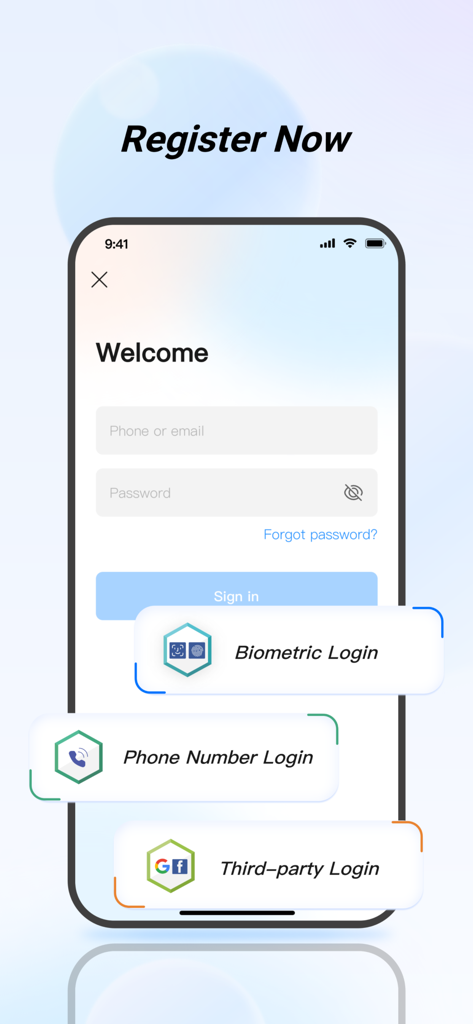
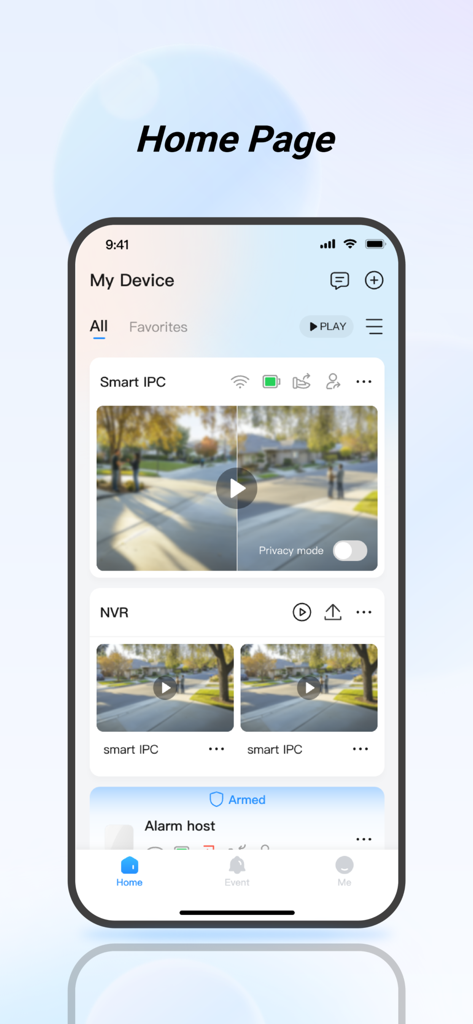
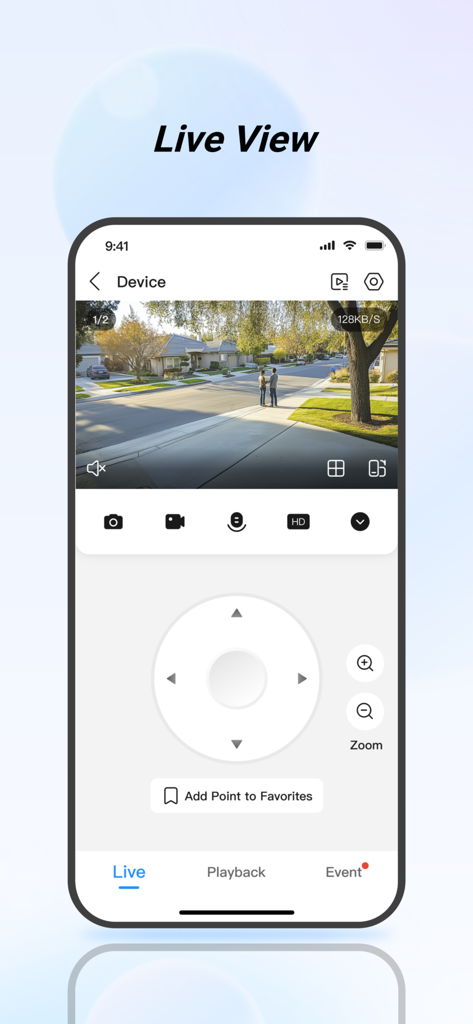
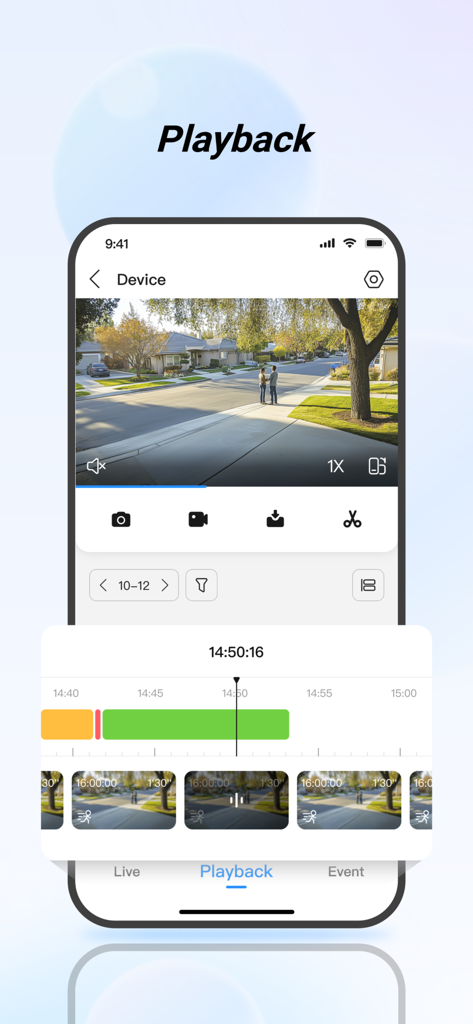
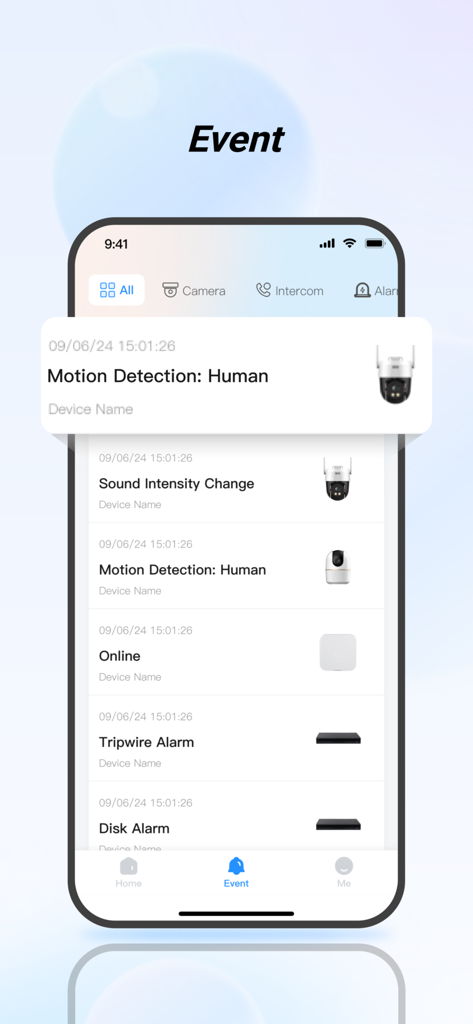
The tools that make this app stand out, trusted by 21M+ users.
Keep a watchful eye on your home or business with high-definition live streams and instant event playback via any network.
Stay proactive with real-time push notifications for motion, intrusion, fire, or water damage, allowing you to react before it's too late.
Manage your property remotely by speaking with visitors through visual intercoms and unlocking doors for deliveries or staff.
Trusted by 21M+ people who love this app.
"As a small business owner with three different locations, DMSS has been a game-changer for my operations. I can monitor foot traffic and check my inventory in real-time from one single app. The access control feature is incredibly reliable, allowing me to remotely unlock doors for deliveries when I am not on-site. It is professional, fast, and most importantly, it gives me complete peace of mind without any monthly subscription fees."
"We installed this system to secure our family home, and the DMSS app makes it so easy to manage. I love the instant alarm notifications; I get an alert the second someone steps onto our porch. The visual intercom is perfect for talking to delivery drivers while I am at work, and I was able to easily share access with my husband so we both stay informed. It feels much more robust and secure than the basic consumer cameras we used to use."
Everything you need to know about DMSS.
Description
Latest Version
2.3.11
Size
396.8 MB
First Released
Jan 10, 2020
Join over 21 million users and take full control of your home and business security—anytime, anywhere, with no monthly subscriptions.
Everything you need to know about DMSS
The DMSS app enhances security management by providing real-time surveillance, video playback, and instant alarm notifications from connected devices. It allows monitoring of home environments remotely via Wi-Fi or cellular networks.
Yes, the DMSS app enables users to view real-time surveillance videos from added devices anytime and anywhere. This feature helps monitor the safety of your home environment.
Yes, the DMSS app provides video playback functionality. Users can quickly find events by date and event category to review required historical video footage.
The DMSS app sends instant alarm notifications when a subscribed event is triggered. Users receive immediate message notifications for various events like motion detection, sound intensity change, or other alerts.
Yes, the DMSS app supports device sharing. Users can share devices with family members for shared use and assign them different usage permissions.
The DMSS app supports multiple login methods. These include phone or email with password, biometric login, phone number login, and third-party login options.
Yes, the DMSS app includes an Alarm Hub feature. This allows users to add various peripheral accessories to provide warnings for potential theft, intrusion, fire, or water damage, activating alarms and sending danger notifications.
Yes, the DMSS app integrates visual intercom capabilities. Users can add visual intercom devices to engage in video calls between the device and the app, and perform functions like locking and unlocking.
Yes, the DMSS app allows you to add access control devices. You can check the current status of doors, view unlock records, and perform remote unlocking operations directly through the app.
Yes, the DMSS app offers a "Privacy mode" for security cameras. This feature is visible on the home page for devices like "Smart IPC", allowing users to toggle privacy settings directly.
Apps with similar features and user experience

Shenzhen Jooan Technology Company

PHOTON SAIL TECHNOLOGIES PTE. LTD.

洪波 王

SimpliSafe, Inc.

JFL Equipamentos Eletronicos Industria e Comercio Ltda.

Shenzhen Weixi Technology Co., Ltd

Bot Home Automation, INC

Hangzhou Hikvision Digital Technology Co., Ltd.

EZVIZ Inc.
