
VicoHome: Smart Home Camera




Join over 2 million users who trust VicoHome for effortless DIY home monitoring. Get instant AI-powered alerts for people, packages, and pets, and stay connected from anywhere with live video and Two-Way Talk.
Publisher
Category
UtilitiesDownloads
2M+User Rating
Total Ratings
105K+Locales
20Discover the interface used by 2M+ users.
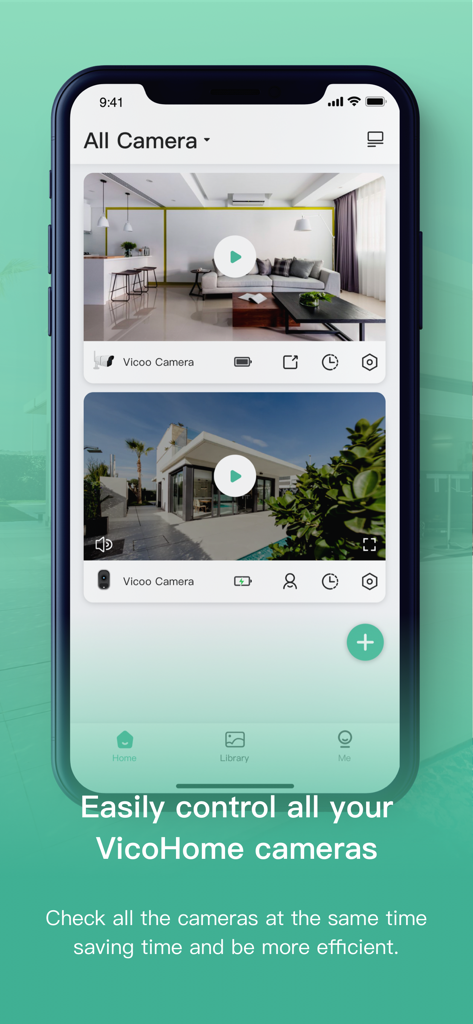
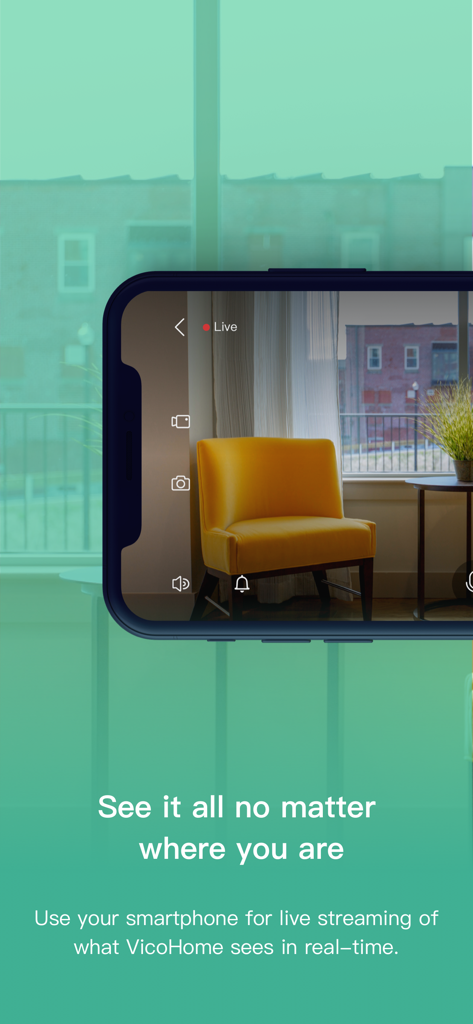
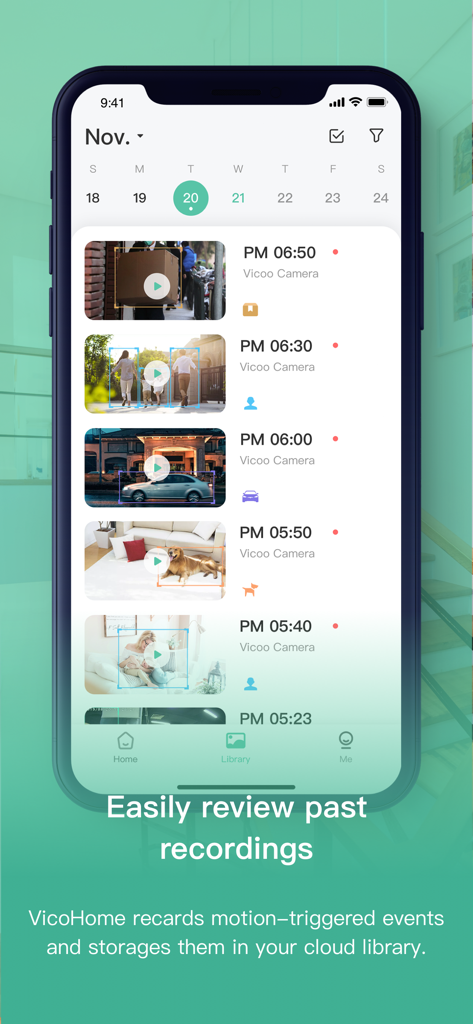
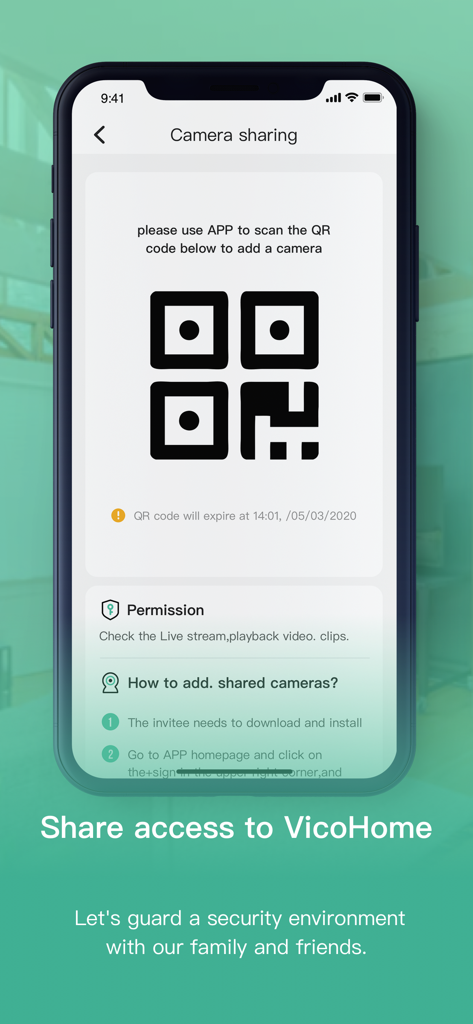
The tools that make this app stand out, trusted by 2M+ users.
Stop notification fatigue. Our advanced AI distinguishes between people, vehicles, and packages so you only get alerted for what truly matters.
Stay connected to home from anywhere. Greet visitors, coordinate deliveries, or check in on pets with crystal-clear real-time audio and video.
Never miss a critical moment. Securely store and review up to 60 days of recording history in the cloud, ensuring your property is always accounted for.
Trusted by 2M+ people who love this app.
"VicoHome has been a game-changer for our family’s peace of mind. The Smart Push notifications are incredibly accurate; I love that I only get alerted when a package is actually delivered or when my kids get home from school, rather than every time a car drives by. The setup was seamless, and having 60 days of cloud history gives us such a sense of security."
"As someone who works hybrid hours away from my apartment, being able to check in on my dog through the app is amazing. The Two-Way Talk feature is crystal clear, and the pet detection helps me keep an eye on his activity throughout the day. It is easily the most reliable smart camera app I have used, and the video quality is top-notch even at night."
Insights from user reviews.
Sentiment Score
Summary
The VicoHome app has recently received predominantly negative feedback, largely due to a newly implemented mandatory subscription model required to access video recordings, even when using local SD card storage. Users express significant frustration over this change, perceiving it as a removal of previously free features and a scam. While some appreciate the clear picture quality and ease of camera setup, common complaints include issues with video recording access, frequent connectivity problems, and general app performance issues like lag and unexpected logouts. Additionally, the reliability of notifications has been a concern for several users.
Common Themes
Everything you need to know about VicoHome: Smart Home Camera.
Description
Latest Version
3.85.0
Size
256.7 MB
First Released
Sep 5, 2019
Experience total peace of mind in your pocket. Download VicoHome today for smart AI alerts, live monitoring, and effortless home security that keeps your family and deliveries safe.
Everything you need to know about VicoHome: Smart Home Camera
VicoHome is a smart home camera app designed for remote property monitoring. It provides live video, Two-Way Talk, and instant motion notifications, ensuring users can keep an eye on what matters from anywhere.
Yes, the VicoHome Awareness Service offers enhanced features. These include extra cloud storage for up to 60 days of recording history, Smart Push alerts, and Activity Zone customization.
Yes, VicoHome offers extra cloud storage through its Awareness Subscription, providing up to 60 days of recording history. This ensures that recorded moments are securely saved and accessible.
Yes, VicoHome's Smart Push feature provides intelligent alerts for person, vehicle, package, and pet detection. This allows users to receive only the most relevant notifications.
Yes, VicoHome supports multiple-user access, making it easy to share camera monitoring with family members. This feature helps to keep everyone informed and secure.
To cancel VicoHome auto-renewal, you must manually turn off the automatic renewal function in your iTunes/Apple ID settings at least 24 hours before your current subscription expires.
Yes, VicoHome allows you to monitor your property with live video from anywhere. The app uses your smartphone to provide real-time streaming of your camera feeds.
Yes, VicoHome records motion-triggered events and stores them in your cloud library. You can easily review these past recordings through the app's dedicated Library section.
Apps with similar features and user experience

Hangzhou Dong Bin Information Technology Co., Ltd.

Shenzhen Jooan Technology Company

洪波 王

SimpliSafe, Inc.

JFL Equipamentos Eletronicos Industria e Comercio Ltda.

Shenzhen Weixi Technology Co., Ltd

Bot Home Automation, INC

Hangzhou Hikvision Digital Technology Co., Ltd.

EZVIZ Inc.
