Dot Lab - Perler beads pattern

Dot Lab - Perler beads pattern

Download on App Store
Spark by MWM logo
Logo of Dot Lab - Perler beads pattern
Dot Lab - Perler beads pattern: Turn Your Pixel Art into Crafting Masterpieces

The all-in-one design suite for pixel artists and makers. Create stunning designs, generate numbered patterns for Perler beads or crochet, and use our smart Work Station to bring your creations to life.

Download on App Store

Publisher

桂华 冉

Category

Graphics & Design

Downloads

111K+

User Rating

4.7/5

Total Ratings

200

Locales

3

Pixels in Action

Discover the interface used by 111K+ users.
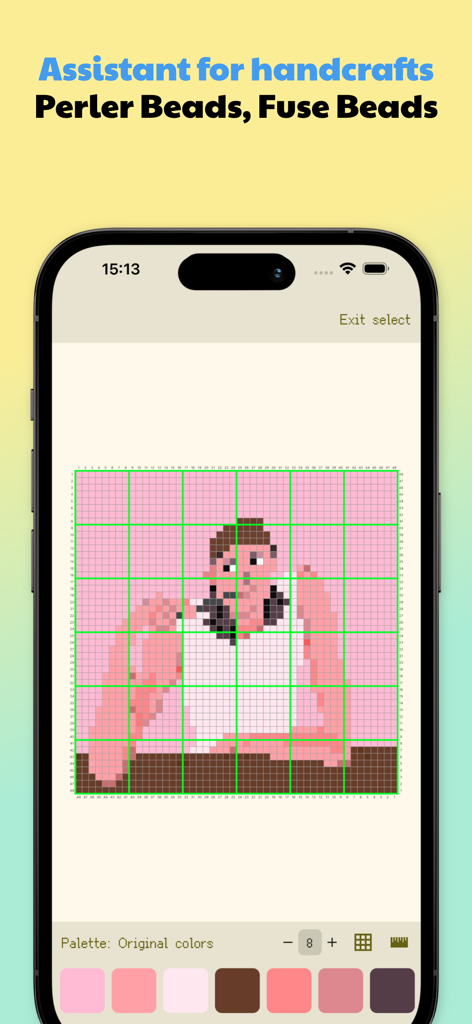
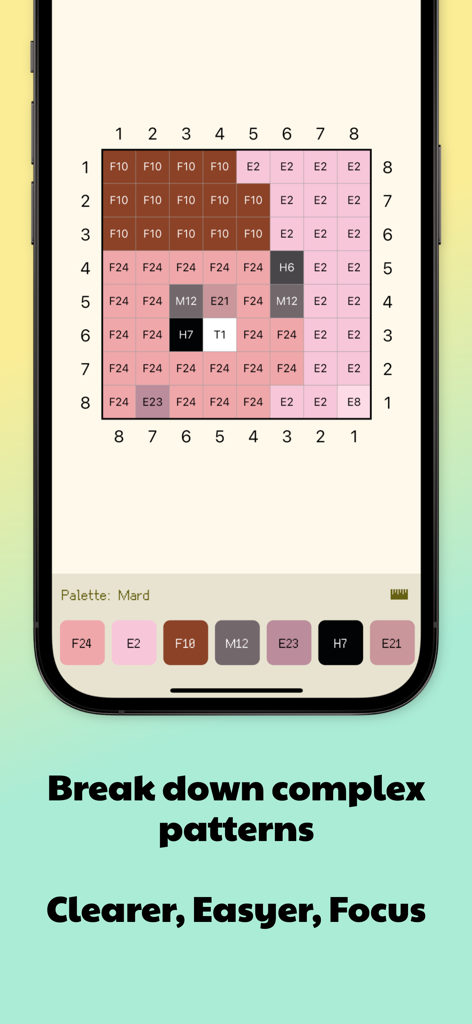
Dot Lab app interface showing a pixel art pattern on a numbered grid for perler bead crafts.

Dot Lab app interface showing a pixel art pattern on a numbered grid for perler bead crafts.

Dot Lab app interface showing a numbered grid with color codes for a perler bead pattern

Dot Lab app interface showing a numbered grid with color codes for a perler bead pattern

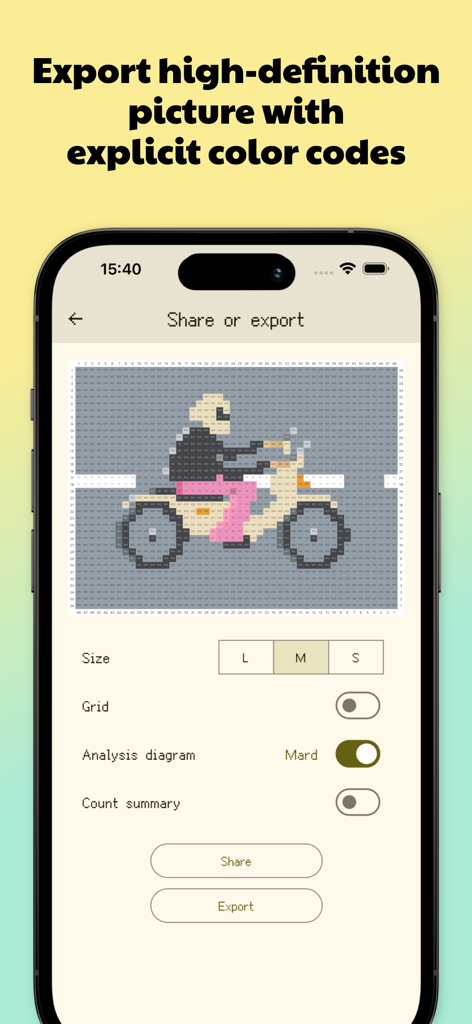
Dot Lab app interface showing export options for a motorcycle pixel art pattern with color codes

Dot Lab app interface showing export options for a motorcycle pixel art pattern with color codes

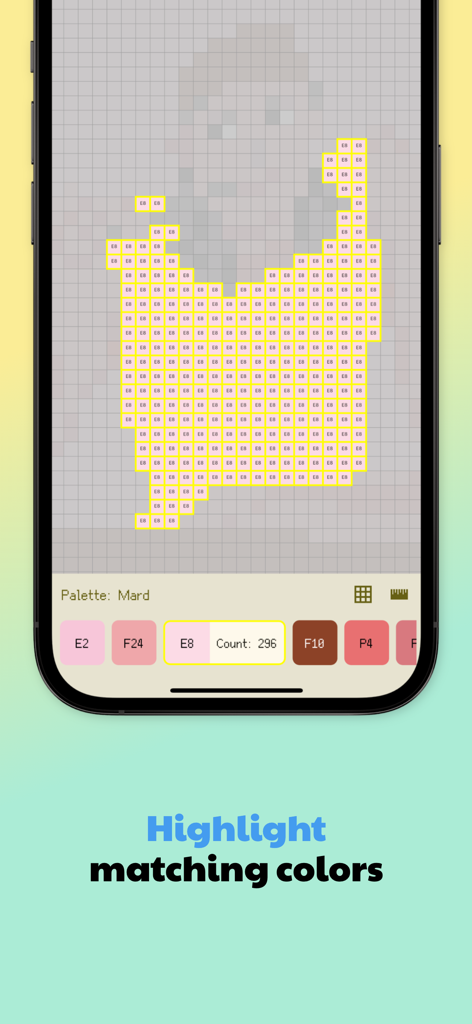
Screenshot of Dot Lab app showing a pixel art grid with matching colors highlighted and a bead count for crafting

Screenshot of Dot Lab app showing a pixel art grid with matching colors highlighted and a bead count for crafting

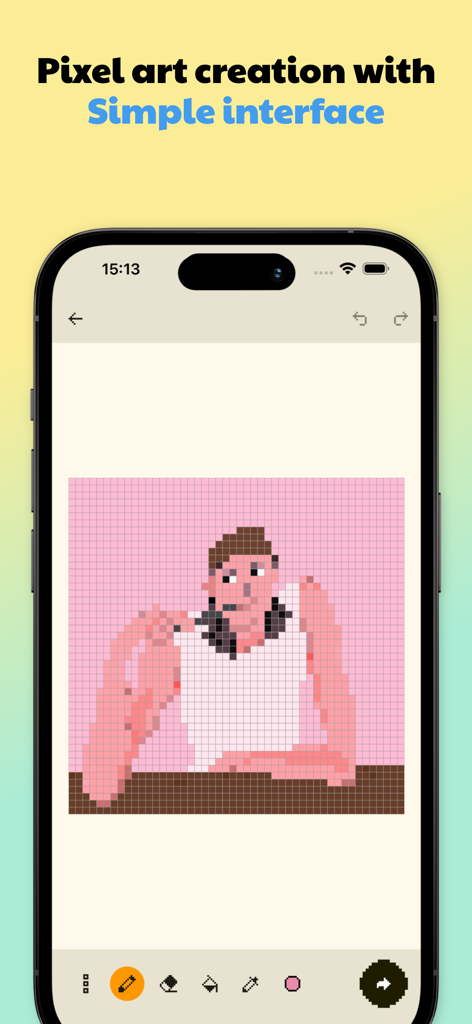
Smartphone screen showing the Dot Lab app interface with a pixel art character on a grid canvas and drawing tools

Smartphone screen showing the Dot Lab app interface with a pixel art character on a grid canvas and drawing tools

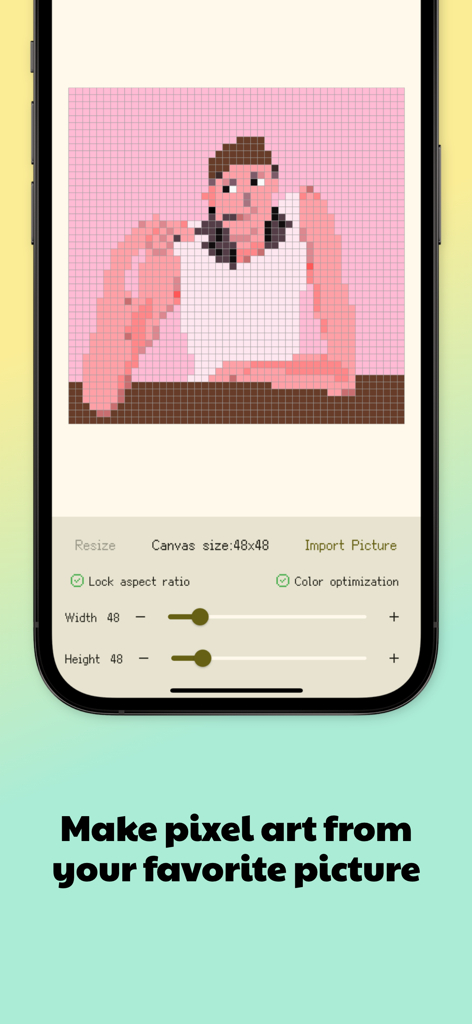
Interface of Dot Lab app showing a photo of a person converted into a 48 by 48 pixel art grid pattern

Interface of Dot Lab app showing a photo of a person converted into a 48 by 48 pixel art grid pattern

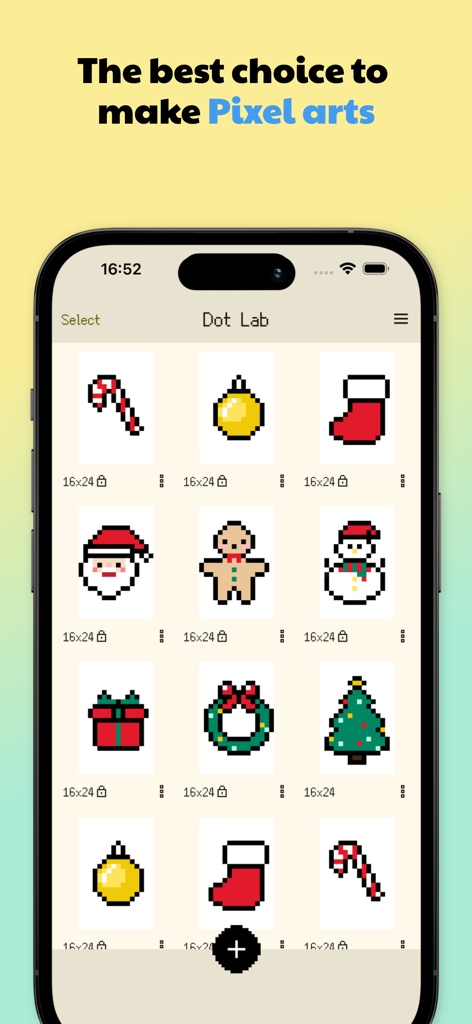
A mobile screen showing the Dot Lab app gallery with various Christmas themed pixel art patterns including Santa Claus a gingerbread man and a snowman

A mobile screen showing the Dot Lab app gallery with various Christmas themed pixel art patterns including Santa Claus a gingerbread man and a snowman

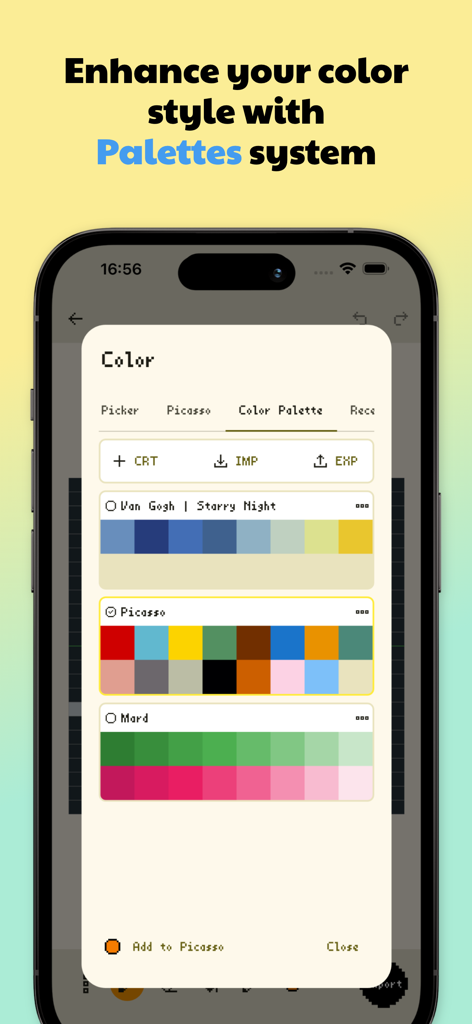
Dot Lab app interface showing color palette management with artist inspired schemes for pixel art

Dot Lab app interface showing color palette management with artist inspired schemes for pixel art

From Digital Pixels to Handmade Masterpieces

The tools that make this app stand out, trusted by 111K+ users.

🎨

Precision Drawing Suite

Create flawless pixel art with symmetry tools, hex-code palettes, and custom canvases designed for the modern maker.

🔍

Smart Crafting Work Station

Skip the eye strain by highlighting matching colors and segmenting large projects for easy, error-free physical assembly.

📜

Automated Pattern Pro

Instantly generate detailed blueprints with grid numbers and material counts to plan your next Etsy project or DIY gift.

Loved by users worldwide

Trusted by 111K+ people who love this app.

"

"As someone who sells custom crochet and Perler bead patterns on Etsy, Dot Lab is a total game-changer. The material count statistics and the ability to segment large canvases have made my production process so much faster. It's the professional tool I've been waiting for!"

Emily R., Small Business Owner
"

"Finally, an app that understands the bridge between digital pixel art and physical crafts! I use it for everything from designing my social media avatars to planning out rave Kandi for festivals. The color palette management and the 'Highlight Same Color' feature are absolute life-savers."

Marcus T., Pixel Art Hobbyist

About the app

Everything you need to know about Dot Lab - Perler beads pattern.

Description

Welcome to "Dot Lab"! "Dot Lab" is a simple and user-friendly pixel art creation app, designed for both beginners and experienced artists. With our app, you can effortlessly create stunning works of art. It's the perfect tool for creating NFTs, pixel avatars, and fuse bead patterns. Key Features: - Efficient Drawing Tools: Includes bucket fill, continuous drawing, selection, move, mirror, and reference (guidelines) tools to help you create efficiently. - Multiple Canvas Sizes: Choose from various canvas sizes to suit different creative needs. - Canvas Zoom and Drag: Pinch to zoom or drag the canvas, allowing precise edits and easy drawing on mobile devices. - Rich Color Options: Access a wide range of built-in colors or customize your palette by selecting any color or inputting a Hex code. - Palette Management: Create or import palettes and quickly switch colors within a palette. When exporting, you can generate diagrams with corresponding color codes. - Share and Save: Share your artwork with one tap or save it directly to your gallery. - Batch Operations: Easily manage your creations by copying or deleting multiple works at once. - Share Source File: You can quickly share your pixel art work source files with friends or other devices. The source files can be opened directly with the Dot Lab app. - Data Backup: You can backup your data regularly to ensure data security. - Canvas Lock: Lock your canvas once a project is complete to prevent accidental edits. Premium Features: - Pattern Generation: Automatically generate patterns with grid numbers, color codes, and more—perfect for teaching pixel art or secondary creations like fuse beads, crochet, and cross-stitch. Also provides multiple options such as material count statistics, shadow, watermark, palette name, etc., allowing users to create personalized artwork customization. - Work Station The work station is designed to assist you in efficiently completing secondary creations after drawing, such as perler beads, crochet, beading, cross-stitch, and more. ·Highlight Same Colors: Quickly highlight areas with the same color to improve crafting efficiency. ·Get Pixel Position: Tap on a pixel to view its position, helping with precise alignment. ·Segmented Work: Break down a large canvas into smaller sections for easier handling, especially useful for perler beads, crochet, and beading projects. - Custom Canvas Sizes: Choose from popular aspect ratios like 1:1, 2:3, 3:4, 3:5, 4:5, and 9:16, or set a custom ratio to create canvases freely. - Advanced Drawing Tools (Symmetry, Move, Mirror, etc.): Powerful tools to help you complete or refine your creations efficiently. - Unlimited Palettes: Free users can create or import up to 3 palettes, while premium users can create or import an unlimited number. - Additional Premium Features in Development Join the "Dot Lab" community and unleash your creativity! As an independent developer, your support means the world to us. If you have any questions or suggestions, please contact us at dotlab.app@gmail.com. Terms of Service: https://www.apple.com/legal/internet-services/itunes/dev/stdeula/

Latest Version

2.1.9

Size

61.4 MB

First Released

Jun 27, 2024

Ready to Turn Your Pixels into Patterns?

Join 111K+ makers and artists today. Download Dot Lab to simplify your next perler bead, crochet, or cross-stitch project with the ultimate digital workstation.

Download on App Store
FAQ

Frequently Asked Questions

Everything you need to know about Dot Lab - Perler beads pattern

What is Dot Lab?

Dot Lab is a user-friendly pixel art creation app for beginners and experienced artists. It allows users to create NFTs, pixel avatars, and patterns for fuse beads, Perler beads, crochet, and cross-stitch.

Can I create Perler bead patterns with Dot Lab?

Yes, Dot Lab is designed to assist in creating patterns for Perler beads. The app name itself, "Dot Lab - Perler beads pattern", and premium features like the Work Station support this functionality.

What drawing tools does Dot Lab offer?

Dot Lab provides efficient drawing tools including bucket fill, continuous drawing, selection, move, mirror, and reference guidelines. Advanced drawing tools like Symmetry are available as premium features.

Does Dot Lab support custom canvas sizes?

Yes, Dot Lab allows users to choose from multiple canvas sizes. Premium users can set custom aspect ratios and custom canvas dimensions for their pixel art projects.

How can I manage colors and palettes in Dot Lab?

Dot Lab offers rich color options, including built-in colors, customization, and Hex code input. Users can create, import, and switch palettes, and export diagrams with corresponding color codes.

Can Dot Lab help with secondary creations like cross-stitch?

Yes, Dot Lab's premium Work Station is specifically designed to assist with secondary creations such as Perler beads, crochet, beading, and cross-stitch by highlighting colors and segmenting work.

How do premium features enhance Dot Lab's functionality?

Premium features in Dot Lab include pattern generation with grid numbers and color codes, a Work Station for crafting, custom canvas sizes, advanced drawing tools like Symmetry, and unlimited palette creation.

Does Dot Lab allow sharing and saving artwork?

Yes, Dot Lab allows users to share their artwork with one tap or save it directly to their gallery. It also supports sharing source files and backing up data.

How does Dot Lab assist in breaking down complex patterns?

Dot Lab assists in breaking down complex patterns, making them clearer and easier. Features like highlighting same colors and segmented work in the premium Work Station aid this process.

Are there any limitations on palettes for free Dot Lab users?

Yes, free users of Dot Lab can create or import up to 3 palettes. Premium users have the ability to create or import an unlimited number of palettes.