
eGovPH
Department of Information and Communications Technology


Bridge the distance and skip the red tape. Access official IDs, clearances, and essential transactions securely from your iPhone—anywhere in the USA.
Publisher
Category
ProductivityDownloads
9M+User Rating
Total Ratings
55K+Locales
1Discover the interface used by 9M+ users.
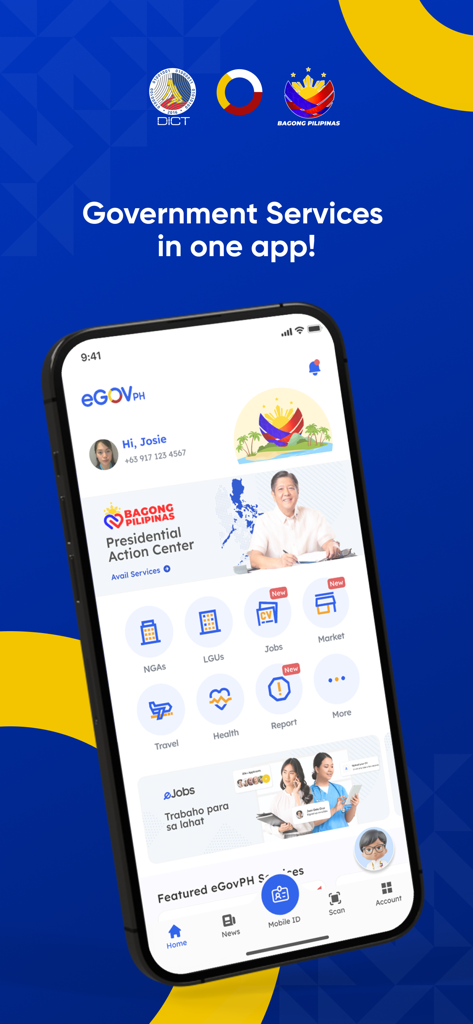
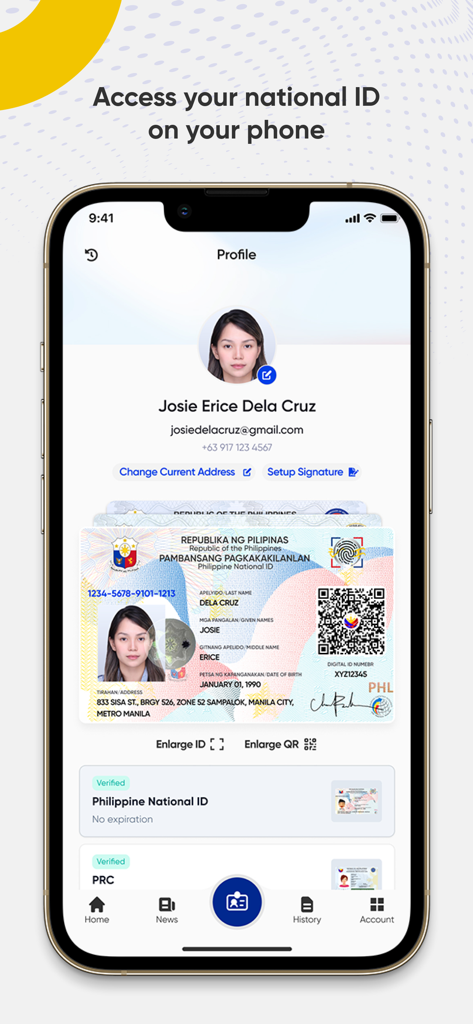
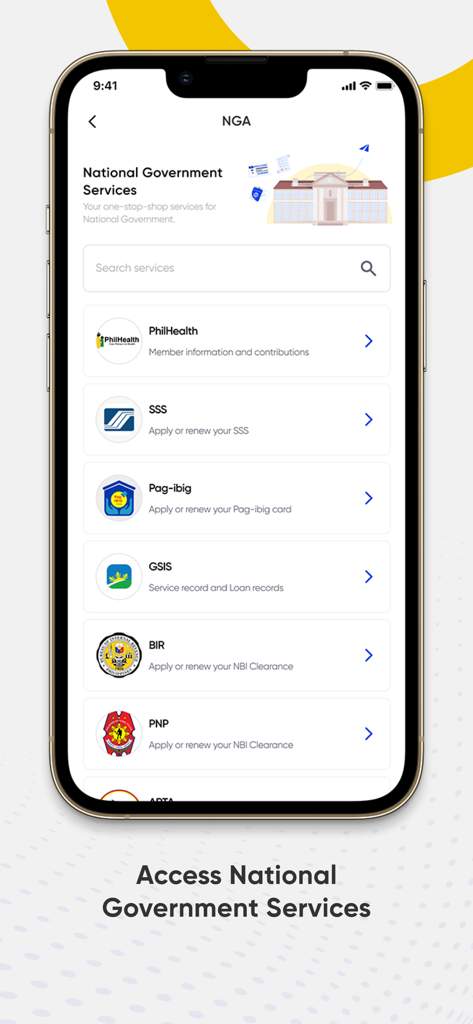
The tools that make this app stand out, trusted by 9M+ users.
Access your official government-recognized ID instantly on your iPhone, eliminating the need to carry physical cards when traveling or transacting.
Monitor permits and property documentation from abroad. Experience a transparent system built to reduce bureaucracy and red tape.
Consolidate your government tasks—from social security to travel declarations—into a single, high-speed interface that fits your US lifestyle.
Trusted by 9M+ people who love this app.
"Living in Los Angeles, getting my government IDs and documents sorted used to involve so much travel and paperwork. eGovPH has completely streamlined the process. It's incredibly convenient to have a one-stop-shop for all my administrative needs right on my iPhone. Highly recommended for any Filipino living abroad!"
"Managing my investments in the Philippines from Texas used to be a challenge due to bureaucratic red tape. This app has changed the game by providing total transparency and direct access to government services. It is fast, reliable, and definitely helps in the ease of doing business."
Everything you need to know about eGovPH.
Description
Latest Version
2.6.7
Size
247.3 MB
First Released
May 31, 2023
Join over 9 million Filipinos who have simplified their government transactions. Download the eGovPH app and skip the red tape today.
Everything you need to know about eGovPH
The eGovPH app serves as a single operating system that unifies all government services into one application. It provides a one-stop-shop platform for convenient and effective transactions.
The eGovPH app offers convenience, facilitates effective transactions, simplifies government procedures, enhances transparency, reduces corruption and red tape, and promotes ease of doing business for Filipinos.
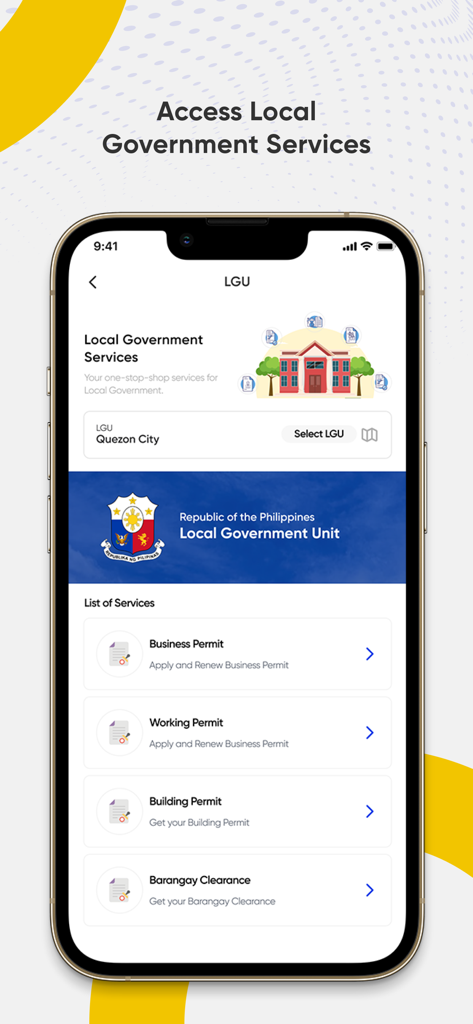
Yes, the eGovPH app provides access to both National Government Agencies (NGAs) and Local Government Units (LGUs) services. Users navigate through these categories directly from the home screen.
Yes, users can access their Philippine National ID on their phone through the eGovPH app. The app displays a verified digital version of the ID, as shown in the Mobile ID section.
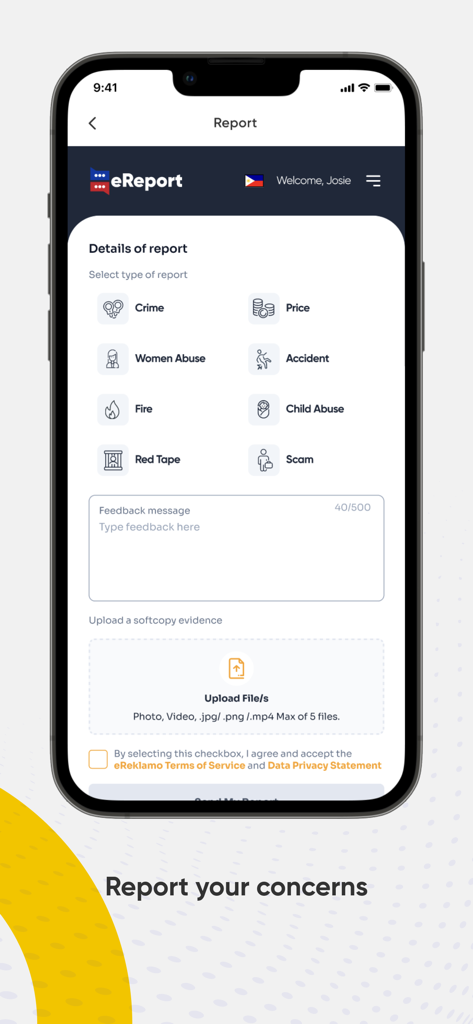
Users report concerns through the 'Report' feature in the eGovPH app. They select a report type, like 'Crime' or 'Red Tape,' provide a feedback message, and upload supporting files.
The eGovPH app provides access to PhilHealth, SSS, Pag-ibig, GSIS, BIR, and PNP services. These include applying for renewals, checking member information, and accessing service records.
Users access local government services such as applying for and renewing Business Permits, Working Permits, Building Permits, and Barangay Clearances. The app allows selecting a specific LGU, like Quezon City.
Yes, the eGovPH app displays a 'Verified Philippine National ID' with no expiration. This indicates the app verifies the authenticity of the identification presented within its interface.
Yes, users can upload evidence when reporting concerns through the eGovPH app. The 'eReport' feature allows uploading up to five files, including photos, videos, .jpg, .png, and .mp4 formats.
Yes, the eGovPH app is supported by several Republic Acts. This legal backing underscores its official capacity and regulatory compliance for government services.
Apps with similar features and user experience

Servicos e Informacoes do Brasil

Servicos e Informacoes do Brasil

NATIONAL INFORMATION CENTER

PAGOPA SPA

Ministerstwo Cyfryzacji

IIRGD - Instituto de Identificacao Ricardo Gumbleton Daunt
Center UZINFOCOM SUE

Hangzhou Citizens Card Management Co., Ltd.

MINKOMSVYAZ ROSSII, FKU