
Emlid Flow



The ultimate companion for your Reach receivers. Streamline your field workflow with centimeter-level accuracy, effortless point collection, and instant cloud sync from the field to the office.
Publisher
Category
UtilitiesDownloads
4K+User Rating
Total Ratings
200Locales
13Discover the interface used by 4K+ users.
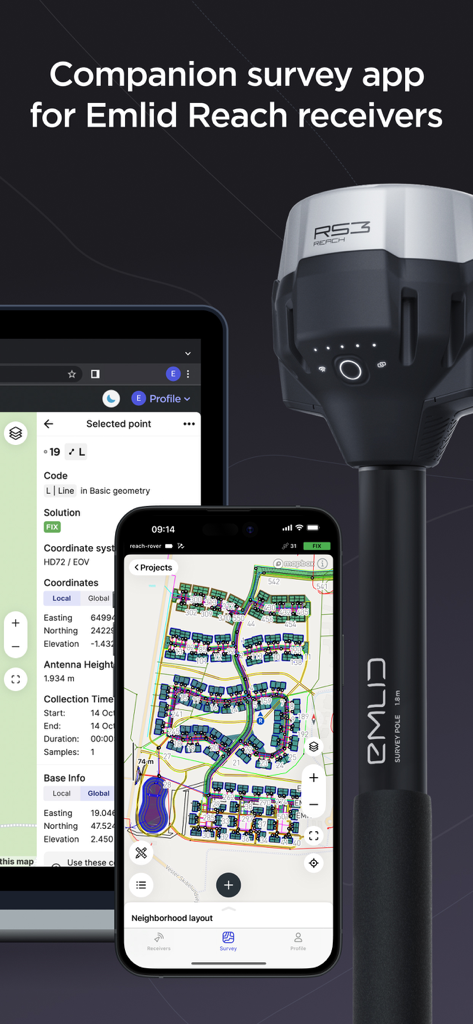
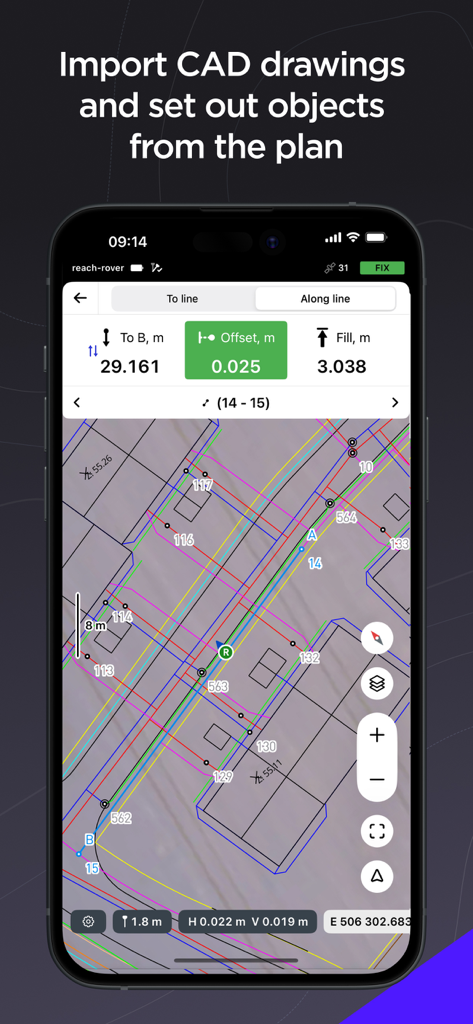
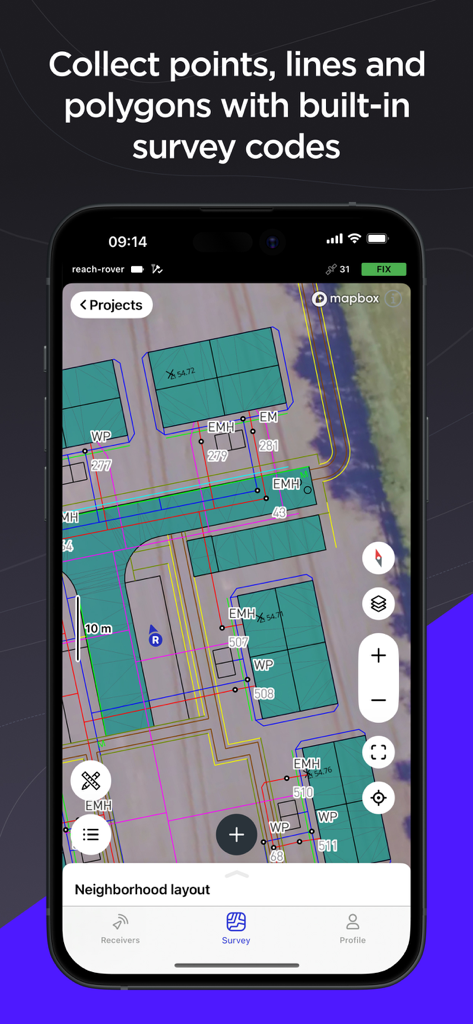
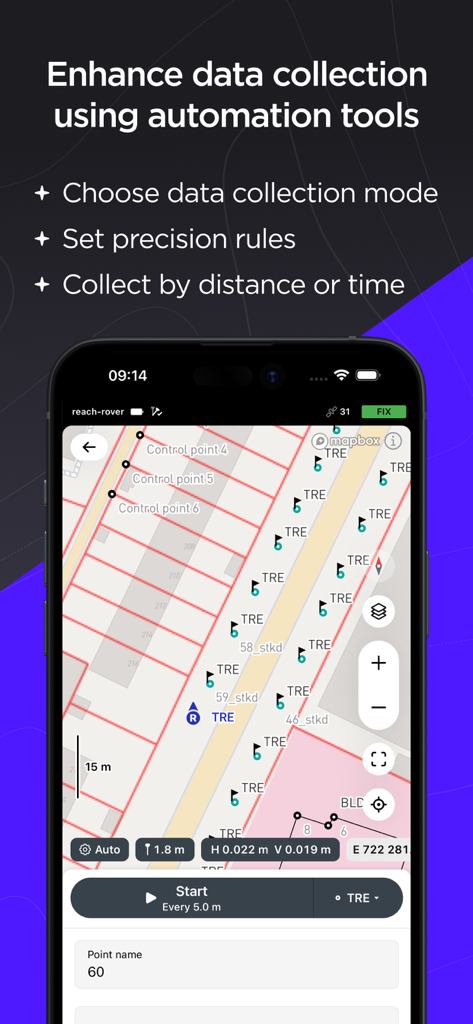
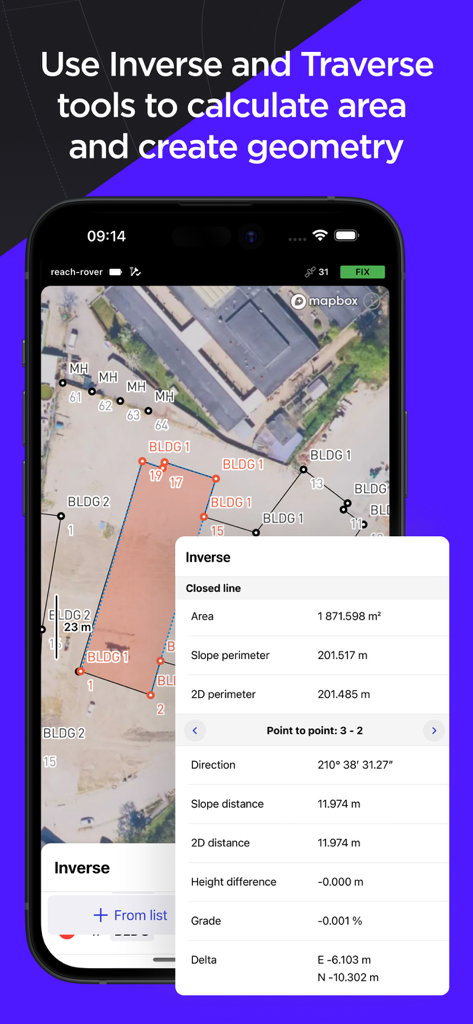
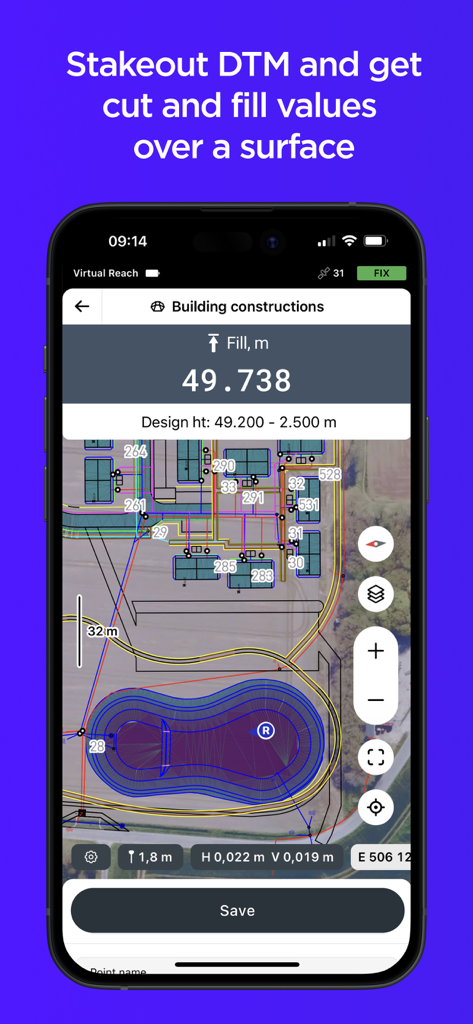
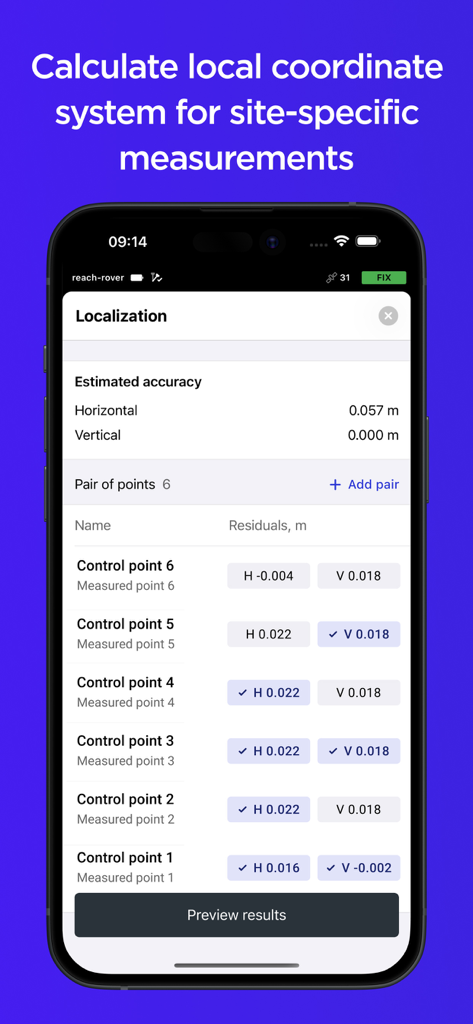
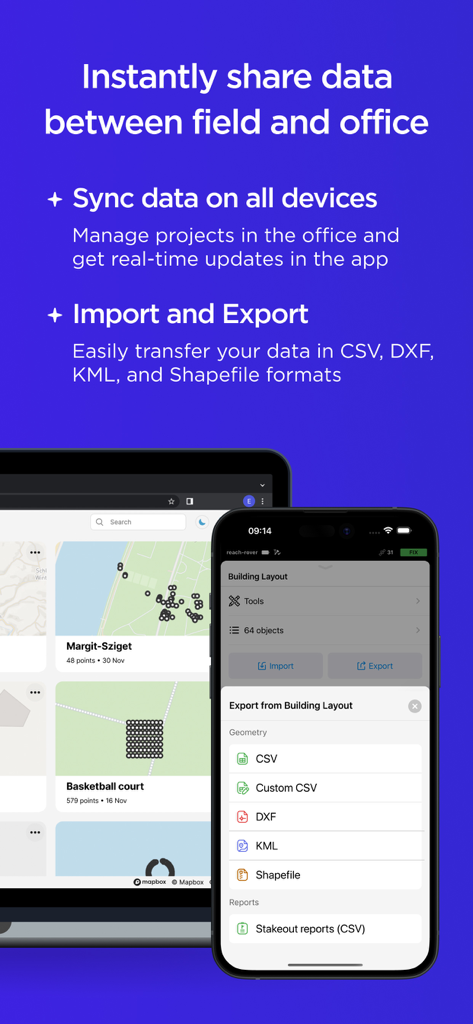
The tools that make this app stand out, trusted by 4K+ users.
Configure base and rover, update firmware, and monitor RTK accuracy in real-time directly from your mobile device.
Access field data instantly on Emlid Flow 360 to manage projects and export files without the need for manual transfers.
Handle complex tasks with ease using line collection, stakeout reports, and geometry calculations designed for professionals.
Trusted by 4K+ people who love this app.
"Emlid Flow has completely transformed how my crew handles field data. Moving from legacy, expensive controllers to an intuitive iOS interface was the best decision for our business. The instant cloud sync with Emlid Flow 360 means my office team can start analyzing data before I even drive back from the site. It’s professional-grade accuracy without the usual complexity."
"As a drone pilot, I need absolute precision for GCP collection and site mapping. Emlid Flow makes it incredibly easy to manage RTK settings and export DXF files directly to my workflow. The DTM support and stakeout reports in the Survey Plan have saved us countless hours on grading checks. It’s a reliable, modern tool that finally keeps up with the pace of our construction projects."
Everything you need to know about Emlid Flow.
Description
Latest Version
14.4
Size
211.9 MB
First Released
Dec 7, 2020
Download Emlid Flow to manage your Reach receivers and streamline your fieldwork. Start your 30-day Survey Plan trial today for advanced mapping and instant cloud synchronization.
Everything you need to know about Emlid Flow
Emlid Flow is a companion app for Emlid Reach receivers. It manages devices and handles all positioning tasks, providing tools for ground control point collection, topographic mapping, and earthworks.
Yes, Emlid Flow offers a free version with features like full receiver control, point collection, stakeout, import/export of various file types, and team collaboration for up to 10 members.
The Emlid Flow Free Plan includes receiver control, point collection and stakeout, CSV/DXF/KML/Shapefile import/export, a built-in coordinate system library, custom coordinate systems, base shift, and cloud sync.
Yes, Emlid Flow supports importing and exporting data in various formats, including CSV, DXF, KML, and Shapefile. This feature is available in the free version for efficient data transfer.
Emlid Flow 360 is a web platform that allows users to access all data from the Emlid Flow app. It enables instant cloud sync for project preparation, management, and export from the office.
Yes, Emlid Flow offers a Pro Plan for advanced survey workflows. It includes features like collecting lines and polygons, stakeout reports, DTM support, auto collection, and Inverse & Traverse tools.
Yes, Emlid Flow provides a 30-day trial for the Pro Plan. This trial is available across all platforms, allowing users to experience advanced features before committing.
Yes, Emlid Flow supports team collaboration. The free version allows up to 10 members, while the Pro Plan provides collaboration for an unlimited number of members for larger teams.
Yes, the Emlid Flow Pro Plan includes Inverse and Traverse tools. These tools are used for geometry calculations, such as determining area, calculating distances, and creating geometric shapes directly within the app.
Yes, Emlid Flow's Pro Plan offers DTM (Digital Terrain Model) support. This allows users to stake out DTMs and obtain precise cut and fill values over a surface for earthwork projects.
Apps with similar features and user experience

Cascode Labs Pty Ltd

Sakhalin, LLC
Harald Meyer

Chongqing Xinzhi Space Technology Co., Ltd.

Mapnitude Company Limited

Vahid Cataltas

Heorhii Karpenko

Miocool Inc.

Kalimex-Consulting s.r.o.