搜狗输入法-Emoji Art&Funny Sticker



The smartest AI-powered Pinyin keyboard for the modern user. Experience lightning-fast predictions, viral meme stickers, and fully customizable skins that make your digital conversations truly your own.
Publisher
Category
UtilitiesDownloads
83M+User Rating
Total Ratings
8M+Locales
1Discover the interface used by 83M+ users.
The tools that make this app stand out, trusted by 83M+ users.
Save time with AI-driven Pinyin predictions and deep learning models that understand the latest Chinese slang and cultural context better than any native keyboard.
Dominate your WeChat group chats with an endless library of trending stickers, Emoji art, and DIY tools to create your own viral content in seconds.
Make your keyboard an extension of your personality with fully customizable skins, artistic fonts, and satisfying mechanical key sounds.
Trusted by 83M+ people who love this app.
"As a student constantly on WeChat and Xiaohongshu, I can't live without the sticker library and custom skins. The 'Emoji Art' feature makes my posts stand out, and I love being able to design my own keyboard layout to match my phone's aesthetic!"
"The predictive Pinyin is lightyears ahead of anything else. It saves me so much time when texting friends or writing emails. Plus, the text scanning feature is a total game-changer for digitizing my notes quickly. Highly recommended for any bilingual user."
Everything you need to know about 搜狗输入法-Emoji Art&Funny Sticker.
Description
Latest Version
12.21.3
Size
226.5 MB
First Released
Sep 17, 2014
Experience lightning-fast smart input, infinite DIY customization, and the world's most expressive sticker library. Join over 80 million users and start typing with personality today.
Everything you need to know about 搜狗输入法-Emoji Art&Funny Sticker
To enable Sougou Input Method, go to System Settings > General > Keyboard > Keyboards > Add New Keyboard. Select "Sougou Input Method" and ensure "Allow Full Access" is enabled.
If Sougou Input Method fails to update, restart your phone or enable "Allow Full Access." Then, update the app directly from the App Store without launching the keyboard.
If Sougou Input Method shows (null) after updating, delete it from System Settings > General > Keyboard > Keyboards, then re-add "Sougou Input Method."
To enable advanced Sougou Input Method features such as cloud input, emojis, or skins, ensure "Allow Full Access" is turned on in System Settings > General > Keyboard > Keyboards.
Yes, Sougou Input Method supports quick switching. On 3D Touch compatible devices, firmly press any side of the keyboard to activate the one-handed keyboard.
If Sougou Input Method features are inactive, "Allow Full Access" may have become invalid. Re-enable it in System Settings > General > Keyboard > Keyboards for "Sougou Input Method."
Yes, Sougou Input Method allows cursor movement by swiping left or right on the keyboard. This feature is enabled for new users and configurable in app settings for others.
With Sougou Input Method, swipe up on a letter key to quickly input the symbol located above it. Users can disable this in the app's general settings.
To switch keyboards from Sougou Input Method, long-press the "中/英 小地球" (Chinese/English globe) button. A menu appears, allowing selection of another installed input method.
Yes, Sougou Input Method features text scanning. It directly recognizes and extracts text from photos, enhancing input convenience for users.
Yes, Sougou Input Method offers extensive customization. Users can personalize key sounds, wallpapers, skin backgrounds, key shapes, animations, and fonts to their preference.
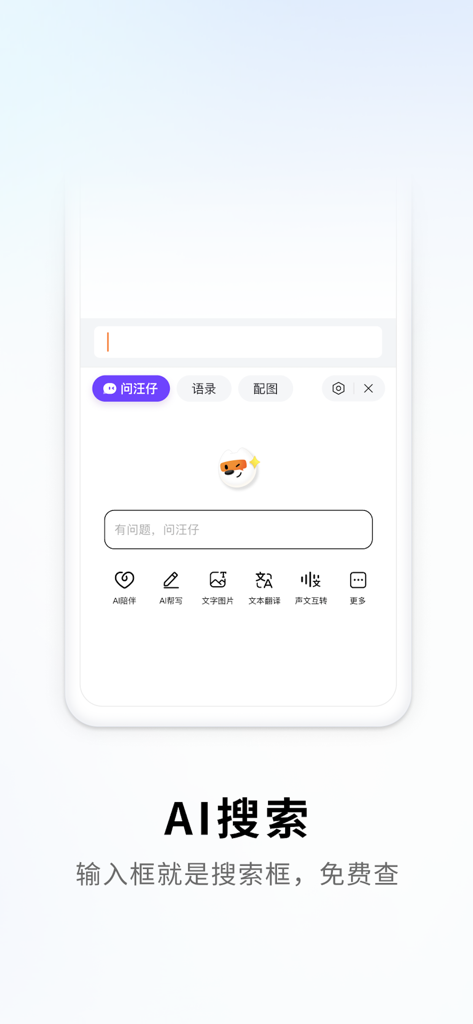
Yes, Sougou Input Method integrates "AI Search" ("AI搜索"). The input box serves as a search bar, allowing users to perform free information lookups directly.
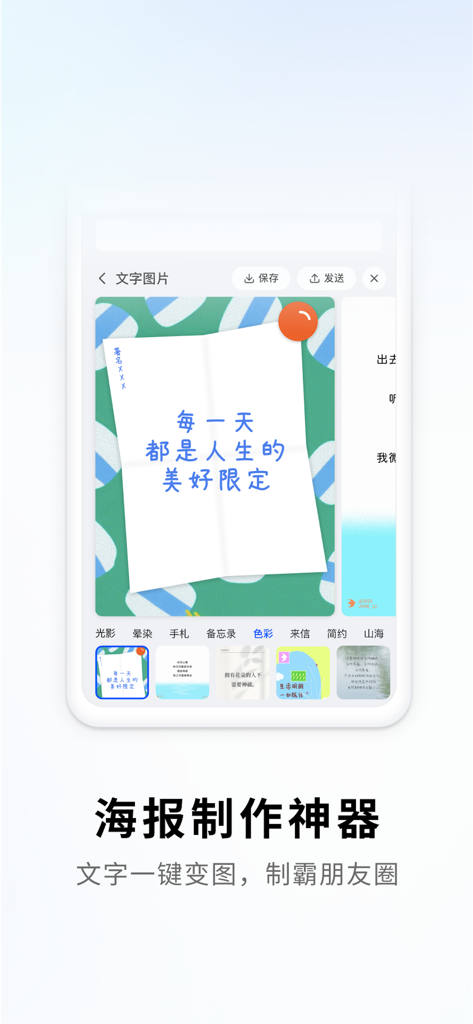
Yes, Sougou Input Method includes a "Poster Creation Tool" ("海报制作神器"). This feature converts text into visually appealing images with one tap for sharing.
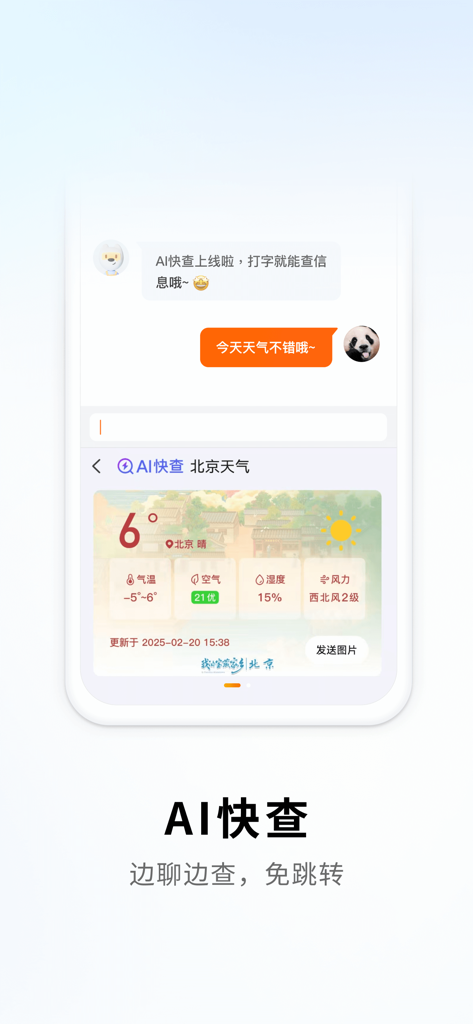
Yes, Sougou Input Method's "AI Quick Check" ("AI快查") enables users to search for information, like weather, directly within chat interfaces without switching apps.
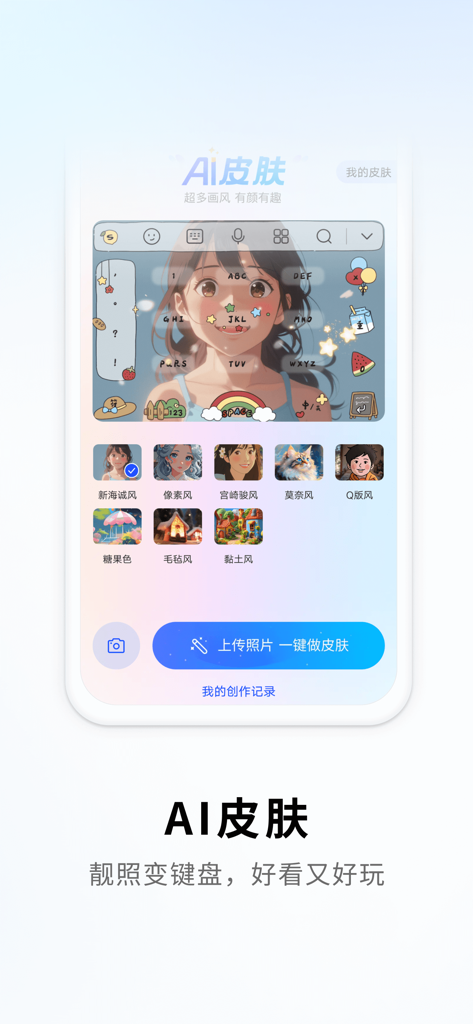
Yes, Sougou Input Method's "AI Skins" ("AI皮肤") feature allows users to upload personal photos. They can then create custom keyboard skins with a single click.
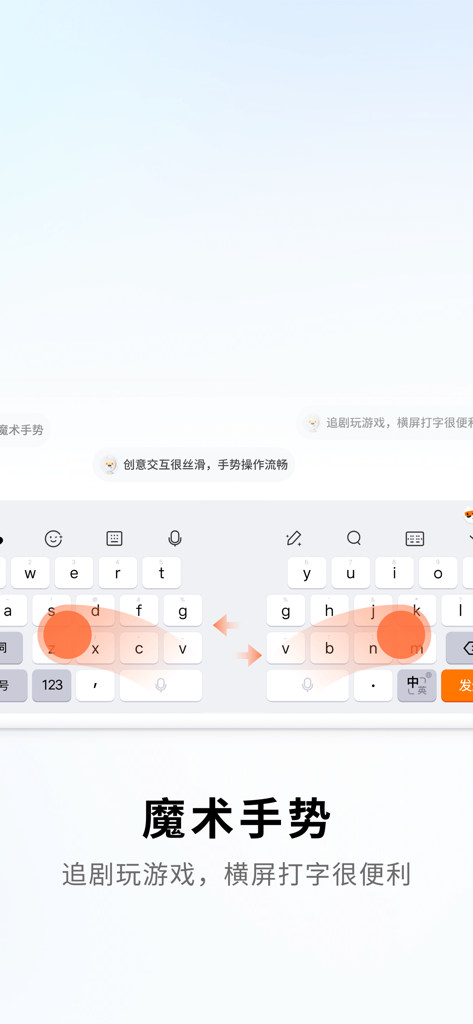
Yes, Sougou Input Method offers "Magic Gestures" ("魔术手势") to facilitate convenient typing in landscape mode. This feature enhances usability during games or video playback.
Yes, Sougou Input Method supports Korean language input. The Korean keyboard allows for skin changes and emoji usage, providing a complete input experience.
Yes, Sougou Input Method offers "Glide Typing" ("滑行输入"). Users can input text swiftly by sliding their finger across the keyboard without lifting it.
Apps with similar features and user experience