Eos Remote

Eos Remote

Download on App Store
Spark by MWM logo
Logo of Eos Remote

Eos Remote: Professional Lighting Control for Programmers and Riggers

Stop walking back to the console and start solving problems on stage. Gain full mobile access to virtual encoders, magic sheets, and custom layouts—all for the price of a coffee.

Download on App Store

Publisher

Trent Barclay

Category

Utilities

Downloads

900

User Rating

4.3/5

Total Ratings

100

Locales

1

Precision at Every Turn

Discover the interface used by 900 users.
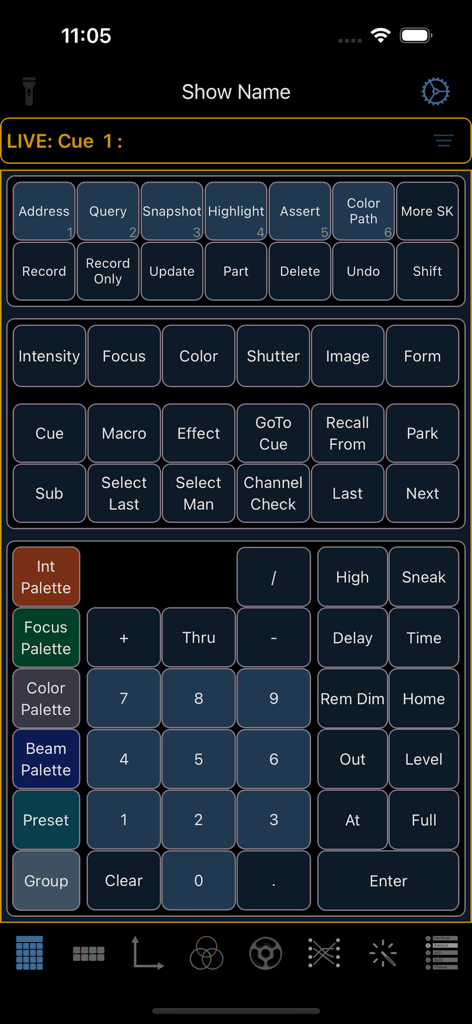
Virtual lighting console keypad and command buttons in the Eos Remote app interface

Virtual lighting console keypad and command buttons in the Eos Remote app interface

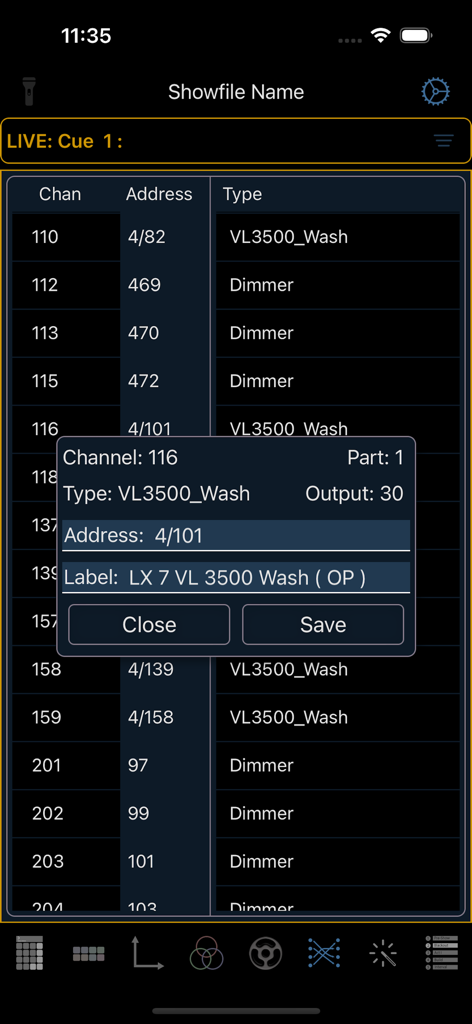
Screenshot of the Eos Remote app showing a fixture patch list and a channel details edit window

Screenshot of the Eos Remote app showing a fixture patch list and a channel details edit window

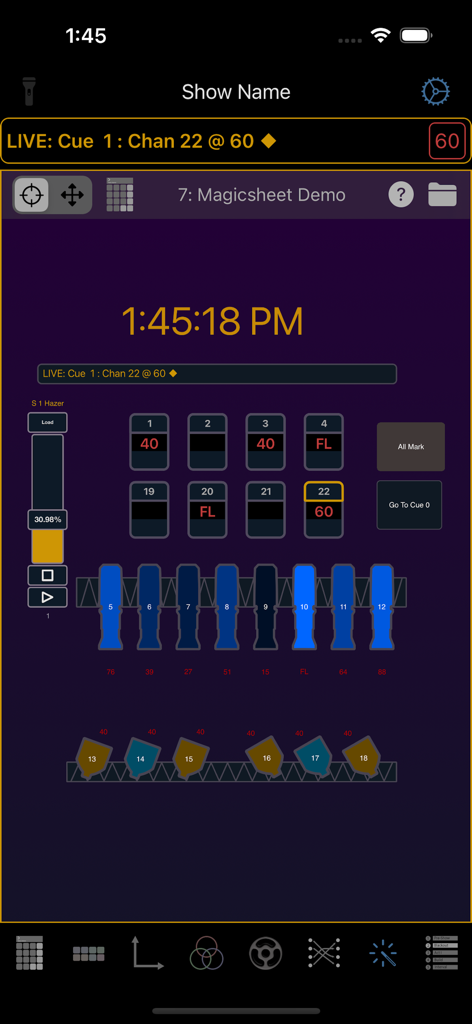
Magic Sheet view in the Eos Remote app showing lighting channel levels and fixture icons

Magic Sheet view in the Eos Remote app showing lighting channel levels and fixture icons

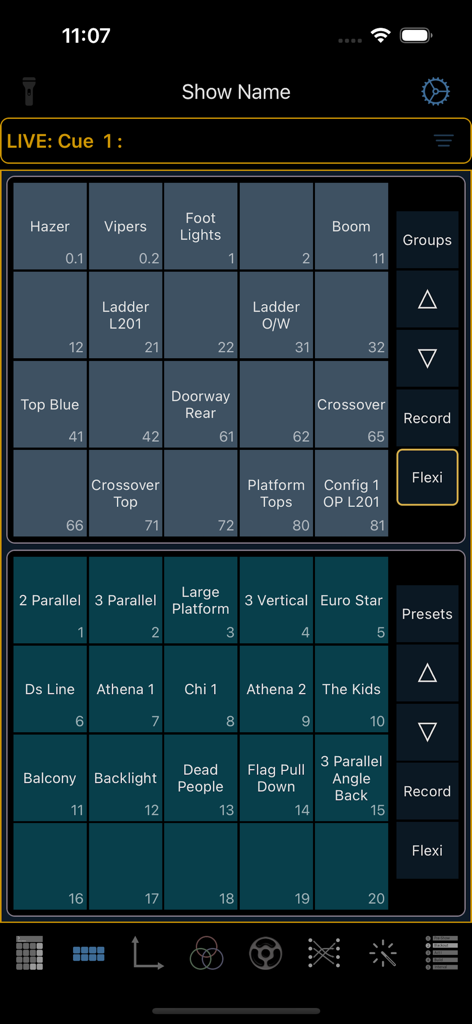
Interface of Eos Remote app showing direct select buttons for theatre lighting groups and presets.

Interface of Eos Remote app showing direct select buttons for theatre lighting groups and presets.

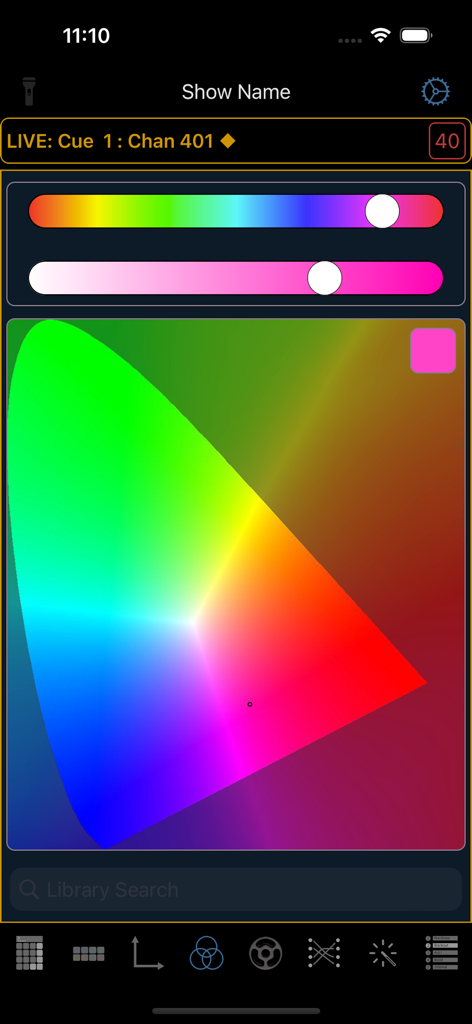
Eos Remote app color picker interface featuring a chromaticity diagram and lighting control sliders

Eos Remote app color picker interface featuring a chromaticity diagram and lighting control sliders

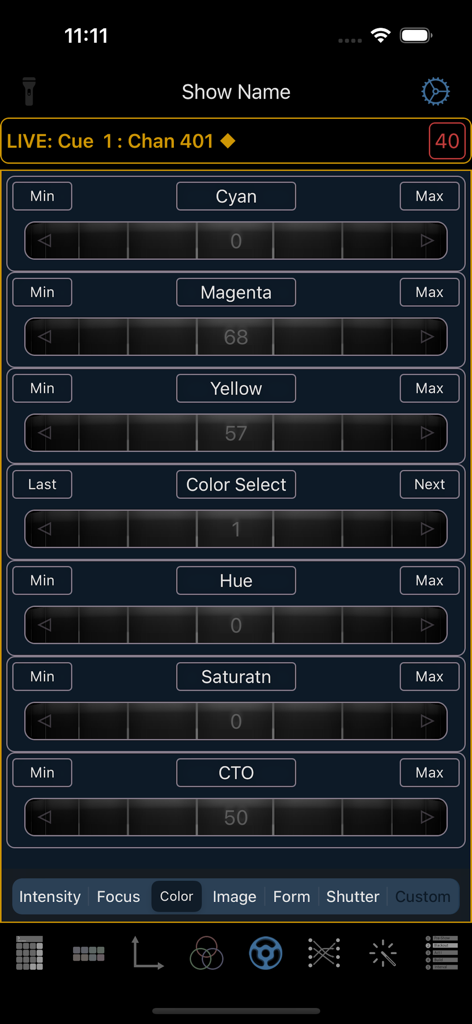
Interface showing virtual color encoders for CMY and HSL controls in the Eos Remote app.

Interface showing virtual color encoders for CMY and HSL controls in the Eos Remote app.

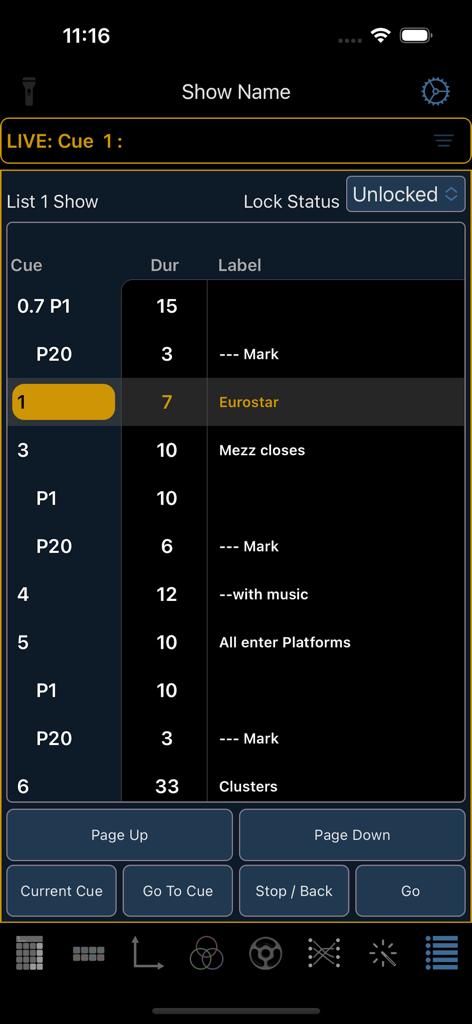
Eos Remote app displaying a lighting cue list with playback controls.

Eos Remote app displaying a lighting cue list with playback controls.

Command the Stage with Professional Precision

The tools that make this app stand out, trusted by 900 users.

End the Booth-to-Stage Sprint

Use Virtual Encoders and Lamp Controls to troubleshoot and focus directly from the stage floor. Save hours of setup time and never miss a coffee break again.

🎨

Precision Color Selection

Match hues perfectly with the built-in Gel Library and Color Picker. Adjust palettes in real-time while standing under the light for instant visual feedback.

📑

Your Mobile Workstation

Optimize your workflow with Magic Sheets and Split Screen support on iPad. Keep your lighting plots and console controls in one seamless, high-performance view.

Loved by users worldwide

Trusted by 900 people who love this app.

"

"Eos Remote is a game-changer for focus sessions. The color picker and custom layouts are far more intuitive than the official options. Being able to use split screen on my iPad with my lighting plot open next to the remote has saved me hours of programming time and finally let me take that coffee break."

Alex Rivers, Freelance Lighting Programmer
"

"Finally, a remote that actually works with me on stage. The lamp controls and console discovery are rock solid. It saves me dozens of trips back to the booth during rigging and troubleshooting. It is easily worth the price of a coffee for the efficiency it adds to every single gig I work."

Jordan Smith, Master Electrician

About the app

Everything you need to know about Eos Remote.

Description

Eos Remote is not an official Electronic Theatre Controls (ETC) product. They probably don't know it exists. Please visit www.lightingremotes.com for support. Have you ever forgone a coffee break because you’ve been problem solving issues, going back and forth to the console? Now for the price of a coffee (per month), Eos Remote can save you that time; giving you the tools you need to problem solve any situation on stage. Eos Remote is designed to be used by programmers and riggers alike. The monthly and annual subscriptions come with a 1-month free trial. Features include, - Direct Selects - Color Picker with a Gel Library - Virtual Encoders - Patch - Magic Sheet Viewer - Custom Layouts - Lamp Controls - Playback Status Display - Faders - Discrete Users - Console Discovery - Split Screen on iPad Payment will be applied to your Apple account starting at the conclusion of your trial period, if applicable, unless you cancel before the trial ends. Subscriptions will automatically renew unless cancelled within 24-hours before the end of the current period. You may cancel your subscription anytime by going to your account settings on the App Store after purchase. Refunds will not be provided for the unused portion of any term. For support, visit www.lightingremotes.com

Latest Version

2.18

Size

6.6 MB

First Released

Jan 9, 2020

Stop Walking Back to the Console—Start Programming from the Stage

Join hundreds of lighting pros who use Eos Remote to reclaim their time and streamline their workflow. Start your 1-month free trial today and get your coffee break back.

Download on App Store