LK - Ableton & Midi Controller

LK - Ableton & Midi Controller

Download on App StoreDownload on Google Play
Spark by MWM logo
Logo of LK - Ableton & Midi Controller

LK - Ableton & MIDI Controller: Professional Tactile Control for Your Studio and Stage

Break free from the mouse and keyboard. Transform your mobile device into a powerful, modular controller for Ableton Live and MIDI gear, featuring high-performance sequencing, expressive MPE, and seamless wireless connectivity.

Publisher

Imaginando Lda

Category

Music

Downloads

353K+

User Rating

4.3/5

Total Ratings

2K+

Locales

-

Performance at Your Fingertips

Discover the interface used by 353K+ users.
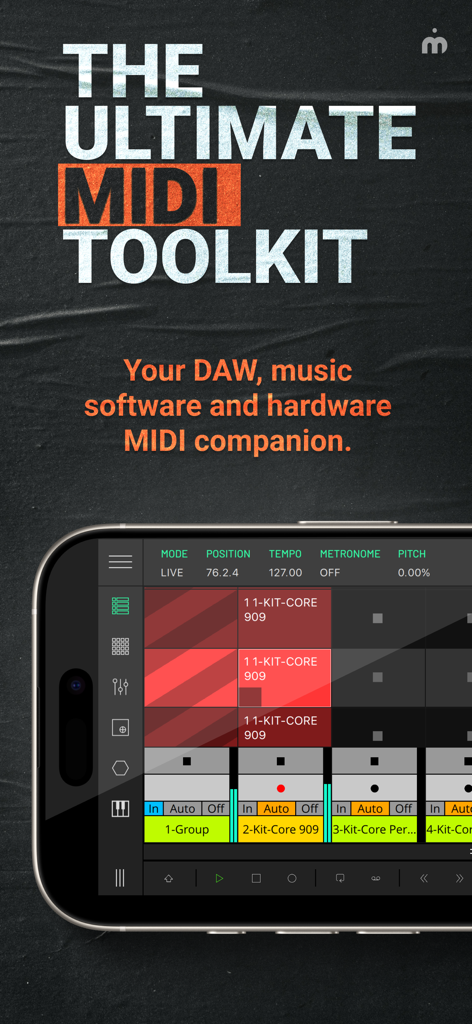
LK app interface on a smartphone showing the MIDI matrix and control settings

LK app interface on a smartphone showing the MIDI matrix and control settings

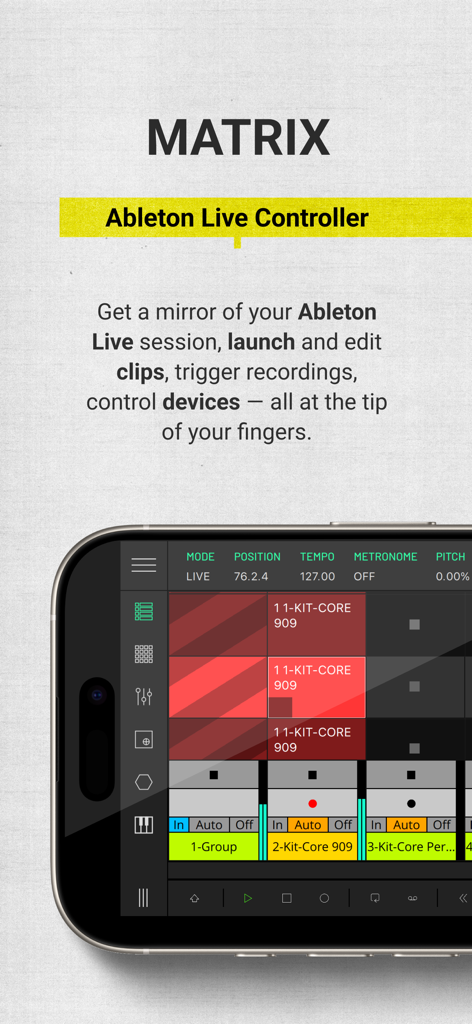
Interface of the LK app Matrix module showing a grid for launching Ableton Live clips on a smartphone.

Interface of the LK app Matrix module showing a grid for launching Ableton Live clips on a smartphone.

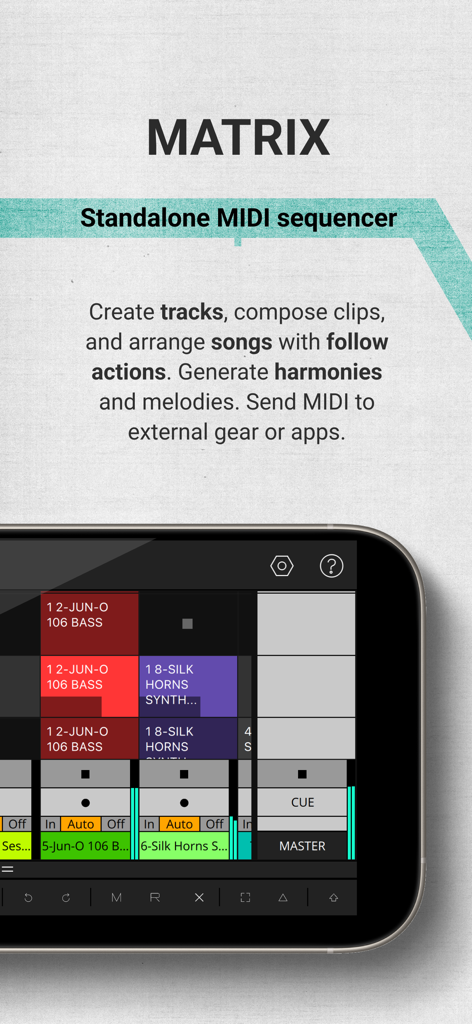
LK app Matrix module interface for standalone MIDI sequencing and clip launching

LK app Matrix module interface for standalone MIDI sequencing and clip launching

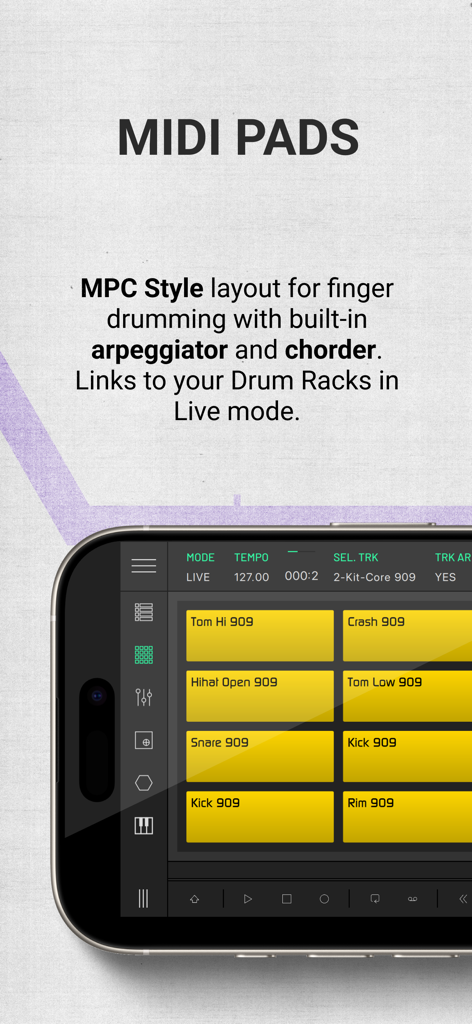
LK app MIDI pads module with MPC style layout for finger drumming

LK app MIDI pads module with MPC style layout for finger drumming

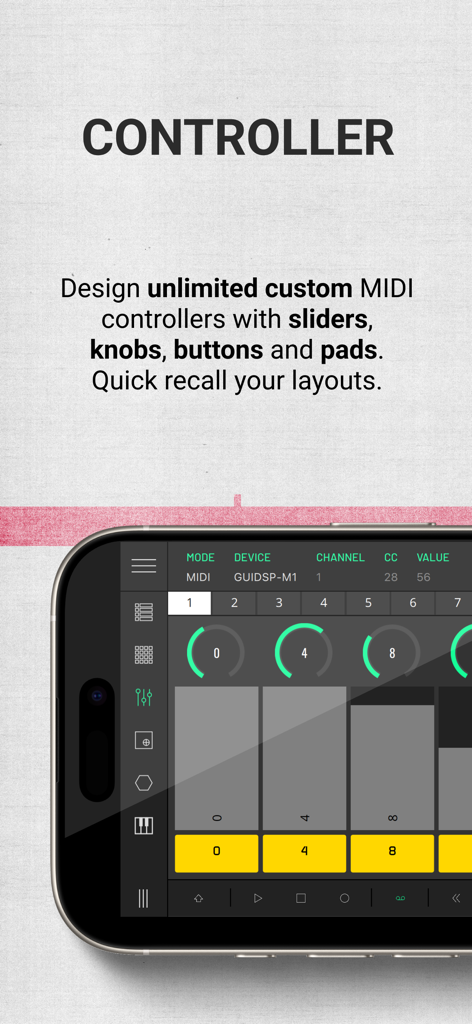
Smartphone screen displaying the LK app custom MIDI controller interface with virtual knobs and sliders

Smartphone screen displaying the LK app custom MIDI controller interface with virtual knobs and sliders

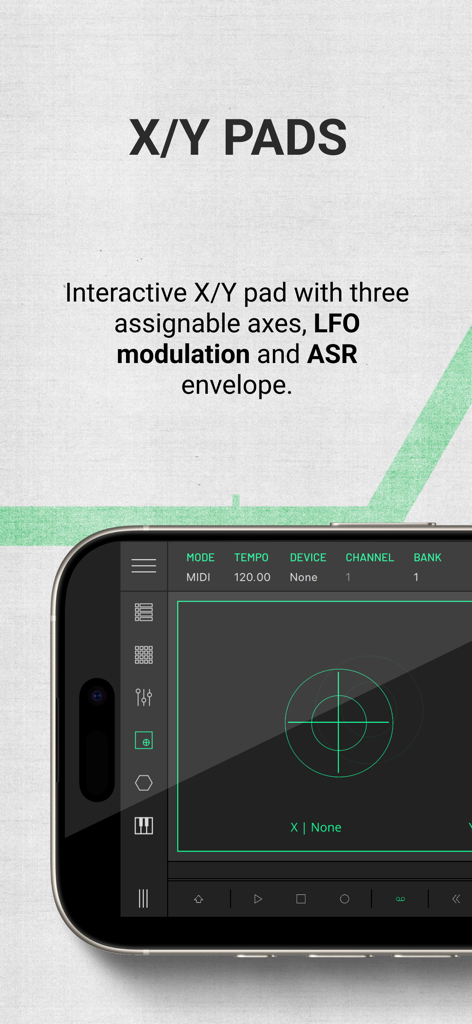
Interactive X/Y pads module in the LK MIDI controller app

Interactive X/Y pads module in the LK MIDI controller app

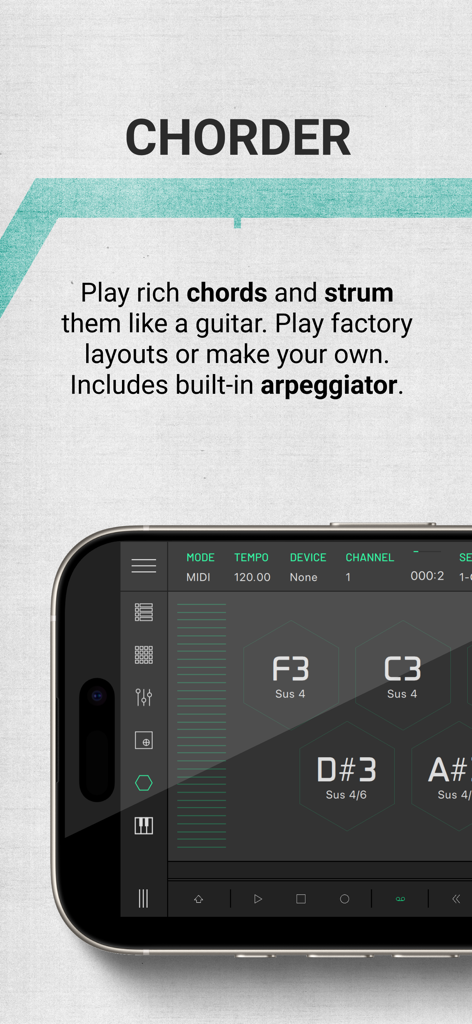
LK app Chorder module interface showing hexagonal pads for playing and strumming musical chords on a mobile device

LK app Chorder module interface showing hexagonal pads for playing and strumming musical chords on a mobile device

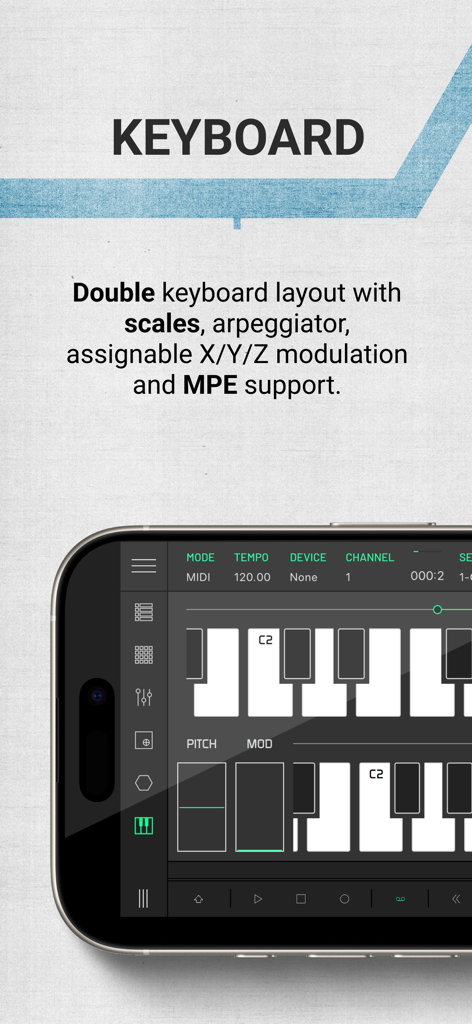
LK app interface showing a double keyboard layout with modulation controls and MPE support for electronic music production.

LK app interface showing a double keyboard layout with modulation controls and MPE support for electronic music production.

Professional Control. Zero Cables.

The tools that make this app stand out, trusted by 353K+ users.

🔳

Deep Ableton Live Integration

Command your Session View with a powerful matrix that mirrors your project. Launch clips, mix tracks, and edit patterns without ever touching your mouse.

🎚️

Custom Tactile Interfaces

Replace expensive hardware with assignable faders, knobs, and X/Y pads. Create your perfect workflow to control any MIDI software or external gear via USB or Wi-Fi.

Generative Creative Tools

Break through writer's block using the Chorder and Composer modules. Generate scale-aware melodies and complex chords to spark instant inspiration.

Loved by users worldwide

Trusted by 353K+ people who love this app.

"

"LK has completely transformed my live sets. I used to lug around a heavy dedicated controller, but now I can launch clips and tweak effects directly from my iPad with zero latency. The UBRIDGE connection is rock solid, giving me the freedom to move around the stage while staying in total control of my session."

Marcus V., Electronic Artist
"

"As a studio producer, the level of customization here is insane. The Chorder and Matrix modules have become essential for my songwriting process, helping me break through creative blocks with their generative features. It's the most responsive MIDI controller I've ever used, and the AUv3 integration fits perfectly into my mobile setup."

Sarah T., Music Producer

About the app

Everything you need to know about LK - Ableton & Midi Controller.

Description

LK is a flexible remote control application for Ableton Live and MIDI devices, providing a wide range of features and functionality to enhance the production and live performance of electronic music. LK offers tight integration with Ableton Live using our free UBRIDGE desktop application, providing access and control of Ableton Live projects, with both wired and wireless connection options. LK has extensive MIDI capabilities too, allowing for communication and control of any MIDI compliant software or hardware, even apps running on the same device thanks to virtual MIDI support and AUv3 integration too. LK is split into six unique modules, each available as a separate in-app purchase, offering great value that you can tailor to your specific needs. LK is also capable of connecting with USB MIDI interfaces which allows you to interact with external gear. To connect LK to your host computer you will need to download and install a free software utility called UBRIDGE on your computer. It is available for Windows and macOS and it can be downloaded from Imaginando website. See our setup guide for further details in LK’s product page. MATRIX MODULE - Live Mode - In Live mode, you can control almost every aspect of Ableton Live directly from LK. The app mirrors your session view, allowing you to launch clips, add tracks and scenes, arm, solo, and mute tracks, and adjust track monitoring, volume, pan, and cue settings on the master track. You can create and edit clips with the powerful built-in clip composer, featuring tools like scales, swing, humanize, horizontal and vertical mirroring, time-shifting notes, pitch swapping, transposing, and even chord and melody generation within a defined range. LK also enables device control within each track, offering a range of generic layouts for quick access and instant parameter adjustments, so you can modify settings without needing to interact directly with your computer. - MIDI Mode - In MIDI mode, LK enhances workflow with a flexible, independent sequencing environment for streamlined composition and arrangement. Users can create and manage MIDI clips per track, arrange scenes, and send MIDI to other software or hardware. When loaded as an AUv3 in hosts like AUM, LK sequences and coordinates various instruments, perfect for complex setups and live performances. Essential editing tools like signatures, scales and transformative tools simplify MIDI editing, while automation and generative tools enable dynamic compositions. Follow actions and probability settings further smooth transitions, making performance arrangements seamless and spontaneous—all within a single, powerful interface. PADS MODULE - Get the MPC feel on your touchscreen with PADS, featuring an arpeggiator and a chorder. When working in Ableton Live mode it automatically maps drum rack pad names to each pad on the app - never miss a pad again. Use it in MIDI mode to quickly play other synth apps. CONTROLLER MODULE - Extensive control of 128 parameters with CONTROLLER. Use assignable and customisable knobs, faders, buttons and pads to control MIDI hardware, desktop and mobile DAWs - now with the power of AUv3 integration too. X/Y MODULE - Three dimensional parameter tweaking with X/Y PAD. This module can work with CC or NOTE events. In CC mode, a CC can be assigned per axis. In NOTE mode, X is pitch, Y is velocity and Z is Note ON/ Note OFF. CHORDER MODULE - Play chords like never before with the CHORDER module. Use this chord generator to build chords and lay them out according to your needs. KEYBOARD MODULE - KEYBOARD features 3-axis expression capabilities with scale and range controls. It also allows the possibility of mapping any Live or MIDI CC parameters to be controlled by the X and Y position within each of the keys, providing additional expression to the performance. It also has an MPE mode so you can use it with your favorite MPE compatible synths.

Latest Version

1.14.1

Size

111.1 MB

First Released

Mar 4, 2015

Take Command of Your Creative Workflow

Join over 350,000 music makers. Transform your iPad or iPhone into the ultimate, wireless MIDI powerhouse for Ableton Live and your favorite hardware today.

Download on App StoreDownload on Google Play