eSign - Fill & Sign Form Docs

eSign - Fill & Sign Form Docs

Download on App Store
Spark by MWM logo
Logo of eSign - Fill & Sign Form Docs
eSign - Fill & Sign Form Docs: Your All-in-One Mobile Office for PDFs

Empower your workflow with the fastest way to sign, edit, and merge documents on the go. Ditch the printer and scanner—handle professional contracts and forms in just a few taps.

Publisher

B TO J PTY LTD

Category

Business

Downloads

222K+

User Rating

4.5/5

Total Ratings

600

Locales

15

Experience Effortless Signing

Discover the interface used by 222K+ users.
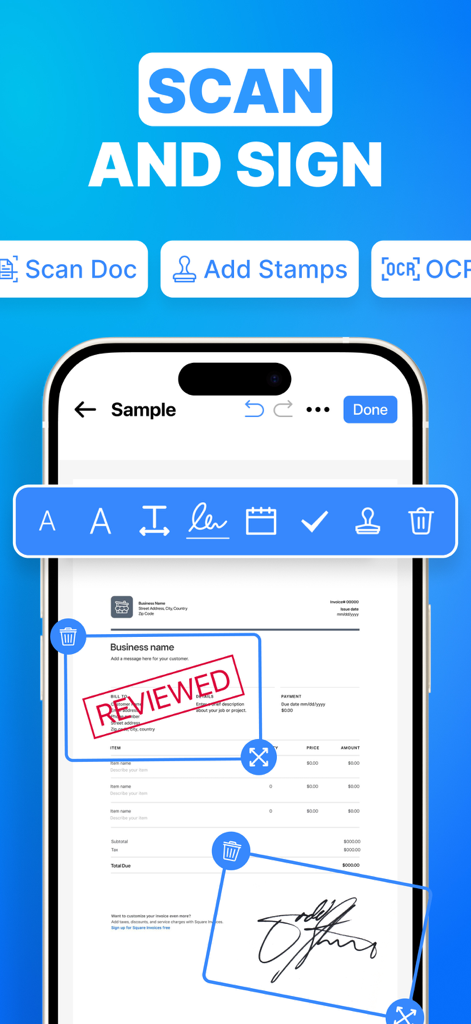
Mobile app interface showing a scanned document with a digital signature and a Reviewed stamp

Mobile app interface showing a scanned document with a digital signature and a Reviewed stamp

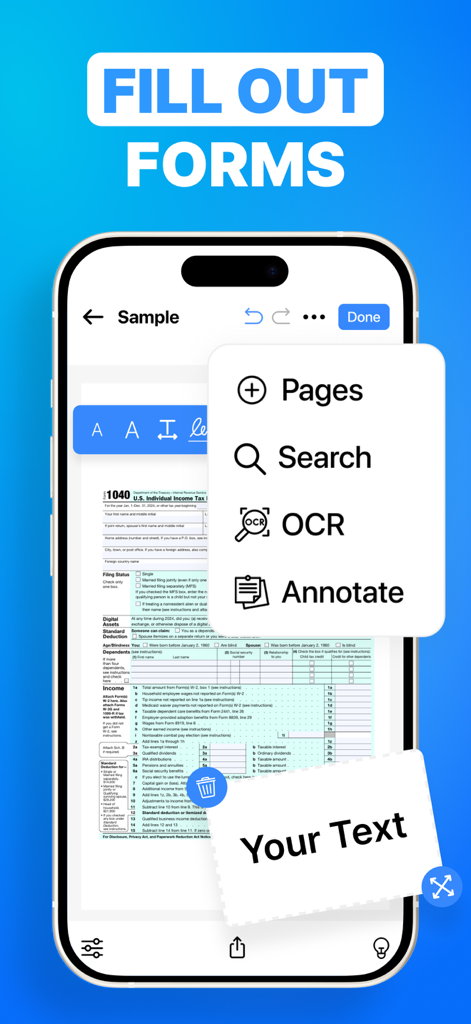
iPhone screen showing the eSign app filling out a digital tax form with OCR and annotation features

iPhone screen showing the eSign app filling out a digital tax form with OCR and annotation features

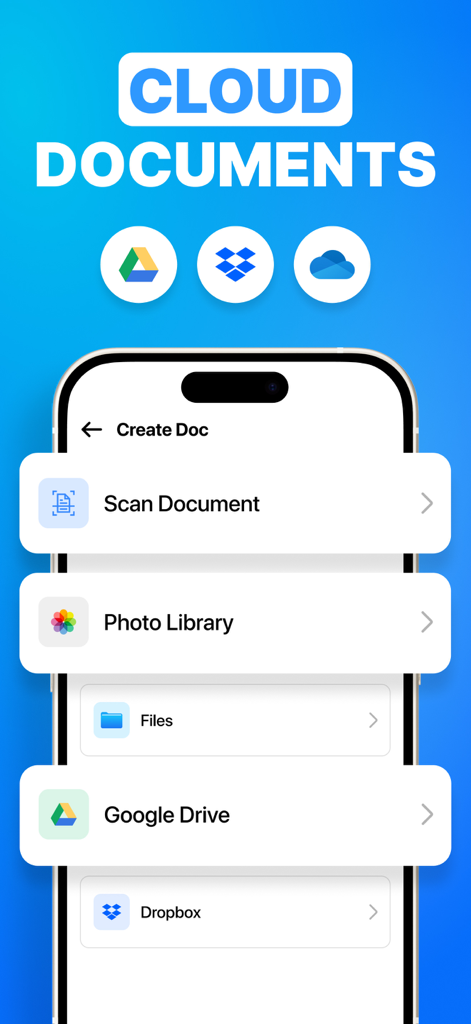
Interface of the eSign app showing options to import documents from Google Drive Dropbox and local files

Interface of the eSign app showing options to import documents from Google Drive Dropbox and local files

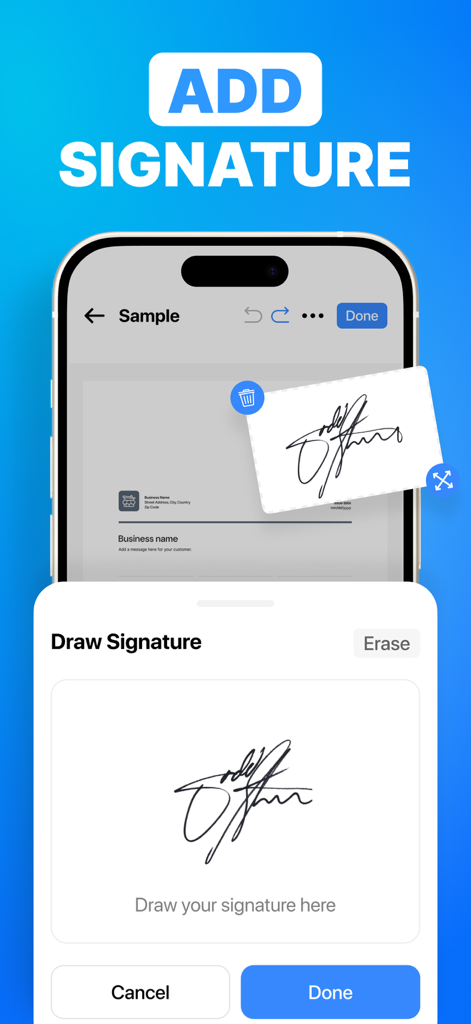
Mobile app interface showing the draw signature feature to sign digital documents

Mobile app interface showing the draw signature feature to sign digital documents

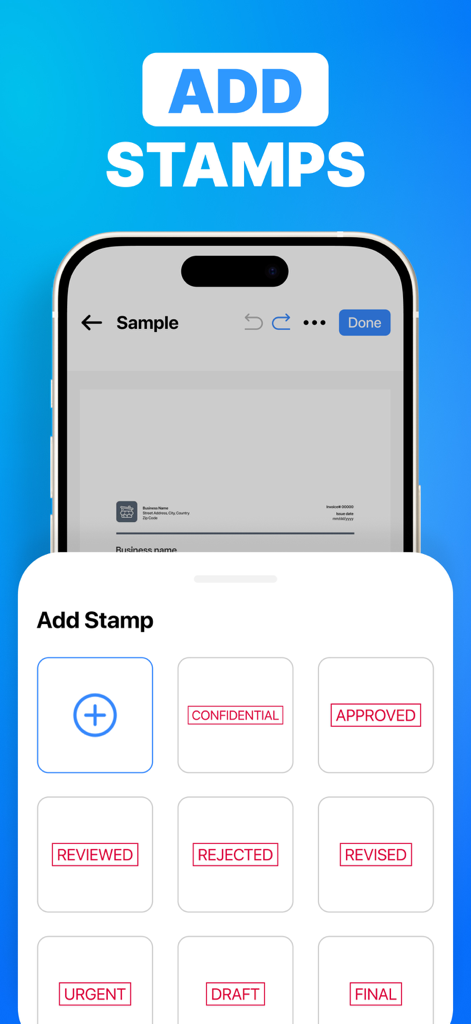
A smartphone screen displaying the Add Stamp menu in the eSign app with options like Approved Rejected and Confidential.

A smartphone screen displaying the Add Stamp menu in the eSign app with options like Approved Rejected and Confidential.

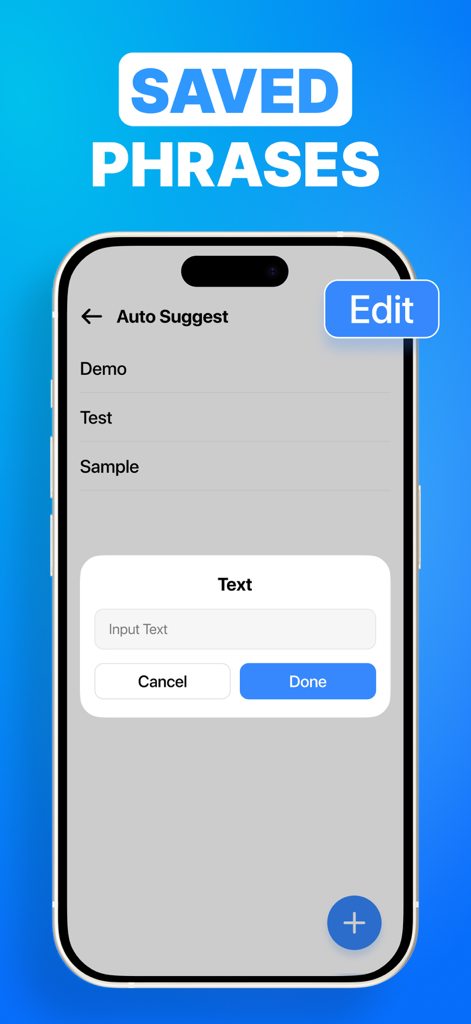
Interface of eSign app showing saved phrases and auto suggest feature for quick document filling

Interface of eSign app showing saved phrases and auto suggest feature for quick document filling

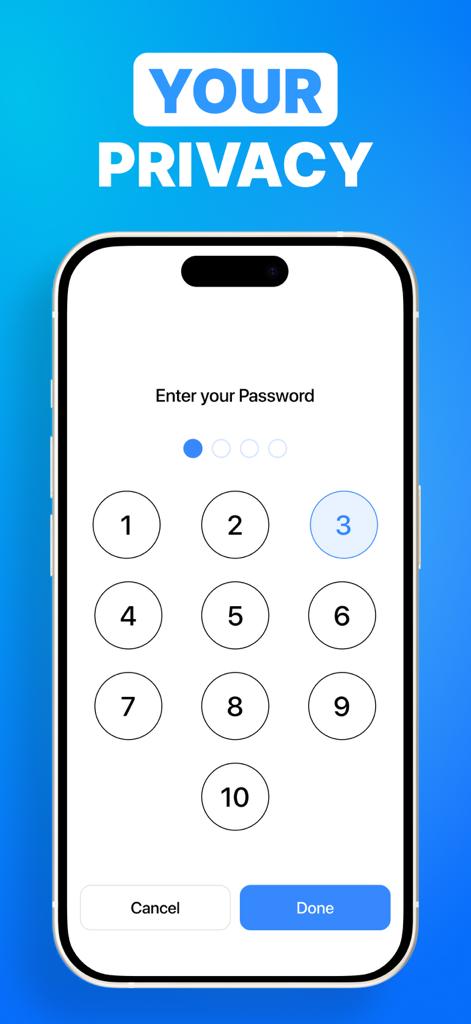
eSign app security interface showing a numeric keypad for password protection and document privacy

eSign app security interface showing a numeric keypad for password protection and document privacy

Streamline Your Paperless Workflow

The tools that make this app stand out, trusted by 222K+ users.

✍️

Instant Digital Signatures

Create your professional signature once and apply it to any PDF with a single tap. Close deals and sign NDAs from your phone, wherever you are.

📄

Smart Form Filling & OCR

Automatically detect fillable fields or use OCR to extract text from physical documents. Convert paper to digital instantly without manual typing.

☁️

Total Cloud Integration

Connect directly to Google Drive and Dropbox. Import, edit, and securely save your important files back to the cloud with seamless synchronization.

Loved by users worldwide

Trusted by 222K+ people who love this app.

"

"This app is a total game-changer for my real estate business. I no longer have to hunt for a printer to get contracts signed while in the field. I can just open the PDF on my iPad, have my clients sign right there, and email it back in seconds. The cloud sync with Google Drive is seamless and keeps my deals moving."

Sarah Jenkins, Licensed Realtor
"

"As a freelance consultant, I am constantly signing NDAs and tax forms. eSign makes the whole process effortless from my phone. The auto-field detection works perfectly, and the ability to merge multiple documents into one PDF has saved me so much time. It is an essential tool for any mobile professional."

Marcus Chen, Independent Consultant

About the app

Everything you need to know about eSign - Fill & Sign Form Docs.

Description

**eSign – Fill & Sign PDF Forms Effortlessly** eSign is your go-to solution for quickly filling out and signing PDF files—no printer, scanner, or desktop required. Need to edit or sign a PDF on the fly? With eSign, you can fill in forms, add your signature, and send documents in just a few taps. It's fast, easy, and always at your fingertips. eSign automatically detects fillable fields, making it simple to complete forms anywhere, anytime. Key Features • Fill and sign PDF documents quickly • Add digital signatures with the Add Signature feature • Merge multiple PDF files into one • Rearrange PDF pages with easy drag-and-drop • Annotate PDFs documents with comments and highlights • Connect to Google Drive and Dropbox • Extract text using OCR (optical character recognition) • Search for text within PDF files • Import PDFs from Files, Photos, Google Drive, and Dropbox • Automatically and securely save files to the Files app • Share documents via email or text message • Print PDFs documents directly from your device Upgrade to Subscription Version Unlock cloud syncing, premium features, and ongoing updates by upgrading to the subscription version. Subscription details: • Payment will be charged to your Apple ID at the time of purchase • Subscriptions renew automatically unless cancelled at least 24 hours before the end of the current period • Your account will be charged within 24 hours prior to the renewal • Manage or cancel subscriptions from your App Store account settings Links to Your Privacy Policy and Terms of Use: http://www.btoj.com.au/privacy.html http://www.btoj.com.au/terms.html Need help? Please feel free to contact us anytime.

Latest Version

13.8

Size

61.5 MB

First Released

Mar 29, 2021

Ready to Close Your Next Deal in Seconds?

Join over 220,000 mobile professionals who have ditched the printer. Download eSign today and turn your iPhone into a powerful, paperless office.

Download on App Store
FAQ

Frequently Asked Questions

Everything you need to know about eSign - Fill & Sign Form Docs

What is the eSign app used for?

The eSign app is used for effortlessly filling out and signing PDF files directly on mobile devices. It removes the need for printers, scanners, or desktops.

Can I add a digital signature using the eSign app?

Yes, eSign allows users to add digital signatures to PDF documents. The app features a dedicated "Add Signature" tool for this purpose.

Does eSign app automatically detect fillable PDF fields?

Yes, eSign automatically detects fillable fields within PDF documents. This feature streamlines the process of completing forms on any device.

Does the eSign app support OCR for text extraction?

Yes, the eSign app supports OCR (Optical Character Recognition). This technology enables users to extract text directly from PDF files.

Can eSign connect to cloud storage services?

Yes, eSign connects with Google Drive and Dropbox for document import. The subscription version also provides additional cloud syncing capabilities.

Can I merge and rearrange PDF pages in the eSign app?

Yes, eSign allows merging multiple PDF files into one document. Users can also rearrange PDF pages easily with drag-and-drop functionality.

How does the eSign app subscription billing work?

Payment for the eSign app subscription is charged to your Apple ID upon purchase. Subscriptions renew automatically unless canceled at least 24 hours before the current period ends.

What features are included with an eSign app subscription?

Upgrading to the eSign app subscription unlocks cloud syncing, premium features, and ongoing updates. These enhancements provide an improved user experience.

Where can I find the privacy policy for the eSign app?

The privacy policy for the eSign app is available at http://www.btoj.com.au/privacy.html. The app also features a password entry screen for enhanced privacy.

Can I annotate PDF documents in eSign?

Yes, the eSign app enables users to annotate PDF documents. This includes adding comments and highlights directly within the PDF files.

How can I share or print documents from the eSign app?

You can share documents from the eSign app via email or text message. The app also supports direct printing of PDF documents from your device.

Does the eSign app allow adding stamps to documents?

Yes, the eSign app includes an "Add Stamps" feature. Users can apply various pre-defined stamps such as "REVIEWED" or "APPROVED" to documents.