
FUJIFILM WPS Photo Transfer



Quickly and wirelessly send your favorite shots to any FUJIFILM Wonder Print Station kiosk for instant, high-quality printing without the hassle of cables.
Publisher
Category
Photo & VideoDownloads
4M+User Rating
Total Ratings
800Locales
2Discover the interface used by 4M+ users.
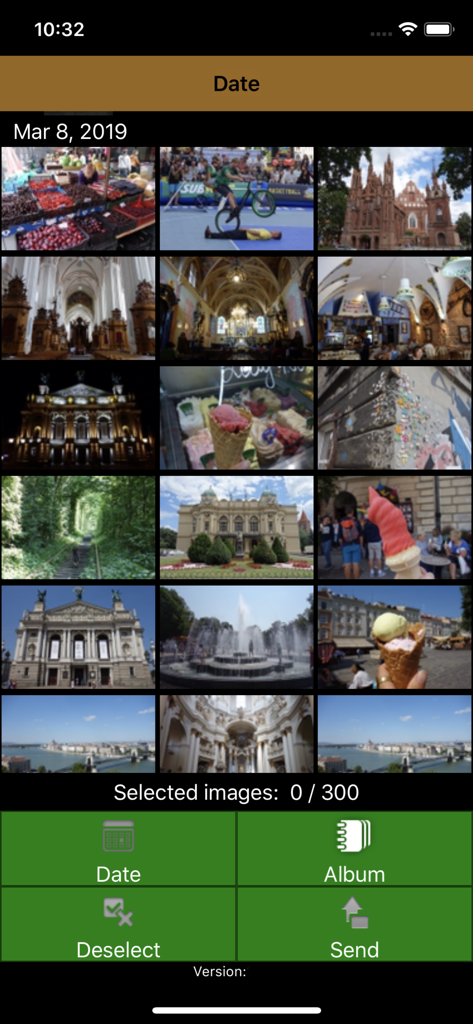
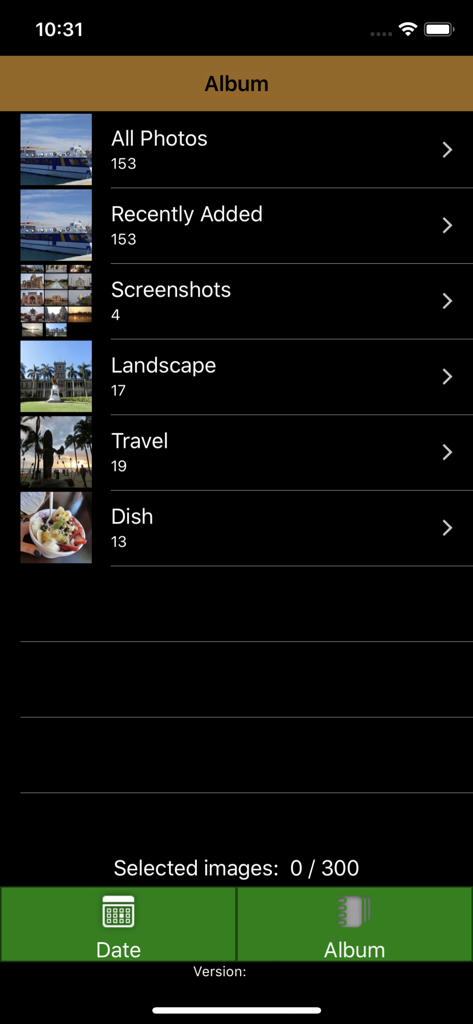
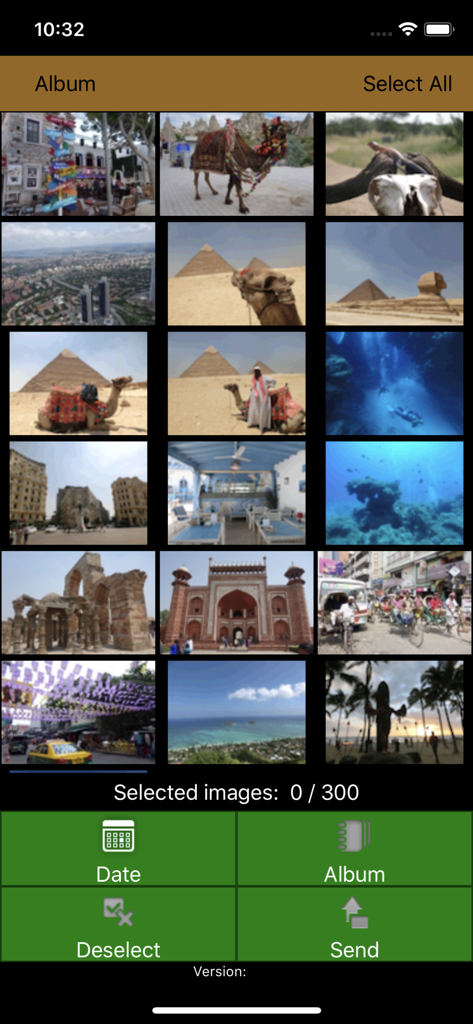
The tools that make this app stand out, trusted by 4M+ users.
Skip the messy cables. Connect your iPhone directly to the kiosk via Wi-Fi for a fast, cord-free transfer in seconds.
Choose your favorite shots while relaxing at home. Spend less time at the kiosk and more time enjoying your day.
Transform your phone’s gallery into beautiful physical prints, perfect for family albums, home decor, or heartfelt gifts.
Trusted by 4M+ people who love this app.
"As a busy mom, I love that I can select my favorite photos while at home and then quickly transfer them to the kiosk when I'm at the pharmacy. It makes getting physical prints for the family album so much easier and faster than using cables."
"I was looking for a way to print photos for my daughter's graduation gift and this app made the process seamless. The connection to the Wonder Print Station was straightforward, and I walked out with high-quality prints in minutes."
Insights from user reviews.
Sentiment Score
Summary
The mobile app receives overwhelmingly negative feedback from users, with many reporting it to be completely unusable. Common complaints include frequent app crashes and freezing, persistent Wi-Fi and cable connectivity issues, and extremely slow performance, often leading to wasted time and inability to complete photo printing, especially with large photo libraries. While a small number of users found the app easy to use and efficient when it successfully connected, the vast majority experienced significant frustrations with its reliability and user interface. One user also noted difficulty printing after updating to iOS 17.1.1, though this was not a widespread complaint.
Common Themes
Everything you need to know about FUJIFILM WPS Photo Transfer.
Description
Latest Version
2.3.12
Size
7.5 MB
First Released
Mar 12, 2015
Download the app to pre-select your best shots from your couch and enjoy seamless, wireless printing the next time you visit a FUJIFILM Wonder Print Station.
Everything you need to know about FUJIFILM WPS Photo Transfer
FUJIFILM WPS Photo Transfer is an iOS application designed to send images from an iOS device to a FUJIFILM "Wonder Print Station" kiosk for printing via Wi-Fi connection.
The FUJIFILM WPS Photo Transfer app allows users to select photos on their iOS device. After selection, the smartphone connects to the Wonder Print Station order terminal to transfer images for printing.
FUJIFILM WPS Photo Transfer works exclusively with the FUJIFILM "Wonder Print Station" kiosk. It does not function with any other kiosk systems.
The FUJIFILM WPS Photo Transfer application requires an iPhone 7 or later device. It operates on iOS 15 or later versions to ensure full compatibility and functionality.
Upon installation, press "Allow to Full Access" when prompted. If access is denied, go to Settings, then Privacy & Security, select Photos, and set "WPS Photo Transfer" to "Full Access."
Yes, users can select a maximum of 300 images within the FUJIFILM WPS Photo Transfer application for transfer to the kiosk.
Apps with similar features and user experience

PlusMinusOne, Inc.

Princh ApS

FUJIFILM Business Innovation Corp.

KOPIKS, OOO

Sharp Corporation

FamilyMart Co.,Ltd.

VISIONOTS Co.,Ltd

WEPA Inc.

Xerox Corporation