
printingbox



Join the post-printer generation. Upload documents or photos directly from your phone and print instantly at any 24/7 kiosk with a simple 7-digit code—no ink, no cables, no hassle.
Publisher
Category
ProductivityDownloads
324K+User Rating
Total Ratings
100Locales
1Discover the interface used by 324K+ users.
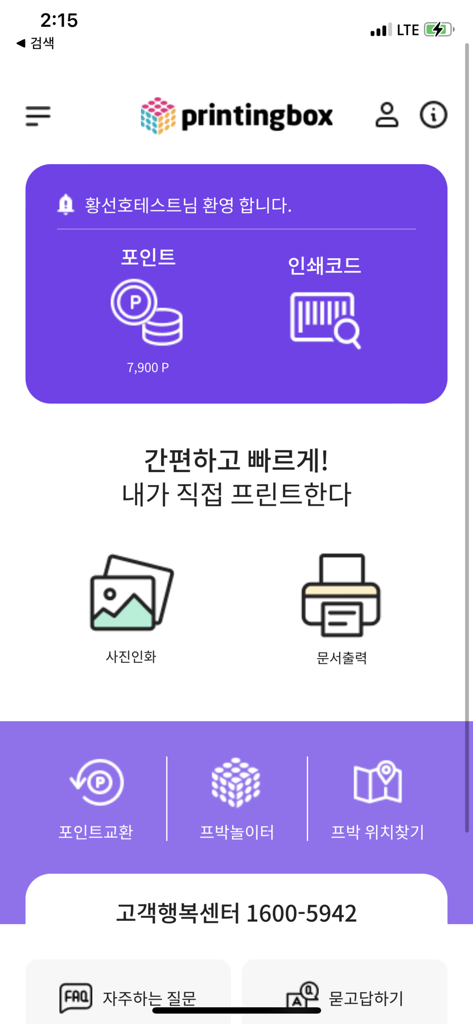
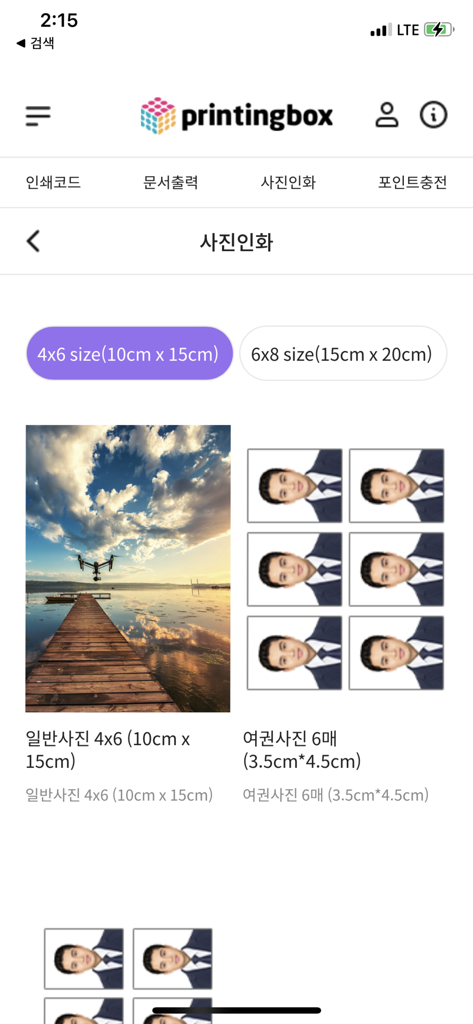
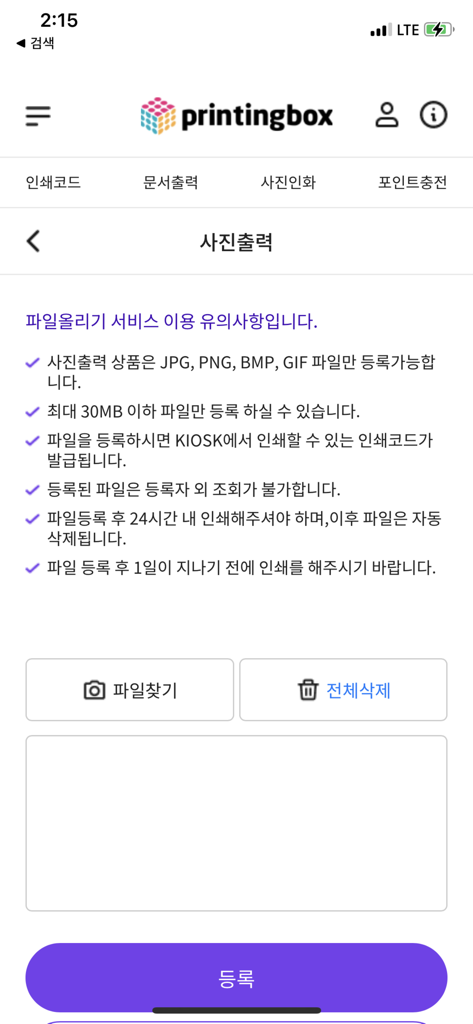
The tools that make this app stand out, trusted by 324K+ users.
Send PDFs, resumes, or Office docs directly from your iPhone to our secure cloud. No drivers, no cables, and no technical headaches required.
Turn your digital memories into high-gloss physical prints or get compliant ID and passport photos for a fraction of the cost of traditional retail shops.
Find a kiosk at your local convenience store or transit hub. Upload now and use your unique 7-digit code to print on your own schedule within 24 hours.
Trusted by 324K+ people who love this app.
"I haven't owned a printer in years because of the insane ink costs. This app is a total game changer for my freelance work. I just upload my contracts on the way to grab coffee, enter the code at the kiosk, and I'm done. It's fast, affordable, and I don't have to deal with paper jams ever again!"
"I used to pay a fortune at drugstores for simple photo prints and ID pictures. With printingbox, I can turn my favorite memories into physical prints in seconds. The app is super intuitive, and the quality is surprisingly professional. Perfect for someone like me who loves scrapbooking but hates the hassle!"
Insights from user reviews.
Sentiment Score
Summary
This mobile app receives largely negative feedback, primarily due to persistent technical issues. Users frequently report problems with login and account management, including auto-login failures, sign-up errors, and social login issues, often preventing them from using the app. Many reviews highlight severe app performance problems, such as slow loading times, constant crashing, freezing, and buffering. While the app's intended convenience for fast and easy photo printing is appreciated by some users, this positive aspect is often overshadowed by printing quality issues and functional glitches like unresponsive buttons and difficulties with file uploads, especially after recent updates which some users believe worsened the app's features.
Common Themes
Everything you need to know about printingbox.
Description
Latest Version
1.0.10
Size
0.4 MB
First Released
Oct 20, 2023
Join the asset-light generation. Upload your documents or photos in seconds, get your 7-digit code, and pick up your prints at any kiosk near you—no ink, no cables, no hassle.
Everything you need to know about printingbox
The printingbox app is a self-service unmanned printing service. It allows users to instantly print documents and photos at nationwide printingbox machines using a 7-digit print code.
To print with printingbox, upload your file via the app, receive a 7-digit print code, then visit any printingbox machine within 24 hours. Enter the code and pay by card.
The printingbox app supports A4 paper printing for documents. Supported file formats include MS Office files such as Word, Excel, PowerPoint, and PDF documents.
Yes, the printingbox app allows smartphone photo printing, including general, ID, passport, or half-ID photos. Supported formats are JPG, PNG, BMP, and GIF.
The 7-digit print code generated by printingbox is valid for 24 hours from issuance. Users must print their files within this timeframe before automatic deletion.
Yes, the printingbox app has a maximum file size limit of 30MB for uploads. Users must ensure their files do not exceed this limit for successful processing.
Users can locate nearby printingbox machines using the '프린팅박스 찾기' (Find Printing Box) feature available directly within the printingbox app interface.
printingbox customer support operates from 9:00 AM to 10:00 PM on weekdays and from 10:00 AM to 10:00 PM on weekends and holidays, operating year-round.
Files uploaded to printingbox are automatically deleted after 24 hours if not printed. Registered files are also not viewable by anyone other than the registrant.
No, the printingbox app allows service usage even if users do not agree to optional access permissions, excluding features that specifically require those permissions.
Apps with similar features and user experience

PlusMinusOne, Inc.

Princh ApS
FUJIFILM Business Innovation Corp.

KOPIKS, OOO
Sharp Corporation

FamilyMart Co.,Ltd.
FUJIFILM Corporation

WEPA Inc.

Xerox Corporation