Git client - Working Copy

Git client - Working Copy

Download on App Store
Spark by MWM logo
Logo of Git client - Working Copy

Working Copy: Desktop-Class Git for iOS Professionals

Clone, commit, and push with the most powerful version control client on iPad and iPhone. Experience a seamless professional workflow with offline access, advanced merge tools, and deep integration with the Files app and Shortcuts.

Publisher

Anders Borum

Category

Developer Tools

Downloads

228K+

User Rating

4.8/5

Total Ratings

9K+

Locales

1

Desktop-Class Power in Your Hands

Discover the interface used by 228K+ users.
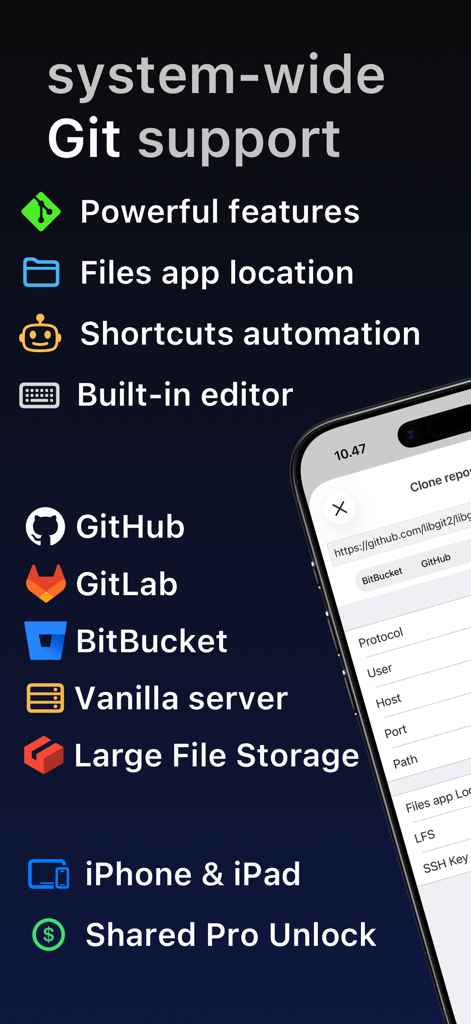
Features of Working Copy Git client for iOS showing integration with GitHub GitLab and Bitbucket

Features of Working Copy Git client for iOS showing integration with GitHub GitLab and Bitbucket

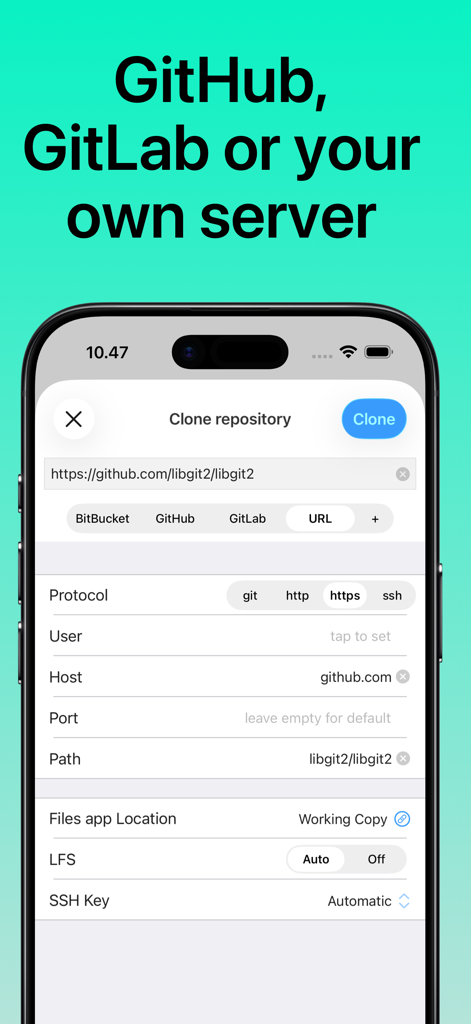
Interface for cloning a Git repository in Working Copy for iOS

Interface for cloning a Git repository in Working Copy for iOS

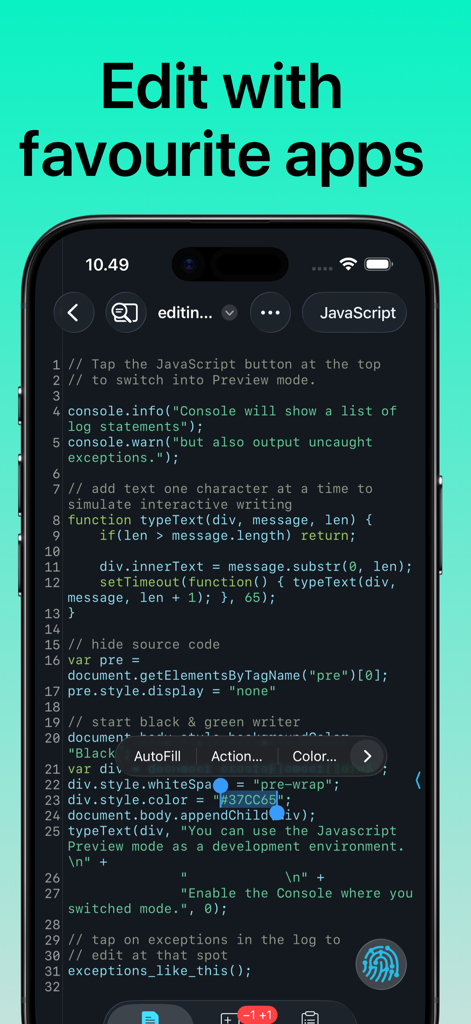
Working Copy app showing a code editor with syntax highlighting for JavaScript on an iPhone

Working Copy app showing a code editor with syntax highlighting for JavaScript on an iPhone

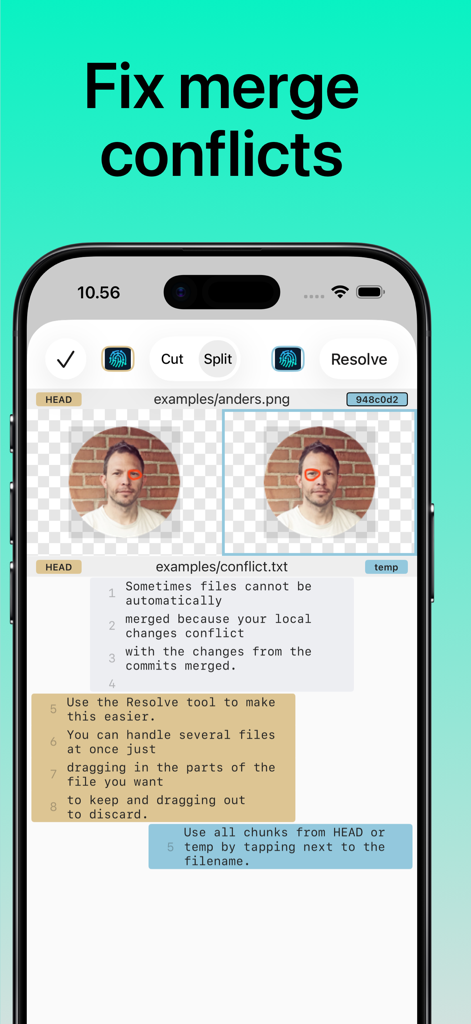
Working Copy iOS app screen showing the tools used to resolve Git merge conflicts for images and text files.

Working Copy iOS app screen showing the tools used to resolve Git merge conflicts for images and text files.

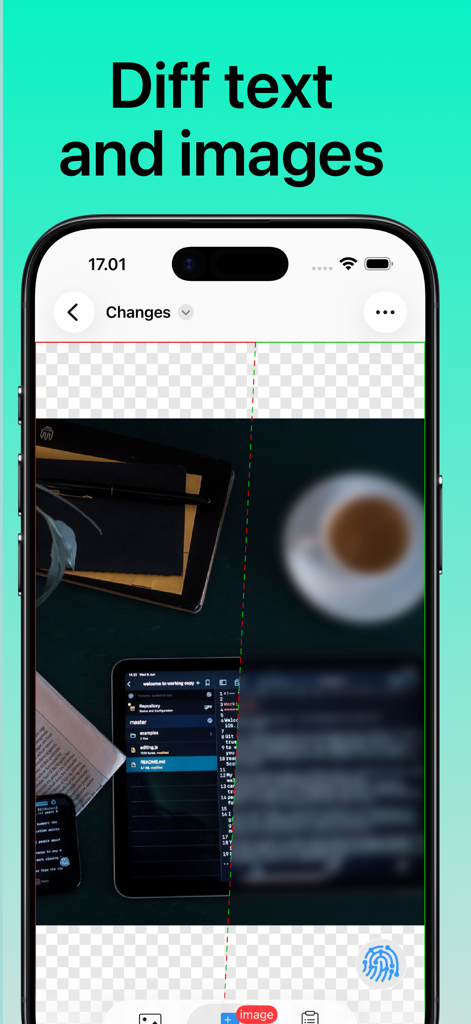
iPhone screenshot of Working Copy Git client showing a split screen image difference comparison

iPhone screenshot of Working Copy Git client showing a split screen image difference comparison

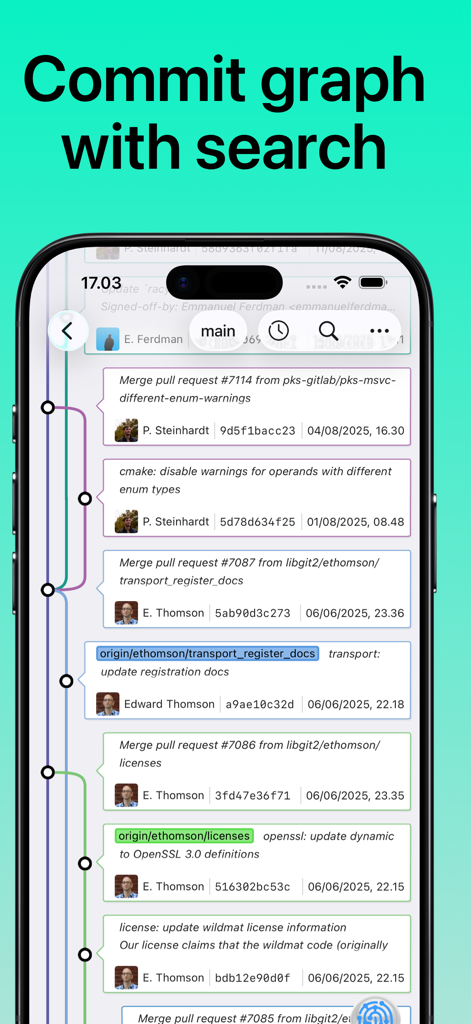
Working Copy iOS app screenshot showing a visual Git commit graph with multiple branches and a search bar

Working Copy iOS app screenshot showing a visual Git commit graph with multiple branches and a search bar

Professional Git Power on the Go

The tools that make this app stand out, trusted by 228K+ users.

💻

Desktop-Class Git Workflow

Perform complex operations like cloning, branching, rebasing, and merging with the precision of a full IDE, all optimized for a high-performance mobile experience.

🔄

Deep iOS Integration

The ultimate bridge for your workflow. Access your repositories through the Files app, use your favorite external editors, and automate repetitive tasks with Shortcuts.

🔍

Visual Diff & Merge Tools

Review changes with a beautiful commit graph and resolve conflicts confidently using a sophisticated merge tool designed for professional-grade code management.

Loved by users worldwide

Trusted by 228K+ people who love this app.

"

"Working Copy is the reason my iPad Pro finally replaced my laptop for travel. The integration with the Files app is seamless, allowing me to edit my Jekyll site in any editor and push changes while I'm at a coffee shop. It's not a 'lite' version of Git; it's a full-featured, desktop-class client that respects my workflow."

Marcus Chen, Senior Full-Stack Engineer
"

"As someone who is frequently on-call, this app is a lifesaver. Being able to clone a repo, fix a critical bug, and resolve a merge conflict right from my iPhone while on the train is incredible. The Shortcuts integration has allowed me to automate my entire deployment pipeline from a single tap. Truly the gold standard for developer tools on iOS."

Sarah Jenkins, DevOps Lead

About the app

Everything you need to know about Git client - Working Copy.

Description

Access Git repositories on the go. Clone, edit, commit and push while allowing other apps access to repositories. Git is a important part of our work-life and iOS can take part in this. The ability to commit even when offline has added utility on a device that moves in and out of network coverage. Cloning repositories gets you a local copy on your iOS device with commits for all branches. You can browse the content from within the app and make changes. Other applications supporting the Files app, WebDAV or x-callback-url has access to these files. Changes made can be committed and the commits can in turn be pushed back to the remote. The idea of doing significant programming on iOS might seem far fetched when you are used to a large screen, a physical keyboard and a full IDE. But just as it turned out that not every email is serious prose, then not everything that goes on in Git is significant programming. Sometimes you just want to update a TODO file or make adjustments to your Jekyll site. Sometimes you just need to add a file the designer sent after hours. If you ever make reminders about small things to do with the code-base, then you should give Working Copy a try. You will spend less time moving stuff around and you will get much better commit messages when you write them for fixes that are still fresh in your mind. You won't be leaving your computer behind any time soon, but sometimes it is faster to just fix things with the device in your hand. When you do need to perform real work on iOS, Working Copy is a powerful tool. Editor has syntax highlighting for more than 50 programming languages and a built-in color picker. Preview images, Markdown and HTML files with a Javascript console pointing to errors in your code. Create new branches and merge or rebase them back, with a brilliant merge-tool for handling conflicts. If you need to automate your work there are Working Copy actions in the Shortcuts app for most operations. Even if you never edit a line of code on iOS, Working Copy is a great companion for reviewing and discussing code. Repositories are cross indexed and with powerful fuzzy search you can quickly jump from a symbol to the declaration or reverse from the declaration to all usages. A graph of your commits lets you zoom out for a overview of the commit tree or zoom in for specifics about each commit, with speed and beauty you won’t find in desktop Git applications. Review the changes your files have gone through with a diff viewer that is great for text and images. There is even hex-dump mode for that obscure occasion. Working Copy is a free download but you need to unlock pro features such as the ability to push commits and manage more than 5 repositories. There is no venture capital, large company or ads funding development and your support through in-app purchase directly sustains development. Try out pro features with a 10 day free trial. When you pay to unlock you get permanent access to all pro features at the time of purchase as well as any added the next year. When 12 months have passed you keep all existing pro features but any new ones introduced are locked until you renew your unlock.

Latest Version

6.6.8

Size

96.2 MB

First Released

Nov 8, 2014

Ready to ship from anywhere?

Join over 228,000 developers who have turned their iOS devices into professional workstations. Download Working Copy today and experience desktop-class Git in the palm of your hand.

Download on App Store