Google Chat

Google Chat

Download on App StoreDownload on Google Play
Spark by MWM logo
Logo of Google Chat

Google Chat: AI-Powered Collaboration for Modern Teams

Maximize productivity with Gemini summaries, seamless Workspace integration, and secure, real-time messaging built for the way you work today.

Publisher

Google LLC

Category

Business

Downloads

40M+

User Rating

4.6/5

Total Ratings

555K+

Locales

58

Collaboration in Action

Discover the interface used by 40M+ users.
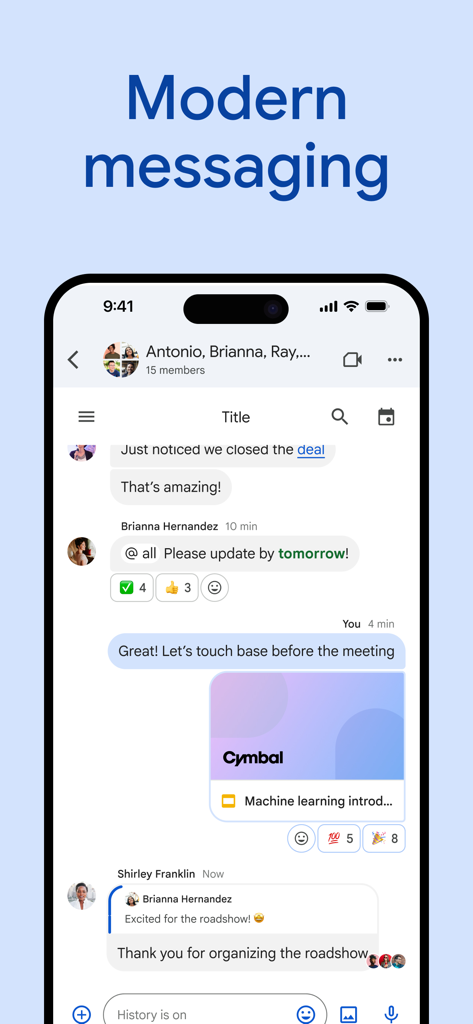
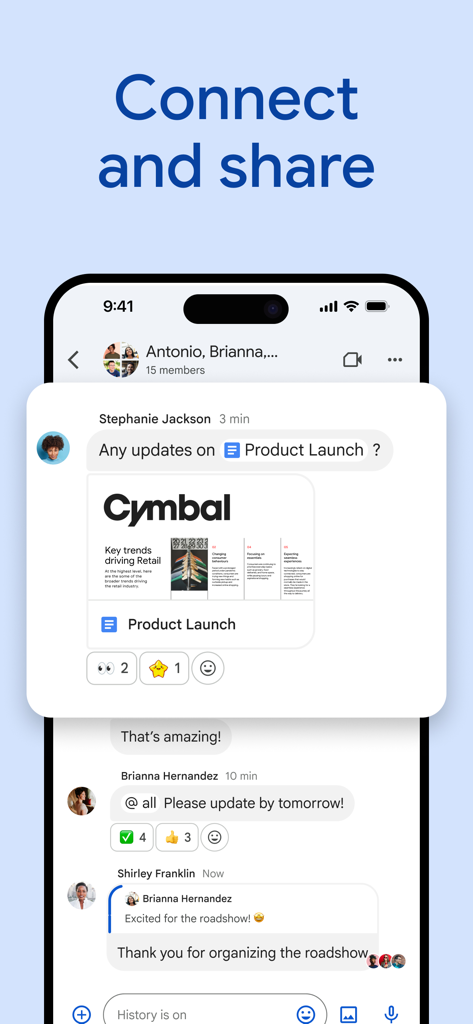
Google Chat app on iPhone displaying a professional group conversation with shared documents and message reactions.

Google Chat app on iPhone displaying a professional group conversation with shared documents and message reactions.

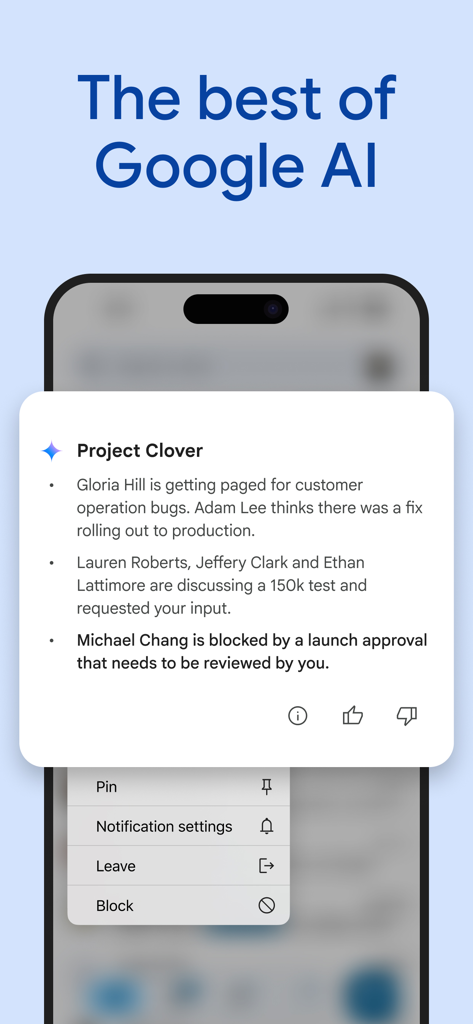
Google Chat mobile interface showing an AI generated conversation summary for a team project with bulleted status updates

Google Chat mobile interface showing an AI generated conversation summary for a team project with bulleted status updates

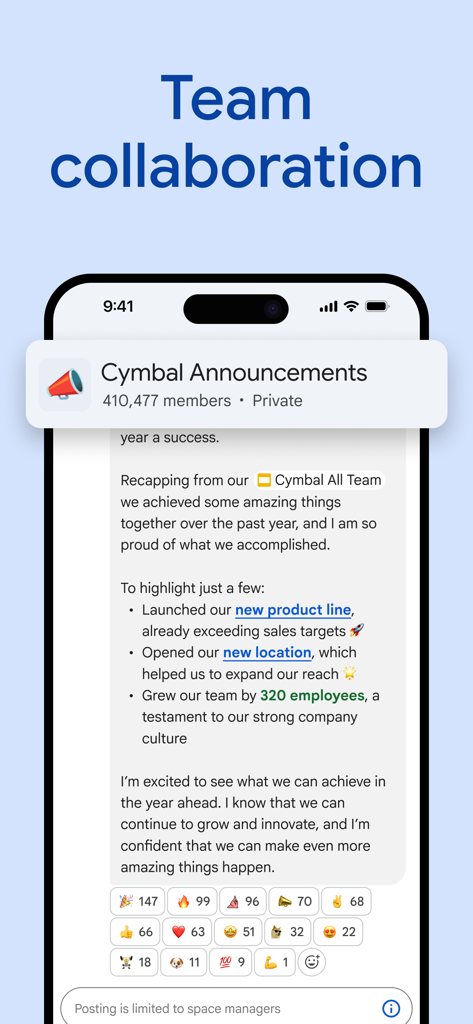
Google Chat interface showing a team announcement space with member count and message reactions

Google Chat interface showing a team announcement space with member count and message reactions

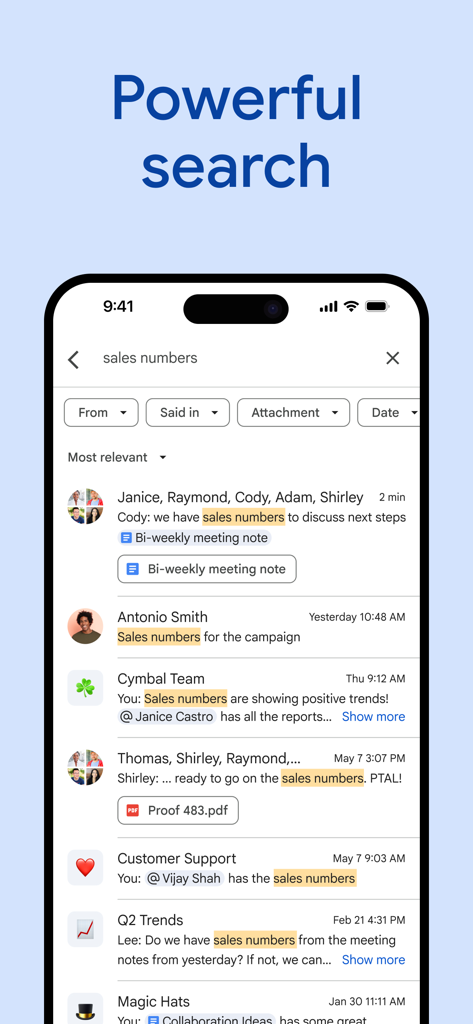
Google Chat mobile app displaying search results for sales numbers with various filters

Google Chat mobile app displaying search results for sales numbers with various filters

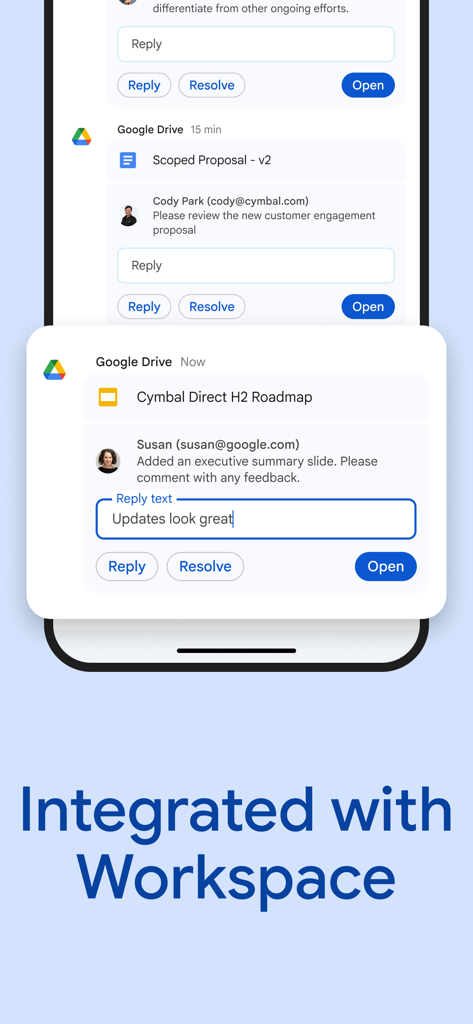
Mobile screen showing Google Chat integrated with Google Drive for replying to document comments

Mobile screen showing Google Chat integrated with Google Drive for replying to document comments

Google Chat app interface showing a team chat with a shared document and emoji reactions

Google Chat app interface showing a team chat with a shared document and emoji reactions

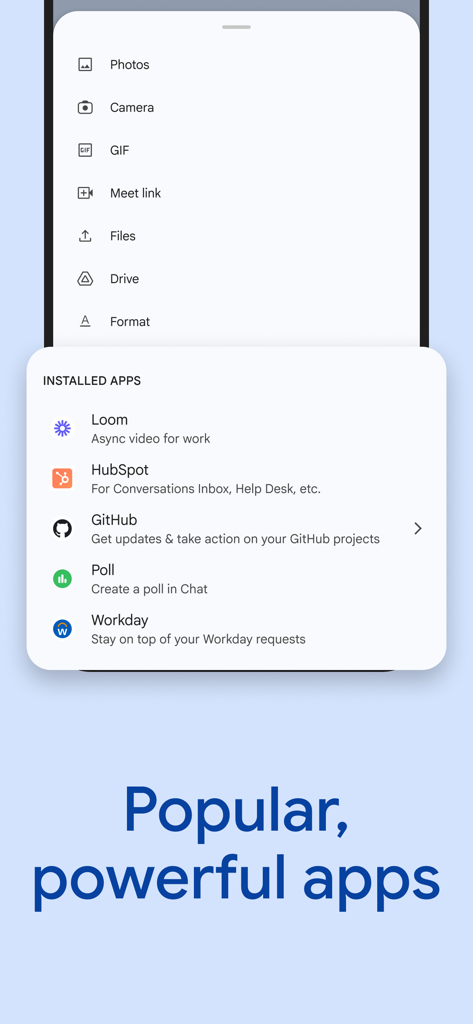
Google Chat interface showing integrated professional apps like Loom HubSpot and GitHub

Google Chat interface showing integrated professional apps like Loom HubSpot and GitHub

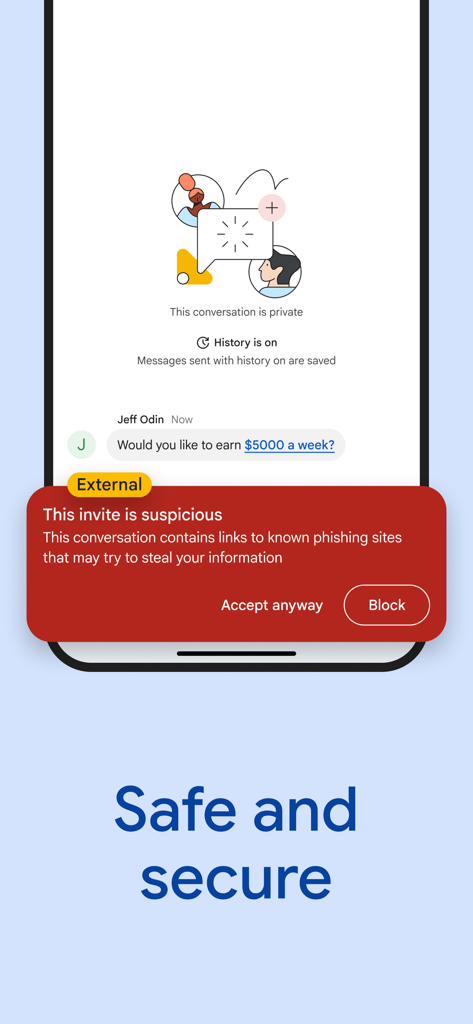
Google Chat mobile interface displaying a red security warning for a suspicious message with a phishing link.

Google Chat mobile interface displaying a red security warning for a suspicious message with a phishing link.

Elevate Your Team's Productivity

The tools that make this app stand out, trusted by 40M+ users.

AI-First Efficiency

Let Gemini summarize long threads and find answers instantly so you can focus on high-impact work instead of scrolling.

🔄

Unified Workflow

Stop app-switching. Access Drive, Calendar, and Tasks directly within your conversations to keep your projects moving forward.

🎧

Hybrid Team Connection

Bridge the gap between office and home with instant huddles and video messages for spontaneous, real-time collaboration.

Loved by users worldwide

Trusted by 40M+ people who love this app.

"

"The Gemini integration has been a total game-changer for my workflow. I can catch up on a fifty-message thread with a quick AI summary and jump straight into a Huddle without ever leaving my inbox. It is the ultimate productivity hub for our hybrid team."

Sarah Jenkins, Senior Marketing Manager
"

"As a developer, I love how Google Chat connects with Jira and GitHub. The deep integration with Drive and Tasks keeps our project files organized in one place, and the zero-trust security gives me total peace of mind when sharing sensitive code."

David Chen, Lead Software Architect

About the app

Everything you need to know about Google Chat.

Description

Google Chat is the best way for teams using Workspace to connect, collaborate and get things done. AI-first messaging & collaboration, transformed by Gemini • Stay on top of things with conversation summaries • Automatically translate messages across more than 120 languages • Find what you’re looking for with AI-powered search • Capture action items so the whole team is on the same page Everything teams need to stay connected and get work done • Start a chat with a colleague, a group or even your whole team • Tell your team when you’re heads-down or ready to connect with personalized status updates • Share detailed updates with audio & video messages • Connect in real-time, anytime with huddles The full power of Workspace to transform your teamwork • Integrated with Workspace apps like Gmail, Calendar, Drive, Tasks, and Meet • Streamline teamwork with smart chips to link files, people and spaces • Stay on top of requests, comments and approvals with the Google Drive app for Chat • Install powerful, popular Chat apps like PagerDuty, Jira, GitHub, Workday, and many more • Build no-code, low-code and pro-code apps with Chat APIs Secure • Protected by Google’s cloud-native, zero-trust architecture • No desktop apps to patch, no data stored on end-user devices • Keeps data safe with AI-powered data loss prevention (DLP) plus phishing & malware detection • Migrate away from insecure legacy platforms Chat is included as part of Google Workspace for consumer, education, and business customers. Some premium features require a paid subscription. Follow us for more: Twitter: https://twitter.com/googleworkspace Linkedin: https://www.linkedin.com/showcase/googleworkspace Facebook: https://www.facebook.com/googleworkspace/

Latest Version

1.0.416

Size

416.8 MB

First Released

Feb 28, 2018

Ready to transform the way your team works?

Join millions of professionals who use Google Chat to streamline collaboration, harness Gemini AI, and keep all your Workspace tools in one place.

Download on App StoreDownload on Google Play
FAQ

Frequently Asked Questions

Everything you need to know about Google Chat

What is Google Chat?

Google Chat is an AI-first messaging and collaboration platform for teams utilizing Google Workspace. It facilitates connection, collaboration, and productivity through advanced communication features.

Does Google Chat use AI features?

Yes, Google Chat integrates AI with Gemini to provide conversation summaries, automatic translation across over 120 languages, and AI-powered search capabilities.

Can Google Chat integrate with other Google Workspace apps?

Yes, Google Chat integrates seamlessly with other Workspace applications such as Gmail, Calendar, Drive, Tasks, and Meet. It uses smart chips for linking files, people, and spaces.

Is Google Chat secure?

Yes, Google Chat is secure. It is protected by Google’s cloud-native, zero-trust architecture, features AI-powered data loss prevention (DLP), and includes phishing and malware detection.

What are the security features of Google Chat?

Google Chat provides security through Google’s cloud-native, zero-trust architecture. It ensures no data is stored on end-user devices and includes AI-powered data loss prevention (DLP) plus phishing and malware detection.

What communication features does Google Chat offer?

Google Chat offers diverse communication features including individual chats, group chats, personalized status updates, audio and video messages, and huddles for real-time connection.

Can I translate messages in Google Chat?

Yes, Google Chat automatically translates messages across more than 120 languages. This capability is part of its AI-first messaging system powered by Gemini.

Does Google Chat support third-party app integrations?

Yes, Google Chat supports integrations with popular third-party applications such as PagerDuty, Jira, GitHub, Workday, Loom, and HubSpot. Users can also build custom apps using Chat APIs.

Is Google Chat a free app?

Google Chat is included as part of Google Workspace for consumer, education, and business customers. However, some premium features within the app may require a paid subscription.

How does Google Chat protect user data?

Google Chat protects user data using its cloud-native, zero-trust architecture. It prevents data loss with AI-powered DLP and detects phishing and malware, ensuring no data is stored on end-user devices.