InPost Mobile

InPost Mobile

Download on App Store
Spark by MWM logo
Logo of InPost Mobile

InPost Mobile: Your Secure 24/7 Hub for Frictionless Shipping and Returns

Stop worrying about porch piracy and skip the post office lines. Open lockers remotely, return packages without printing labels, and shop with one-click ease using InPost Pay.

Publisher

InPost Paczkomaty Sp. z o.o.

Category

Shopping

Downloads

6M+

User Rating

4.9/5

Total Ratings

1M+

Locales

3

Logistics at Your Fingertips

Discover the interface used by 6M+ users.
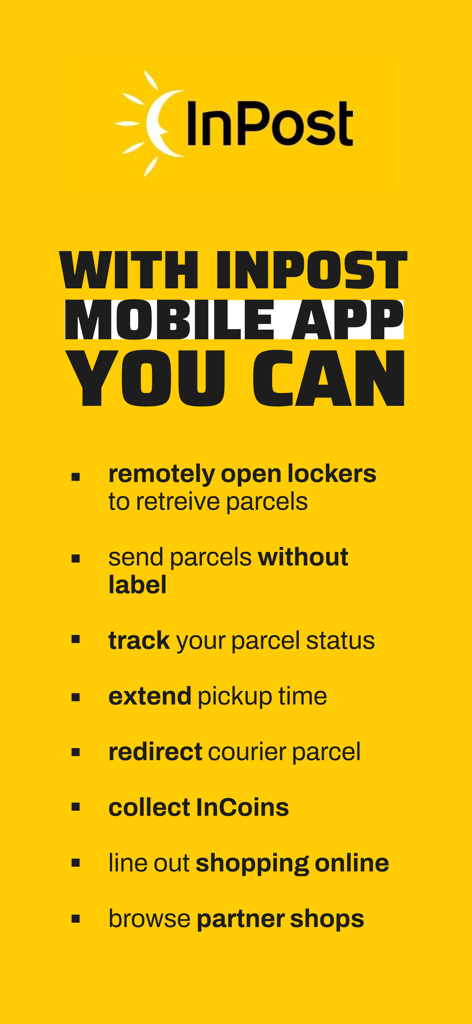
A list of key features of the InPost Mobile app including remote locker opening and label-less parcel sending on a yellow background

A list of key features of the InPost Mobile app including remote locker opening and label-less parcel sending on a yellow background

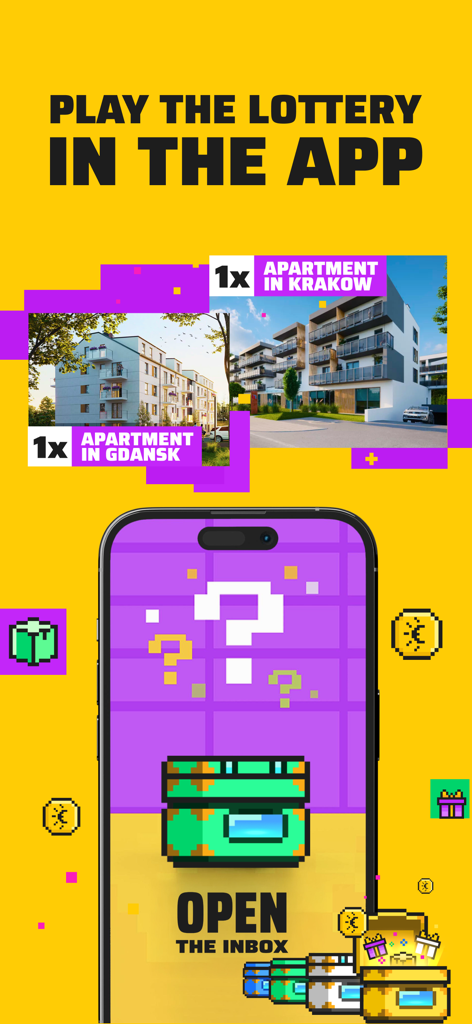
In-app lottery promotion on InPost Mobile featuring apartment prizes and a gamified interface

In-app lottery promotion on InPost Mobile featuring apartment prizes and a gamified interface

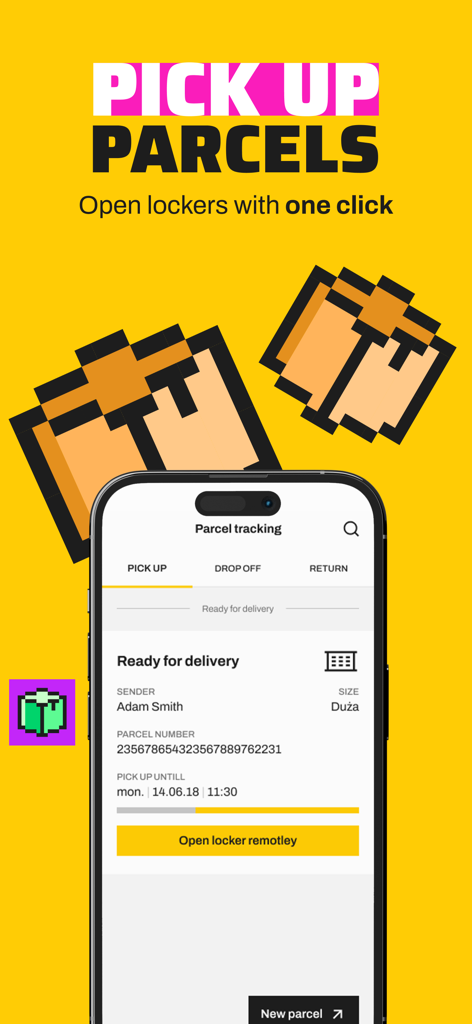
InPost Mobile app interface showing parcel tracking and a button to open a locker remotely

InPost Mobile app interface showing parcel tracking and a button to open a locker remotely

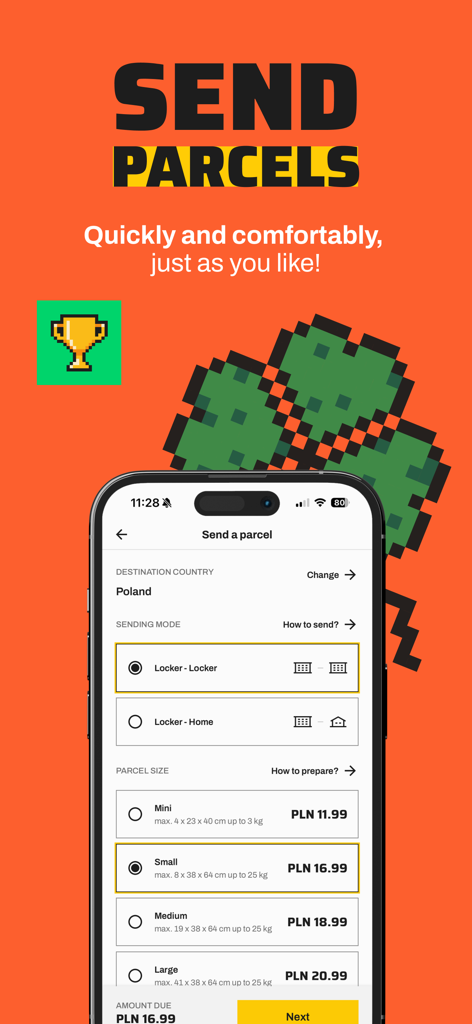
InPost Mobile app interface for sending a parcel showing locker delivery options and sizes

InPost Mobile app interface for sending a parcel showing locker delivery options and sizes

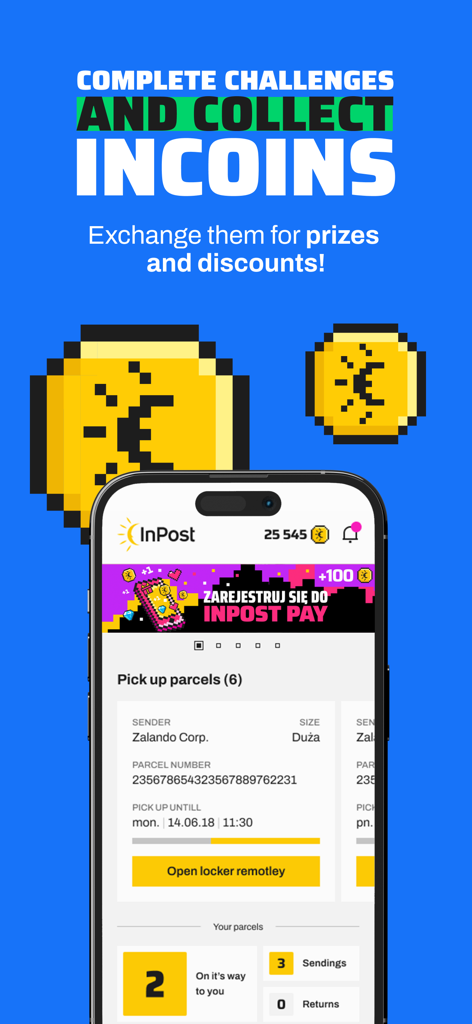
InPost Mobile app interface showing Incoins loyalty program and remote locker opening button for parcel pickup

InPost Mobile app interface showing Incoins loyalty program and remote locker opening button for parcel pickup

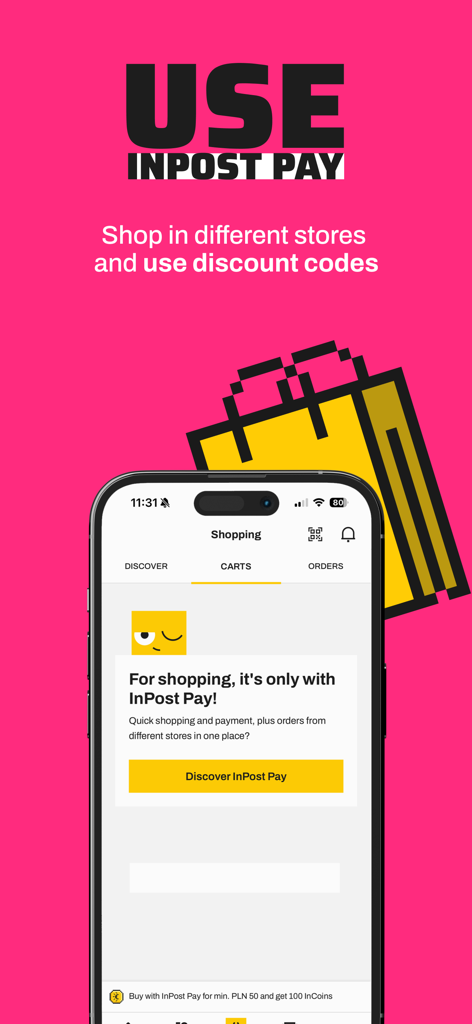
Mobile phone showing the InPost Pay feature on the InPost Mobile app for quick shopping and payments across multiple stores

Mobile phone showing the InPost Pay feature on the InPost Mobile app for quick shopping and payments across multiple stores

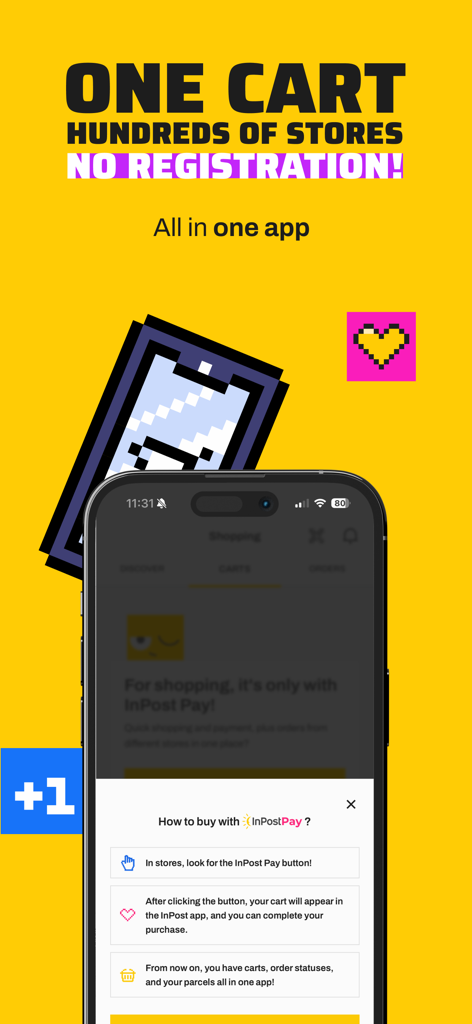
A screenshot of the InPost Mobile app explaining how to shop at multiple stores using InPost Pay.

A screenshot of the InPost Mobile app explaining how to shop at multiple stores using InPost Pay.

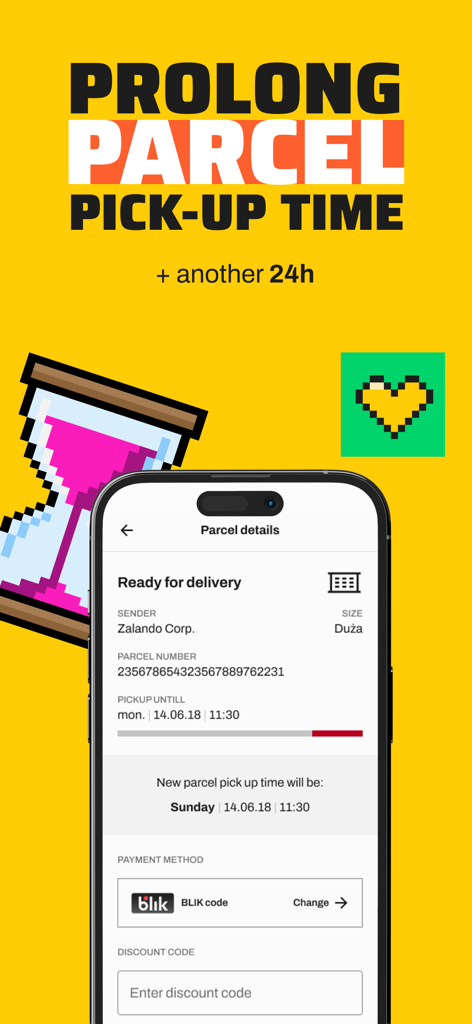
InPost Mobile app screen showing the option to extend a parcel pickup deadline by 24 hours

InPost Mobile app screen showing the option to extend a parcel pickup deadline by 24 hours

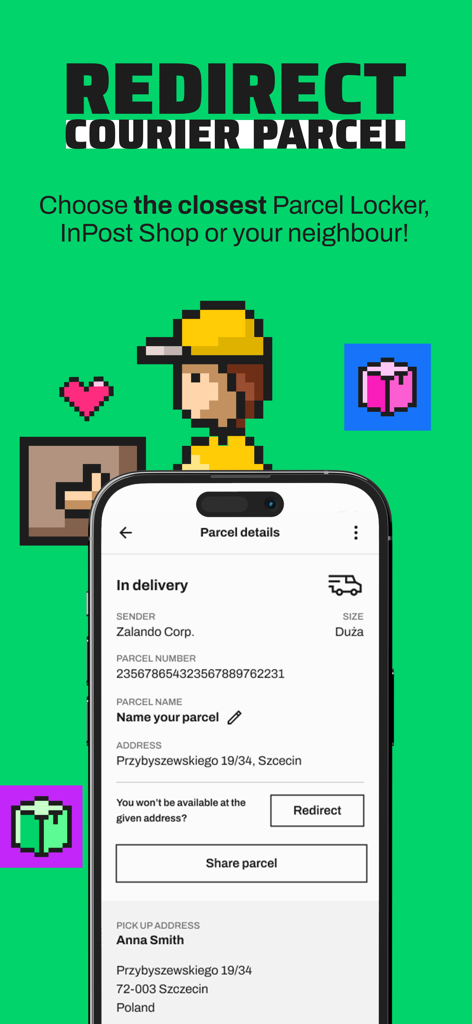
InPost Mobile app interface for redirecting a parcel delivery with options to choose a locker or neighbor.

InPost Mobile app interface for redirecting a parcel delivery with options to choose a locker or neighbor.

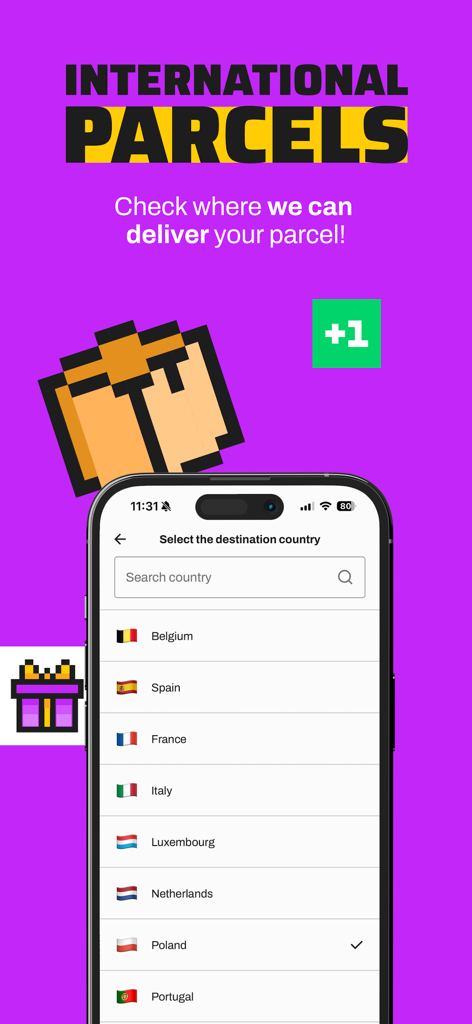
InPost Mobile app screen showing the international parcel destination country selection with a list of European countries

InPost Mobile app screen showing the international parcel destination country selection with a list of European countries

Logistics Made Effortless

The tools that make this app stand out, trusted by 6M+ users.

📱

Magic Touch-Free Pickup

No more touching public screens. Open your locker remotely with a single tap as you approach, making your pickup truly contactless and fast.

📦

Printer-Free Returns

Forgot what a printer looks like? Us too. Return any item by simply scanning a QR code at the locker—no paper labels or tape required.

🛡️

Total Delivery Security

Protect your packages from theft and weather. Your orders stay in a secure, monitored locker until you're ready to grab them on your own schedule.

Loved by users worldwide

Trusted by 6M+ people who love this app.

"

"Living in a busy city apartment, I used to worry about package theft every day. InPost Mobile changed everything! I love picking up my orders from a secure locker on my way home, and the label-free returns are a total game-changer since I do not even own a printer. It is fast, secure, and incredibly easy to use."

Taylor R.
"

"The remote locker opening feature feels like magic. I just tap my phone as I approach the locker and the door pops open—no touching public screens or standing in line. Plus, using InPost Pay for one-click checkouts has saved me so much time during my morning commute. This is exactly how modern shipping should work."

Marcus D.

About the app

Everything you need to know about InPost Mobile.

Description

The InPost Mobile app is a convenient way to receive, send and return parcels via a Parcel Locker®. In addition, the app allows you to track your shipments and make online purchases from various online shops with InPost Pay. Simple as ever! The InPost lottery is on! Play for an apartment in Gdańsk and apartment in Kraków, as well as over 42 million instant prizes. Participate until February 28, 2026. The organizer of the lottery for participants in the InPost loyalty program is Unique One sp. z o.o. Regulations: www.uniqueone.pl/regulaminy Shop the shortcut way with InPost Pay. Select the InPost Pay button in a participating online store and complete your purchase in the InPost app — no logging in, no forms, no email overload. You only register with InPost Pay once—and shop securely with a single click. From payment to delivery—fast and convenient. All your order details, including statuses and delivery notifications, are in one app. Discover a new dimension of online shopping! Sending without a label You can send your parcel conveniently with InPost Mobile – without printing a shipping label, 24/7, via any Parcel Locker®. All you have to do is open the locker remotely with one click, scan the QR code, or enter the shipping code on the screen of the Parcel Locker®! Opening the locker remotely One of the main features of the app is remote locker opening – no need to touch the Paczkomat® screen. Just tap “Open locker remotely” and it will open on its own! Extending the collection deadline App users can easily extend the pickup time for their Paczkomat® parcel by 24 hours. Twelve hours before the deadline, a “Extend” button will appear in the app – just tap it, pay, and you’re all set! Returning packages quickly and conveniently Tired of online shopping returns? Not with us. Every InPost Mobile user can conveniently return a parcel to partner stores! You do not need to print a shipping label, just fill in the return details and send the parcel from any Parcel Locker®. Redirecting courier parcels without any problem Not home for your InPost courier? Click “Redirect” in the app and choose a new delivery option: Parcel Locker®, PUDO point, or a neighbour’s address. Placing a parcel in the Ease of Access Zone The Ease of Access Zone is a solution that allows parcels to be delivered to lower lockers in the Parcel Locker®. This functionality is meant for people with disabilities and those short of stature. If you want the parcel to be placed in the Zone, select the "Activate" button in the details of the parcel. Picking up shipments using the Multi-locker functionality Multi-locker is an option that allows you to receive multiple parcels from a single locker in a Parcel Locker®. Packages that have been included in the Multi-locker are collected in the app in one message and highlighted in blue. Parcel Lockers® are always close to you You can easily find any Parcel Locker® or PUDO point in the app. All you need to do is click on the map and, if you have location services enabled, the application will show you the nearest InPost delivery points. Always know where your package is Using the app, you can keep track of all the shipments you are waiting for. Notifications will keep you up to date with changes in shipment status. Your shipments ordered in the last 30 days, will be visible in the app after logging in. Paying cashless for cash on delivery shipments You can pay for COD shipments with PayByLink transfers - a simple and convenient solution that gives you freedom and full control over your order. You create the application TOGETHER with us! We regularly update the product, responding to user suggestions. The InPost Mobile app is supposed to be first and foremost for you, so we always listen to what you have to say.

Latest Version

4.4.2

Size

158.5 MB

First Released

Feb 16, 2019

Take Control of Your Parcels Today

Join over 6 million users who have ended the era of porch piracy and printer stress. Download InPost Mobile for 24/7 secure access, label-less returns, and one-click shopping at your fingertips.

Download on App Store
FAQ

Frequently Asked Questions

Everything you need to know about InPost Mobile

What is the InPost Mobile app used for?

The InPost Mobile app allows users to receive, send, and return parcels via Parcel Locker®, track shipments, and make online purchases using InPost Pay.

Can I send parcels without a label using InPost Mobile?

Yes, the InPost Mobile app facilitates sending parcels without a shipping label. Users can send 24/7 via any Parcel Locker® by remotely opening the locker, scanning a QR code, or entering a shipping code.

How do I open a Parcel Locker remotely with InPost Mobile?

Users open a Parcel Locker remotely with the InPost Mobile app by tapping the "Open locker remotely" button. This action allows the locker to open without touching the screen.

Does InPost Mobile allow extending parcel pickup times?

Yes, InPost Mobile app users can extend the pickup time for their Parcel Locker® parcel by 24 hours. A "Extend" button appears 12 hours before the original deadline, requiring a payment.

What is InPost Pay in the InPost Mobile app?

InPost Pay enables quick online purchases from partner stores within the InPost Mobile app. After one-time registration, users shop with a single click, without logging in or filling forms, and manage all order details centrally.

What are the prices for sending parcels with InPost Mobile?

Prices for sending parcels with InPost Mobile vary by size. For example, a Mini parcel costs PLN 11.99, Small is PLN 16.99, Medium is PLN 18.99, and Large is PLN 20.99.

Can I return online purchases using the InPost Mobile app?

Yes, the InPost Mobile app allows users to return parcels to partner stores conveniently. This process does not require printing a shipping label; users fill in details and send from any Parcel Locker®.

How does the InPost Mobile Ease of Access Zone work?

The InPost Mobile Ease of Access Zone delivers parcels to lower lockers in the Parcel Locker®, aiding people with disabilities or short stature. Users activate this feature by selecting the "Activate" button for their parcel.

Does the InPost Mobile app provide parcel tracking?

Yes, the InPost Mobile app tracks all waiting shipments. It provides notifications for status changes, and shipments ordered within the last 30 days are visible in the app after logging in.

Can I pay for Cash on Delivery (COD) shipments with InPost Mobile?

Yes, the InPost Mobile app enables cashless payment for COD shipments. Users utilize PayByLink transfers, offering a simple and convenient way to manage their orders directly within the application.

What are InCoins in InPost Mobile and what is their purpose?

InCoins are virtual currency within the InPost Mobile app. Users collect them by completing challenges and can then exchange these InCoins for various prizes and discounts.

Can I send international parcels using the InPost Mobile app?

Yes, the InPost Mobile app supports sending international parcels. Users can select from a list of destination countries, including Belgium, Spain, France, Italy, Luxembourg, Netherlands, Poland, and Portugal.

How does the Multi-locker functionality work in InPost Mobile?

Multi-locker functionality in InPost Mobile allows users to collect multiple parcels from a single locker. The app groups these packages into one message and highlights them in blue for easy identification.

Can I redirect a courier parcel using the InPost Mobile app?

Yes, the InPost Mobile app allows users to redirect a courier parcel. Users click "Redirect" in the app and choose a new delivery option, such as a Parcel Locker®, PUDO point, or a neighbor’s address.

How long does the InPost lottery run?

The InPost lottery runs until February 28, 2026. Participants in the InPost loyalty program can play for prizes, including apartments in Gdańsk and Kraków, and over 42 million instant prizes.