iProject Viewer

iProject Viewer

Download on App Store
Spark by MWM logo
Logo of iProject Viewer

iProject Viewer: Professional Microsoft Project Management on the Go

Open, edit, and save MPP files with high-fidelity Gantt charts. The complete mobile solution for Project Managers to stay in control from the office to the field.

Download on App Store

Publisher

Viewer Central Inc

Category

Business

Downloads

129K+

User Rating

3.4/5

Total Ratings

100

Locales

1

Project Precision, Visualized

Discover the interface used by 129K+ users.
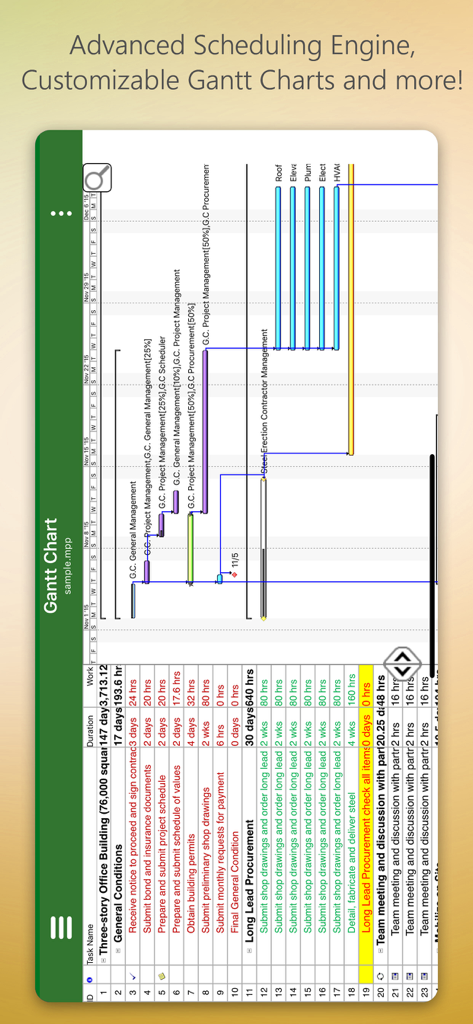
Mobile interface of iProject Viewer showing a detailed Gantt chart for a building project

Mobile interface of iProject Viewer showing a detailed Gantt chart for a building project

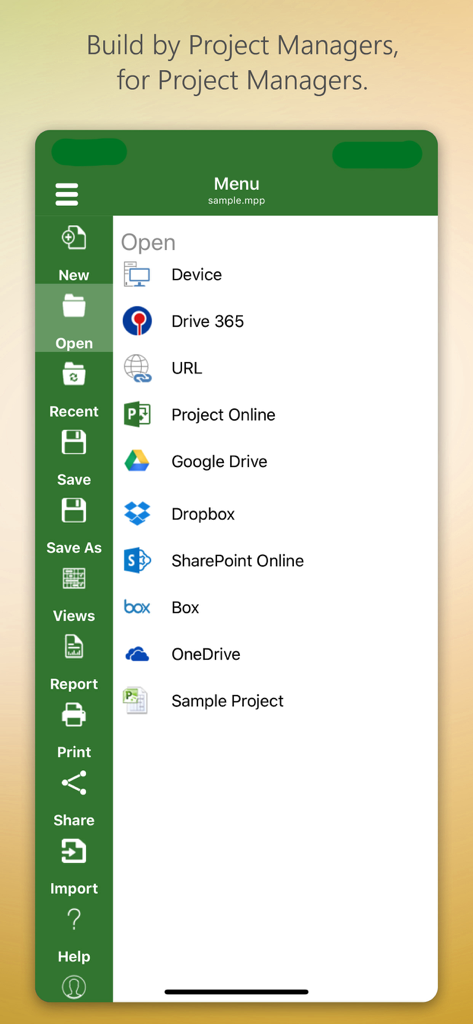
iProject Viewer app menu showing options to open project files from cloud storage like Google Drive and SharePoint

iProject Viewer app menu showing options to open project files from cloud storage like Google Drive and SharePoint

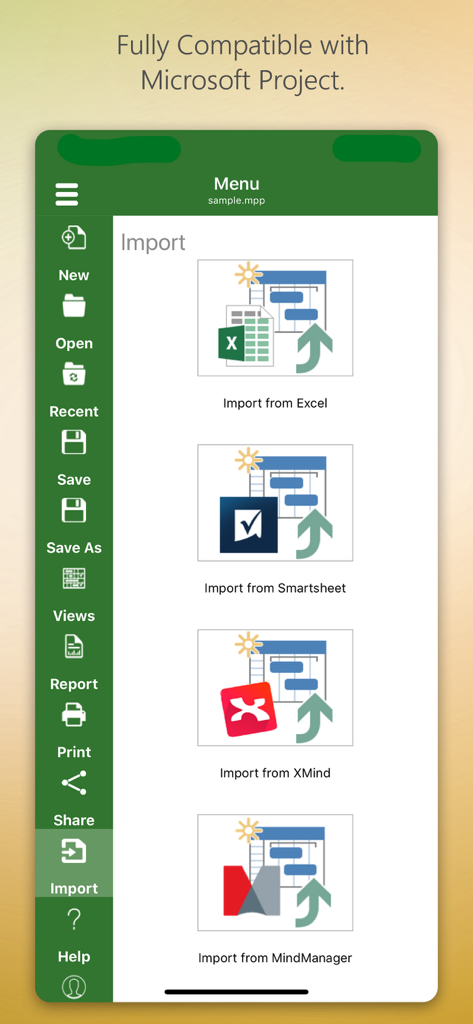
iProject Viewer app interface showing import options from Excel, Smartsheet, XMind, and MindManager.

iProject Viewer app interface showing import options from Excel, Smartsheet, XMind, and MindManager.

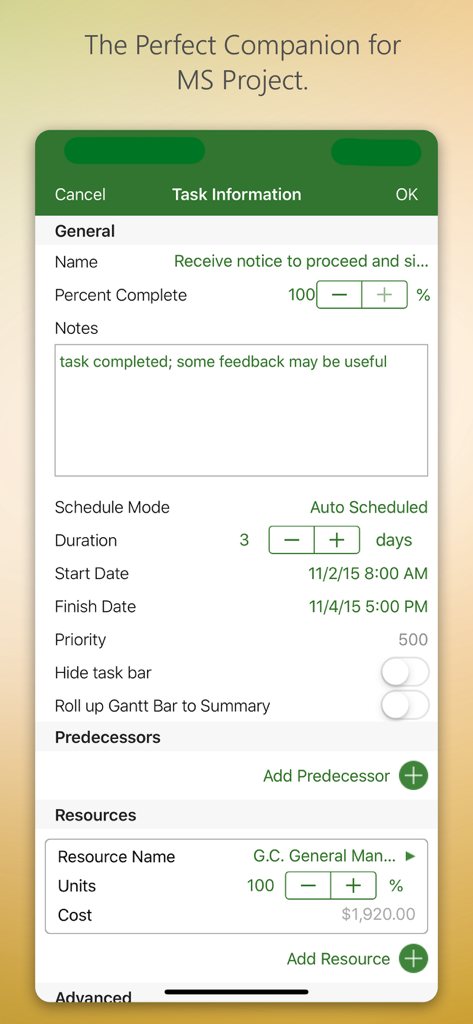
iProject Viewer app interface showing task information and resource management

iProject Viewer app interface showing task information and resource management

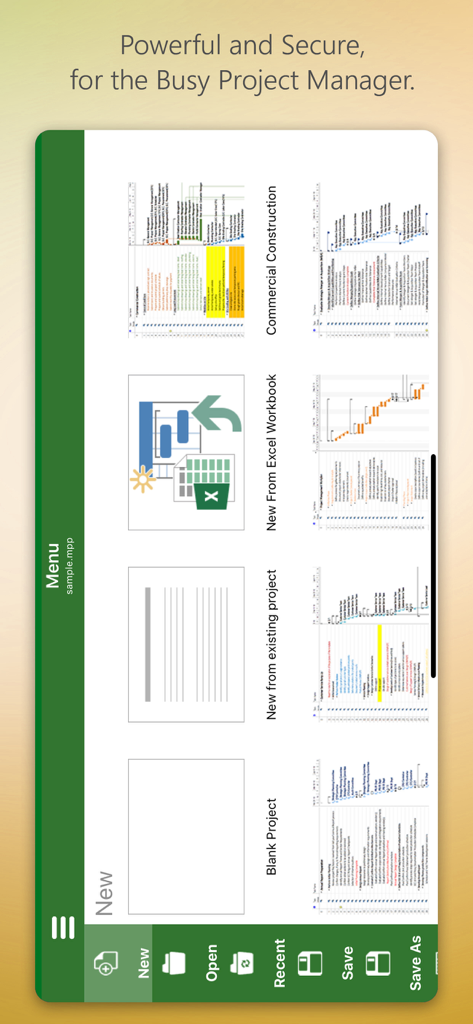
iProject Viewer app menu screen with options to create new projects from scratch or templates

iProject Viewer app menu screen with options to create new projects from scratch or templates

Master Your Project Timeline, Anywhere

The tools that make this app stand out, trusted by 129K+ users.

📊

High-Fidelity Gantt Charts

Experience crystal-clear visualizations. View tasks, dependencies, and resources exactly as they appear in Microsoft Project, ensuring you never miss a critical path detail.

☁️

Enterprise Cloud Integration

Securely access your .mpp files from SharePoint, OneDrive, or Box. Seamlessly sync with your existing corporate infrastructure without manual file transfers.

🏗️

Field-Ready Editing

Make critical schedule updates on-site. Create or modify Gantt charts directly on your iPad and save changes in native MPP format for a truly mobile workstation.

Loved by users worldwide

Trusted by 129K+ people who love this app.

"

"Finally, a way to access my MS Project files on the go without the hassle. Being able to view and edit Gantt charts directly from my iPad while on-site has streamlined our entire construction workflow. It integrates perfectly with our OneDrive, making it an essential tool for any project manager in the field."

Mark Thompson, Construction Superintendent
"

"As a PMP professional who is constantly in meetings, having the ability to pull up an MPP file on my phone is a game changer. The rendering is crisp, and the interface is incredibly intuitive for anyone used to the desktop version. It’s the most reliable mobile solution for managing complex project schedules I've ever used."

Elena Rodriguez, Senior IT Project Manager

Review Analysis

Insights from user reviews.

Sentiment Score

31%
Negative

Summary

This app receives a mixed to largely negative reception, primarily valued by users for its ability to open and view Microsoft Project (.MPP) files directly on iOS devices, which many find useful. However, a significant portion of feedback highlights severe issues including frequent crashes, unreliable saving, and difficulties with various cloud integrations like OneDrive and Dropbox. Users are also highly critical of the expensive subscription model, the app's often clunky user interface, and its limited editing capabilities, often functioning more as a viewer than a full-fledged project management tool. While a few users appreciate responsive developer support, many feel it's not worth the high annual cost given its stability and feature shortcomings.

Common Themes

Crashes and Bugs(13)
MPP File Viewing(10)
Cloud Integration(9)
User Interface(7)
Subscription Model(6)
Editing Limitations(4)
Customer Support(1)

About the app

Everything you need to know about iProject Viewer.

Description

New!! Create Gantt charts and edit/save existing MS Project Plans in MPP file format! Housatonic’s Project Viewer 365 for iOS allows you to open MS Project Plans from cloud locations like Google Drive. Dropbox, OneDrive, SharePoint Online, Box, Basecamp, URL Links and email attachments.

 Housatonic Project Viewer 365 for iOS is compatible with Microsoft Project (MPP file format) 2016, 2013, 2010, 2007, 2003 and earlier versions. The interface is intuitive making Project Viewer simple for the end users.

 Now Microsoft Project Plans look better than ever on your iOS. Free view-only MS Project views like Gantt chart, Task Sheet and Resource Sheet are available along with basic project plan sorting, filters, zooming and time scale viewing capabilities.

 Additional features can be enabled by subscribing to in-app-purchase packages: In-App Option 1: Advanced View Only Enable advanced sorting capabilities, apply additional filter options, customize time scale 
Access additional project views like Calendar View, Resource and Task Usage, View Network Diagram
 View Multiple Project Reports and Print Project Info to PDF or Paper
 This in-app purchase option is offered on a yearly (1 year) basis for a price of $19.99 USD per year. In-App Option 2: Standard Editor Create new Gantt charts and modify existing project schedules in the same intuitive way as MS Project. Save and Share your plans (MPP files) from any storage or cloud location on any iOS device. Works with, or as an alternative to Microsoft Project. This in-app purchase option is offered on a yearly (1 year) basis for a price of $129.99 USD per year. Payment will be charged to iTunes Account at confirmation of purchase Subscription automatically renews unless auto-renew is turned off at least 24-hours before the end of the current period Account will be charged for renewal within 24-hours prior to the end of the current period, and identify the cost of the renewal Subscriptions may be managed by the user and auto-renewal may be turned off by going to the user's Account Settings after purchase No cancellation of the current subscription is allowed during active subscription period Any unused portion of a free trial period, if offered, will be forfeited when the user purchases a subscription to that publication, where applicable Terms and Conditions: http://housatonic.com/terms.html Privacy Policy: http://housatonic.com/privacy.html

Latest Version

25.14

Size

94.4 MB

First Released

Sep 16, 2011

Take Your MS Project Plans to the Field

Stop waiting to get back to your desk. Open, edit, and share your Gantt charts directly from your iPhone or iPad with the industry-leading MPP viewer and editor.

Download on App Store