Project Plan 365

Project Plan 365

Download on App Store
Spark by MWM logo
Logo of Project Plan 365

Project Plan 365: The Professional Microsoft Project Solution for iPad and iPhone

View, edit, and create MPP files with the familiar interface of MS Project. Manage your Gantt charts, critical paths, and resource usage directly from the field with zero learning curve.

Download on App Store

Publisher

Viewer Central Inc

Category

Productivity

Downloads

136K+

User Rating

3.4/5

Total Ratings

200

Locales

1

Desktop Power, Mobile Freedom

Discover the interface used by 136K+ users.
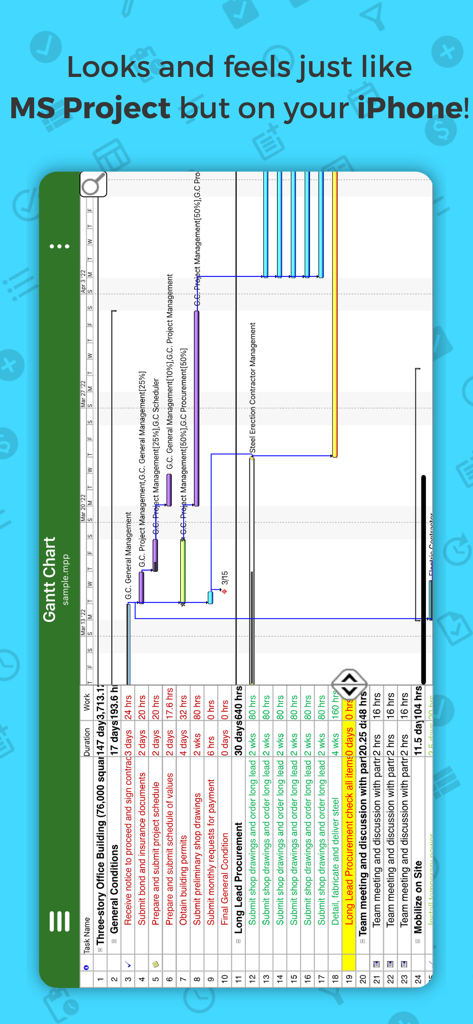
Project Plan 365 Gantt chart on iPhone

Project Plan 365 Gantt chart on iPhone

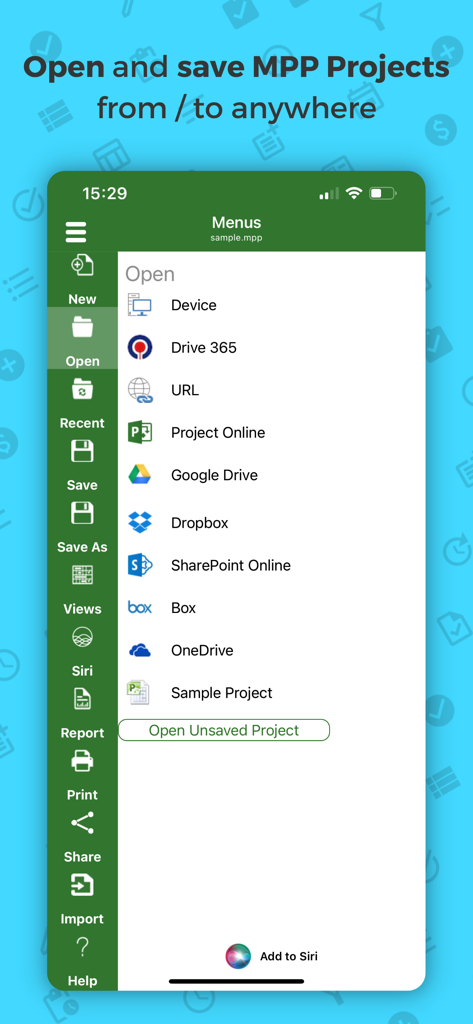
Project Plan 365 mobile app interface showing various cloud storage options to open and save MPP project files

Project Plan 365 mobile app interface showing various cloud storage options to open and save MPP project files

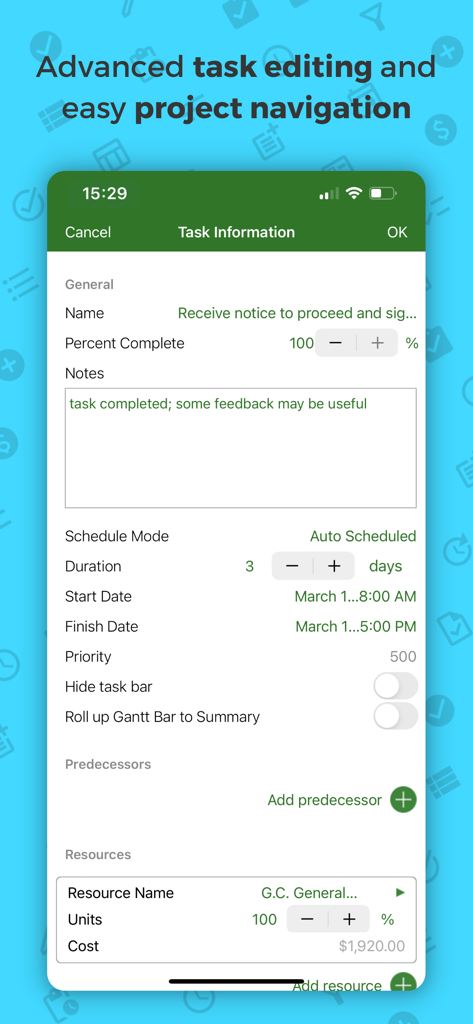
Task information and advanced editing screen in the Project Plan 365 mobile app

Task information and advanced editing screen in the Project Plan 365 mobile app

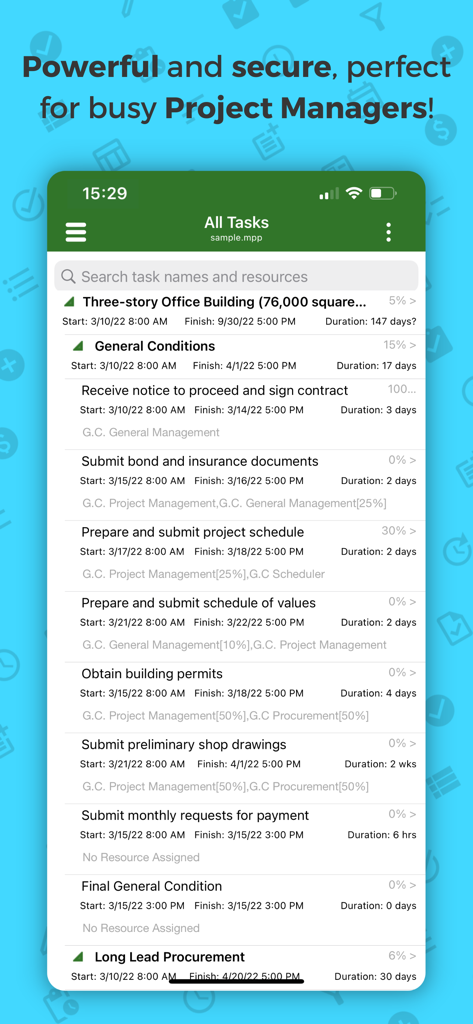
Project Plan 365 mobile app displaying a detailed project task list with completion percentages and schedules

Project Plan 365 mobile app displaying a detailed project task list with completion percentages and schedules

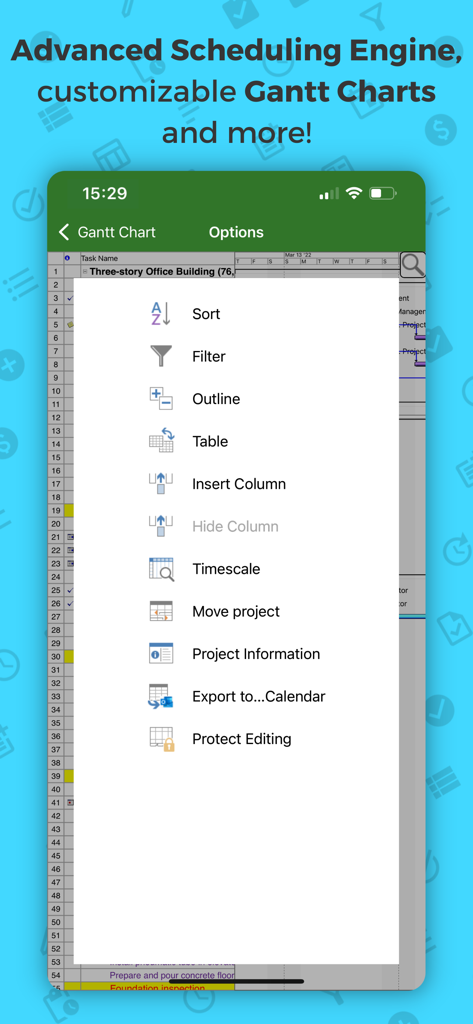
Advanced scheduling options and Gantt chart menu in Project Plan 365

Advanced scheduling options and Gantt chart menu in Project Plan 365

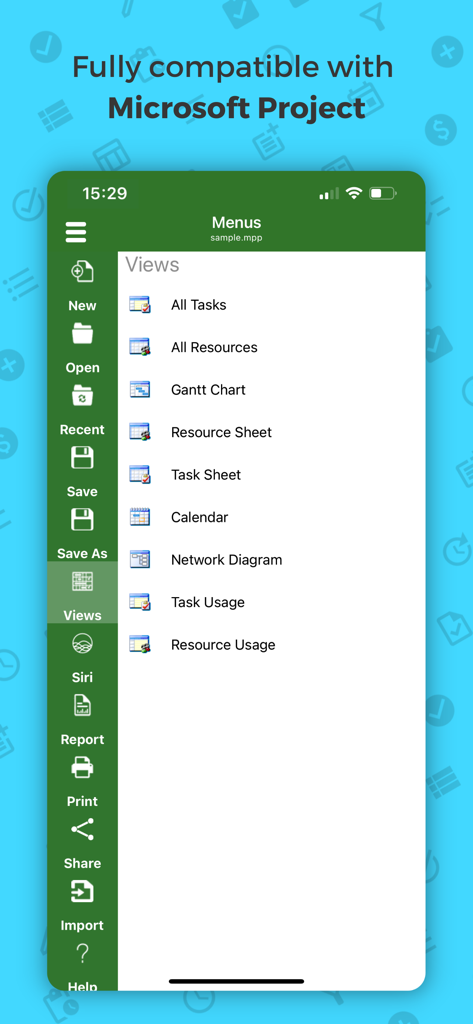
Project Plan 365 mobile interface showing a menu of project management views including Gantt Chart and Network Diagram

Project Plan 365 mobile interface showing a menu of project management views including Gantt Chart and Network Diagram

Desktop-Grade Project Management, Anywhere

The tools that make this app stand out, trusted by 136K+ users.

๐Ÿ“‚

Full MPP Compatibility

Open, edit, and save Microsoft Project files (2003-2021) seamlessly without losing formatting or critical project data.

๐Ÿ“Š

Advanced Gantt & Reporting

Analyze your timeline with Gantt Charts, Critical Path info, and Resource Usage views optimized for the professional power user.

โ˜๏ธ

Seamless Cloud Integration

Bridge the gap between field-site and office by syncing projects via OneDrive, SharePoint, or Dropbox in real-time.

Loved by users worldwide

Trusted by 136K+ people who love this app.

"

"As a construction site lead, I used to carry around heavy rolls of paper or a laptop that died halfway through the day. Project Plan 365 changed everything. I can open my team's MPP files directly on my iPad, view the critical path, and update task status right from the field. It is exactly like the desktop version I use at the office, but portable."

Marcus T., Senior Site Manager
"

"Finding a professional-grade project management tool for iOS that doesn't strip out features is nearly impossible. This app is the real deal. It handles my complex resource usage charts and network diagrams perfectly. The seamless integration with OneDrive and SharePoint means I can jump from my PC to my iPhone without missing a beat. Worth every penny for the productivity boost."

Elena R., IT Project Consultant

About the app

Everything you need to know about Project Plan 365.

Description

Now Microsoft Project Plans (MPP) look better than ever on your IOS device! Project Plan 365 is an intuitive solution for project planning and project collaboration perfect for individual Project Managers and/or small teams working in fast-paced collaborative environments which may be across disparate geographic locations. Project Plan 365 looks and feels exactly like MS Project- you may think about PP365 as Microsoft Project for iPad/iPhone or MS Project for the Cloud! Project Plan 365 provides support for all MS Project standard views like Gantt Chart, Task Sheet, Network Diagram, Project Calendar, Task Usage, Resource Usage, Team Planner, etc. Project Plan 365 provides critical path info and all standard project reports, filters, time scale and other like MS Project sophisticated features. You can open and view MPP files from any cloud storage location like DropBox, OneDrive, Google Drive, Box, and SharePoint Online or from your local device Project Plan 365 is compatible with Microsoft Project (MPP file format) 2016, 2013, 2010, 2007, 2003 and earlier versions. The interface is intuitive making Project Viewer simple for the end users. In-App Option: Create New/Edit and Save in MPP File Format Create new Gantt Charts in MS Project MPP compatible formats or modify existing project schedules in the same intuitive way as Microsoft Project. Save and Share your plans (MPP files) from any storage or cloud location on any IOS device. Works with, or as an alternative to Microsoft Project. Try Project Plan 365 with full functionalities free for 1 month! Project Plan 365 subscription is offered on a yearly (1 year) basis for a price of $129.99 USD per year and works on any supported platform and devices. Purchase Project Plan 365 subscription once, use on all supported devices and platforms. Payment will be charged to iTunes Account at confirmation of purchase Subscription automatically renews unless auto-renew is turned off at least 24-hours before the end of the current period Account will be charged for renewal within 24-hours prior to the end of the current period, and identify the cost of the renewal Subscriptions may be managed by the user and auto-renewal may be turned off by going to the user's Account Settings after purchase No cancellation of the current subscription is allowed during active subscription period Terms and Conditions: https://www.projectplan365.com/about/terms.html Privacy Policy: https://www.projectplan365.com/about/privacy.html

Latest Version

25.14

Size

94.3 MB

First Released

Nov 18, 2013

Bring the Power of MS Project to Your iPad & iPhone

Open, edit, and share MPP files with the familiar interface you already know. Start your 30-day free trial today and manage complex project timelines from the office or the field.

Download on App Store