
Karing


The ultimate proxy client for Clash, V2ray, and Sing-box. Take full control of your internet traffic with custom routing rules and seamless iCloud synchronization across your iPhone, Mac, and Apple TV.
Publisher
Category
UtilitiesDownloads
139K+User Rating
Total Ratings
600Locales
1Discover the interface used by 139K+ users.
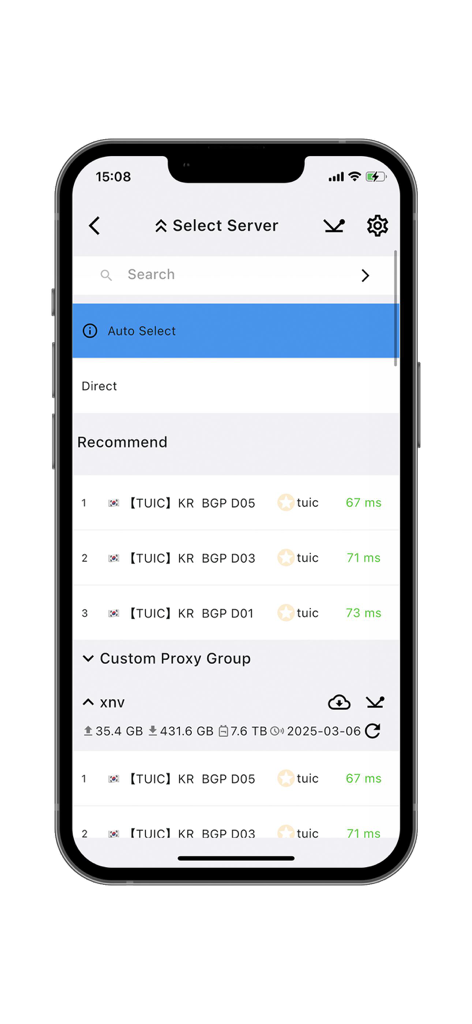
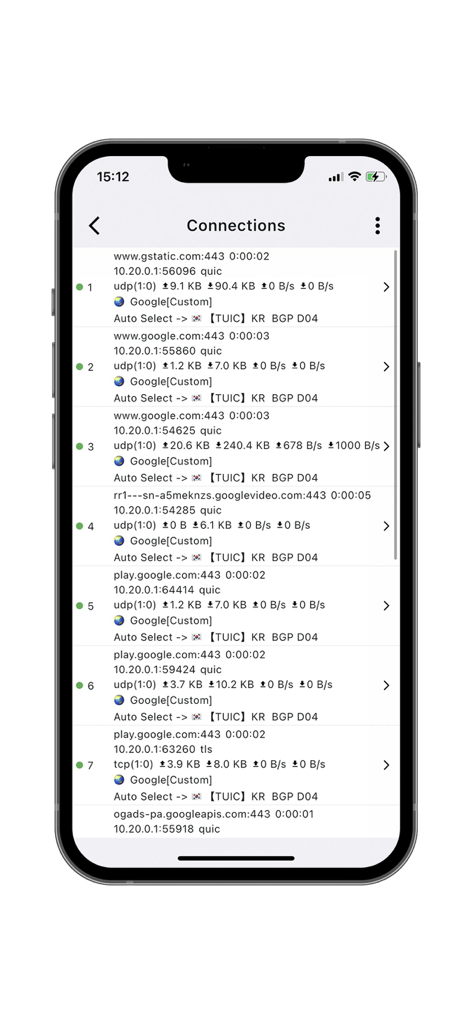
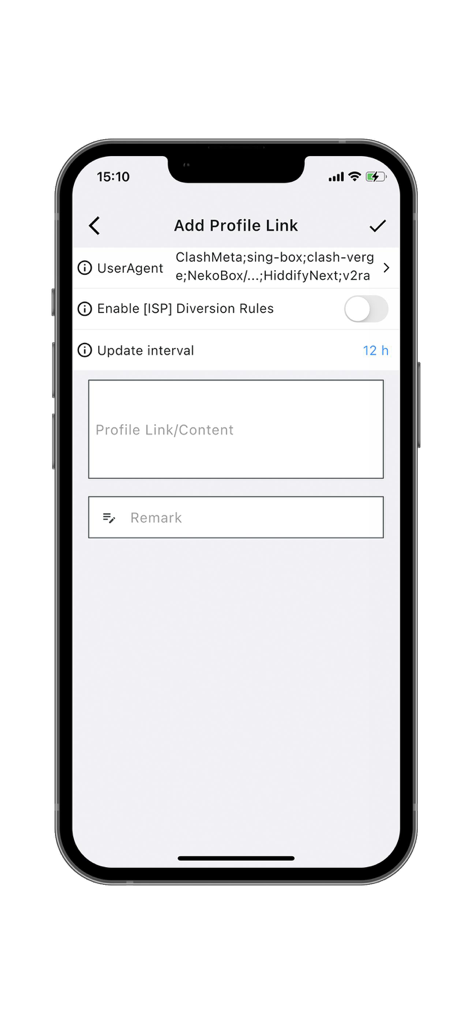
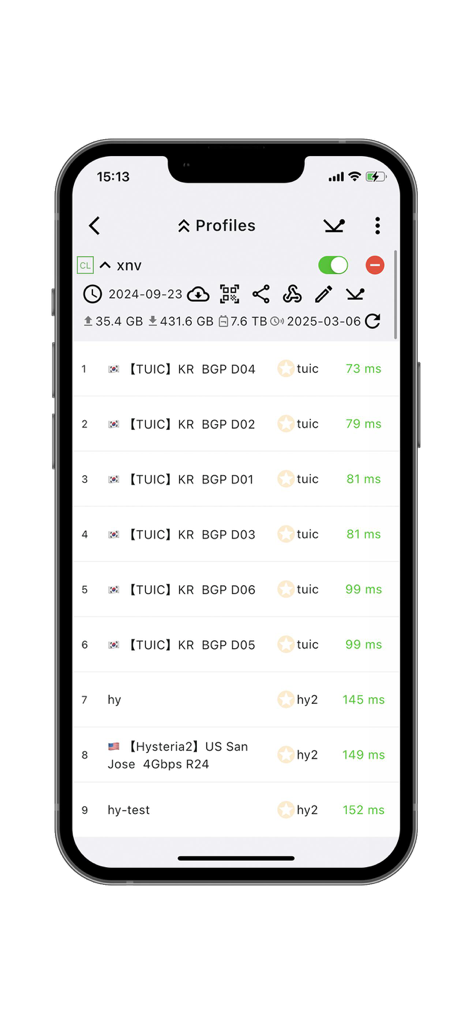
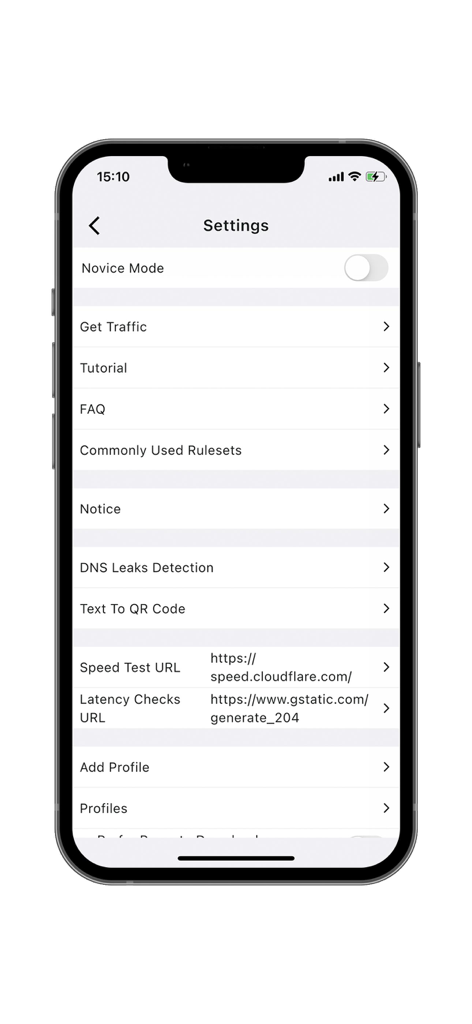
The tools that make this app stand out, trusted by 139K+ users.
Seamlessly manage Clash, V2ray, and Sing-box subscriptions in one powerful, professional-grade interface.
Automatically select the fastest nodes and apply custom rules to optimize your global connection with zero latency.
Synchronize your custom configurations across iPhone, Mac, and Apple TV via iCloud or WebDAV for a consistent experience.
Trusted by 139K+ people who love this app.
"Finally, a client that handles complex Clash and Sing-box configs without crashing. The iCloud sync between my Mac and iPhone is a total game-changer for my professional workflow. Being able to apply custom routing rules across all my subscription sources automatically makes it the most efficient utility in my stack."
"I love how Karing balances technical power with a clean interface. The novice mode was perfect to get me started, but the native support for Apple TV is what really sold me. Now I can manage all my global connections across every device in my home with zero hassle and total privacy."
Everything you need to know about Karing.
Description
Latest Version
1.2.11.1406
Size
133.5 MB
First Released
Dec 26, 2023
Join the community of power users using Karing for professional-grade proxy management. Download now and sync your custom configurations across iPhone, Mac, and Apple TV.
Everything you need to know about Karing
Karing supports various proxy protocols including Clash, V2ray/V2fly, Sing-box, Shadowsocks, Sub, and Github Subscriptions. It also supports full Clash config and partial Clash.meta config.
Yes, Karing allows backup and synchronization of configurations, enabling multiple devices to use a single configuration. It supports iCloud, Local Area Network, and WebDAV synchronization.
Yes, Karing supports custom routing rule groups and node groups. It also provides a set of routing rules that automatically select efficient nodes from multiple subscription sources.
Yes, Karing features a novice mode designed for simpler configuration, making it ready to use right out of the box for new users.
Karing supports importing and exporting configurations using ZIP files. This feature facilitates easy transfer and management of settings.
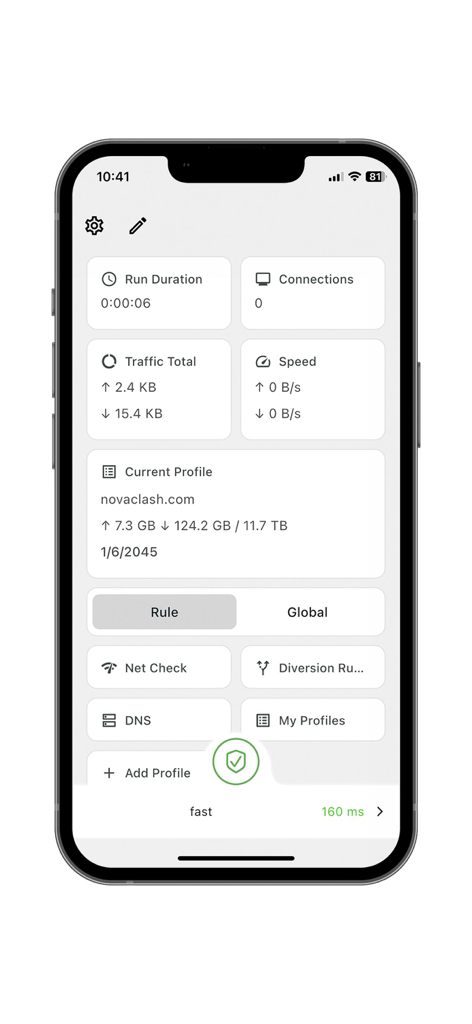
Yes, Karing allows users to add and manage multiple profiles, as evidenced by the "Add Profile" and "My Profiles" options in the app interface.
Karing monitors and displays "Run Duration," "Traffic Total," "Speed," and "Connections" directly on its main dashboard for user oversight.
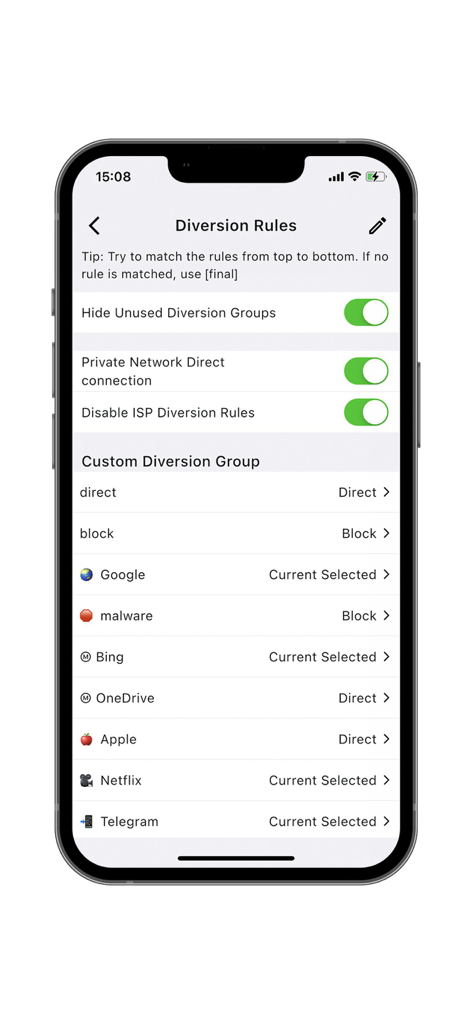
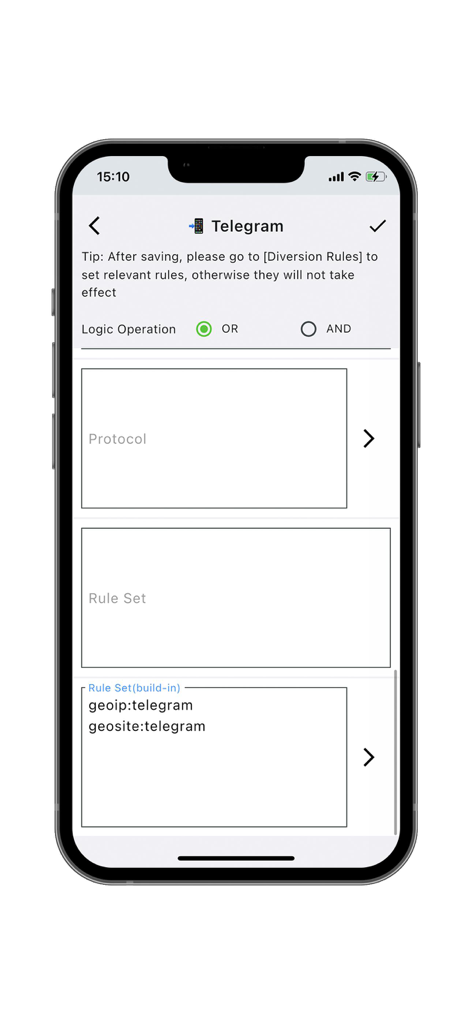
Yes, Karing offers customizable diversion rules for specific services such as Google, Netflix, Apple, Bing, and Telegram, allowing users to direct or block traffic.
The official website for the Karing app is `https://karing.app`.
Apps with similar features and user experience
FATCAT TECH PTE. LTD.

Unicorn Soft, Inc.

SUPERNOVA NEBULA LLC
YUNFAN TECHNOLOGY CO., LIMITED

techlaim

DATABRIDGES TECHNOLOGIES LTD

VIRAL TECH, INC.

Surf Safe Network Ltd

Holistic Resilience